


Are you looking for the most helpful apps to improve productivity, manage health, or organize daily activities? Or are you seeking a curated list as a reference for your app development project idea? No matter who you are, this article is the right place to find these answers. Here, we’ll provide you with the 31 best apps to streamline work, support study, and make your personal life better. Keep reading!
Most Helpful Apps for Work Productivity
The global productivity app market will be valued at $12.26 billion in 2026 and continue to grow by 9.2% annually in the upcoming years. These figures highlight the increasing reliance of people on technologies to streamline workflows and improve efficiency. So, what are the most useful apps for work productivity? Let’s take a look, and we’ll make sure these names don’t surprise you!
1. Notion – All-in-One Workspace
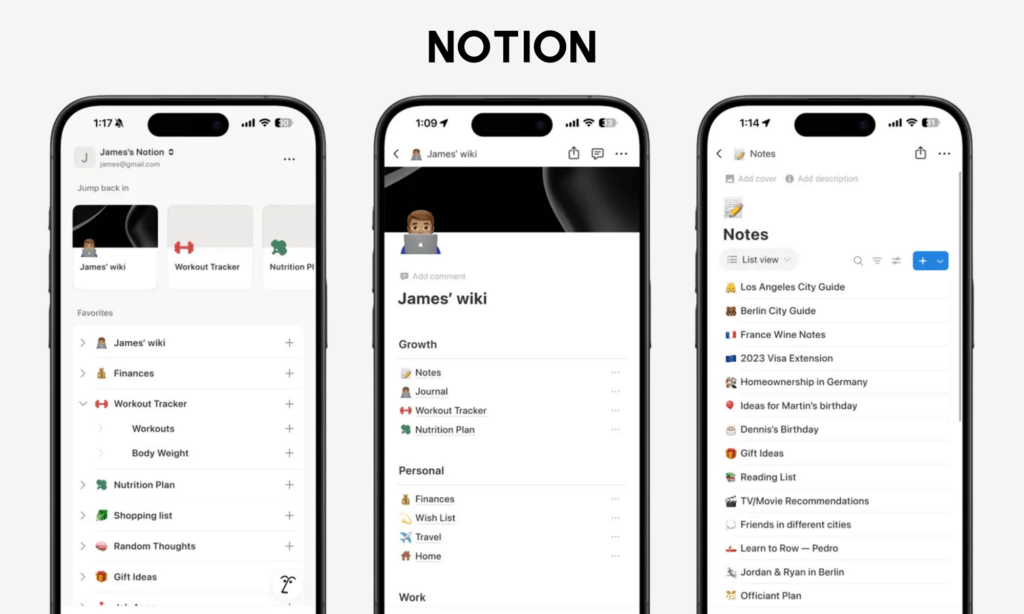
People often think of Notion for only note-taking, but then, their entire work life somehow takes place there. It combines documents, databases, task boards, wikis, and lightweight project management into a single workspace. That’s why some people call it an all-in-one app.
Notion now has over 100 million users worldwide. On the App Store, it holds an average rating of around 4.8 stars, with users praising convenience and ease of use, while complaining about performance on very large pages.
Special features users love:
- Databases: Notion allows you to turn almost anything (tasks, meeting notes, etc.) into a database and then view the data as a Kanban board, table, calendar, timeline, and gallery. You can even link different databases from different pages to organize information neatly without the need to duplicate it.
- Minimalist interface & drag-and-drop functionality: In Notion, you can move items (text, image, etc.) around easily. With a simple interface, Notion lets you pile all the data without messing it up.
- Real-time collaboration & comments: Notion enables users to cooperate on the same tasks in real-time, comment on specific content, and mention other members to get feedback.
- Templates: You can use community-made templates or create a custom template yourself to organize even complex workflows.
- Integrations: Notion allows you to embed external content from Google Drive, Slack, Figma, and more to foster the functionality of dashboards.
- Notion AI: Users highly value this feature, as it can handle many manual tasks, like summarizing notes, building databases, and brainstorming.
Pricing:
- Free (for personal use)
- Plus (for small teams and professionals): $10/user/month
- Business (for growing businesses): $20/user/month
- Enterprise: Custom pricing
2. Slack – Team Communication Hub
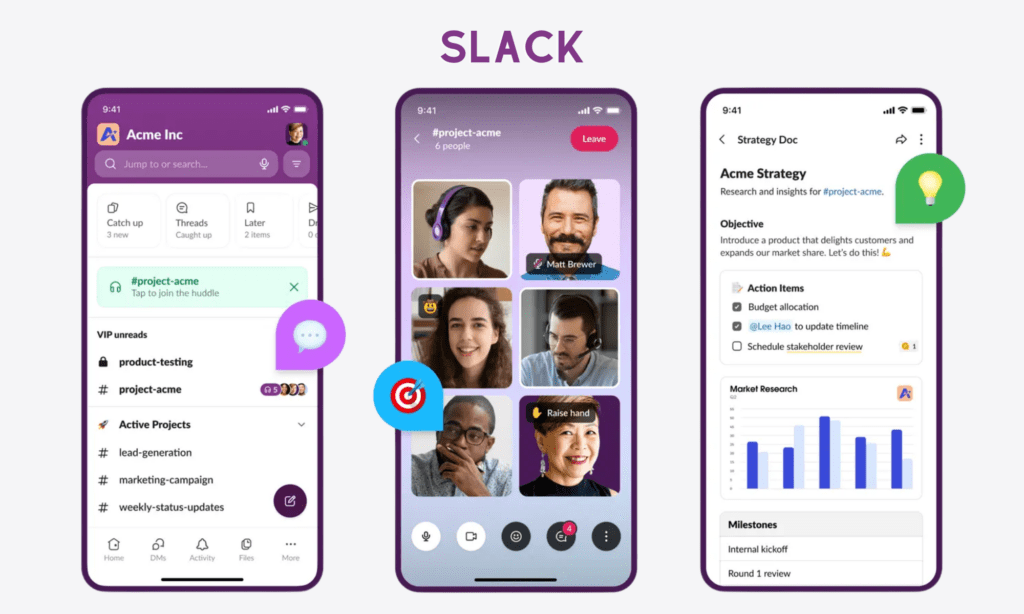
Slack is a modern replacement for messy email threads. It organizes conversations into channels, so discussions about marketing don’t accidentally collide with engineering issues.
Slack has over 47 million daily active users and over 200 thousand paid users. On the App Store, it only gets around 4.1 stars. Many compliment its ability to streamline company communication, but others also complain about bad performance on the latest updates.
Special features users love:
- Organized channels: Slack enables private or public group chats based on specific topics or projects, reducing reliance on chaotic email chains. You can join or leave channels, view chat history, pin important messages or links, and schedule message sending.
- Integrations: Slack offers more than 2,600 integrations (e.g., Google Drive, GitHub, or Zoom) and lets you receive notifications directly inside Slack without switching between apps.
- Search: You can find information within Slack messages and also shared documents. You can filter searches by date, channel, users, files, or specific keywords to locate information quickly.
- Workflow building: Users highly appreciate Slack’s ability to build automated workflows and trigger routine tasks, like onboarding new employees or collecting feedback.
- AI features: AI wins a user’s heart, as it helps users to summarize long chats, highlight the key information, and automatically create meeting notes.
Pricing:
- Free
- Pro: $7.25/user/month (billed annually)
- Business+: $15/user/month (billed annually)
- Enterprise+: Custom pricing
3. ClickUp – Customizable Project Management
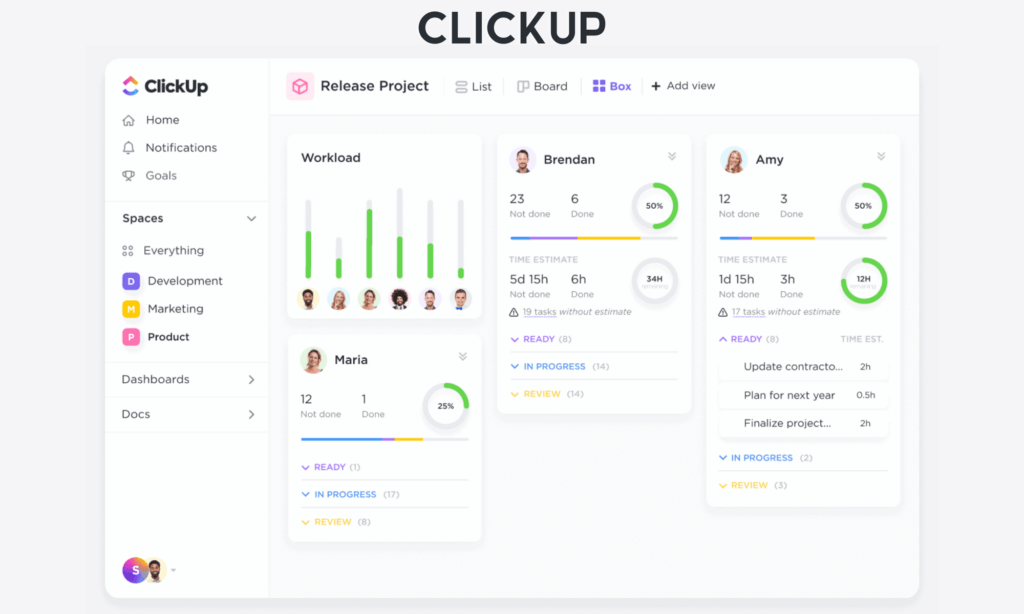
ClickUp is a project management platform. It helps all types of teams manage tasks, docs, goals, time tracking, and dashboards in a unified platform. This reduces the need to switch between apps.
ClickUp now has over 20 million users worldwide and maintains an average rating of 4.7 stars in the App Store. Many love it because of its deep customization and rich features, but also complain about app lag sometimes and data syncing between the desktop and mobile versions.
Special features users love:
- High customization: You can tailor ClickUp to your specific workflow by customizing task statuses, fields, views (with 15+ view support), and automations. Users also highly praise ClickUp’s ability to organize work neatly into spaces, folders, and lists, no matter how complex their projects are.
- Built-in collaboration tools: ClickUp enables you to integrate over 100 tools to handle almost every task. Some typical tools include ClickUp Docs (to create & edit documents collaboratively), In-App Chat (for real-time team communication), Native Time Tracking (to track tasks and billable hours), etc.
- Automations: People favor ClickUp Automations, as this feature automates many repetitive tasks by using Automation templates or asking AI to build automated workflows.
- ClickUp Brain: This AI assistant helps you search through tasks and docs, summarize meeting notes and long comment threads, and even draft action items 4x faster.
Pricing:
- Free Forever
- Unlimited: $7/user/month (billed annually)
- Business: $12/user/month (billed annually)
- Enterprise: Custom pricing
4. Trello – Simple Kanban Boards
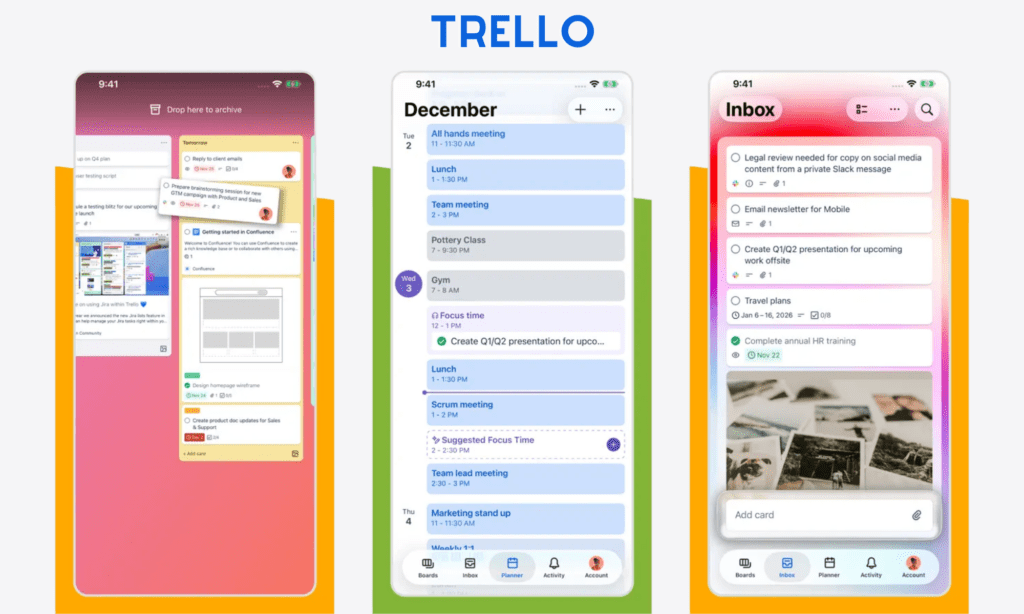
If you want something simple to track work visually, don’t ignore Trello. This app proves helpful for personal projects and small teams, as it organizes everything in Kanban boards, which include cards, lists, and columns.
Trello has over 50 million registered users and receives 4.6 stars on the App Store. Many highly value the app just because it’s simple yet reliable to use. But some still feel dissatisfied with app lag and poor sync between mobile and desktop/web versions.
Special features users love:
- Simple Kanban boards: Users love this UI design, which allows them to visually track which tasks are in the “To Do,” “Doing,” and “Done” statuses. They can easily move cards between columns and categorize them with color-coded labels.
- Integrations & add-ons: Trello allows you to integrate various third-party services, like Slack, Google Drive, or Gmail, to foster the functionality of Trello’s boards and meet your specific needs.
- Automations: Trello also helps automate your workflows, like moving cards, adding members, setting due dates, or adding the Tasks checklist.
Pricing:
- Free (for up to 10 collaborators per workspace)
- Standard: $5/user/month (billed annually)
- Premium: $10/user/month (billed annually)
- Enterprise: $17.50/user/month (billed annually) if your team has at least 50 users
5. Linear – Issue Tracking for Modern Teams
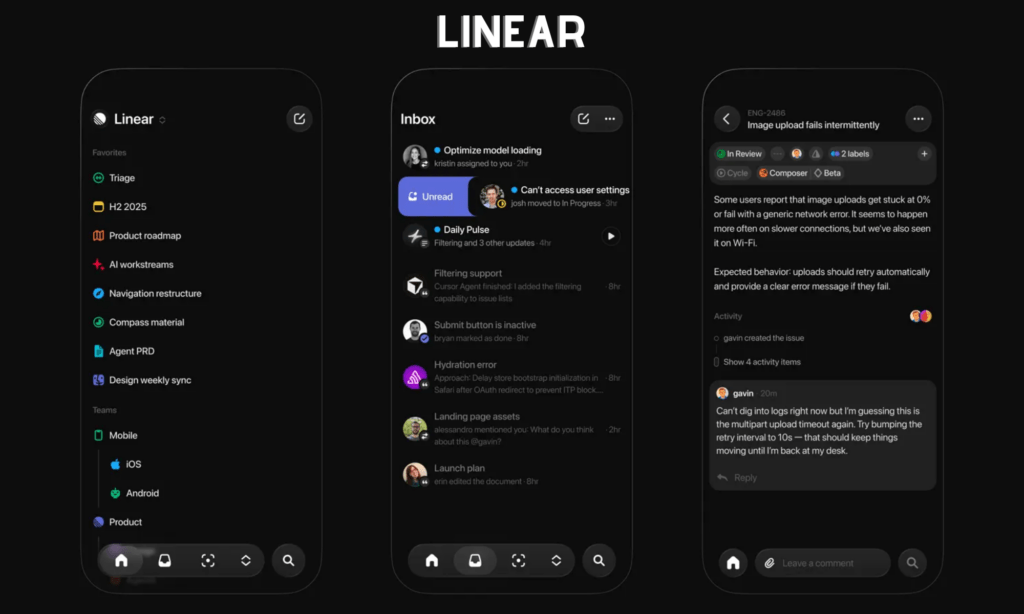
Linear is an issue tracking and project management tool built mainly for software teams and startups. It has a minimal design and focuses on speed.
Compared with other helpful apps in this list, Linear has modestly 14 thousand users, but it’s highly rated – 4.8 stars – on the App Store. Many praise its extreme speed and developer-centric workflow automation. But it lacks features and customization options for complex, multi-team projects. Many users find that a big minus.
Special features users love:
- Superior speed and performance: Users highly appreciate Linear’s instant response to inputs without wasting time loading. From switching views to tracking issues, everything happens fast in Linear, hence speeding up product development.
- Keyboard shortcuts: Linear allows developers to manipulate Linear through keyboard shortcuts and a command menu (Cmd/Ctrl + K).
- Minimalist interface: Many teams love Linear’s simple and clean interface that lets them navigate around easily.
- Excellent support for software development: Linear allows your team to organize tasks in projects and cycles (sprints) for easy progress tracking. Besides, it enables hundreds of integrations with developer tools for engineering, bug reporting, automations, and more to facilitate development work.
- AI features: Linear also integrates AI capabilities, like Triage Intelligence or Linear for Agents, to streamline your workflow. From auto-assigning tasks to generating code and searching, they can get you covered.
Pricing:
- Free
- Basic: $10/user/month (billed annually)
- Business: $16/user/month (billed annually)
- Enterprise: Custom pricing
6. Google Workspace – Cloud Collaboration Suite

Google Workspace is the largest office productivity tool with a market share of around 45%. This toolset gathers lots of helpful apps like Gmail, Docs, Sheets, Drive, and Gemini. Each supports different office tasks. For example, Google Docs helps with content creation and editing, while Google Drive is used to store documents and files.
The whole ecosystem has over 4.4 billion verified business users, including Amazon, Walmart, and more. Each app in this ecosystem generally holds a high rating, around 4.8 stars. Many users highly value its real-time collaboration and cross-device integration. But some still show their disappointment about app lag and delayed syncing, which hinders real-time collaboration at times.
Special features users love:
- Real-time collaboration & co-editing: Google Workspace operates on Google Cloud. So, it allows you to access its apps and documents anytime on connected devices, enabling real-time collaboration like simultaneous editing or mentions on Google Docs. Further, you can track edits and revert to previous versions.
- All-in-one collaboration platform: People love Google Workspace because it integrates various office tools to improve their productivity. For example, they can turn meeting invites from Calendar or Gmail into Google Meet links.
- Offline mode: You can continue editing documents when the Internet connection is poor or unavailable. After reconnection, changes will automatically sync.
- Auto-save: Office tools like Google Docs auto-save your content regularly. So, you don’t need to worry about losing work.
- AI features: Google supports your work with AI features. You can use Gemini AI to create, summarize, and even improve writing in apps like Docs. Smart suggestions in Gmail or Docs also reduce your time on drafting.
Pricing:
- Free: Personal Google account
- Starter: $3.5/user/month (billed annually)
- Standard: $8.4/user/month (billed annually)
- Plus: $22/user/month (billed annually)
- Enterprise: Custom pricing
7. Evernote – Note-Taking & Information Capture
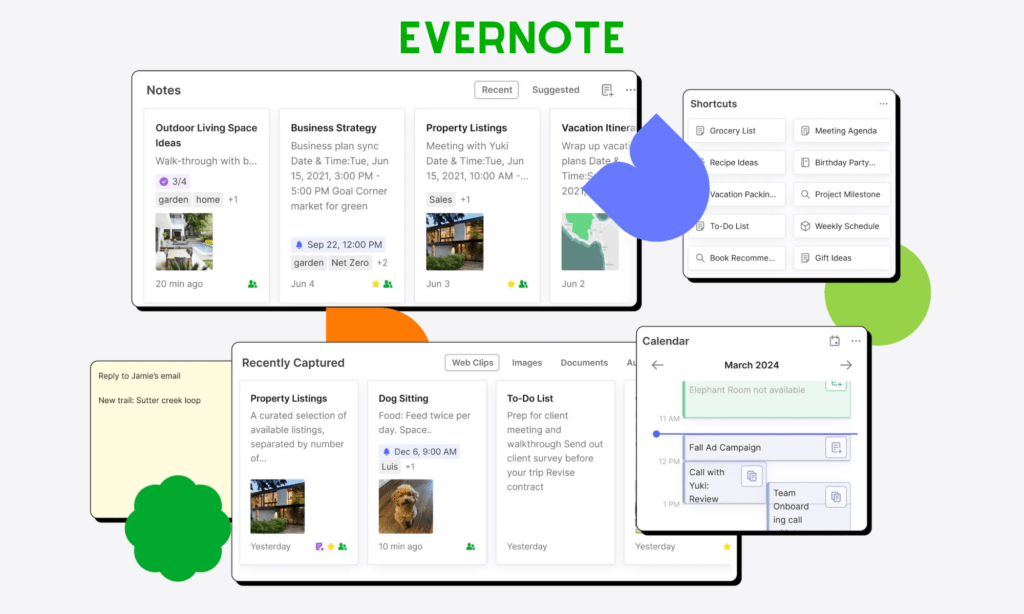
Evernote is inherently a note-taking app. Its goal is to help you take notes, store files, and even scan & search through documents quickly.
Evernote has over 200 million active users, and it’s rated at 4.5 stars on the App Store. People value Evernote for its convenience in note-taking and web clipping. After the Version 11 release, users send thumbs up to its increased speed and AI-powered search. But many still complain about its high subscription costs and constant pop-ups & ads that force them to upgrade to premium plans.
Special features users love:
- Search through PDFs and images: Many love Evernote, as it allows them to search for text in not only text-based documents but also scanned files, photos, and handwritten notes. With AI capabilities in the latest version, Evernote allows for semantic search.
- Notebooks & stacks: You can capture everything, organize it into notebooks, and group these notebooks into stacks with tags.
- Web clipping: People also appreciate Evernote because of its powerful web clipping tools. Installed in browsers as an extension, Evernote works as a digital bookmark that saves articles and even entire web pages into a notebook.
- AI features: AI can do many repetitive tasks on your behalf, from editing content and summarizing meeting notes to searching through documents and external websites.
Pricing:
- Free
- Starter: $8.25/month (billed annually)
- Advanced: $20.83/month (billed annually)
- Enterprise: Custom pricing
8. Zoom – Video Meetings & Remote Work
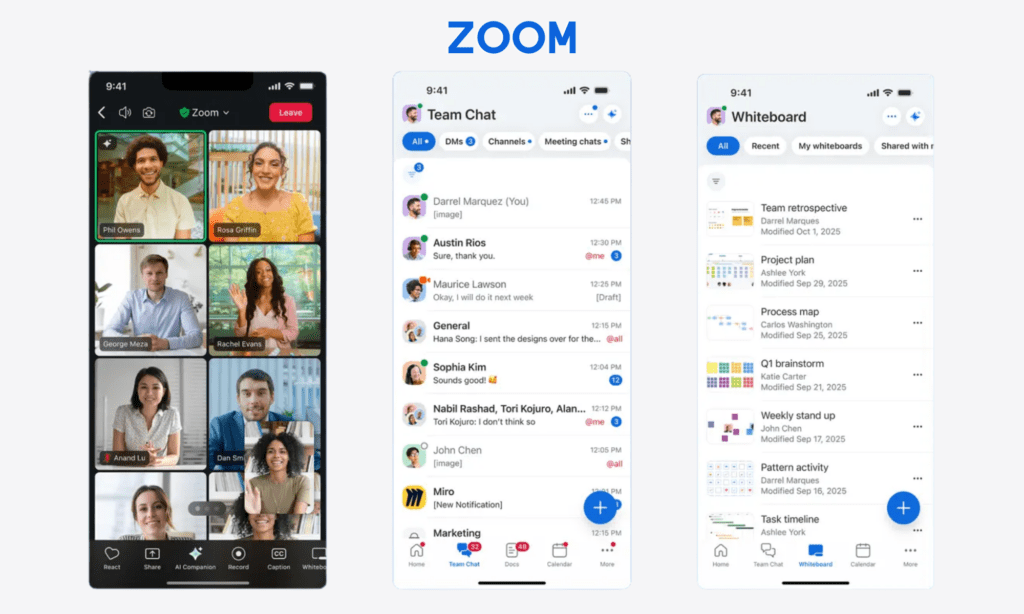
Zoom is one of the most helpful apps for online meetings, webinars, and training. Emerging as a phenomenon during the COVID-19 pandemic, the app helps various individuals and businesses work and study effectively.
Zoom consistently ranks around 4.2 stars on the App Store. During peak remote-work years, daily meeting participants reportedly hit hundreds of millions. As of October 2025, Zoom reported over 192,000 enterprise users, who contributed 60% to the total revenue.
Many people love Zoom due to its high call quality, “meeting-first” design, and ease of use. Even on poor connections, Zoom still offer stable, high-quality video calls, making it outperform Google Meet and Teams. However, it still receives frequent complaints about performance issues on mobile devices.
Special features users love:
- Call Stability: Zoom is well-known for its high call quality, even on weak connections. Many people love this feature, as it allows them to organize smooth meetings in hybrid and remote scenarios.
- Meeting-first design: Zoom prioritizes meetings by offering various features, like breakout rooms, meeting recordings, screen sharing, emoji reactions, and note-taking on a shared screen.
- AI Companion: AI helps you automate prep, follow-up, and documentation. Further, it can summarize your meetings and turn meeting notes into ready-to-use docs. You can even ask AI questions about the information you missed from meetings.
Pricing:
- Free for 40-minute group meetings
- Pro: $13.33/user/month (billed annually) for 30 hours per meeting
- Business: $18.33/user/month (billed annually)
- Enterprise: Custom pricing
9. Lumin PDF – Smart PDF Reader & Editor
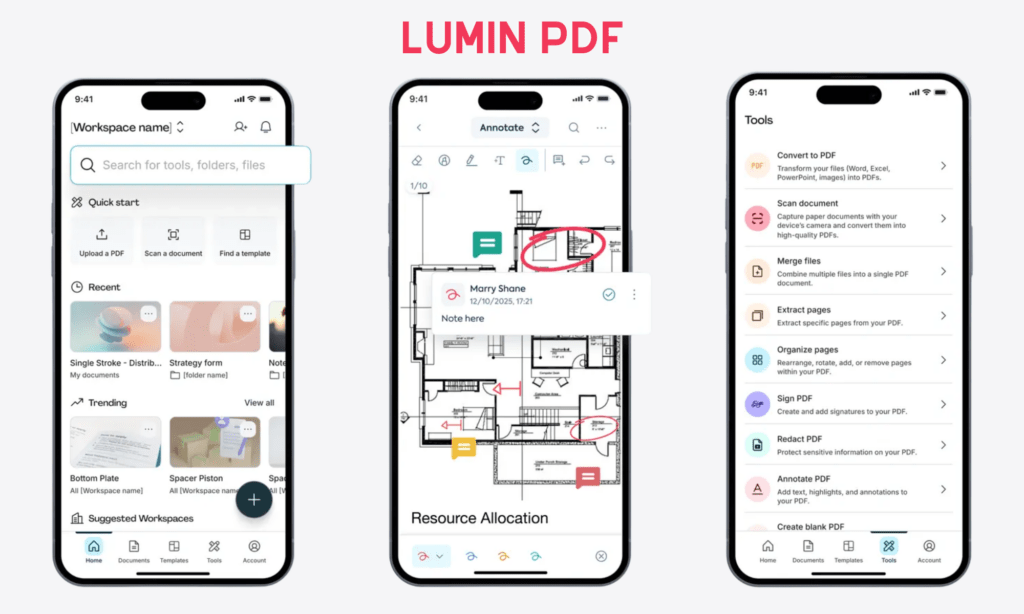
Lumin PDF is a cloud-based PDF reader and editor designed for people who deal with documents daily, like contracts, reports, and forms. It’s especially popular among users who want something lighter than traditional desktop PDF software.
Partnering with Designveloper and other development teams globally, Lumin built a lighter alternative to traditional desktop PDF software. It’s highly valued at 4.8 stars on the App Store, attracting over 120 million users worldwide for its ease of use and quick edits. However, users often complain about the app’s restricted free plan and slow document loading.
Special features users love:
- PDF annotation & editing: Users love highlighting, adding text or images, editing, and commenting on PDFs. This allows for real-time collaboration. They can even turn scanned documents into fully editable PDFs and fillable forms by adding text fields, dropdowns, etc.
- Page manipulation: Users highly appreciate the ability to merge, split, extract, organize, and delete PDF files.
- PDF ORC: This feature allows you to search important details inside scanned files and images, edit PDFs, add comments, and insert secure signatures.
- Integration with Google Workspace: With this functionality, you can edit, save, and sync documents directly in Drive, Gmail, and Classroom. Accordingly, you don’t need to download, send, or receive PDFs.
Pricing:
- Free: 3-doc annotations and digital signature
- Starter (for students): $9/month
- Pro: $19/team/month
- Business: $99/team/month
- Enterprise: Custom pricing
Best Useful AI Assistants and Smart Apps
Artificial Intelligence (AI) is dominating this era. Beyond traditional rule-based applications, AI tools can now do more things smartly, thanks to generative AI (GenAI) capabilities. It supports brainstorming ideas and creating new content within minutes. Below are the best helpful apps powered by AI you need to know:
10. ChatGPT – AI Thinking & Writing Assistant
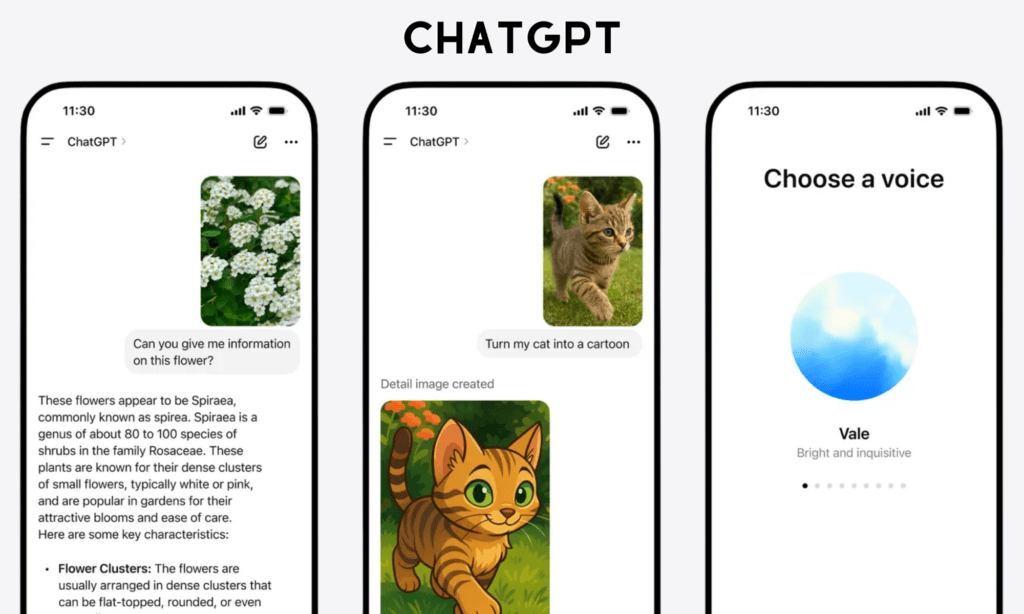
When it comes to the most helpful AI app, we often think of ChatGPT first. It’s built to help us brainstorm new ideas, write content, code, and solve different problems.
According to First Page Sage, the number of ChatGPT users reached 813 million as of February 2026, accounting for the largest market share of 73.9%. It holds an average rating of 4.8 stars on the App Store for its usefulness in every aspect of people’s lives. But it also receives criticism about hallucination, although its developer, OpenAI, is trying to overcome this problem.
Special features users love:
- Versatility: Users love ChatGPT because it proves useful in addressing many daily routines. Three-quarters of chats revolve around searching for information, asking for practical guidance, and writing. Beyond these applications, ChatGPT also helps you explain concepts, rephrase content, and summarize documents.
- Voice chat: Not all the time people are hands-free to chat with ChatGPT. So, they love ChatGPT’s ability to understand natural language and chat by voice.
- Multi-modal handling: ChatGPT understands not only text-based content but also images. You can upload images and ask questions, like explaining whiteboard notes or identifying flowers.
- Collaborative editing: ChatGPT’s Canvas allows many users to write and edit content.
- Memory function: ChatGPT can remember the context within a conversation or across chats to offer a personalized experience.
Pricing:
- Free
- Go: $8/month
- Plus: $20/month
- Pro: $200/month
- Business: $25/month
- Enterprise: Custom pricing
11. Claude – Long-Form Reasoning Assistant
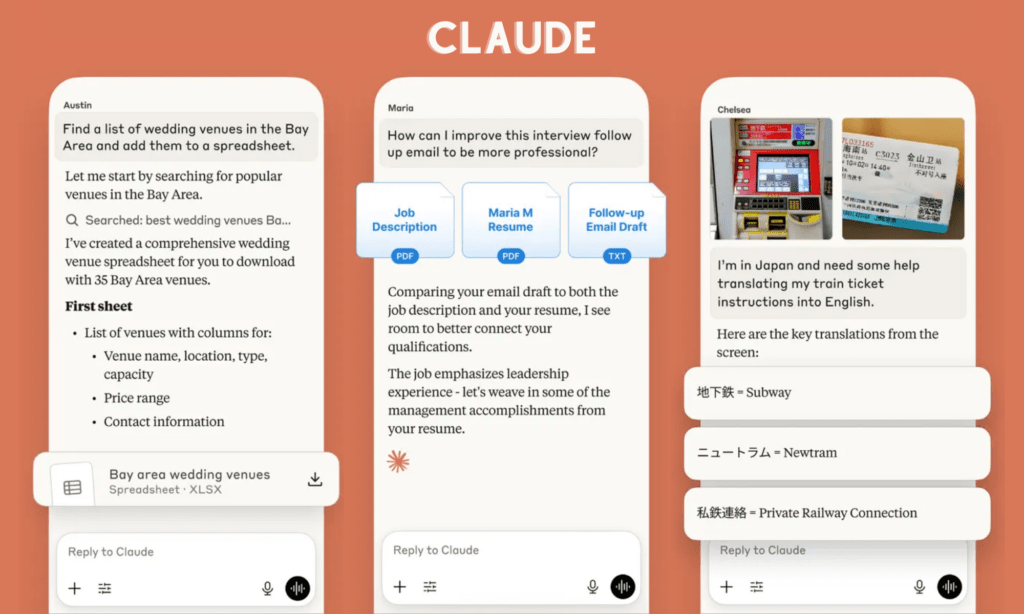
Claude is an AI assistant built with a strong focus on reasoning, clarity, and long-form content. People often say that it’s more structured and careful in its answers. If ChatGPT feels like a fast brainstorm partner, Claude feels more like someone who thinks before speaking.
Claude has over 19 million active users as of Q3 2025 and an average rating of around 4.7 stars on the App Store. Users praise its advanced reasoning and the ability to remember the context in long chats. But many often complain about its strict usage and message limits, even for paid users.
Special features users love:
- Long-form reasoning: Claude offers a large context window (up to 200K tokens). So users can upload many large files for analysis, summarization, and deep, context-aware Q&A. With the Thinking mode for extended reasoning, Claude can reason through your complex, multi-step problems to give better answers.
- Strong assistance across Chrome, Slack, Sheets & PowerPoint: Many love Claude because they can integrate Claude into these tools to support everyday work. This involves preparing for Slack meetings, pulling metrics from analytics dashboards, explaining Excel sheets, and more.
- Artifacts UI: This feature allows you to visually create and edit content in a separate screen. Accordingly, you can both chat with Claude and see its generated content at the same time.
- Projects: Users also appreciate Claude because they can group chats into projects to create specific knowledge bases with custom instructions.
Pricing:
- Free
- Pro: $17/month (billed annually)
- Max: From $100/user/month
- Team (from 5 – 75 members): Standard seat at $20/seat/month & Premium seat at $100/seat/month (billed annually)
- Enterprise: Custom pricing
12. Perplexity AI – AI Search with Sources
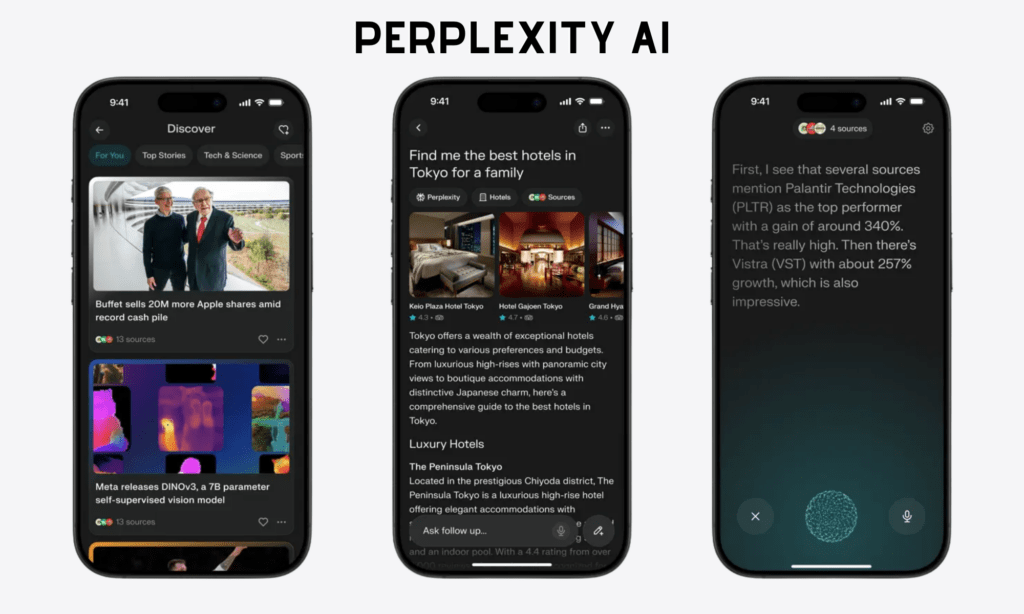
Perplexity AI is a combination of a search engine and an AI assistant. Instead of only creating answers, this helpful app also shows the original sources of the information. This makes the answers more convincing and easier to double-check. For this reason, it makes Perplexity AI a pro-search tool for deep research.
On the App Store, Perplexity AI has a high rating of 4.8 stars, reaching 45 million active users in the second half of 2025. Users appreciate this useful app for its real-time, citation-backed search. However, they also give thumbs down to its declining AI performance, memory limitations, and poor customer service.
Special features users love:
- Source citations: Many people love Perplexity due to this functionality. Its answers come with reference links and sources. This makes research more transparent and enables users to verify information more easily.
- Real-time web search: Perplexity is inherently a search engine powered by AI. So it doesn’t rely on outdated training data, but up-to-date information found through real-time search.
- Pro Search: Users value this feature of Perplexity, as it can perform deep, multi-step research into complex topics.
- Focus mode: You can limit searches to specific source types (e.g., academic papers or YouTube) to get more accurate results.
Pricing:
- Free
- Perplexity Pro: $20/month
- Enterprise Pro: $40/seat/month
- Enterprise Max: $325/seat/month
13. Gamma – AI Presentation & Docs Builder
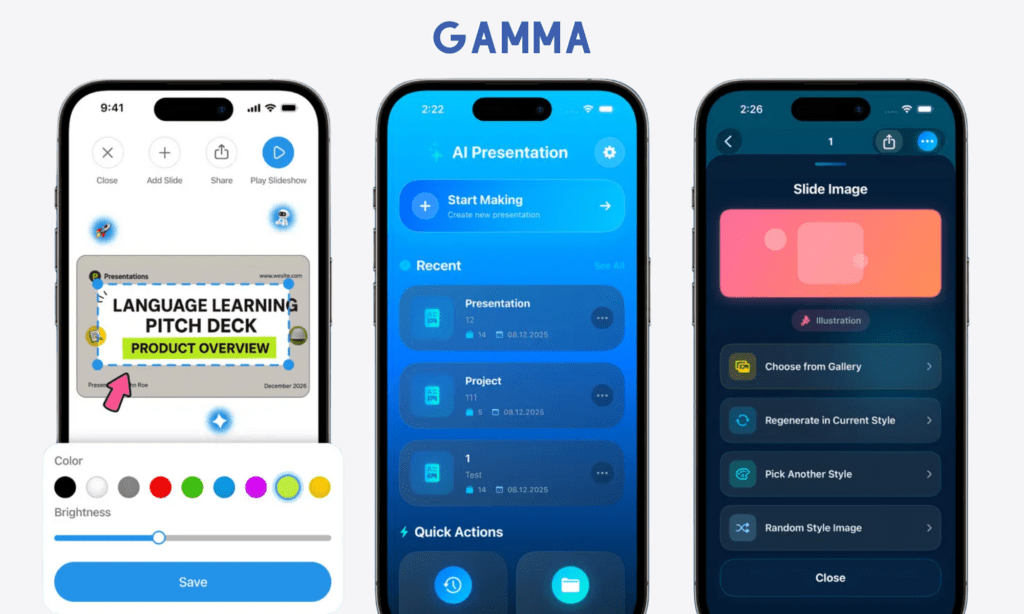
Gamma uses AI capabilities to help users build presentations, visual documents, and simple web pages. Just giving natural language prompts, the AI can turn your idea into a good-looking product without the need to build from scratch.
Within less than 2.5 years, Gamma AI attracted up to 70 million global users and got an annual recurring revenue (ARR) of $100 million. On the App Store, this app is rated at 4.5 stars. It gets positive comments about its AI-powered design capabilities that save people much time building presentations and landing pages. Yet many still complain that AI-generated visuals look quite similar and sometimes complex.
Special features users love:
- Prompt-based design: Users love Gamma, as it allows them to build presentations, documents, websites, and social media copies using prompts. They can also chat with the AI to change those AI-generated outputs to meet your specific needs. From editing parts of the layout to changing the entire structure, AI can handle these tasks easily.
- Advanced visuals & interactivity: In Gamma, you also automatically add relevant images and diagrams based on the content. Further, you can integrate apps, Figma files, GIFs, and YouTube videos directly into the content.
- Card-based structure: Gamma AI lets you build those products on a card-based structure. These cards can change their size flexibly to make your outputs look responsive on any device.
- Real-time collaboration: Your team members can collaborate on a digital product at the same time and track who is viewing your product through analytics.
Pricing:
- Free
- Plus: $10/seat/month (billed annually)
- Pro: $18/seat/month (billed annually)
- Ultra: $90/seat/month (billed annually)
- Team: $20/seat/month (billed annually)
- Business: $40/seat/month (billed annually) for at least 10 seats
14. Superhuman Mail – Fast Email Experience
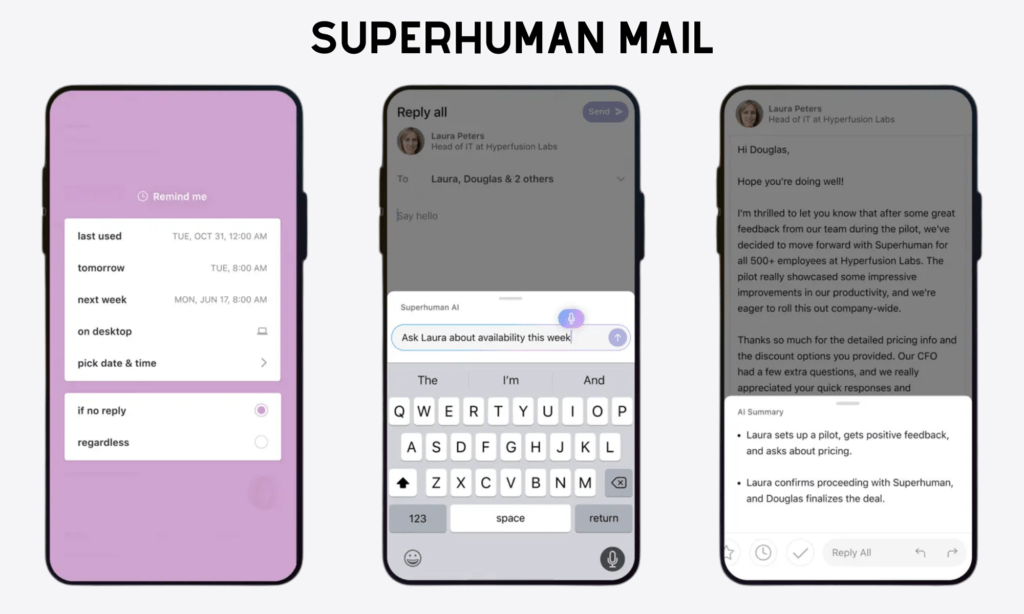
Superhuman Mail is the most helpful app that speeds up email handling. In July 2025, Grammarly acquired this app and rebranded to Superhuman, offering a comprehensive Superhuman platform. This platform includes Grammarly (a writing assistant), Mail (an email assistant), Coda (a workspace for teams), and Go (a collection of AI agents). You can use this all-in-one platform or these apps separately.
Superhuman Mail maintains 4.6 stars on the App Store. It focuses on speed, particularly saving four hours every week and helping users handle their inbox twice as fast. That trait makes people willingly pay for the app.
And the downside? Many say that its existing features aren’t value for money, and the app still lacks a unified inbox for various accounts. Besides, a lack of a free plan is a big minus.
Special features users love:
- Keyboard-first design: People love Superhuman Mail most because it speeds up email tracking and handling. It allows them to complete 95% of tasks without a mouse, but only with keyboard shortcuts. Further, you can find or tailor commands in its command palette (often activated by Cmd/Ctrl+K) to enhance your experience.
- Smart inbox management: The app can automatically split emails into different categories (e.g., Important or Newsletters). People also love its ability to remind them of a specific date/time for replies or follow-ups.
- AI features: Superhuman Mail integrates AI to help you convert quick notes into context-aware, polished emails. It can also summarize long email threads, draft quick replies, perform semantic search, and triage incoming emails.
- Collaboration: The app allows your team members comment directly on emails without forwarding them. They can share reusable email templates to enable faster responses.
Pricing:
- Starter: $25/member/month (billed annually)
- Business: $33/member/month (billed annually)
- Enterprise: Custom pricing
Most Helpful Apps for Study and Learning
If you’re studying something, you should’t miss this section. Here, we’ll detail the most helpful apps for learning. Let’s take a glance:
15. Quizlet – Interactive Study Tool
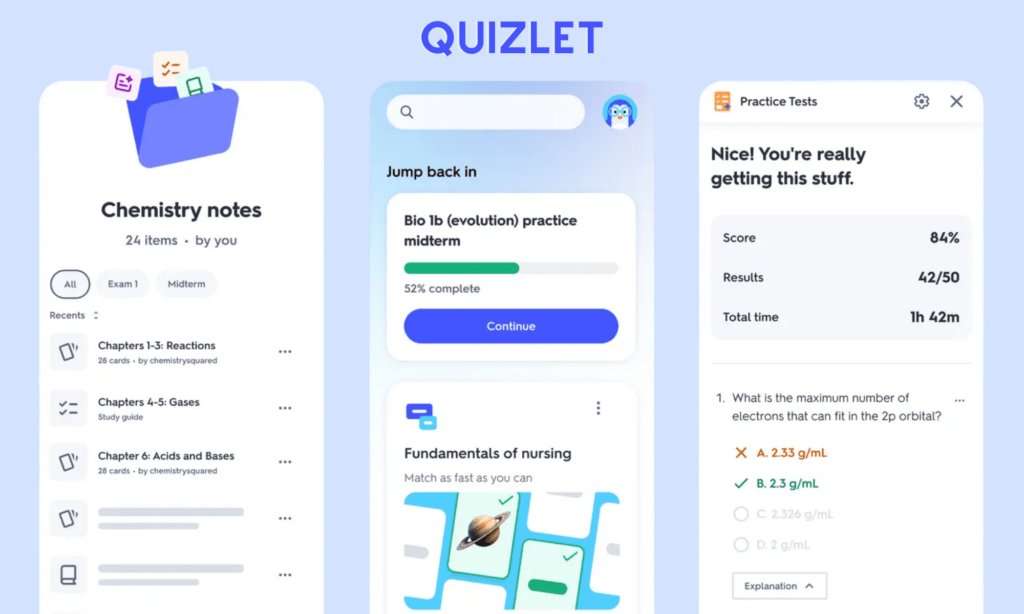
Quizlet is a digital study companion built around one simple idea: repetition works, especially when it doesn’t feel boring. It lets students create flashcards, quizzes, and study sets for almost any subject, especially languages.
Until now, Quizlet has over 60 million monthly active users and receives an impressive rating of 4.8 stars on the App Store. Many love it because it saves time, especially for exam preparation and quick content creation, thanks to its flashcards and AI-powered tools. But they frequently complain about limited “Learn” and “Test” modes, and that they now have to pay for some features that used to be free.
Special features users love:
- Diverse study modes & adaptive learning: Flashcards are what remind users of Quizlet most. But the useful app still impresses users with other interactive study modes, like mini-games (e.g., Match and Gravity), true/false, and written questions.
- Extensive community-generated content: You don’t need to create flashcards yourself from scratch, but use what other users created previously. You can even share decks and live classroom games with other users for collaborative learning.
- AI features: People love Magic Notes, which automatically transform their class notes or PDFs into flashcards or practice tests. The app also uses AI to adapt to what the users know and focus on their weaknesses. Besides, it integrates Q-Chat, which acts as a tutor asking you questions to deepen your understanding.
Pricing:
- Free
- Quizlet Plus: $2.99/month (billed annually)
- Quizlet Plus Unlimited: $3.74/month (billed annually)
16. Duolingo – Language Learning Made Fun
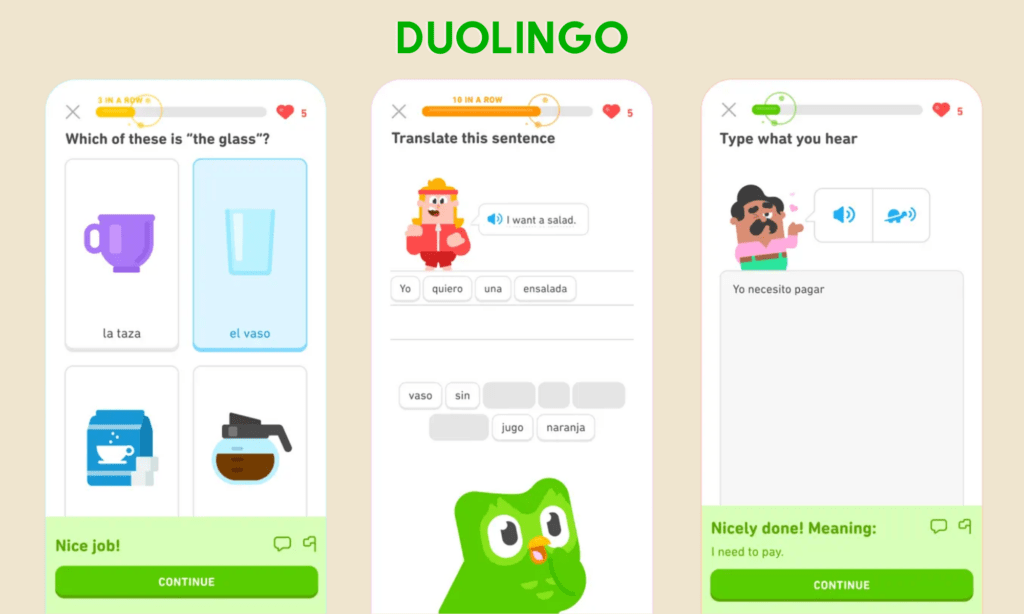
Duolingo is the most popular language-learning app, with 47.7 million daily active users in Q2 2025. Instead of taking learning seriously, the app focuses on gamification and humorous reminders that encourage users to keep learning. That’s the best-selling point of Duolingo.
On the App Store, Duolingo receives 4.7 stars. Many praise its gamified mechanism that makes lessons addictive and a daily habit instead of something compulsory. But they still feel disappointed about AI-powered content quality and that lessons are sometimes much lower than their real capabilities, making lessons boring to them.
Special features users love:
- Gamification: The gamified nature of Duolingo – like streaks, levels, rewards, and hearts – highly motivates learners to come back every day.
- Leaderboards and leagues: People love competition, and Duolingo allows users to compete against each other to gain experience points (XP) and rank higher in leagues. This motivates users to practice more.
- Bite-sized lessons: Lessons don’t last too long, around 5 – 15 minutes, to make beginners and even busy learners absorb knowledge easily.
- Duo the Owl notifications: Using a Bandit algorithm, Duolingo can personalize notifications based on user behavior. It sends “guilt-trip” and funny messages to remind users of lessons they may miss and encourage engagement. That lowers learning pressure.
Pricing:
- Free
- Super: $12.99/month with a one-week free trial
- Super Family: $119.99/year (for up to 6 users) with a one-week free trial
17. ELSA Speak – AI English Pronunciation Coach
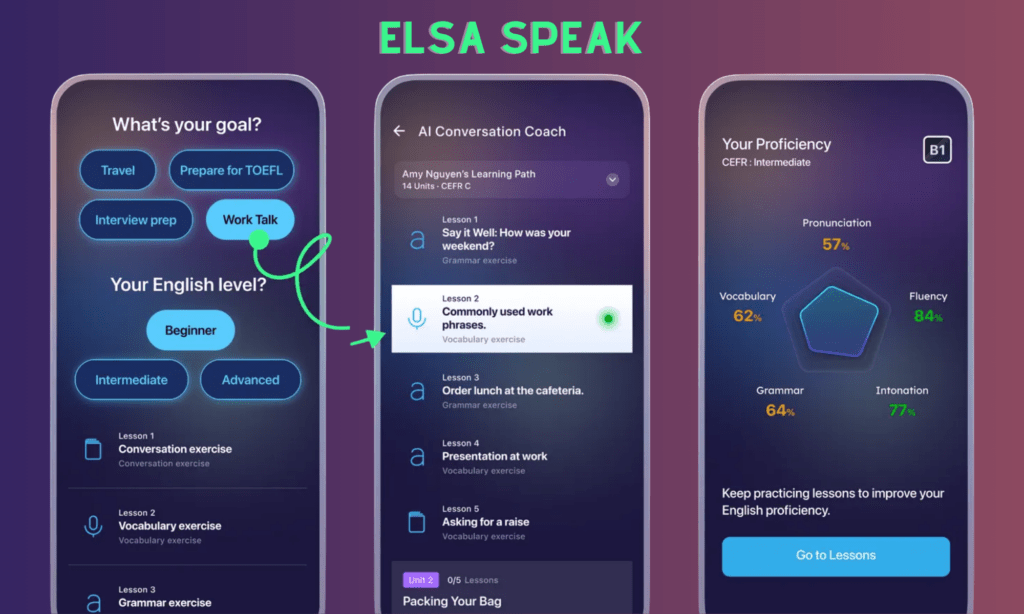
ELSA Speak is an AI-powered app focused specifically on English pronunciation. It doesn’t try to teach grammar or vocabulary in depth. Instead, it zooms in on how words sound when they leave your mouth by using AI-powered voice recognition. If you want to improve your English pronunciation, don’t miss this helpful app.
ELSA Speak has reached over 90 million downloads globally and maintains a 4.7-star rating on the App Store. Many appreciate ELSA Speak’s AI-powered pronunciation correction and personalized learning paths. But they also complain about subscription issues or occasionally unreliable speech recognition.
Special features users love:
- Real-time AI pronunciation feedback: People love this helpful feature of the app most. ELSA Speak listens to your speech. Its proprietary voice recognition technology can instantly detect errors and give advice to correct your pronunciation.
- Personalized learning paths: ELSA Speak doesn’t offer general learning paths. It gives you an initial assessment and customizes a curriculum based on your results. This helps you go on the right path to overcome your weak points and speed up your learning.
- ELSA AI: ELSA Speak helps them practice speaking on various topics and scenarios, like job interviews, asking for directions, or shopping. After practice, ELSA AI gives you an overall assessment of your pronunciation, vocabulary, and grammar.
- Gamified lessons: You can access more than 16,000 gamified exercises on over 200 topics to keep learning motivating.
Pricing:
- Free
- Premium (for individuals): $13.33/user/month (billed annually)
- Business Team (from 2 – 50 users): $28.50/user/month (billed annually)
- School Team (from 2 – 50 users): $18.20/user/month (billed annually)
- Elsa School/Elsa Business: Custom pricing
18. Notability – Digital Notes for Students
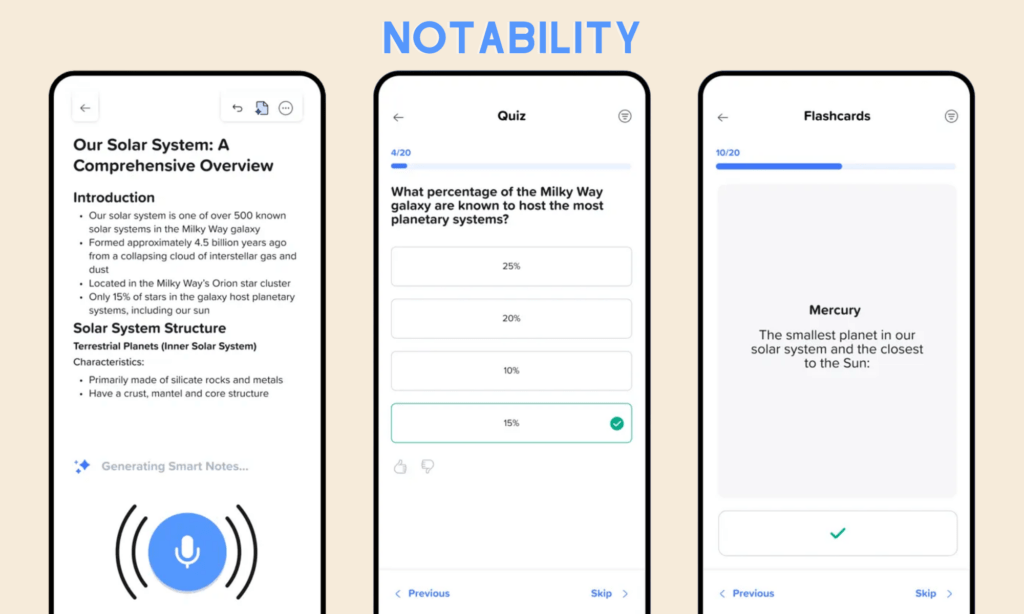
Notability is the most helpful app for students who love taking notes. It combines handwriting, typing, audio recordings, and PDFs into a single platform.
Students love Notability for its reliable note-taking experience. But that’s not the only reason they give the app 4.8 stars on the App Store. They highly appreciate the app’s ability to transcribe and summarize lecture audios, as well as create quizzes or tests based on notes using AI. But there are downsides, like no Android native app, unstable syncing, and forced subscriptions.
Special features users love:
- Natural handwriting with Apple Pencil: Apple users love this app, as they can use Apple Pencils to write notes smoothly. The app also has better palm rejection and keeps notes clear even when zooming in, hence increasing the great note-taking experience.
- Audio recording and sync: Students also find this app useful because it can record lectures and sync the audio directly to notes. This helps them capture key points in long recordings and save much time on note-taking.
- Multi-note and multimedia: The app allows you to open two notes at the same time and move the content between them. In addition, you can add images and GIFs beyond handwritten texts to make your notes engaging.
- AI-generated tests: AI helps you review your lecture notes by automatically turning them into relevant flashcards, summaries, and quizzes.
Pricing:
- Starter: Free planFree: Basic note-taking
- Plus: $20/year
- Pro: $99/year
19. Coursera – Online Courses from Universities
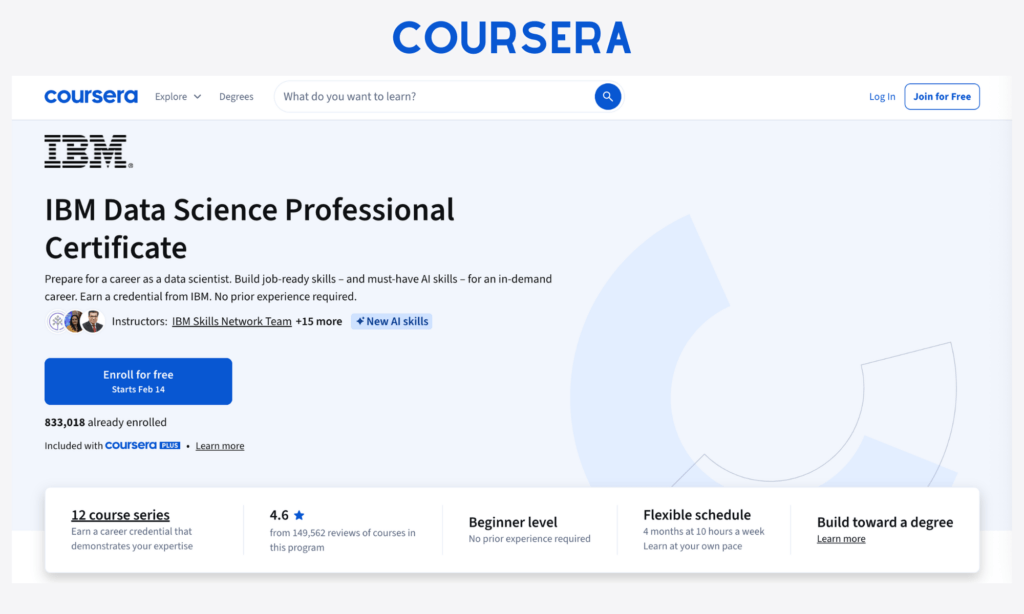
Coursera is an online learning platform that partners with universities and major companies to offer structured courses, certificates, and even full degrees. It’s not designed for casual learning, but to give you an experience of sitting in a real class and accessing global education.
Coursera averages 4.9 stars on the App Store and boasts 191 million learners worldwide. Many users appreciate the app’s high-quality educational content and financial aids, while complaining that the mobile version lacks features, like Auto-Play, peer review, and a reliable offline mode.
Special features users love:
- High-quality content: What users highly appreciate from Coursera is its high-quality educational content backed by top universities and major companies. After courses, they’ll conduct capstone projects or receive certificates that strengthen their profiles.
- Structured learning & interactive tools: The platform has a course-first design that focuses on video lectures, peer-reviewed assignments, quizzes, and discussion forums. It also allows you to track your learning and progress.
- Coursera Coach: This AI assistant builds immersive learning activities, answers questions to support learning, and helps you explore your career paths.
- Offline functionality: Users also love the ability to download videos for offline viewing when an internet connection is poor.
Pricing:
- Free
- Single learning program: $20/month
- Coursera Plus: $24/month with a 7-day free trial
- Coursera for Teams (for 5-125 users): $319/user/year
- Enterprise (for 125+ users): Custom pricing
20. Udemy – Practical Skill Learning

Udemy is more like a massive online marketplace for skills. Anyone can teach and learn. The result is a huge library of courses covering everything from Excel basics to digital marketing and AI engineering. If you want to learn from experts or share your knowledge with others, Udemy is a place you can’t forget.
Until now, Udemy has attracted over 80 million learners. It receives an average rating of 4.6 stars on the App Store, plus compliments about its massive course variety and affordable pricing plans. However, some think the creator should address some issues regarding offline viewing, content loading, and course search.
Special features users love:
- Lifetime access: Once you buy a course, it belongs to you forever, even when the course updates new content in the future. Further, frequent sales allow you to buy courses at a cheaper cost.
- Massive course variety: This helpful app boasts a vast library of over 200K courses across topics and industries, from stress management to game development. Paid, approved courses offer Certificates of Completion that many employers recognize.
- Interactive features: All the courses offer video lessons, downloadable resources, assignments, and hands-on projects. Further, in-app notes and bookmarks allow you to capture and bookmark key information for quick review. You can also ask instructors questions when getting into trouble.
- Course & teacher rating: You don’t know whether the course is of good quality? Udemy’s review system helps you check the quality of courses before buying.
- AI assistance: Udemy offers a smart in-course companion to answer questions instantly, summarize content, practice soft skills, and generate quizzes.
Pricing:
- Free
- Personal: $11.90/month
- Team (for 2 – 50 users): $30/user/month
- Enterprise (for 20+ users): Custom pricing
- Leadership Academy: (for 25+ users): Custom pricing
21. Zotero – Academic Reference Manager
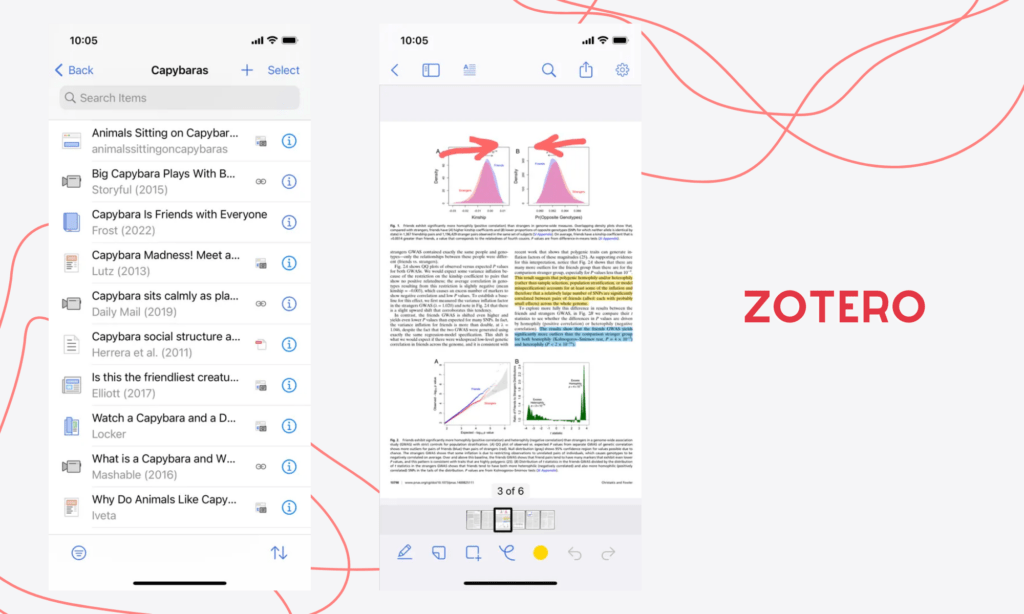
Zotero is a reference management tool built for researchers, students, and anyone dealing with academic writing. It helps collect, organize, cite, and share research sources.
Zotero maintains a 4.8-star rating on the App Store. It receives high appreciation for its “open-source” nature and seamless sync between devices. However, many still complain about its limited annotation, outdated interface, and ineffective search functionality.
Special features users love:
- One-click citation: Zotero Connector acts as a browser extension. It automatically finds and downloads open-access PDFs or web snapshots from journals and sites when you add a citation.
- Seamless syncing & ecosystem integration: Users often value how seamlessly the mobile app syncs with the desktop app. This allows them to research on a computer and read or organize on an iPhone at the same time. Besides, Zotero lets users insert in-text citations and footnotes on Microsoft Word, Google Docs, and LibreOffice through plugins.
- Powerful PDF annotation on iPad: You can read, highlight, and annotate PDFs, webpage snapshots, and EPUBs on iPad by using an Apple Pencil.
- Research organization and management: Zotero also allows you to organize items in collections and with tags.
Pricing:
- Individuals:
- Free for a 300MB storage limit
- $20/year for 2GB
- $60/year for 6GB
- $120/year for unlimited storage
- Zotero Lab: Starts at $450 for up to 15 users, plus and $30 per additional user
- Zotero Institution: $2,380 for the first 500 FTE plus a small marginal cost per additional FTE.
Best Apps for Creativity and Automation
You don’t need to master Photoshop, Illustrator, or Adobe Premiere to design graphics or edit videos. Now, the introduction of AI-powered and no-code tools helps you handle these tasks more efficiently. Let’s discover them:
22. Canva – Easy Graphic Design
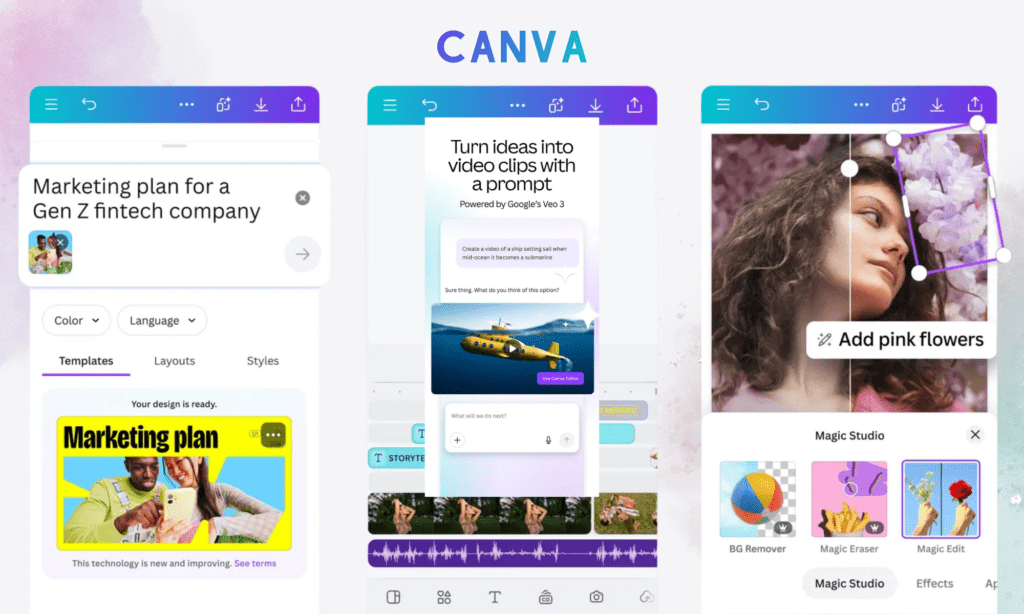
Canva is a graphic design tool built for people who don’t want to wrestle with complicated software. You open it, pick a template, drag a few things around, and then you have a professional design. Of course, it can’t replace professional design software like Photoshop or Figma. Yet it’s an “instant noodle” for non-designers who want to create posters, slides, and social posts fast.
With this trait, Canva has over 240 million monthly active users and gets an impressive 4.9 stars on the App Store. Many users love its drag-and-drop editor and generous free plan. But the downside? Canva’s mobile version lacks some features that exist on the desktop/browser version. The mobile app also has poorer performance and loads more slowly.
Special features users love:
- Drag-and-drop editor: Users love Canva’s ability to move UI components and assets around to design their products easily. They can even access over 610,000 free templates and millions in Pro, and then adjust them to meet their specific needs.
- Versatility in content creation: Canva lets you design not only static images and graphics, but also dynamic posts, videos, and audio tracks.
- Real-time collaboration: Canva lets multiple team members work on the same design simultaneously and leave comments on designs. It even allows them to publish social media posts directly from Canva based on a scheduled time.
- Magic Studio: This AI-powered feature allows you to remove backgrounds, change text, resize designs, turn images into videos, and more with a few clicks.
- AI-powered creation: By sending text- or voice-based prompts, you can ask AI to generate images, videos, and graphics within seconds.
Pricing:
- Free for individuals with limited features and for K-12 teachers, students, and schools
- Pro: $120/user/year
- Business: $200/user/year
- Enterprise/Campus: Custom pricing
23. Figma – Collaborative UI/UX Design
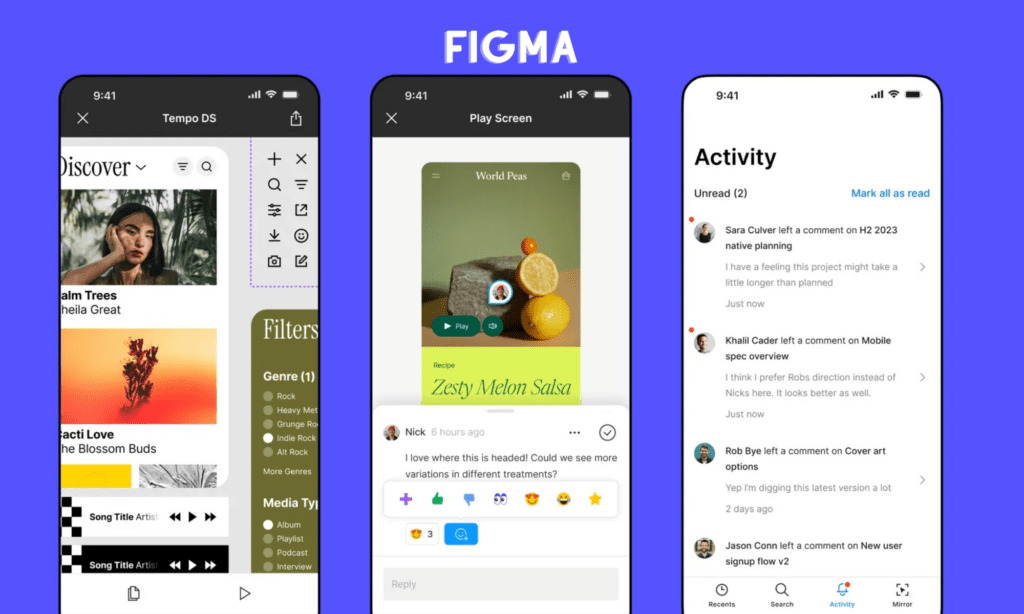
Figma is a design tool made for teams. This app proves most helpful for UI/UX design, allowing designers, developers, and product managers to collaborate on the same file.
Figma now has over 13 million monthly active users, dominantly by those working in the IT industry. Its App Store rating is 4.7 stars, with frequent compliments about its real-time mirroring ability that lets designers see desktop edits right on mobile devices. Further, many also find Figma easy to create and test interactive prototypes. But some also complain about limited editing on the mobile version.
Special features users love:
- Real-time collaboration: Team members love Figma because it lets them work on the same file simultaneously. Particularly, they can edit the same design, leave comments, and share prototypes without exporting files.
- Auto layout and vector networks: Many also praise Figma’s ability to auto-adjust designs, alignment, and spacing based on the content inside. Besides, they enjoy its vector network, which allows them to edit paths and shapes easily to create complex illustrations and icons faster.
- Real-time Mirroring: People also love Figma Mirror, a feature allowing designers to test UI on real devices.
- Smart Animate: This feature auto-matches layers between frames to make transitions and animations smooth.
- FigJam: This online whiteboard feature allows your design team to brainstorm, map user flow, and hold initial ideation sessions.
- Dev Mode: This feature allows developers to watch designs, get accurate measurements, and create code snippets with ease.
Pricing:
| Seat Type | Starter | Professional | Organization | Enterprise |
| Collab Seat |
Free |
$3/month | $5/month | $5/month |
| Dev Seat | $12/month | $25/month | $35/month | |
| Full Seat | $16/month | $55/month | $90/month |
24. CapCut – AI Video Editing Tool
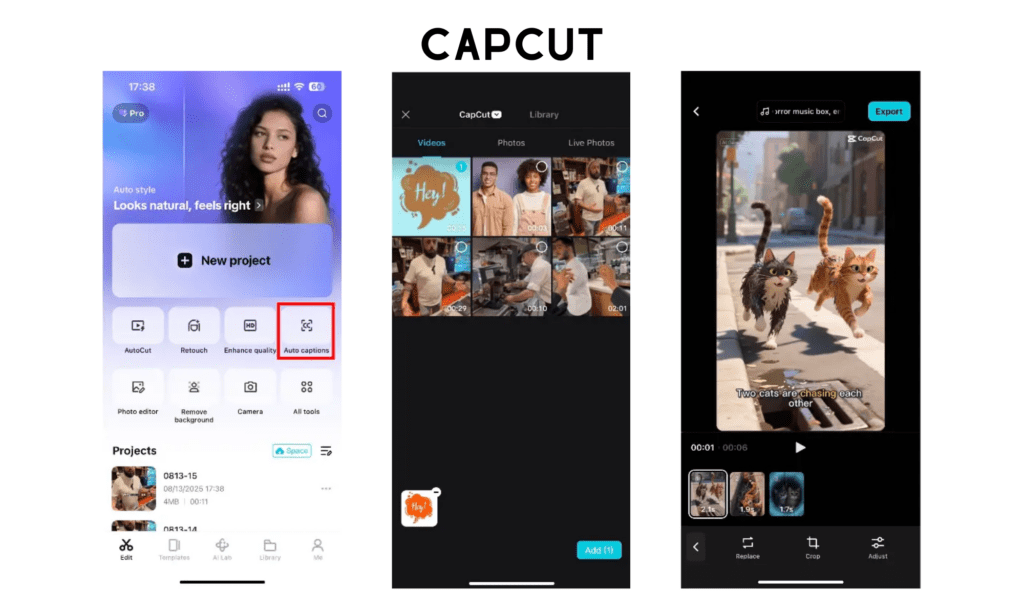
The popularity of short-form videos (which originated from TikTok) has promoted Capcut to grow. Capcut proves most helpful in video editing for amateurs and fast video launch. It helps design short videos on TikTok, YouTube Shorts, and Reels.
CapCut has 334 million downloads worldwide and holds 4.6 stars on the App Store. Content creators and small teams praise its ease of use and AI-powered editing capabilities, plus various professional-quality features. However, some users show their dissatisfaction about the increase in paywalled features and high space usage.
Special features users love:
- Mobile-first editing: Users love Capcut’s mobile-first editing capabilities and user-friendly interface. They can create, edit, and export many short videos in under 30 minutes without deep design skills.
- No watermark: No watermark on exported videos is another plus. Capcut only automatically adds the “Capcut” end card, which you can easily cut from videos only with the iPhone’s Photos functionality.
- Diverse trends and assets: You can choose a template, add your own photos or videos, and create high-resolution clips. Capcut also offers a vast library of music, sound effects, effects, transitions, and filters.
- AI features: People love auto-captions powered by AI, which help them transcribe text from audio. Further, they highly value AI-powered tools like background removal, voice isolation & enhancement, and retouching filters.
Pricing:
- Free
- Standard: $5.99/month
- Pro: $19.99/month
- Team Plan: $24.99/month
25. Midjourney – AI Image Generation

Midjourney is an AI image generation tool that turns text prompts into detailed visuals. It’s not a traditional app, as you have to interact with it through Discord.
Midjourney reported around 19.83 million users as of January 2026. Most of them use the platform for personal projects or for fun, while only one-third of users use it for work purposes. They highly appreciate Midjourney for its superior artistic quality, making it ideal for artistic, imaginative, and conceptual work instead of pure photorealism. People also love the ability to generate images based on prompts and use consistent characters and styles.
But the big minus? You have to access Midjourney through Discord. Further, there’s no free plan or trial for beginners to experience before committing to premium plans.
Special features users love:
- High-quality aesthetics and realism: Users highly appreciate Midjourney’s Version 6 for its ability to build art-directed and lifelike images better than other competitors.
- Image editing and manipulation: Midjourney allows you to change or add details to a specific part of an image. Besides, you can extend or zoom out the image without compromising the quality and style. You can also merge up to five images to generate a new, consistent product.
- Advanced consistency: Users love the ability to keep characters and styles consistent across different scenes and even prompts.
- Personalization: Midjourney doesn’t create generic images. But it can customize future generation styles based on your individual aesthetic preferences, no matter how complex your prompts are.
Pricing:
- Basic: $10/month
- Standard: $30/month
- Pro: $60/month
- Mega: $120/month
26. Zapier – No-Code Workflow Automation
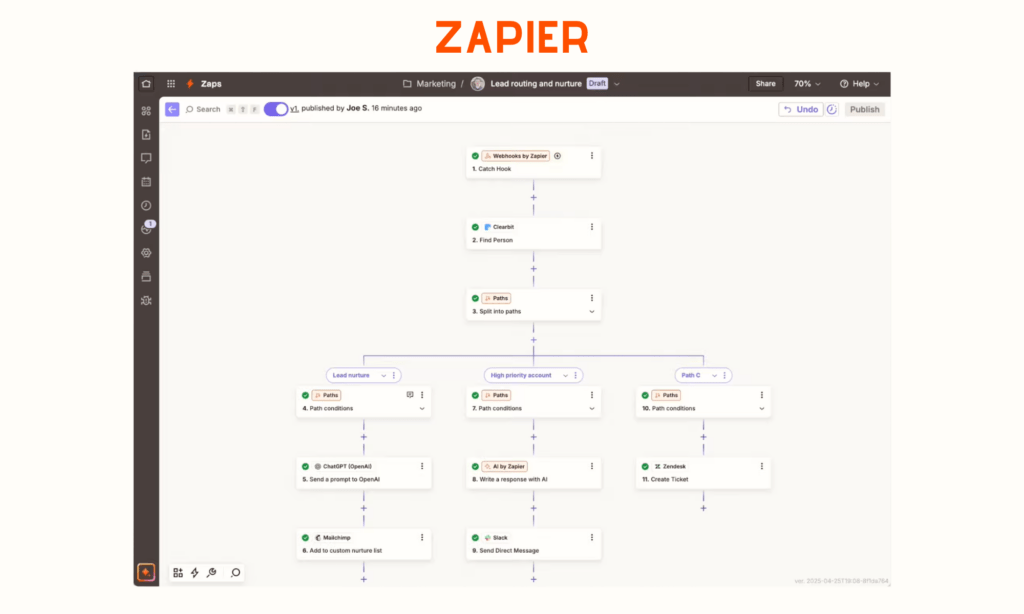
If you’re looking for the best helpful app to automate workflows, look at Zapier. This tool connects apps together so they can talk without human intervention to perform your work automatically, from syncing data to sending emails.
Zapier has over 10 million monthly active users worldwide. Users appreciate its ability to combine various apps together and AI capabilities to ensure seamless business workflows. However, they also find that costs increase aggressively with volume, and the tool struggles to handle complex, high-volume workflows.
Special features users love:
- No-code builder: Users love Zapier’s drag-and-drop interface that helps them customize available automated workflows (Zaps) or build ones themselves easily. They can even build multi-step Zaps and complex branching logic to trigger different actions based on specific conditions.
- Huge app integration ecosystem: Zapier allows you to integrate with over 8,000 apps, like Gmail, Google Sheets, Salesforce, and Slack. The tool offers Webhooks to let you connect with unsupported and unique apps through custom APIs.
- AI & automation: Even without a technical background, you can still build automated workflows by describing them and letting Zapier’s AI Copilot do the rest. You can even develop AI agents, feed them with your own data, and let them handle customer service or internal tasks.
- Team and enterprise features: Many teams value Zapier because it lets them collaborate on creating and managing Zaps in a shared workspace/folder. Zapier also ensures robust monitoring and security.
Pricing:
- Free
- Professional: £14.98/month (billed annually)
- Professional: £51.72/month (billed annually)
- Enterprise: Custom pricing
Most Helpful Apps for Personal Life and Well-Being
Beyond productivity and automations, many people are looking for the best apps to manage their personal lives and improve their overall health. Below are the most helpful apps you may download to serve those purposes.
27. Forest – Focus & Digital Detox
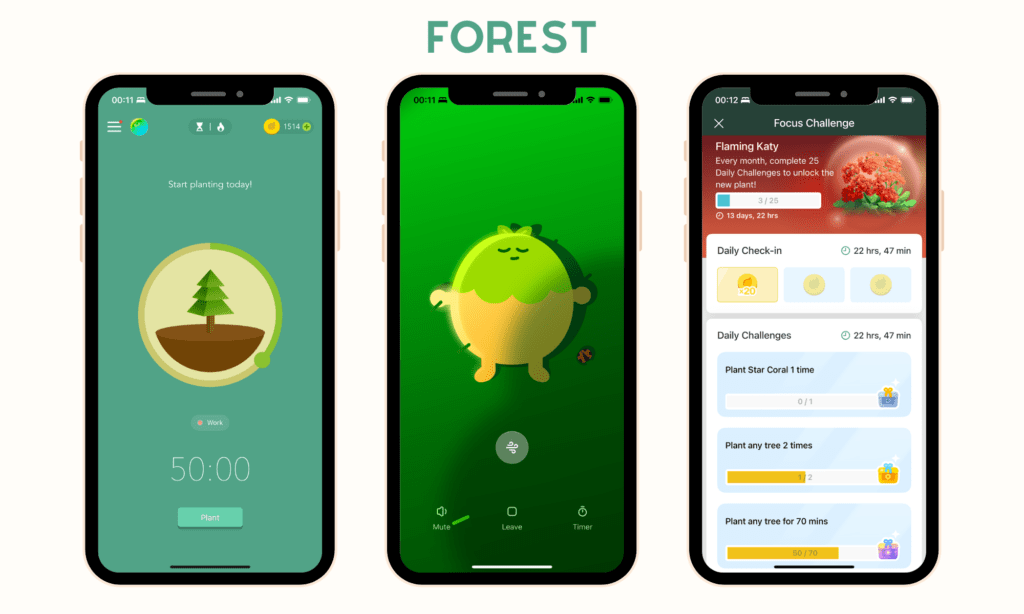
Forest is, at its core, a focus timer. It adopts the Pomodoro technique to encourage users to stay off their phones by letting them plant a virtual tree that grows while they focus. If they leave the app too early, the tree will die.
The app earns around 4.8 stars on the App Store. Users love Forest mainly because of its intuitive interface and gamification to boost productivity. But many often complain about its transition from a one-time purchase to a subscription-based model and data loss when they re-login.
Special features users love:
- Simple interface with gamification: Forest has simple focus sessions, in which you set a time, start planting, and… stay focused. After each session, you’ll collect some coins and a small digital forest as rewards. Besides, the app engages you in gamified daily challenges and lets you see your progress with visual dashboards.
- Deep Focus mode and Time Guard: Users love Forest because it lets them customize a list of distracting apps. Beyond the focus time, the app also helps you lock those apps in a specific time to avoid losing focus.
- Plant Together: The app raises your responsibility of planting a tree by letting you sync your account with families and friends. When you stop your focus session halfway, everyone’s tree dies.
- Mindful space: This new feature lets you find the best ways to stay calm (like deep breath) between work sessions.
- Real-world impact: People also highly appreciate the ability to donate virtual coins they get during focus sessions to build real trees in Africa.
Pricing:
- Free
- Pro (One-time purchase): $3.99 for iOS and $1.99 for Android
- Plus (Optional subscription model): $5.99/month
28. Headspace – Mental Health & Meditation
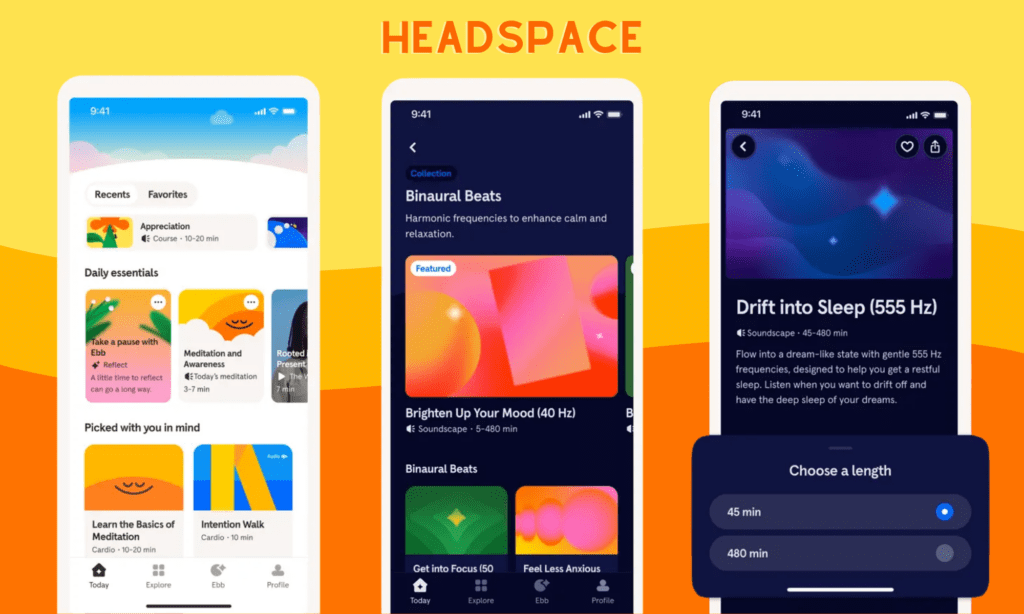
Headspace is a guided meditation and mental wellness app. It offers many necessary tools to sleep soundly, meditate calmly, stay focused, practice breathing, do CBT (Cognitive Behavioral Therapy) exercises, and improve mental health.
With its offerings, Headspace reaches over 100 million users worldwide and maintains 4.8 stars on the App Store. Users love its high-quality and well-structured sessions for meditation, sleep, and stress management. Yet, some often complain about a lack of free content and that the app is becoming more expensive.
Special features users love:
- User-friendly interface: Users love the app’s intuitive, simple navigation, plus cute animations used to explain complex concepts.
- Short, structured, and high-quality content: Many users highly appreciate its short, accessible sessions with varying lengths that fit even busy schedules. The app organizes courses, guided programs, and sleepcasts in a structured framework for even beginners to follow easily.
- Personalized daily exercises: The app offers you tailored daily exercises based on what you want to improve most (e.g., sleep or anxiety management).
- Ebb (AI companion): This AI companion supports you to the fullest, from sorting out your thoughts to giving personalized advice. You can interact with Ebb using voice or text.
Pricing
- Free
- Annual Subscription: $69.99/year with a 14-day free trial
- Monthly Subscription: $12.99/month with a 7-day free trial
- Family Plan: $99.99/year for 6 accounts.
- Student: $9.99/year
- Business: $56.04/employee/year
29. 1Password – Secure Password Manager
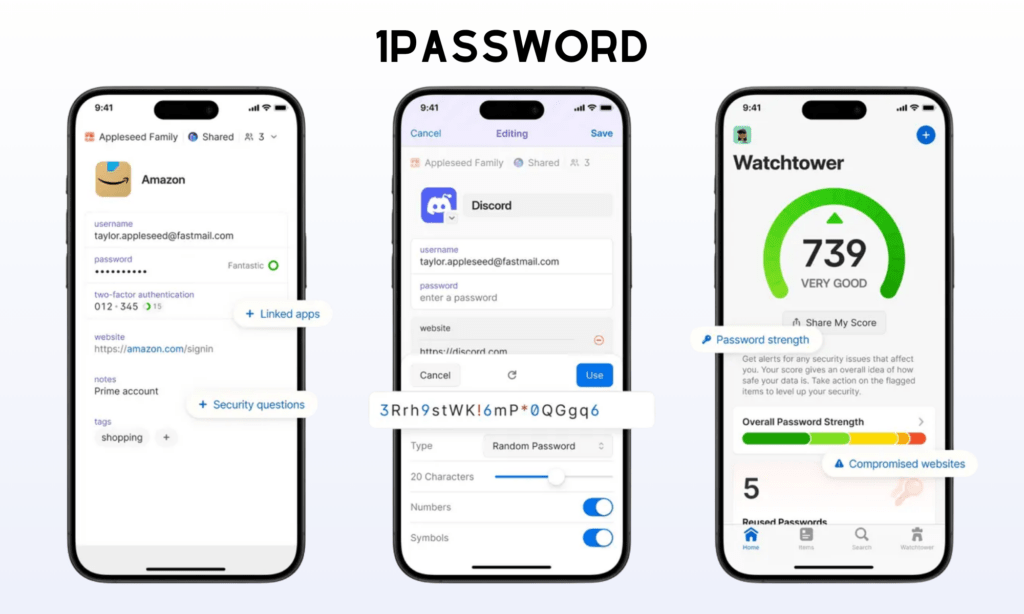
1Password is a password manager. It stores passwords, passkeys, secure notes, and even documents securely with a single master password.
1Password is trusted by over 15 million users globally, including both individuals and large teams. On the App Store, it has an average rating of 4.6 stars, mainly praised for its superior security and seamless cross-device syncing. However, it doesn’t have a free tier like other competitors and sometimes consumes high RAM.
Special features users love:
- Robust security features: People love the built-in 2FA Authenticator, which allows them to create one-time passwords. 1Password also features a unique, 34-digit “Secret Key,” which adds a security layer on the user’s master password.
- Password health report & alert: Through the Watchtower Security dashboard, 1Password can generate built-in health reports and proactively alert you about weak or reused passwords.
- Secure sharing: Users also value the ability to share specific credentials and documents with family or team members via shared vaults.
- Autosave & Autofill: The app allows you to automatically save new logins and fill them across apps or websites.
- Biometric integration: You can unlock your vault using biometric measures, like Face ID or Windows Hello.
Pricing:
- Individual: $2.99/month (billed annually)
- Families: $4.49/month (billed annually)
- Teams Starter Pack: $19.95/month for up to 10 users (billed annually)
- Business: $7.99/user/month (billed annually)
30. Day One – Personal Journaling App
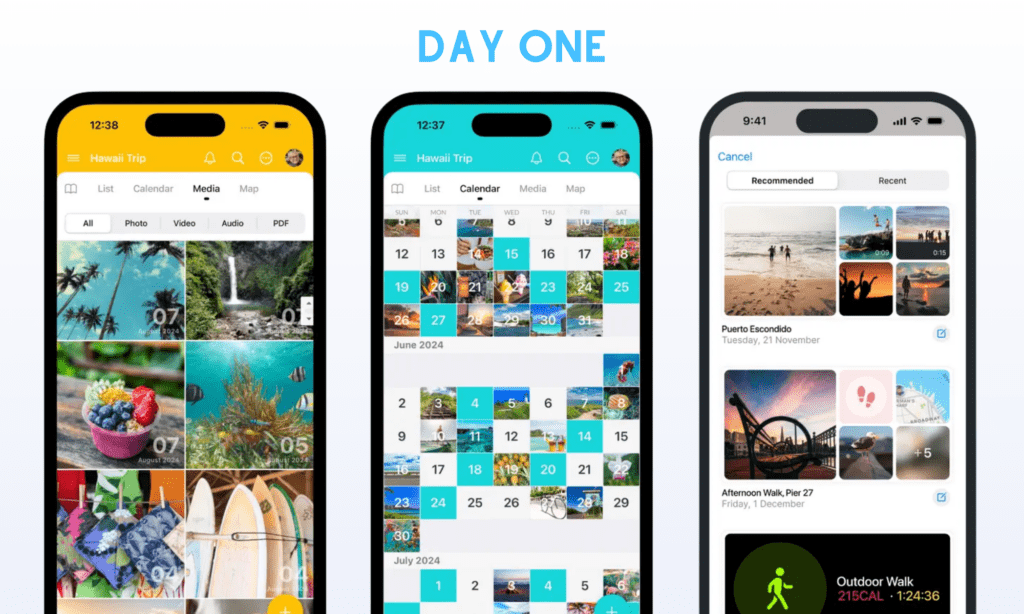
Day One is a digital journaling app for people who want to write things down but don’t always know what to say. It securely keeps your notes, audio, videos, and photos with passcodes, end-to-end encryption, and biometric security.
Day One earns 4.8 stars on the App Store, plus over 15 million downloads globally, becoming Apple’s best journaling app. People see the app as a helpful personal archive in the long term, with a high security level and multimedia support. However, some still complain about its cross-device syncing and confusing UI/UX changes.
Special features users love:
- Rich, multimedia-enabled journaling: Users love the ability to attach photos, locations, weather data, and even voice notes to entries. Even if you don’t know what to say that day, the app’s templates and prompts can help you create consistent check-ins.
- Multiple journals & tagging: Users highly value Day One when it lets them create various separate journals with tags for organization. Further, they can view all their entries chronologically in the calendar format.
- “On This Day” feature: This feature helps you look back at past entries.
- Superior security: The app protects your data with end-to-end encryption, passcodes, and biometric locks.
- Cross-platform sync: You can add an entry on your iPhone and continue working on a Mac or iPad without worrying about data loss. Besides, the app can auto-capture location, date, and weather on your behalf.
Pricing:
- Basic: Free plan
- Premium: $4.17/month (billed annually)
31. YNAB (You Need A Budget) – Personal Finance Control
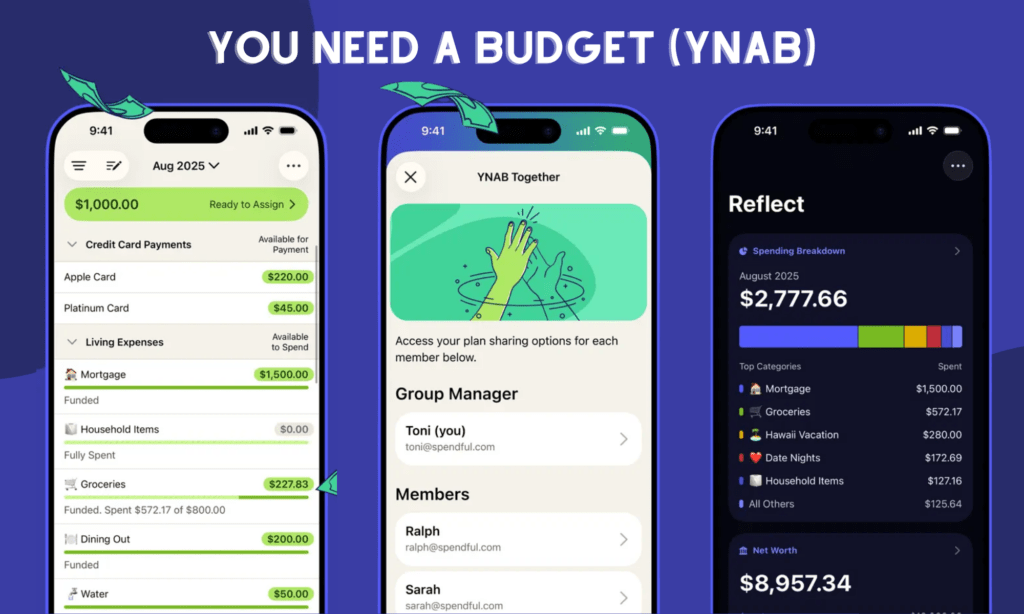
YNAB is the final helpful app we want to mention in this article. It’s not a passive budgeting app. It asks you to give every dollar a job, from paying for groceries to making an investment. This zero-based budgeting method helps YNAB earn 4.8 stars on the App Store.
Many say that YNAB changes their personal lives by helping them use every dollar for the right thing. The app also delivers a seamless experience and the diversity of educational resources (videos, workshops) to users to improve their financial management. But many still feel that a lack of a free plan and high subscription costs are big minuses.
Special features users love:
- Financial control & visibility: Users value the ability to view their entire financial life, even via bank accounts and credit cards. It proactively helps users make informed decisions before spending money on something. Further, it offers visual reports to track spending and net worth effectively.
- Goal tracking: YNAB allows you to set spending and savings targets and track your progress effortlessly. You can customize categories using emojis and personalized names to fit your specific needs.
- Bank importing & syncing: YNAB securely connects with your bank accounts and automatically syncs transactions for centralized finance management.
- YNAB Together: The app allows you to share budgets with other family members to get a unified view of family finances.
Pricing: $14.99/month or $99/year, with a 34-day free trial


