


Managing a mobile app project is no small feat. From the initial idea to the App Store launch, project management keeps everything organized and on track. In today’s fast-paced tech world, strong management can be the difference between a successful app and a stalled project. This guide explains what app development project management involves, why it matters, the top methodologies, how to choose the right approach, useful templates, and the most popular tools for mobile app teams.
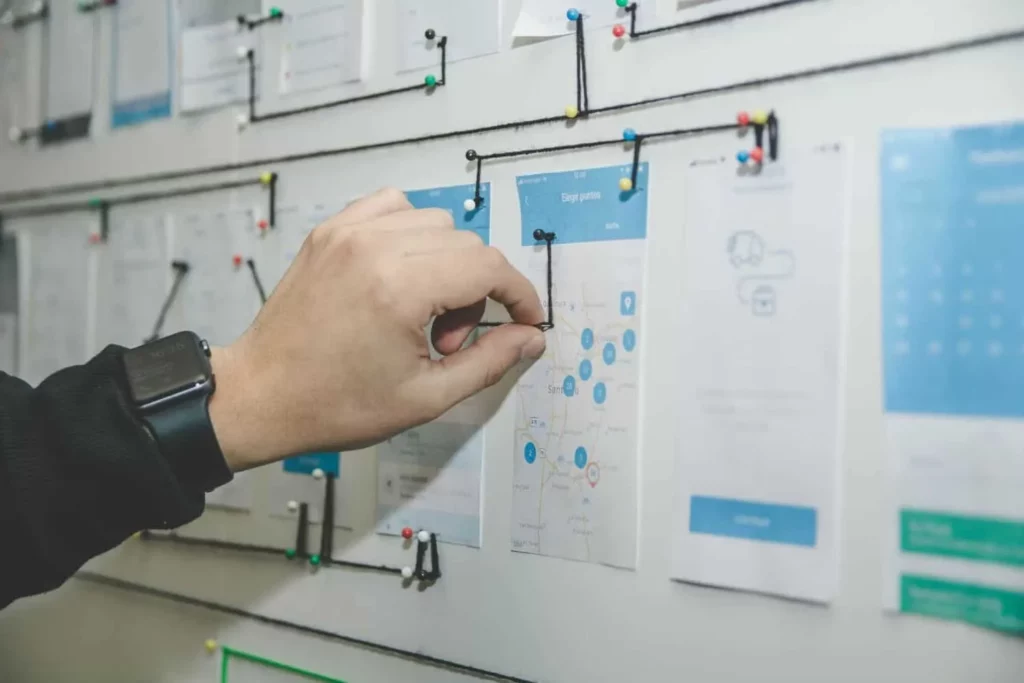
What is App Development Project Management?
App development project management is the structured process of planning, controlling, and coordinating a mobile app project from start to finish. In practice, the project manager leads the team through every phase. They define requirements, set timelines, allocate tasks, monitor progress, and ensure quality. They don’t write code or design the UI directly. Instead, they manage those activities so the app meets its goals on time and within budget.
Consider a startup building an e-commerce app. The project manager works with stakeholders to define the required features, such as product catalogs, carts, or payment integration. They break the project into stages, assign tasks to developers and designers, and set deadlines for each feature. They track progress daily, resolve roadblocks, and keep everyone updated through status reports. Each stage — planning, design, development, testing, and deployment — follows a clear plan that aligns with the overall goals.
This coordination often involves visual planning aids. A simple diagram might show the app’s lifecycle: Planning, UI/UX Design, Development, Testing, and Launch. Each phase has clear objectives and deliverables. The team always knows what “done” means.
The management process also depends on solid documentation. Teams often use project status reports to summarize progress, challenges, and next steps. For example, a report template may show the app’s current status, any issues or blockers, and upcoming milestones.
Why Does App Development Project Management Matter?
Effective project management isn’t just bureaucracy – it directly impacts an app project’s success. Here are key reasons why mobile app project management matters:
- Aligns stakeholder expectations: A proper project plan sets clear expectations for everyone involved. All stakeholders (clients, developers, designers, etc.) agree on the project’s direction, features, and timeline from the start. This avoids misunderstandings where one person expects something different from another. By defining scope and goals early, everyone stays on the same page about what the app will achieve and when.
- Improves team communication: Project management establishes communication channels and regular check-ins so that information flows properly. Building a mobile app is a team effort involving many roles. Good management practices (like daily stand-up meetings or weekly demos) ensure important info isn’t lost and team members coordinate their work. This means developers, designers, and QA all know the current status and next steps, reducing costly miscommunications.
- Optimizes resource use: With structured management, resources such as time, budget, and talent are used efficiently. An app project often goes through multiple cycles (development iterations, testing cycles, etc.). A project manager helps prioritize tasks and eliminate waste – focusing the team on features that deliver the most value and avoiding unnecessary work. This minimizes wasted effort and keeps the project within budget and schedule.
- Increases project success rates: Perhaps most importantly, strong project management dramatically reduces the risk of project failure. Without it, projects often derail – in fact, about 70% of all projects fail to deliver on their goals. The good news is that implementing proper project management processes can cut failure rates down to ~20%. Organizations that undervalue project management end up with 50% more project failures than those that treat it as a critical discipline.
Top 5 App Development Project Management Methodologies
When managing a mobile app project, one size does not fit all. Different teams use different project management methodologies, and each comes with its own approach to planning and execution. Below are the top five methodologies and how they apply to app development.
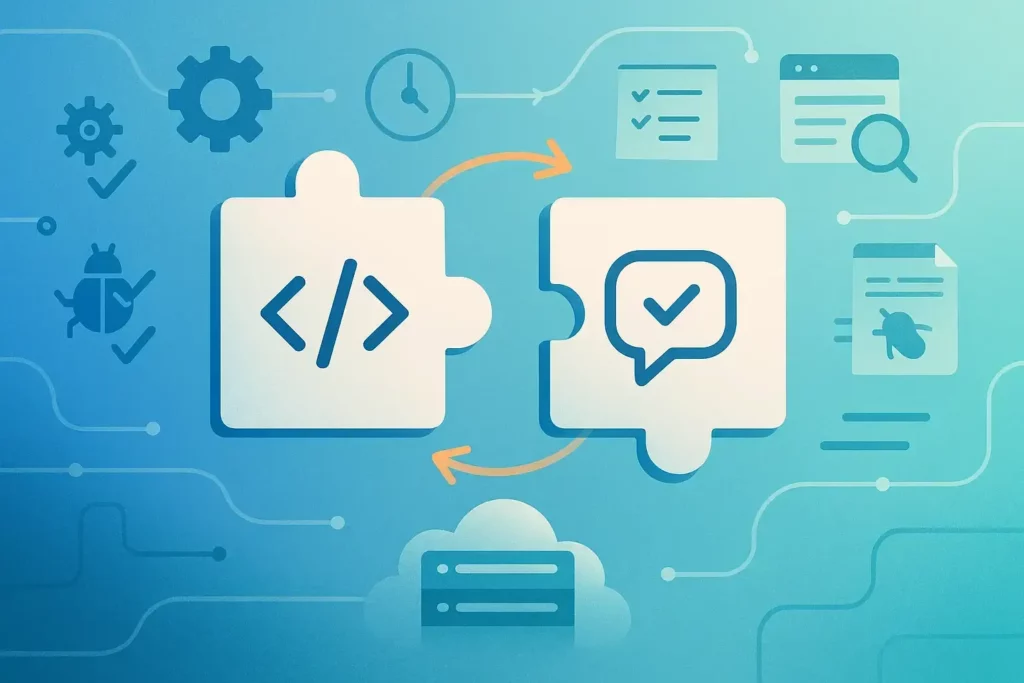
Agile Methodology (Scrum & Kanban)
Agile is a flexible, iterative approach that has become a favorite in software and mobile app development. Instead of following a strict linear plan, Agile breaks the project into smaller increments called iterations or sprints. Each cycle delivers a working portion of the app. The team gathers feedback after every release and adjusts the plan as needed. This allows requirements to evolve and helps the project respond to change quickly. That flexibility is a major advantage in mobile app projects, where new ideas or user feedback often appear mid-development.
Agile values collaboration, customer feedback, and rapid improvement. It promotes speed and adaptability by delivering features in short bursts instead of following a rigid path. In practice, an Agile project might release a testable build every two weeks. Stakeholders can review progress often and provide input. This constant feedback helps catch issues early and ensures the final app matches user needs more closely.
Two popular frameworks under the Agile umbrella are Scrum and Kanban:
- Scrum: Scrum provides a structure for implementing Agile. Work is organized in fixed-length sprints (usually 1–4 weeks), and the team holds daily stand-up meetings (daily Scrums) to synchronize efforts.
- Kanban: Kanban is another Agile method that is highly visual. In Kanban, work items (tasks or user stories) are represented as cards on a board, typically organized in columns like “To Do,” “In Progress,” and “Done.”
Overall, Agile methodologies (like Scrum and Kanban) are well-suited for mobile app development projects.
Waterfall Methodology
The Waterfall methodology is a classic, plan-driven approach. It divides the project into distinct phases that are completed in order: Requirements, Design, Implementation, Testing, and Deployment. Each phase must finish before the next one begins. For example, all requirements are documented and approved before design starts. The design is finalized before development begins. This strict flow gives the method its name. Progress moves downward like a waterfall, and it is difficult to go back to a previous phase once it is done.
Waterfall works well for stable projects, but it has limits in mobile app development. Because all planning happens at the start, the method is not very flexible. If a new requirement appears mid-development, it is hard to adjust the plan without major rework. This rigid structure can be challenging for software teams, since many details only become clear during development. Large app projects may suffer if something was misplanned early. You might discover a major issue only during testing, when it is costly to fix.
Hybrid approaches help solve these problems. Many organizations blend Waterfall and Agile in what is known as a Hybrid or Agile-Waterfall method. Around one in four IT and financial projects use this model. The idea is simple. Waterfall provides the high-level structure and fixed milestones. Agile handles the iterative and unpredictable parts of development. A team may follow Waterfall during requirements and design to meet regulatory needs. Then they switch to Agile sprints for development and testing. This gives the project stability while keeping the build process flexible.
Lean Software Development
Lean software development adapts lean manufacturing principles from Toyota to the software world. Its core idea is efficiency: remove waste, maximize customer value, and improve continuously. In app development, “waste” means anything that does not contribute to what users actually need. This may include unnecessary features, extra processes, or work that could be simplified. Lean teams focus on building only what is needed, when it is needed, and nothing more.
In practice, Lean project management emphasizes rapid delivery of a minimum viable product (MVP). The goal is simple: deliver fast and learn fast. Instead of spending months building every feature, the team releases a basic version early. They then add features based on real user feedback. This approach speeds up time-to-market and prevents the team from building features that no one wants. Lean prioritizes quick value delivery rather than heavy planning or over-engineering.
A Lean-managed mobile app project also encourages simplifying design, coding, and workflow. The method is guided by seven well-known principles: eliminate waste, build quality in, create knowledge, defer commitment, deliver fast, respect people, and optimize the whole. For example, eliminating waste may involve removing unused documentation or reducing approval delays. Delivering fast pushes the team to ship small increments frequently. Optimizing the whole prevents local improvements that hurt overall progress. A developer writing code quickly is not helpful if the rest of the team cannot integrate it smoothly.
Extreme Programming (XP)
Extreme Programming (XP) is an Agile methodology that takes software best practices to a heightened level. Its main focus is high-quality code and rapid, frequent releases. XP values speed and simplicity, using very short development cycles. Teams sometimes release new versions in days or even hours. To support this pace, XP follows a strict set of rules and practices.
Some key XP practices include pair programming, test-driven development (TDD), and continuous integration. In pair programming, two developers work together at one workstation to improve code quality. In TDD, the team writes automated tests before writing the feature code. This ensures each piece of code is verified as soon as it is created. Continuous integration means merging and testing changes in the main codebase several times a day. XP also encourages frequent communication with the customer to gather feedback quickly. Its five core values are communication, simplicity, feedback, courage, and respect. For example, simplicity means building only what is needed right now. Feedback comes from tests, customer reviews, and team interactions.
In a mobile app project, XP might involve weekly or even daily iterations. The team releases small builds to a testing environment, gathers feedback, and begins the next cycle immediately. Pair programming may be used for complex tasks, such as implementing an encryption module or performance-critical feature.
Rapid Application Development (RAD)
Rapid Application Development (RAD) is a methodology that focuses on extremely fast development and iteration. Its goal is to create a working prototype as quickly as possible and then refine it through frequent user feedback. RAD values speed and adaptability. Instead of spending long periods on planning and documentation, teams start building right away. They produce something tangible early and adjust it based on feedback from clients or end-users.
In a RAD approach, the project is divided into short design-and-build cycles. A simple RAD workflow might look like this: gather basic requirements, build a prototype in a short time, review it with users, and refine it in the next cycle. Because of this structure, RAD depends heavily on user involvement. Users review prototypes early and often. In a mobile app project, the team might present a rough version after only one or two weeks. The client may say, “I like this feature, but that screen isn’t what I expected.” The team then updates the prototype in the next iteration.
RAD’s biggest advantage is speed. It can significantly shorten development time compared to traditional methods. By using continuous feedback, the app evolves toward what the customer truly wants, without large amounts of rework at the end. RAD favors quick prototyping and real user input over lengthy upfront planning. Instead of writing long requirement documents, a RAD team prefers to build a simple demo so the client can interact with it and reveal their actual needs.
How to Choose the Right Project Management Methodology
With several methodologies available (Agile, Waterfall, Lean, etc.), how do you choose the right one for your mobile app project? The answer depends on a variety of factors unique to your project. Here’s a quick checklist to consider when selecting a project management methodology:
- Project complexity and scope: Is the project straightforward or highly complex?
- Requirements stability: Do you have fixed, well-defined requirements from the start, or will they evolve?
- Timeline and delivery schedule: What are the deadlines and how much flexibility do you have?
- Team’s experience and size: How familiar is your team with each methodology and how do they work best?
- Stakeholder and client involvement: How involved (or available) are the stakeholders for feedback?
- Regulatory or documentation requirements: Does your project operate in a regulated industry or require heavy documentation?
- Tools and resources available: Consider what project management tools or infrastructure you have.
In essence, choose the methodology that best fits the project’s characteristics and your organization’s context. You might even combine elements if needed (there’s nothing wrong with, say, using Agile Scrum for development, but having a Waterfall-like phase for initial requirement sign-off). The key is to be deliberate: evaluate these factors above and pick a method that sets your team up for success.
Mobile App Project Management Template
Using templates can significantly streamline mobile app project management. Templates provide predefined structures or documents that help project managers plan and monitor the project more efficiently. Here we present a couple of illustrative template examples and how they are used in app development projects:
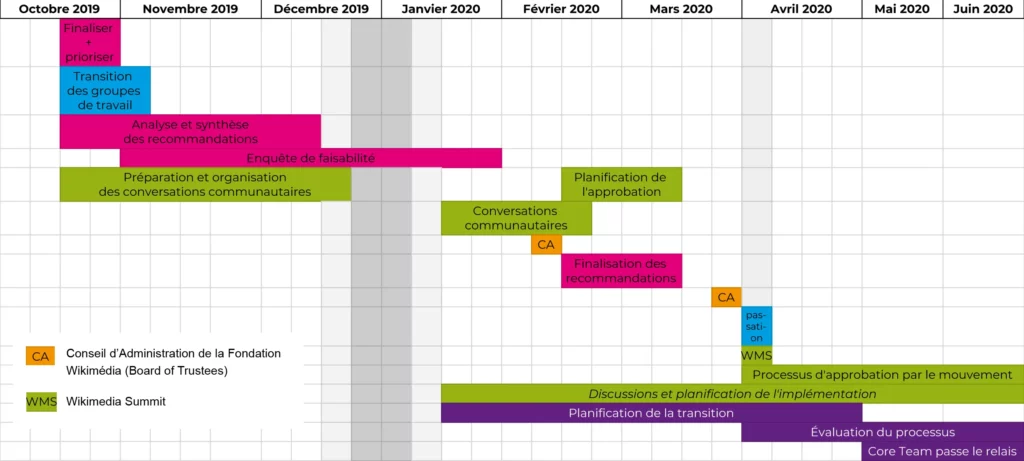
Project Timeline Template: This is a high-level timeline (often presented as a Gantt chart or roadmap) that plots the key phases and milestones of the app project on a calendar.
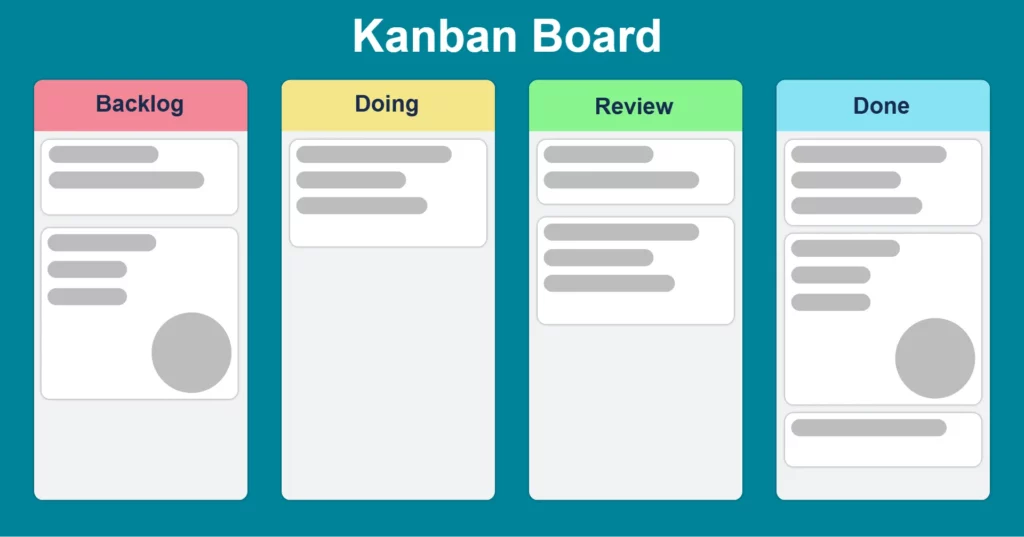
Kanban Board / Task Board Template: As discussed in the Agile section, Kanban boards are a staple for managing tasks in app development.
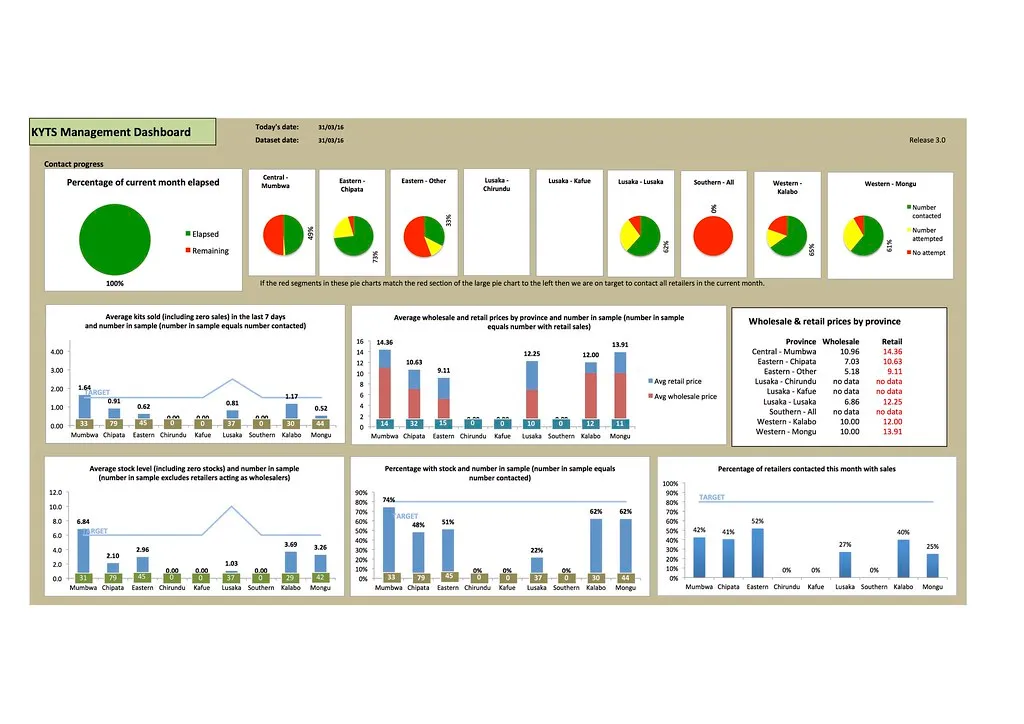
Project Status Report Template: Communication is key in project management, and status report templates are invaluable.
Other Templates: There are many other templates that app project managers might use, such as a Risk Register template (to log and track project risks and mitigation plans), a Change Request form (for formally handling changes in scope), or a Test Plan template (for planning the testing activities).
In summary, templates act as frameworks or blueprints for project documents and tools. By plugging your project’s details into well-designed templates, you maintain professionalism and thoroughness. Whether it’s a timeline, a Kanban board, or a status report, templates help standardize the management process so the team and stakeholders can focus on the content (the actual work and issues) rather than reinventing the format each time. Many experienced project managers develop a library of templates from past projects and reuse them to kick-start new projects with minimal hassle.
Modern project managers have a plethora of software tools at their disposal to help manage app development projects. These tools facilitate everything from task tracking and team collaboration to documentation and progress monitoring. Here are some of the top tools that app development project managers use, each with its own strengths:
Asana
Asana is a popular project management and work tracking tool known for its flexibility and user-friendly interface. In app development projects, Asana is often used to create tasks, assign them to team members, set due dates, and track progress in a variety of views (list view, board view, timeline view, etc.). One of Asana’s strengths is the way it organizes work into Workspaces, Projects, and Tasks. For example, you might have a Workspace for your company, a Project in Asana for “Mobile App Development – Version 1.0,” and within that project every feature or work item is a Task.
Asana provides excellent visibility into project status. A project manager can see at a glance which tasks are completed, which are in progress, and which are upcoming. Asana also allows setting milestones and dependencies (e.g., Task B can’t start until Task A is finished), and you can view these on a timeline to ensure deadlines are visible. For instance, you might mark key app development milestones like “Feature X Spec Completed,” “MVP Release,” or “Beta Testing Start” on Asana’s timeline. This helps the team stay aware of important dates.
Another reason app teams like Asana is its integration ecosystem. Asana works with over 200 other apps and services – from Slack to Google Drive to GitHub – allowing you to manage high-impact work in one place. Notifications and updates can flow through your communication channels, so nothing falls through the cracks. Asana also offers boards, lists, and even project templates out-of-the-box to help in planning. For example, if you prefer a Kanban-style board, Asana can display tasks as cards in columns. Or you can start a new app project using an Asana template that already includes common phases or tasks.
Trello
Trello is a well-known tool that virtually defined the modern Kanban board experience for teams. It’s extremely intuitive – organized around boards, lists, and cards. In Trello, you create a board for your project (say, “MyApp Development Board”). On that board, you have lists which usually represent workflow stages (e.g., “Backlog,” “Doing,” “Review,” “Done”). Under each list are cards, and each card is a task or user story. Team members move the cards from list to list as work progresses. Trello’s simplicity and visual nature make it one of the most used tools for managing app development projects.
For a mobile app project, Trello might have cards like “Design login screen,” “Implement push notifications,” “Fix bug #212 crash on launch.” Each card can have details – you can add descriptions, checklists (for sub-tasks), attachments (maybe design mockups or specifications), labels, due dates, and comments where team members discuss the task. It’s a very collaborative tool – everyone on the team can see the board and the status of all tasks, which fosters transparency.
Trello is great for teams adopting Agile or hybrid processes because it doesn’t enforce a strict methodology; it simply provides an easy way to track work. It “provides a more visual way of managing projects”, which is often easier to grasp than spreadsheets or text-based task lists. You can literally see work items “flow” across the board to Done. Many agile teams use Trello to manage sprints or even continuous Kanban flows. It’s also flexible enough to integrate with Agile practices – for example, you can attach story point estimates to cards, or use the Butler automation to automate moving cards when certain conditions are met.

Jira
Jira (by Atlassian) is a powerful project management and issue tracking tool that is extremely popular among software development teams. If you’ve ever worked with developers, there’s a good chance you’ve heard of Jira – it’s often considered the industry standard for Agile project management, especially for larger teams or more complex projects. Jira was originally designed as a bug and issue tracker, but it’s evolved into a full-fledged Agile project management platform supporting Scrum and Kanban (and even Waterfall or hybrid) workflows.
In the context of app development, Jira shines when it comes to tracking issues, user stories, and tasks with great detail. Each work item in Jira (called an “Issue,” which can be a Story, Task, Bug, Epic, etc.) can have rich information: descriptions, acceptance criteria, assignee, priority, status, comments, attachments, links to related issues, and so on.
Basecamp
Basecamp is a project management and team collaboration tool that has been around for a long time and is known for its simplicity and focus on communication. It takes a bit of a different approach compared to task-centric tools like Jira or Asana – Basecamp is more about organizing your project’s people, discussions, and files in one place. It’s often favored by small teams or agencies managing projects with clients, because of its straightforward messaging and to-do list features.
In a mobile app project, Basecamp can be used to create to-do lists for tasks (e.g., a to-do list for “App Screen Designs” with items for each screen to design, another to-do list for “Backend API Development” with each API endpoint as an item, etc.). Team members can assign to-dos to each other and set due dates. When someone completes a to-do, they check it off and Basecamp can notify the team.
One of Basecamp’s biggest benefits is that it centralizes communication. Each project in Basecamp comes with message boards, group chat (Campfire), and automatic check-ins. Instead of sending scattered emails, the project manager or team members can post updates or questions on the message board – for example, “Weekly Progress Update” or “Feedback needed on new icon design”. All project participants can see it and respond. This is great for transparency and keeping a history of decisions. Basecamp also has a Schedule (calendar) for milestones/events and a Docs & Files area to share things like design assets or specifications. Essentially, it aims to replace the need for multiple tools (email, Slack, Google Drive, etc.) by combining them into one platform for the project.
Zoho Projects
Zoho Projects is part of the Zoho suite (a collection of many business apps) and is a robust project management tool in its own right. It offers a range of features at a relatively low cost, which makes it attractive for small to midsize teams and companies. For app development, Zoho Projects provides tools for planning, tracking, and collaborating, similar to other PM software, but with the advantage of tight integration into Zoho’s ecosystem (like Zoho CRM, Zoho Desk, etc., if your company uses those).
In Zoho Projects, you can create a project and then define milestones, task lists, and tasks. It supports setting dependencies between tasks (finish-to-start, etc.), which allows you to build a Gantt chart of your app project if you like a timeline view. You can assign tasks to users, set due dates, priorities, and even hourly estimates if you’re tracking effort. One strong point of Zoho Projects is its resource allocation and timesheet features – team members can log time spent on tasks, and the PM can monitor if the project is overrunning its estimated effort. If you’re conscious about budgeting developer hours or need to bill clients based on time, this is handy.
For Agile-oriented teams, Zoho Projects introduced features like Kanban boards as well, so you can manage tasks in a visually friendly way. It might not be as specialized as Jira for Agile, but it covers the bases. You can set up a board where each task is a card moving through statuses, and it’s quite customizable.
Designveloper’s App Development Project Management
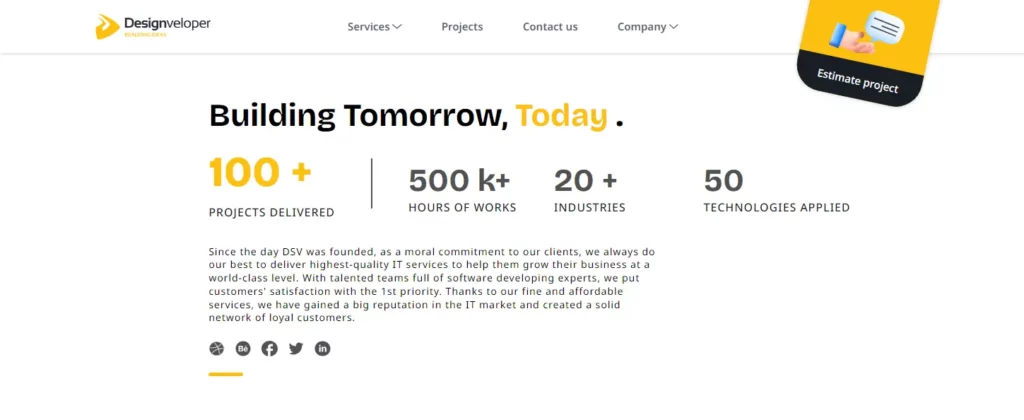
At Designveloper, we have been able to learn how to manage app development project effectively. We have completed over 100 projects and have logged more than 500,000 hours of work across more than 20 industries with over 50 technologies. We have worked on everything from building healthcare platforms to designing crypto wallets and everything in between.
Our approach
For new projects, we apply Analogous Estimation. When a client submits a request, our estimation team sits down with the client to assess their needs. These are then divided into a list features. We have developed a database of features from past data of similar projects. Then the team identifies similar features in our library and assesses the time, cost, and resources required. This leads to the generation of an initial guesstimate of the time and cost for the client’s software project.
In the case of Agile/SCRUM, the Planning Poker is usually applied. In the case of planning, all the members of the project team are involved in the estimation of all the items planned for the sprint. Every member gives an estimate of the story point which represents the effort that he or she expects to take in order to accomplish the item. The team then comes up with the estimated number of items that are to be delivered in the particular sprint, which is usually for two weeks. Planning Poker is one of the most used estimation techniques performed by Agile teams that work with SCRUM or Extreme Programming (XP).
The Tools We Use
Trello is best suited for internal projects or for organizations where the technical aspect is not dominant such as HR and admin. A Trello board is a progress tracking board where each task is in a specific column: To Do, Doing, Done. It also provides features such as assigning tasks, adding checklists, setting due dates and even coming with notifications of the upcoming deadlines.
Jira is a more professional tool for project management as opposed to Trello. It supports the two most widely used Agile frameworks in the current world: the SCRUM and Kanban. Another advantage of Jira is the possibility to define the process of each task so that the statuses of the tasks change according to the process defined by the team. Jira also offers many reports to visualize project data as well. For instance, Burndown chart, Burnup chart, Velocity chart, and Cumulative Flow Diagram to monitor the work progress. Information connected with deployment (Cycle time report, Deployment frequency report) enables project managers to evaluate the capability to deliver value to customers. They are used in charting the future course of the product.
With help of Jira’s reporting features, project managers can always track the work in progress and distribution of resources in a team, in order to make the right decisions at the right time.
Conclusion
At Designveloper, we know that successful app development project management is more than tools and timelines. It requires aligning vision with execution, adapting quickly, and delivering real value to users. Over the past decade, we have helped clients worldwide turn mobile app ideas into reality using Agile, Lean, and hybrid methodologies. For example, by developing global apps like Lumin PDF and Walrus Education, our team has proven experience managing complex mobile projects.
We don’t just write code. We manage the entire app lifecycle with precision. Our team designs intuitive UI/UX, builds cross-platform apps with Flutter or React Native, and integrates essential third-party APIs. Throughout the project, our in-house project managers ensure each milestone is met and every sprint delivers value. We rely on best-in-class tools such as Jira, Trello, and Basecamp, paired with custom templates, to keep our team and clients aligned at every stage.


