


Web apps run modern business. They handle logins, payments, and customer data. That also makes them a favorite target for attackers. Web application security is the set of practices and controls that keep those apps safe from abuse, data theft, and downtime.
This guide explains what web application security means in plain language. It also breaks down common threats using the OWASP Top 10 lens, with clear examples and practical fixes. You will also learn how attacks usually unfold and what tools help most teams reduce risk.

What Is Web Application Security?
Web application security covers the steps you take to protect a website or web app from attacks. It focuses on the application layer. That includes the code, the database, the APIs, and the user sessions.
It also answers a simple question: what is the web application security? It is the discipline of building, testing, and running web apps in a way that blocks common exploits and limits damage when something goes wrong.
Web application security includes people, process, and technology. Developers write safer code. Teams test changes before release. Operations teams harden servers and cloud settings. Security teams monitor activity and respond fast.
- Goal: keep the app available, keep data private, and keep actions trustworthy.
- Scope: frontend, backend, APIs, identity, sessions, data storage, and third-party components.
- Outcome: fewer breaches, fewer outages, and fewer costly incident cleanups.
Why Is Web Application Security Important?
Attackers go where value sits. Web apps often expose that value to the internet. They also change fast, which can create gaps.
Even a small flaw can cause big harm. A single missing access check can expose customer records. A single leaked token can open admin features. Then trust drops fast.
Costs also add up quickly after an incident. IBM reports a global average breach cost of 4.4M, which shows why prevention matters even for teams that think they are “too small to target.”
Threat volume keeps rising too. Akamai reported 311 billion web attacks in 2024, representing a 33% year-over-year increase, so teams should treat web defense as a constant effort, not a one-time project.
Finally, attackers often start with stolen login data. Verizon notes that 88% of breaches reported within this attack pattern involved the use of stolen credentials, so secure identity and strong session controls matter as much as secure code.
Common Web Application Security Threats – OWASP Top 10 Web Application Vulnerabilities

OWASP publishes a widely used view of the risks that show up most often in real web apps. Teams use it as a checklist for design reviews, testing, and roadmaps.
The exact names change over time. However, the core problems stay familiar. The list below covers the threats many teams still see every week. Use it as a practical map, not as a final scorecard.
You will also see web application security examples in each section. These examples show how a small mistake can turn into a real attack.
1. SQL Injection
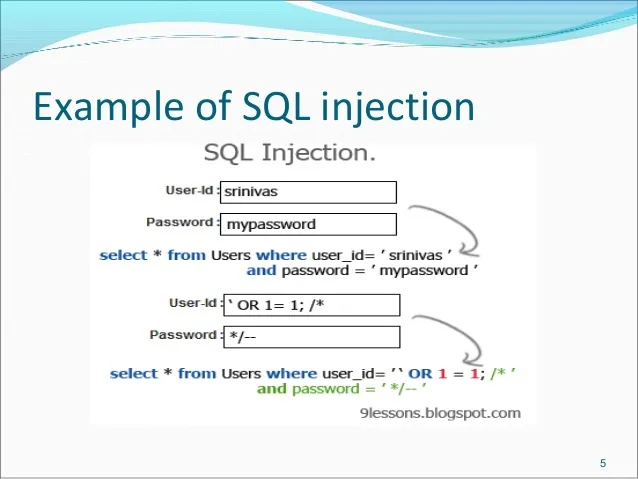
SQL injection happens when an app builds database queries from untrusted input. Attackers then inject SQL code into that input. The database runs it as if it came from the app.
How It Shows Up
A login form might take a username and password. If the backend builds a query by concatenating strings, an attacker can change the query logic.
What Attackers Try to Do
- Bypass login checks.
- Dump tables that store users, orders, or payment data.
- Change records, such as roles or prices.
How to Reduce Risk
- Use parameterized queries or prepared statements everywhere.
- Validate input types and lengths before the database sees them.
- Give the app database account the least privileges it needs.
2. Cross-Site Scripting (XSS)
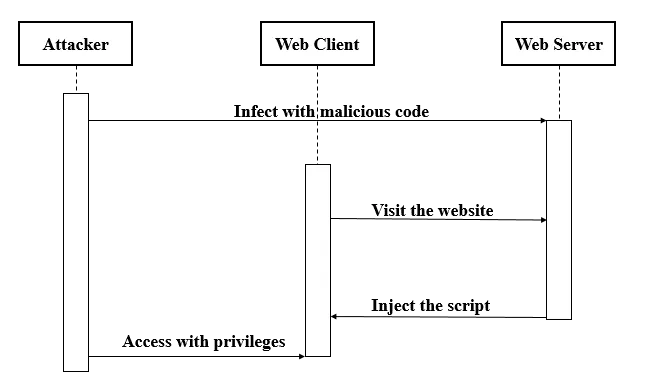
XSS happens when an app injects untrusted content into a page that the browser treats as code. The attacker’s script then runs in the victim’s browser.
How It Shows Up
Comment fields, profile bios, and search pages often display user content. If the app does not escape output, a script tag can slip in.
What Attackers Try to Do
- Steal session cookies or tokens.
- Run actions as the user, such as changing email or transferring funds.
- Inject fake UI to trick users into giving secrets.
How to Reduce Risk
- Escape output based on context (HTML, attribute, URL, JavaScript).
- Use safe templating that escapes by default.
- Add a strict Content Security Policy to limit script execution.
3. Broken Authentication

Broken authentication happens when login and session features let attackers take over accounts. The app might accept weak passwords, expose reset flows, or mishandle tokens.
How It Shows Up
Teams sometimes build custom auth fast to ship features. That speed can create gaps. For example, the app might not rate-limit login attempts. It might also store tokens in unsafe places on the client.
What Attackers Try to Do
- Credential stuffing with leaked username and password pairs.
- Brute-force guessing on weak passwords.
- Session hijacking through stolen tokens.
How to Reduce Risk
- Use proven identity flows and libraries instead of homegrown auth.
- Enable multi-factor authentication for sensitive users and actions.
- Rate-limit logins and add bot detection on abuse patterns.
- Rotate sessions on login and privilege changes.
4. Broken Access Control

Broken access control happens when the app fails to enforce who can do what. Users then access data or actions outside their role.
This risk shows up very often in real systems. OWASP notes that 94% of applications were tested for some form of broken access control, which signals how common access mistakes can be.
How It Shows Up
An app might hide an admin button in the UI, but still allow the admin endpoint. Attackers then call the endpoint directly.
What Attackers Try to Do
- Read other users’ records by changing an ID in the URL.
- Call admin APIs without admin rights.
- Access internal files or reports.
How to Reduce Risk
- Enforce checks on the server for every request, not just in the UI.
- Use a clear authorization model (roles, scopes, and ownership rules).
- Log access denials and review them for repeated probing.
5. Security Misconfiguration

Security misconfiguration happens when insecure defaults stay in place. It also happens when teams expose debug tools, open admin panels, or leave permissive cloud settings.
How It Shows Up
A staging environment might go public. An app might run with verbose error pages. A storage bucket might allow public listing.
What Attackers Try to Do
- Scan for default credentials and open dashboards.
- Use error messages to learn table names, file paths, or framework versions.
- Find exposed backups or logs with secrets inside.
How to Reduce Risk
- Harden baseline settings and apply them through automation.
- Disable debug mode in production.
- Run configuration scans in CI and in runtime.
6. Sensitive Data Exposure

Sensitive data exposure happens when the app leaks private data. That can include personal data, business data, or secrets like API keys. Weak encryption and poor key handling often drive the risk.
How It Shows Up
The app might store passwords without strong hashing. It might also log tokens in plain text. Sometimes the app sends data over insecure connections.
What Attackers Try to Do
- Steal data in transit through interception.
- Extract data at rest from backups, logs, or database dumps.
- Use leaked keys to access third-party services.
How to Reduce Risk
- Encrypt sensitive data in transit and at rest.
- Use strong password hashing and safe key storage.
- Stop logging secrets and rotate any exposed credentials fast.
7. Cross-Site Request Forgery (CSRF)
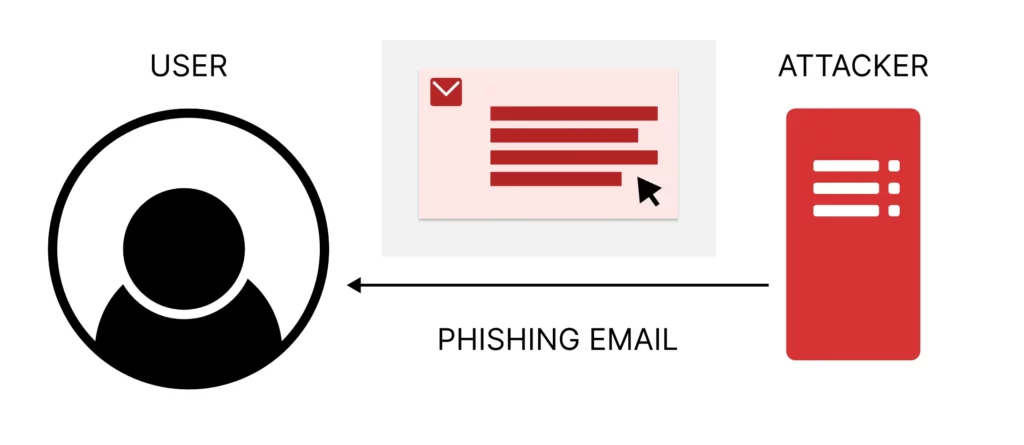
CSRF tricks a logged-in user’s browser into sending a request the user did not intend. The browser includes cookies automatically. That makes the request look real to the server.
How It Shows Up
A user logs into a web app in one tab. Then they visit a malicious site in another tab. The malicious site submits a hidden form to the web app. If the app lacks CSRF defenses, it accepts the action.
What Attackers Try to Do
- Change account email or password.
- Trigger money transfers or purchases.
- Enable risky settings, such as API key creation.
How to Reduce Risk
- Use anti-CSRF tokens for state-changing requests.
- Use same-site cookie settings to reduce cross-site sending.
- Confirm sensitive actions with re-auth or step-up checks.
8. Insecure Deserialization
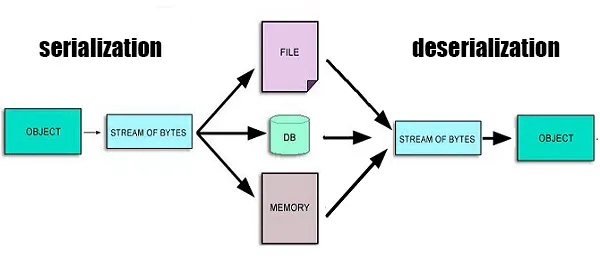
Insecure deserialization happens when an app accepts serialized objects from untrusted sources. Attackers then alter the object to change logic or trigger unsafe behavior.
How It Shows Up
Some systems store session state as serialized objects. Others pass serialized data between services. If the app trusts that data, attackers can tamper with it.
What Attackers Try to Do
- Escalate privileges by changing role fields.
- Trigger remote code execution in unsafe libraries.
- Bypass business rules by forging internal objects.
How to Reduce Risk
- Avoid deserializing untrusted data when possible.
- Use signed tokens for client state instead of raw objects.
- Allowlist safe types and reject everything else.
9. Using Vulnerable Components

Modern apps depend on libraries, frameworks, containers, and services. A single outdated component can expose the entire app.
How It Shows Up
A team pins dependencies and never updates them. Another team uses a container image with an old base layer. Over time, known flaws stack up.
What Attackers Try to Do
- Exploit known vulnerabilities with public proof-of-concept code.
- Target popular frameworks because many apps share the same flaw.
- Abuse weak defaults in third-party plugins.
How to Reduce Risk
- Track dependencies and versions with a software bill of materials mindset.
- Run software composition analysis in CI.
- Patch fast and remove unused packages.
10. Insufficient Logging & Monitoring
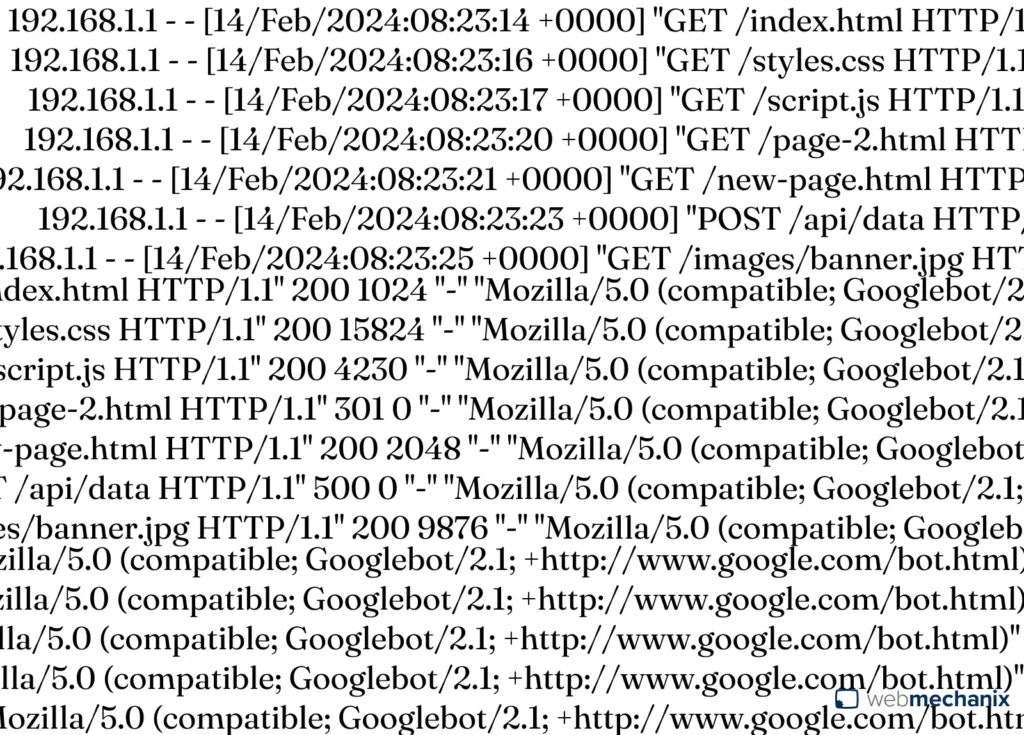
Logging and monitoring failures do not cause the first exploit. However, they often turn a small incident into a long one. Attackers move quietly when teams do not watch the right signals.
How It Shows Up
The app logs only success events. It does not log auth failures, access denials, or suspicious input. Alerts also lack context, so teams ignore them.
What Attackers Try to Do
- Probe endpoints and test payloads without triggering alarms.
- Reuse stolen credentials across accounts without detection.
- Exfiltrate data slowly to avoid spikes.
How to Reduce Risk
- Log security-relevant events with user, IP, device, and request context.
- Detect anomalies like impossible travel, high retry logins, and sudden role changes.
- Practice incident response so alerts lead to action.
How Web Application Attacks Work
Most web attacks follow a simple flow. The details change, but the pattern stays steady. Understanding the flow helps you choose defenses that stop the attacker early.
First, the attacker performs recon. They map endpoints, parameters, and tech stack. They also scrape public data and search for leaked credentials.
Next, they try an entry point. That might be a login page, an API endpoint, or an upload feature. They often automate this step with tools and scripts.
Then they seek control. If they gain a foothold, they escalate privileges. They also look for hidden admin paths and weak access checks.
After that, they act on their goal. They steal data, change payments, or plant malware. Sometimes they also create new admin users for long-term access.
Finally, they try to hide. They delete logs, blend into normal traffic, or use slow extraction. That is why good logging and monitoring matter so much.
Key Components of Web Application Security
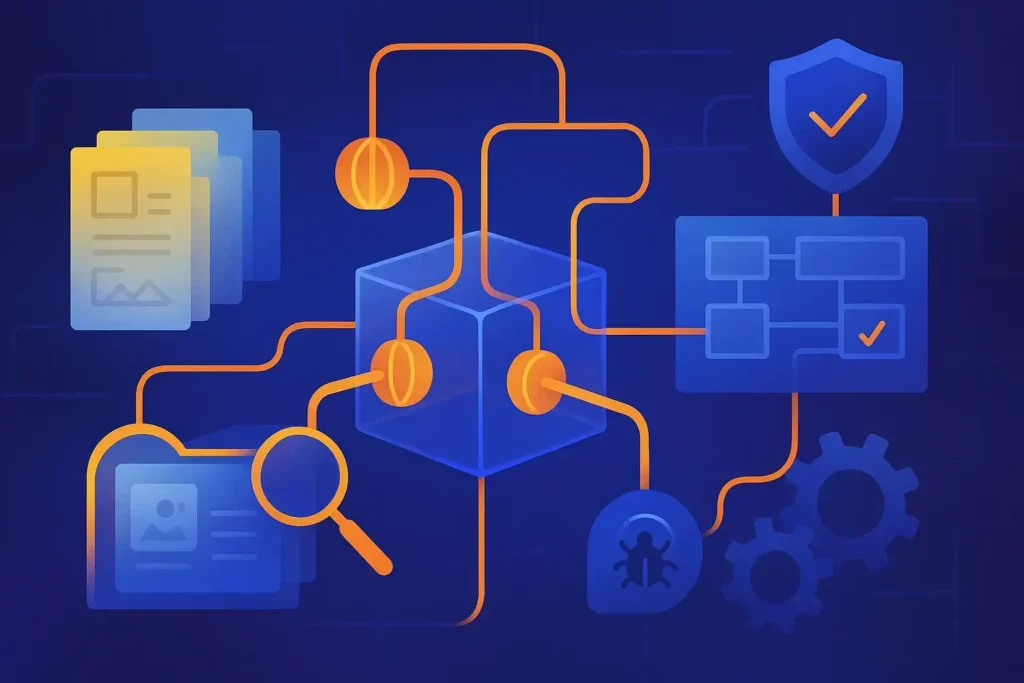
Strong security relies on a few core building blocks. Each block reduces risk in a different way. Together, they create defense in depth.
1. Authentication and Authorization
Authentication proves who the user is. Authorization decides what the user can do. Many incidents happen when teams mix these ideas up.
Strong authentication starts with safe login flows. It also uses modern protections like rate limits and multi-factor checks for risky actions.
Strong authorization uses clear rules. It checks those rules on the server for every request. It also treats the UI as a convenience, not as a guard.
- Use short-lived sessions and rotate tokens.
- Use step-up checks for actions like changing email, exporting data, or adding payment methods.
- Centralize authorization logic so teams do not re-implement rules in many places.
2. Data Protection
Data protection keeps secrets and personal data safe. It covers data in transit, data at rest, and data in logs.
It also includes safe handling for keys. Keys should not live in code repos. They should not appear in client-side code. They should also rotate on a schedule.
- Encrypt sensitive data and restrict who can decrypt it.
- Mask sensitive fields in logs and analytics.
- Limit data collection to what you truly need.
3. Input Validation and Output Encoding
Input validation blocks malicious data early. Output encoding blocks script execution and injection in the browser. Both matter because users and attackers share the same input paths.
Validation should enforce type, length, format, and allowed values. It should also happen on the server, even if the client validates too.
Encoding should match the output context. HTML encoding differs from URL encoding. That is why safe frameworks help.
- Reject unexpected input instead of trying to “clean” it.
- Prefer allowlists over blocklists.
- Use framework-safe output escaping by default.
4. Secure APIs
APIs now power most web apps. They connect the frontend to the backend. They also connect services inside your stack.
Secure APIs enforce auth, rate limits, and clear access rules. They also validate payloads and return safe error messages.
- Use scoped access tokens and least-privilege permissions.
- Rate-limit by user, IP, and token to slow abuse.
- Validate request schemas and reject unknown fields.
- Document endpoints so teams test them consistently.
Web Application Security Best Practices
Best practices work because they reduce whole categories of risk. They also help teams scale security as the codebase grows.
If you ask, “How would you secure a web application?”, start with the basics below. Then add layers based on your risk and industry.
- Build threat models early: map assets, trust boundaries, and likely attacker paths.
- Adopt secure coding standards: define safe patterns for auth, input, and data access.
- Use least privilege everywhere: reduce what accounts, services, and tokens can access.
- Protect logins: add rate limits, bot defenses, and multi-factor options.
- Patch fast: update libraries, images, and runtimes on a routine cadence.
- Test continuously: run security checks in CI and before production deploys.
- Monitor and respond: treat security alerts like uptime alerts, with clear owners and playbooks.
Also keep your practice realistic. A small team can still improve quickly. For example, start with dependency scanning and secure headers. Then move to deeper testing and automation.
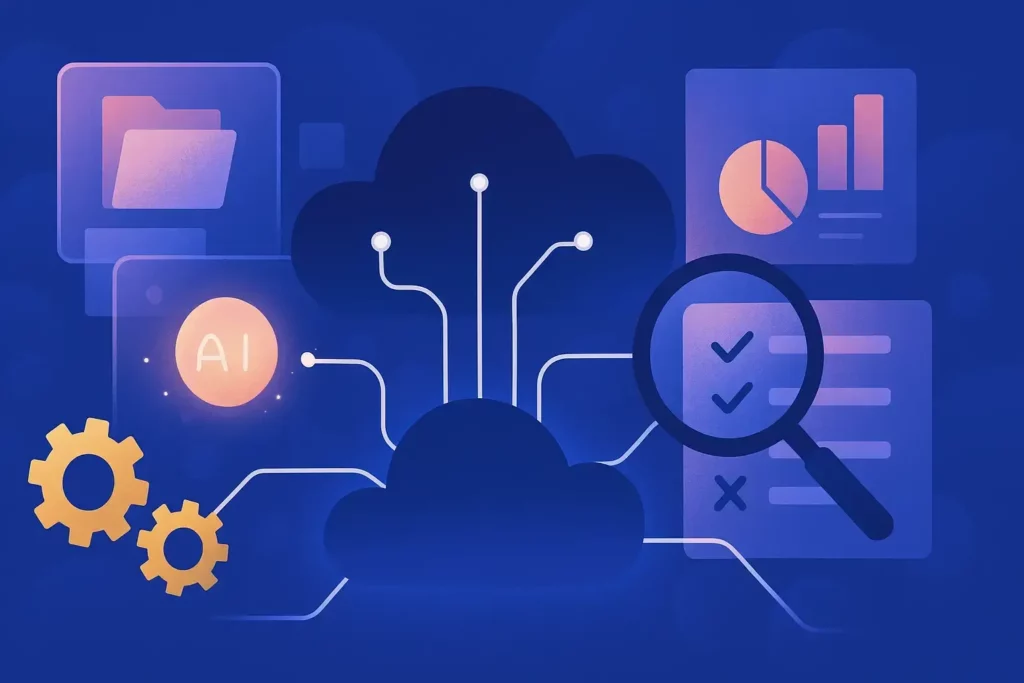
Tools help teams find issues earlier and block attacks faster. They also reduce reliance on manual checks.
Most teams combine build-time tools with runtime protections. That mix catches bugs and stops live abuse.
- SAST: scans source code to flag risky patterns before merge.
- DAST: tests a running app to find exploitable behavior from the outside.
- IAST: observes app behavior during testing to pinpoint vulnerable flows.
- SCA: checks dependencies for known vulnerabilities and license risks.
- Secrets scanning: finds leaked keys and tokens in code and build logs.
- WAF: filters and blocks malicious traffic before it hits the app.
- RASP: detects and blocks attacks from inside the running app.
- SIEM and alerting: centralizes logs and triggers response workflows.
How many types of WAF are there? Most teams group them into three types: network-based appliances, host-based modules, and cloud-based services. Each option trades control for ease of management.
1. Web Application Security vs Network Security
Network security protects the paths between systems. It focuses on firewalls, routing, segmentation, and traffic controls.
Web application security protects what the app does with requests. It focuses on code, identity, sessions, and data access. You need both, because attackers can pass through a “safe” network while still exploiting app logic.
2. Web Application Security vs API Security
API security is part of web application security, but it zooms in on endpoints and data contracts. It focuses on tokens, scopes, rate limits, and schema validation.
Web application security covers the full app experience. It includes the browser, the UI, session cookies, and server-side rendering risks too.
3. Web Application Security vs Cloud Security
Cloud security focuses on cloud services and configurations. It includes identity in the cloud, storage policies, and workload security.
Web application security still matters in the cloud. A secure cloud setup cannot fix unsafe input handling or broken access control in your code. At the same time, a secure app can still leak data if a storage bucket is public. So both must work together.
Web Application Security in the Development Lifecycle
Security works best when teams build it into the lifecycle. That approach reduces rework and helps developers learn faster.
Start in design. Map sensitive data flows. Identify trust boundaries. Decide where you need stronger checks, such as step-up auth.
Next, secure implementation. Use safe frameworks and standard libraries. Enforce code review rules for auth, access control, and input handling. Also keep secrets out of code.
Then test before release. Run automated scans in CI. Add security tests for critical flows, such as password reset and checkout. Also test APIs with negative cases, not only happy paths.
After release, keep watching. Monitor auth failures, access denials, and anomaly patterns. Patch dependencies on a schedule. Run incident drills so people know what to do under pressure.
Web Application Security Challenges
Teams face real constraints. They ship fast, use many services, and depend on third-party components. Those pressures make security harder, but not impossible.
One challenge is complexity. Microservices and client-heavy apps spread logic across many places. That can hide broken access control and weak validation.
Another challenge is identity sprawl. Apps now rely on tokens, API keys, and service accounts. Teams can lose track of where secrets live and who can use them.
Supply chain risk adds more pressure. A single vulnerable dependency can expose many apps at once. That is why dependency tracking and patching matter.
Finally, teams struggle with signal overload. They collect logs but miss the right alerts. They also ignore warnings when tools produce too many false positives. Strong triage and clear ownership help here.
FAQs About Web Application Security
1. Is Web Application Security Part of Cybersecurity?
Yes. Cybersecurity covers the full set of protections for systems, networks, and data. Web application security focuses on web apps inside that broader field.
It also overlaps with areas like identity, cloud security, and incident response. Still, it deserves its own focus because web apps expose business logic directly to attackers.
2. What Are The Main Risks to Web Applications?
Main risks include injection flaws, account takeover, broken access control, and misconfigurations. Data exposure and weak monitoring also raise impact when attackers break in.
If you ask, “What are the security issues in a web application?”, the answer usually starts with unsafe input, weak identity controls, and missing authorization checks. From there, the list expands to supply chain and operational gaps.
3. Why is OWASP Important For Web Application Security?
OWASP matters because it gives teams a shared language. It also gives a practical checklist that works across industries and stacks.
Additionally, OWASP can help developers and security teams align. It also helps leaders prioritize fixes that reduce real-world risk. Most importantly, it keeps teams focused on repeatable controls that prevent common failures.
Conclusion
OWASP-style risks keep showing up because attackers target the same weak spots. That is why web application security starts with strong basics. You secure identity, enforce access rules on every request. Additionally, you validate input and patch dependencies. You also monitor the signals that matter. Then you repeat this cycle with every release.
At Designveloper, we turn that cycle into a practical plan you can ship. We are a Vietnam-based team in Ho Chi Minh City, and we were formed in 2013 with a clear focus on building reliable digital products. Over time, we have delivered 100+ successful projects for over 50 clients worldwide. Our portfolio includes platforms like Wave, Swell & Switchboard, WorkPacks, and other web systems that need stable performance and strict data control.
If you want to reduce OWASP Top 10 risk in a real roadmap, we can help at multiple levels. We build and maintain web apps with secure defaults, then review architecture and critical user flows. We also run Web Application Penetration Testing to find exploitable issues before attackers do. After that, we translate findings into fixes your developers can apply fast. You get clearer priorities, fewer surprises in production, and more confidence as your product grows.


