


Today, many developers are using AI-assisted coding tools to ask about code, learn new concepts, document the process, and even generate some pieces of code. The advent of AI, especially large language models, has made software development easier and more flexible. But what are the best AI tools for developers?
If you’re looking for a reliable, verified AI coding assistant to develop software faster, this curated list is for you. Here, we’ll detail the best AI coding tools, coupled with their notable features, pros, cons, and pricing plans. Let’s get started!
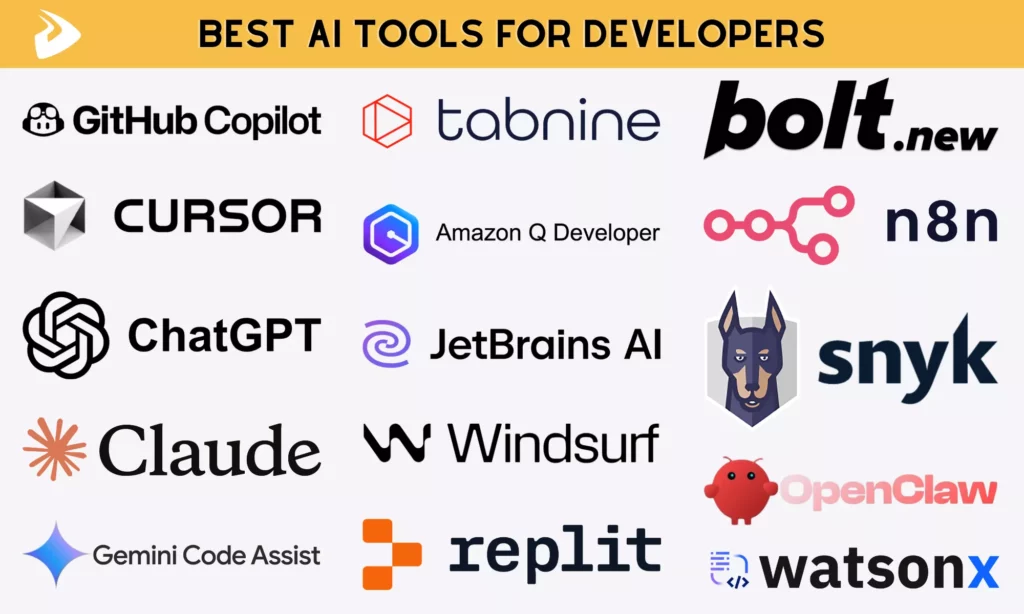
As LLMs thrive, so many AI-assisted coding tools appear in today’s market. Each promises faster coding, improved productivity, and smarter suggestions. One research indicated that the global value of AI coding tools will reach $9.46 billion in 2026, highlighting the growing importance of these assistants.
But not every tool delivers real value in day-to-day development. Some work best in specific workflows, while others struggle outside narrow use cases. So, to evaluate AI coding assistants, we consider the following factors:
- Best & worst use cases: Instead of broad claims, we test where a tool actually performs well, whether it’s generating boilerplate code, debugging complex logic, or assisting with documentation. Further, we define when you shouldn’t use it. For example, some tools produce impressive suggestions but fail when handling large, context-heavy codebases.
- Key features: We consider which features support software development. They may include code completion quality, multi-language support, and context awareness.
- Pricing and accessibility: AI-assisted coding tools offer different pricing plans, including free tiers (with limited usage), subscription plans, or pay-as-you-go. So, we compare prices and check if a free plan exists.
- IDE compatibility: A strong AI tool should integrate smoothly into popular environments like Visual Studio Code, JetBrains IntelliJ IDEA, or PyCharm without disrupting workflows. So, we evaluate whether AI coding tools are compatible with those IDEs.
- Security and data handling: With code often containing sensitive logic, we prioritize tools that offer clear policies around data usage, local processing options, or enterprise-grade privacy controls.
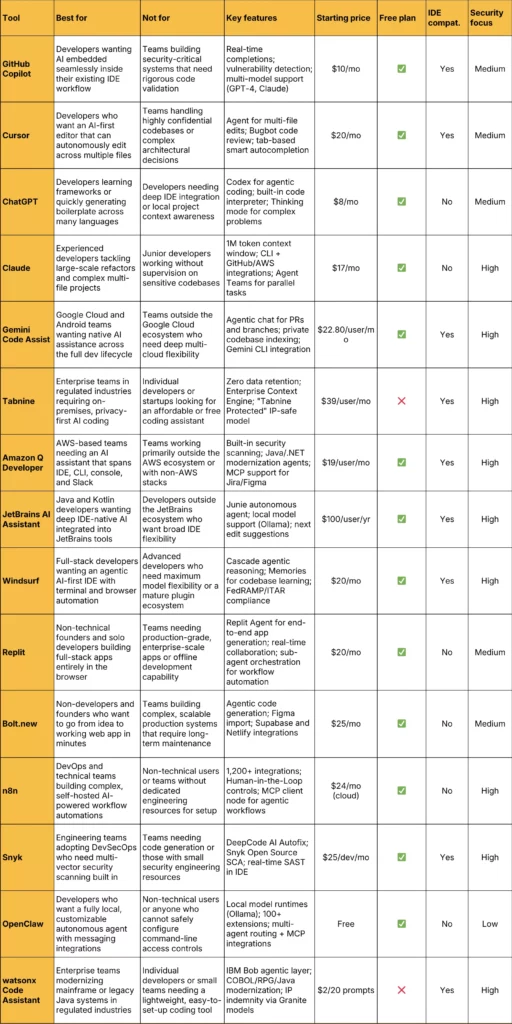
Now, let’s find out the best AI tools that help developers with faster development and debugging.
1. GitHub Copilot
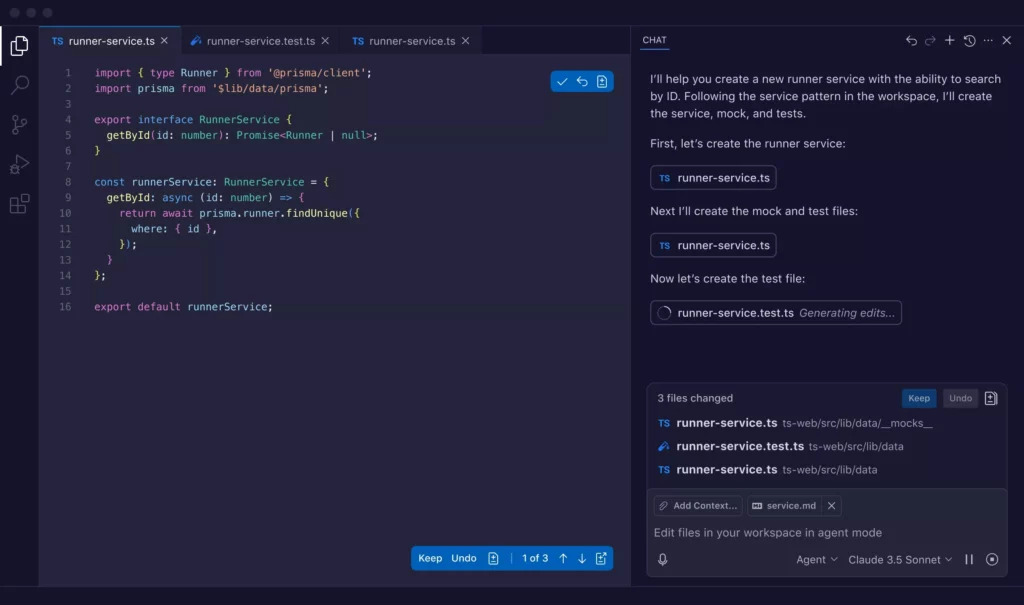
GitHub Copilot is an AI coding tool collaboratively developed by GitHub and OpenAI. According to the 2025 StackOverflow Developer Survey, GitHub Copilot is the second most common AI assistant used for development work (67.9%).
In practice, GitHub Copilot is more like an extension of your editor instead of a standalone AI tool. It integrates natively with Visual Studio Code and works well with other IDEs (e.g., JetBrains IDEs or Neovim). You can move between writing code, asking questions, and refining outputs without leaving your workflow.
Key features:
- Real-time code completion across languages like Python, JavaScript, Go, and Ruby
- Built-in chat for code explanation, debugging, and documentation support
- Automated test generation and bug fixing suggestions
- Context-aware recommendations based on your current file or project
- Copilot Spaces to organize project context (code, notes, docs)
- Support for multiple AI models, including GPT-4-class and Claude models
- Secure coding with features like vulnerability detection and code remediation suggestions
Best use cases:
- Generating boilerplate code and repetitive structures quickly
- Assisting with debugging and understanding unfamiliar code
- Writing unit tests or simple test cases
- Speeding up documentation and inline comments
- Learning new languages or frameworks through guided suggestions
Drawbacks: If you’re working on highly complex systems or security-critical applications, GitHub Copilot may not always be reliable without careful review. Its limitations become more visible when project complexity increases. Accordingly, it:
- Can generate inefficient or insecure code in edge cases
- Struggles to produce comprehensive test coverage for large codebases
- Misinterprets prompts, leading to confusing or irrelevant outputs
Pricing:
- Free for 50 chat requests and 2,000 completions per month
- Paid plans start at $10/month (billed monthly)
2. Cursor
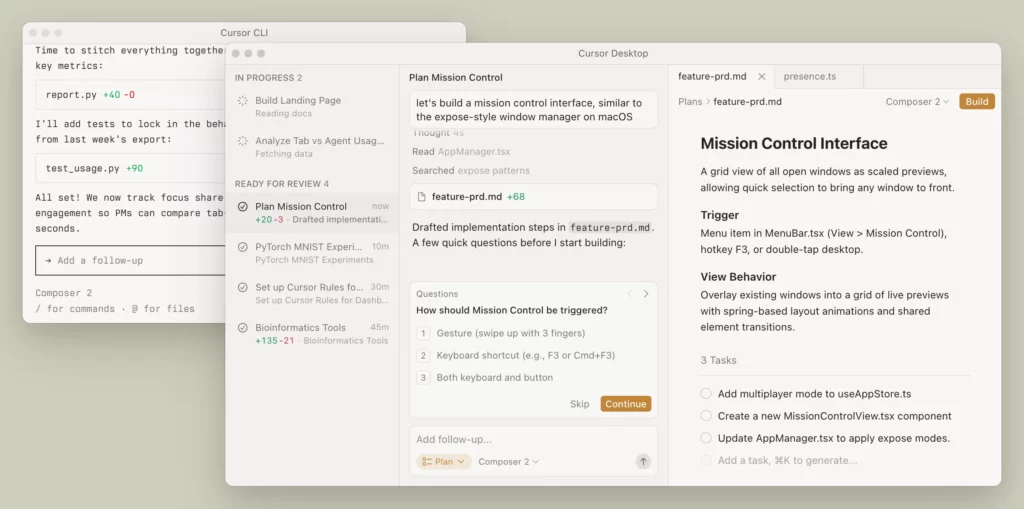
Cursor is an AI-powered code editor designed to actively participate in your workflow. Instead of passively completing lines, it can scan your repository, understand relationships between files, and execute multi-step coding tasks through its built-in AI agents.
The AI tool is compatible with Visual Studio Code, allowing developers to import existing extensions, themes, and shortcuts. This makes the transition feel familiar, even as the workflow becomes more automated. Cursor also connects with external tools via MCP servers, enabling access to real-time data or additional services.
To support secure coding, Cursor includes automated code review through its Bugbot feature. This feature flags potential issues like logic errors or unsafe patterns.
Key features:
- The Agent feature that performs code edits, refactoring, and multi-file updates
- Tab-based smart autocompletion for multi-line and cross-file edits
- Bugbot for automated code review and fix suggestions
- Reusable rules and memory to enforce coding standards
- Integration with Slack and project management tools for task-based workflows
- Support for multiple AI models (e.g., GPT-class and Claude models)
Best use cases:
- Refactoring large code sections with minimal manual effort
- Automating repetitive development tasks across files
- Maintaining consistent coding styles within teams
- Reviewing code and identifying bugs early
- Working in collaborative environments with shared prompts and workflows
Drawbacks: Cursor may not be ideal if you want to handle highly confidential or proprietary codebases, legacy code, or projects requiring complex architectural understanding. It’s because the tool:
- May modify unrelated parts of the code during edits
- Struggles with large codebases or multi-file context tracking
- Occasional crashes, cache issues, or outdated file syncing
- Can generate hallucinated functions or incorrect API usage
Pricing:
- Hobby (a free plan) with limited Agent requests, limited Tab completions, and a two-week Pro trial
- Paid tiers start at $20/month
3. ChatGPT
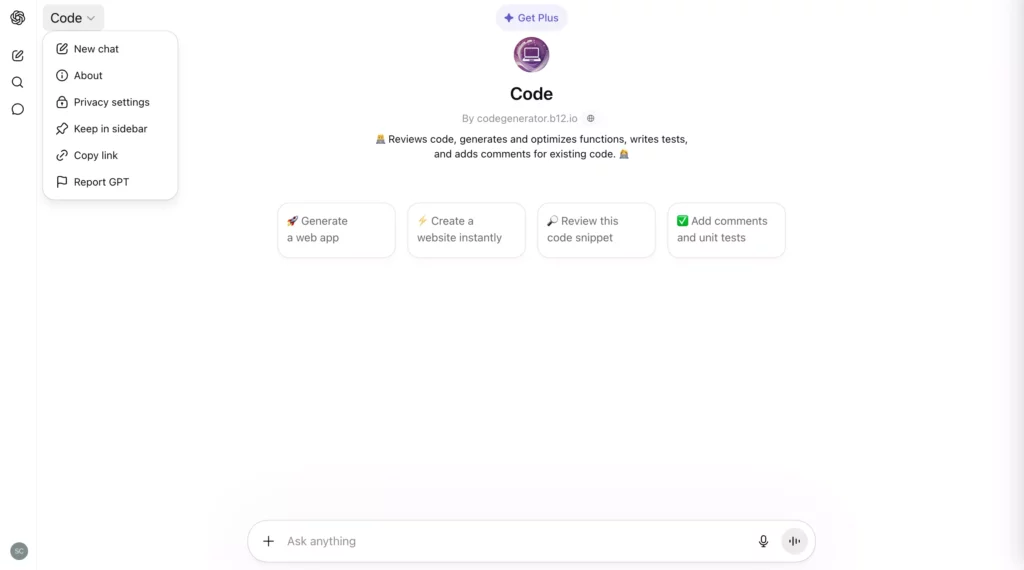
ChatGPT is the most widely used AI tool for natural language tasks and coding assistance. While not exclusively a coding tool, it remains a top choice among developers for its versatility across the full development lifecycle.
ChatGPT works as an isolated tool and has no native IDE integration. That said, paid tiers still include a built-in code interpreter and file uploader.
Its security posture varies by plan. Particularly, the Free and Go tiers carry ads (introduced in February 2026 in the US) and use data for training. Meanwhile, Business and Enterprise plans don’t use data for training by default, plus security certifications (like SAML SSO or MFA).
Key features:
- Code generation across Python, JavaScript, Rust, C#, and many other languages
- Debugging, error fixing, and performance optimization support
- Built-in code interpreter and file uploader (paid tiers) for codebase analysis and log review
- Documentation writing, code translation between languages, and unit test generation
- Native computer use, unified coding, and support for GPT-5.4 Thinking with an interactive planning mode (paid tiers)
- Codex integration for agentic coding tasks across files and codebases
Best use cases:
- Learning new programming languages or frameworks through guided, conversational examples
- Quickly generating boilerplate code across diverse languages
- Debugging and explaining unfamiliar or complex code snippets
- Writing documentation, inline comments, and unit tests
- Exploring APIs, SDKs, and third-party library usage patterns
Drawbacks: ChatGPT is not the best fit for developers who need deep IDE integration or context-aware suggestions tied directly to their local project files. Besides, you may encounter the following issues when coding with ChatGPT:
- Requires manual file attachment to provide local codebase context, unlike IDE-native tools
- Has a knowledge cutoff and can produce outdated syntax, non-existent libraries, or incorrect code
Pricing:
- Free version available
- Paid tiers start at $8/month
4. Claude
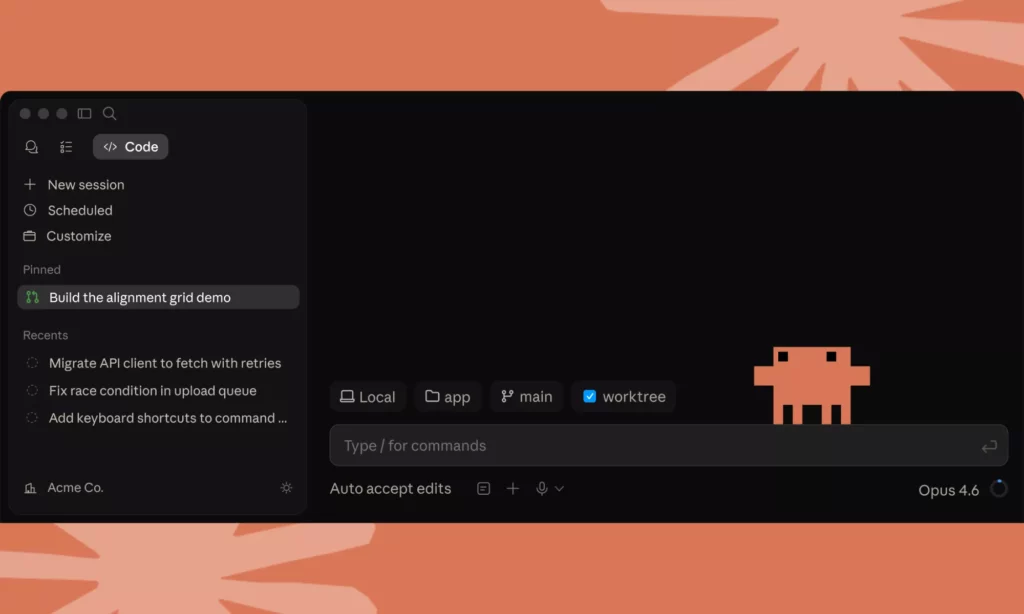
Claude is Anthropic’s intelligent AI assistant that supports broad general and coding work. Developers can access it through a chat interface or an API.
Claude assists software engineering as a terminal-native AI agent, especially for complex, large-scale development work. It can live in your terminal (the command-line environment) to support writing, testing, and debugging code alongside you. Further, it can read your entire codebase and make concurrent changes across various files.
On security, Anthropic applies Constitutional AI safety principles to support secure coding. Besides, its enterprise plans include SSO, SCIM, and admin controls with no model training on customer content by default.
Key features:
- Support for autonomous multi-file tasks, like reading entire projects, planning changes, executing shell commands, and handling complex refactors.
- A 1M token context window, capable of handling thousands of source files and entire monorepos simultaneously
- Seamless CLI integrations with tools like GitHub, AWS, Stripe, and Heroku
- Support for Agent Teams (multiple simultaneous Claude instances for parallel development tasks)
- Configuration to match your team’s coding standards and patterns
- Automated test generation and inline code explanations
Best use cases:
- Large-scale refactors, framework migrations, and architectural analysis of unfamiliar codebases
- Multi-file feature development and coordinated changes across complex projects
- Generating comprehensive test suites and documentation for large codebases
- Experienced developers seeking a senior-engineer-level pair programmer in the terminal
Drawbacks: Claude is not recommended for junior developers without close supervision. In practice, it:
- Burns tokens quickly on large or complex codebases, especially with extended thinking or Agent Teams enabled
- Has rate limit issues
- Can produce inconsistent suggestions on niche languages or edge-case logic
Pricing:
- Free version available with limited daily usage
- Paid tiers start at $17/month for individuals and $150/month for teams
5. Gemini Code Assist
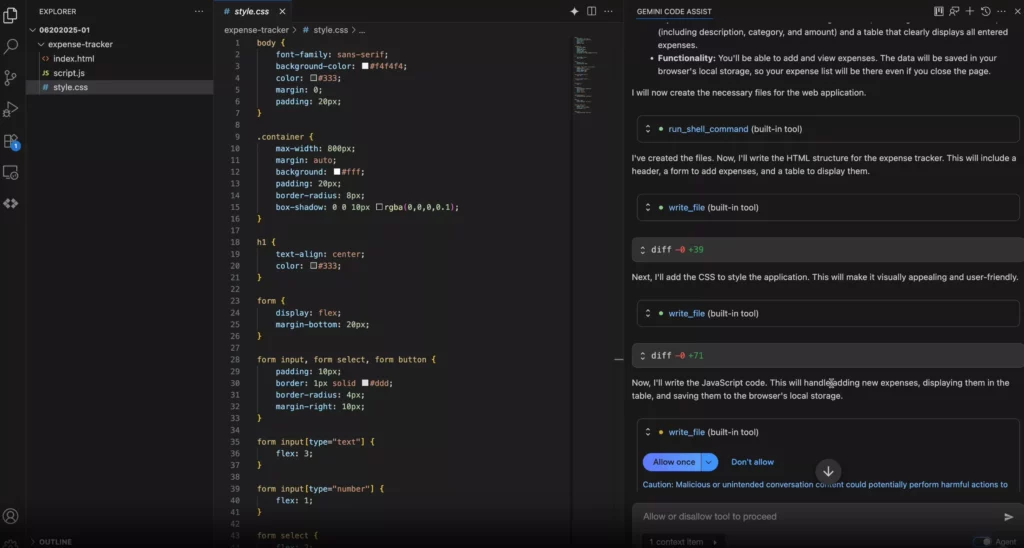
Gemini Code Assist is Google’s AI-powered coding assistant. It helps developers work across the full development lifecycle, from writing and debugging code to deploying and operating cloud apps.
Gemini Code Assist integrates natively with VS Code, JetBrains IDEs, Android Studio, and other IDEs. Besides, since early 2026, Google has integrated Gemini Code Assist into Gemini CLI (a new, open-source AI agent) that supports coding directly in your terminal.
This AI coding tool also focuses on secure coding. Accordingly, Google’s data governance policy ensures customer code, inputs, and recommendations are never used to train shared models.
Key features:
- Real-time code completions, full function or code block generation from comments, unit test generation, and debugging support across 14+ languages
- AI Chat with full project context for multi-turn conversations, code explanation, and code transformation
- Agentic chat that can create branches, implement features, run tests, and open pull requests autonomously
- Custom commands and rules to enforce organization-specific coding guidelines
- Deep Google Cloud integrations
- Source citation flagging when completions draw directly from open-source code, hence supporting license compliance
- Private codebase indexing (Standard and Enterprise) for suggestions aligned with your organization’s patterns
Best use cases:
- Teams building apps on Google Cloud or Firebase
- Android developers who want AI assistance embedded natively in Android Studio
- Organizations requiring Google Cloud-native agentic workflows
Drawbacks: Gemini Code Assist is not the best fit for teams outside the Google Cloud ecosystem. Besides, it still has some limitations:
- Agent mode and advanced features are still maturing compared with competitors like GitHub Copilot and Cursor
- Its output can be plausible but is factually incorrect at times
Pricing:
- Free for individual developers
- Paid tiers start at $22.80/user/month (billed monthly)
6. Tabnine
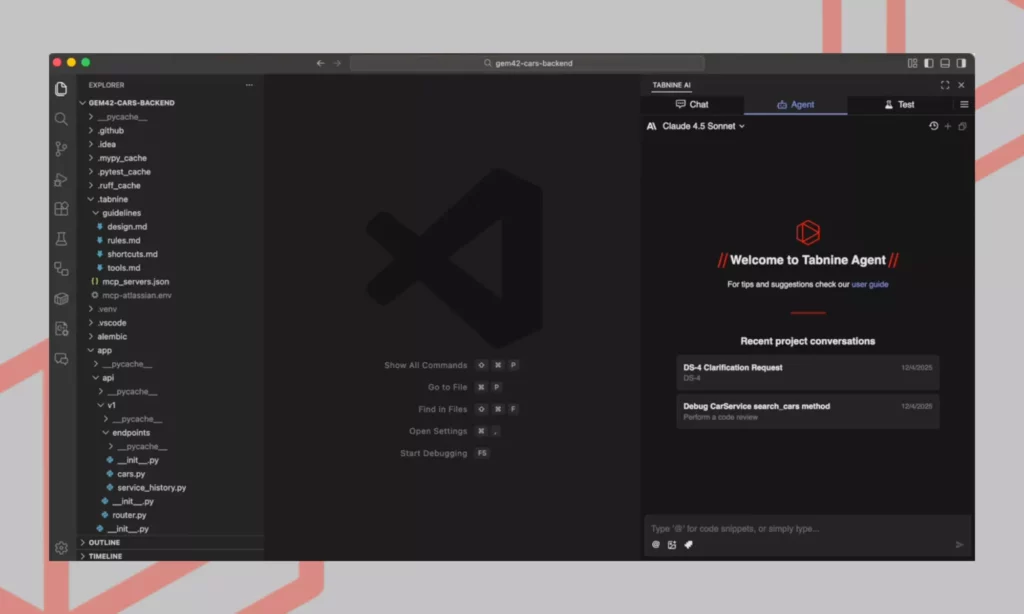
Tabnine is a privacy-first AI coding assistant. It’s built for enterprise engineering teams that can’t afford to expose code to third-party cloud infrastructure. Tabnine is one of the strongest compliance-focused AI tools for developers because of its security-focused features like zero data retention architecture.
Tabnine integrates with various IDEs, like VS Code, JetBrains IDEs, Eclipse. Its “Tabnine Protected” model is also trained exclusively on permissively licensed open-source code, with the full training list available for IP counsel review. This makes Tabnine a big advantage for those concerned about the copyright risk of AI-generated code.
Key features:
- Real-time, context-aware inline code completions across 20+ languages, including Python, JavaScript, Java, Go, Rust, and more
- Automatic docstring and comment generation to explain code behavior
- Built-in linting to detect errors, bugs, and formatting issues with fix recommendations
- Code refactoring support to reduce technical debt
- Enterprise Context Engine for learning your codebase architecture and delivering more relevant suggestions
- Integrations with Git, GitHub, Bitbucket, Jira, and Perforce to understand your entire organizational context better
Best use cases:
- Enterprise teams in regulated industries (finance, healthcare, defense) that require on-premises or air-gapped AI deployment
- Organizations with strict IP protection requirements around training data and code retention
- Teams needing automated code review integrated directly into the PR workflow
- Development environments spanning multiple IDEs and languages
Drawbacks: Tabnine is not the right fit for individual developers or budget-conscious startups because it has no free plan and mainly focuses on enterprise users. Besides, it has the following limitations:
- Local inference can be resource-intensive, with high CPU and RAM usage penalizing users with mid-range hardware
- Suggestion quality degrades with niche languages or complex multi-file architectural contexts
Pricing:
- No permanent free plan; 14-day free trial available
- Paid tiers start at $39/user/month for the Code Assistant Platform
7. Amazon Q Developer
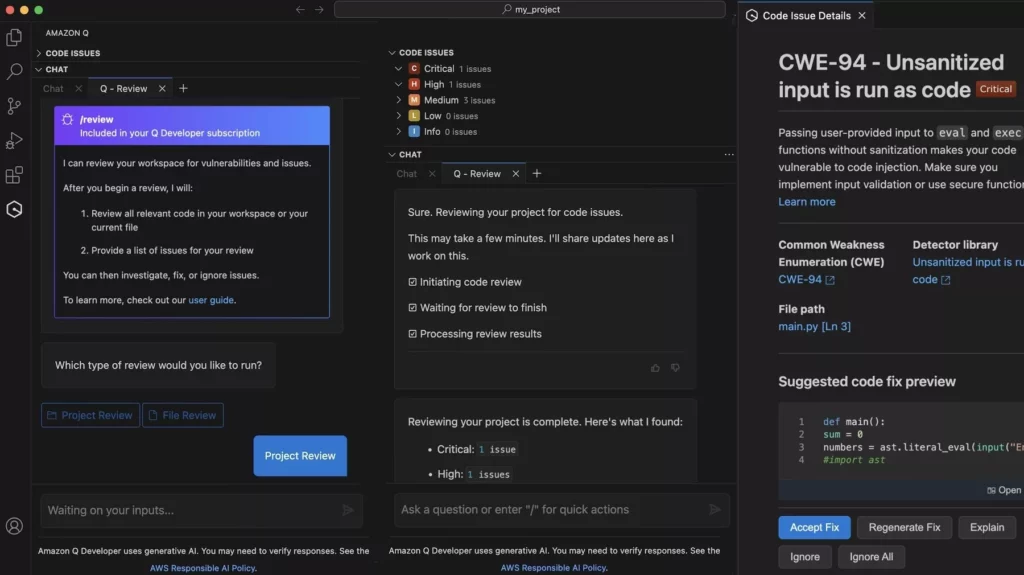
Amazon Q Developer is an AI coding assistant developed by Amazon. It supports the full software development lifecycle to build, expand, and run AWS-based applications.
Amazon Q Developer integrates with VS Code, JetBrains IDEs, Eclipse, and Visual Studio, and also operates within the AWS Console as a chat widget for cloud-related questions. On security, it includes enterprise-grade access controls, data isolation, role-based permissions, and reference tracking to flag open-source code snippets. Furthermore, it doesn’t use your data to train its foundation models.
Key features:
- Real-time inline code completions across Python, JavaScript, C#, PHP, Java, and more
- Conversational AI for AWS architecture questions, cost optimization, and resource management
- Autonomous agents for multi-step tasks (e.g., implementing features, refactoring code, and upgrading dependencies)
- Automated Java version upgrades (e.g., Java 8 to 17) and .NET modernization
- Built-in security scanning to detect vulnerabilities before code ships to production
- Automated unit test generation and PR-level code documentation
- MCP support to pull context from Jira, Figma, and other external tools
Best use cases:
- Teams building or maintaining AWS-based cloud applications and infrastructure
- Enterprises needing Java or .NET legacy application modernization at scale
- Developers wanting a single assistant that spans IDE, CLI, AWS Console, and even Slack
- Organizations prioritizing built-in security scanning and open-source license compliance
Drawbacks: Amazon Q Developer is heavily tied to the AWS ecosystem, so it’s not ideal for teams working with non-AWS stacks. Additionally, it:
- Still generates code with logic or syntax errors that require manual review and correction
- Makes monthly costs unpredictable due to usage limit issues
- Performs more slowly on multi-file refactoring or large-scale upgrades
Pricing:
- Free tier available
- Paid tier at $19/user/month with higher usage limits and advanced features including Java and .NET transformation
8. JetBrains AI Assistant
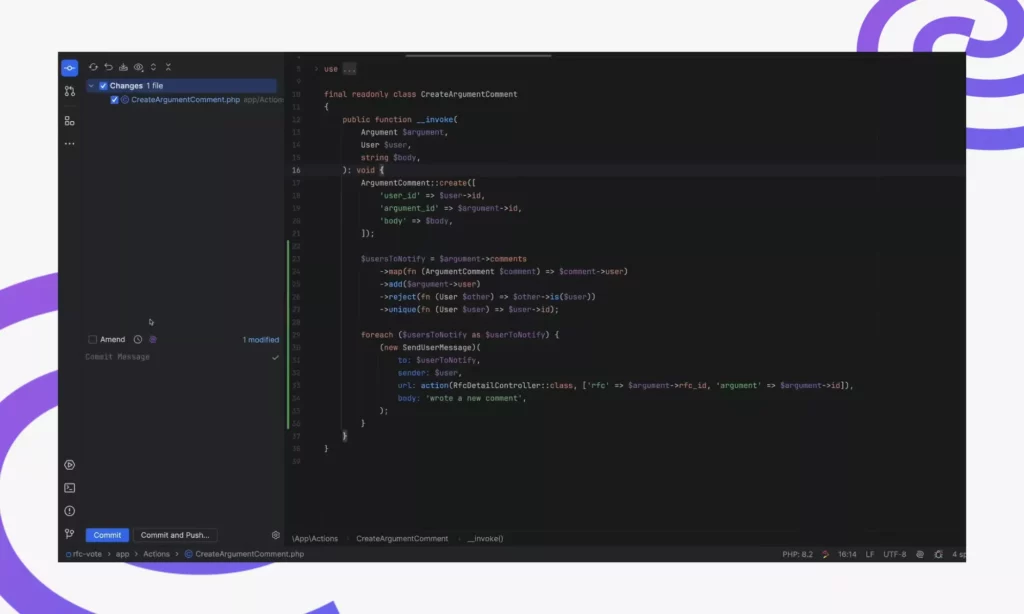
JetBrains offers a wide range of AI assistants to support software development, including JetBrains AI Assistant.
This AI coding tool is built natively into the full suite of JetBrains IDEs to autocomplete single lines and entire blocks of code, hence keeping your coding style consistent. It uses Mellum (the JetBRains LLM for coding), semantic code analysis, and structured syntax trees to deliver more accurate suggestions across programming languages.
JetBrains AI Assistant allows developers with strict privacy requirements to handle security through different features, like JetBrains’ zero data retention policy with third-party providers.
Key features:
- Deep IDE-aware code completion and Next Edit Suggestions with strong multi-line support for Java and Kotlin
- AI Chat with full project context to ask questions about specific files, classes, or methods without copying code
- Junie (the autonomous coding agent) for generating code across multiple files, running tests, and presenting results for review
- Automated unit test generation, inline documentation, and code-to-language conversion
- Local model support (Ollama, LM Studio) for fully offline or private AI workflows
- Built-in prompt library and project-specific rules to remove repeated manual prompting
Best use cases:
- Java and Kotlin developers already committed to the JetBrains ecosystem
- Enterprise teams needing deep IDE integration with strong privacy controls and zero data retention
- Backend development workflows with complex, multi-file project structures
Drawbacks: JetBrains AI Assistant is only worth the cost if you are already working inside JetBrains IDEs. Additionally, it also carries notable trade-offs:
- Relying heavily on Junie or chat can eat up credits very fast
- Suggestion quality is inconsistent across languages. For example, the AI works on Java and Kotlin better than others.
Pricing:
- Free with unlimited code completion and local AI support
- Paid tiers start at $100/user/year for individuals and $200/user/year for organizations
9. Windsurf
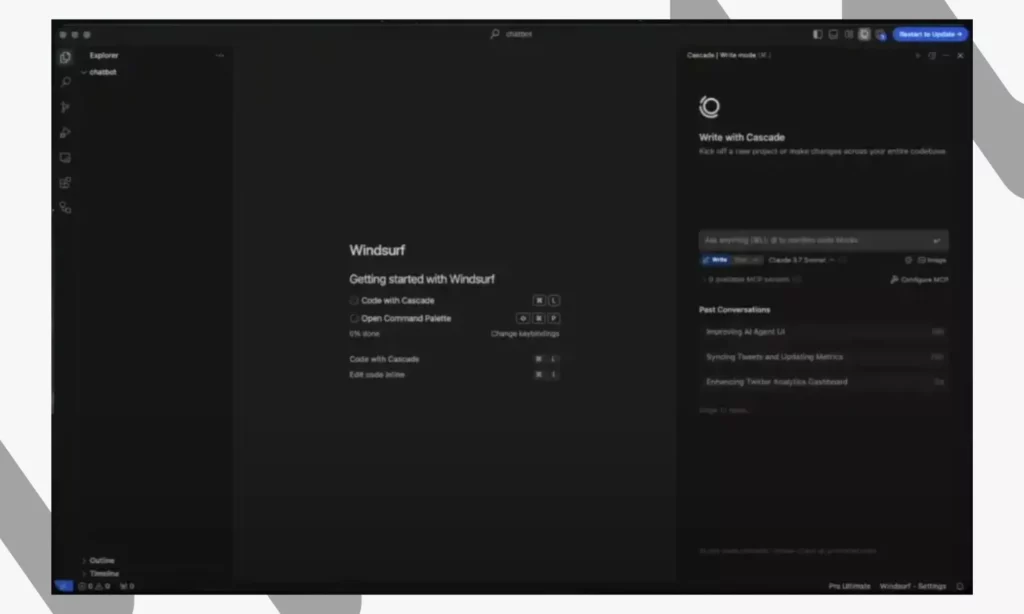
Windsurf (formerly Codeium) is a standalone, AI-first IDE. This development environment is built around an agentic AI assistant called Cascade to support code generation, editing, reasoning, and real-time collaboration.
The IDE is built on a VS Code foundation and also provides 40+ IDE plugins for those who love working with other code editors. Besides, it supports web-based workflows, hence allowing developers to access without heavy local setups. While still evolving, Windsurf emphasizes secure execution and controlled access to code context through certifications like FedRAMP High, DoD IL5, and ITAR.
Key features:
- Cascade for planing, reasoning across the full codebase, autonomously executing multi-step tasks, and fixing its own lint errors
- Memories feature that learns your architecture patterns, coding conventions, and project structure over 48 hours of use to deliver consistently accurate suggestions
- Turbo Mode for autonomously executing terminal command without manual confirmation
- Windsurf Tab for autocompleting inline code based on context
- MCP integrations with Figma, Slack, Stripe, PostgreSQL, Playwright, etc.
- Real-time browser preview with click-to-edit Cascade integration for UI work
Best use cases:
- Developers who are new to AI-assisted coding and want guided step-by-step execution
- Developers who work on editors like JetBrains but want agentic AI capabilities via IDE plugins
- Full-stack developers wanting a unified environment for multi-file editing, terminal automation, and browser preview
- Teams in regulated industries (government, defense, healthcare) requiring FedRAMP, HIPAA, or ITAR compliance
Drawbacks: Windsurf is not the best choice for advanced developers who want maximum model flexibility or a deeply mature plugin ecosystem. Besides, it has the following limitations:
- The community and extension ecosystem is smaller and less mature
- Credits deplete unexpectedly on complex projects
Pricing:
- Free plan available
- Paid tiers start at $20/month
10. Replit
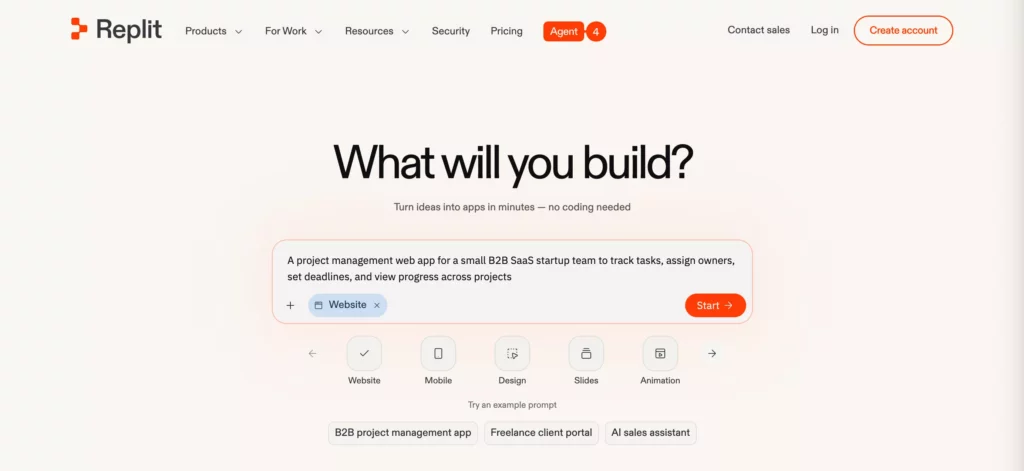
Replit is a web-based AI tool that lets both developers and non-technical users build full-stack apps from the cloud. Powered by Replit Agent, it transforms your natural language requirements into working apps. It also comes with built-in databases, user authentication, secrets management, and one-click deployment.
Replit requires no local installation or IDE because everything runs in the browser. This way, you can access it immediately via any device. Moreover, the AI coding assistant handles automatic deployment, so you can focus on building rather than configuring infrastructure.
On security, Replit provides a built-in Secrets Manager that keeps API keys and credentials protected from exposure. Besides, its enterprise plans include SSO, advanced privacy controls, and compliance tooling.
Key features:
- Natural language app generation via Replit Agent 4. This agent autonomously plans, builds, debugs, and self-tests code
- Economy Mode, Power Mode, and (on Pro/Enterprise) Turbo Mode for Agent to control speed, cost, and model capability
- Support for 50+ programming languages (Python, JavaScript, etc.)
- Real-time collaboration with live editing, sharing, and commenting
- Figma design import and built-in Visual Editor for fine-tuning UI designs
- Ability to create and orchestrate sub-agents that automate repetitive workflows via Slack, email, and other tools
- Built-in deployment, PostgreSQL databases, and third-party integrations (e.g., Stripe, Neon)
Best use cases:
- Non-technical founders and product teams building MVPs without a development background
- Solo developers and freelancers who want a full development environment without local setup or configuration
Drawbacks: Replit is not the right choice for production-grade, enterprise-scale applications or for developers who need the flexibility and depth of a traditional local IDE. Specifically, it:
- Requires a stable internet connection at all times because there is no offline mode
- Lacks advanced DevOps features
- Can produce incorrect or inconsistent code
Pricing:
- Free plan available
- Paid tiers start at $20/month
11. Bolt.new
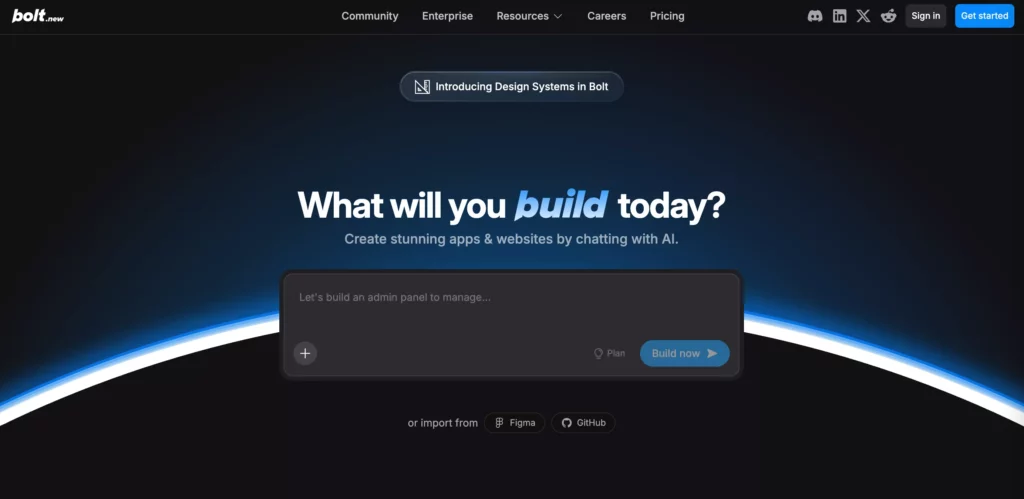
Bolt is a browser-based AI app builder. It enables students, developers, entrepreneurs, and non-technical founders to go from a plain-language idea to a working web application, without local installation or server setup.
The AI coding tool uses WebContainer (an in-browser IDE) and Claude models for development. Besides, it enables Figma import for design-to-code workflows and AI image editing directly in the chat interface. With strong security focus, Bolt manages database credentials and API keys securely within Bolt Cloud. Besides, its enterprise plans include SSO and audit logs to ensure enterprise-level security.
Key features:
- Full-stack app generation from natural language prompts, including frontend, backend, and database
- Agentic code generation via Bolt v2, which plans, iterates, and autonomously debugs errors before you ask
- Built-in file system management, terminal integration, and real-time preview with hot reload
- Figma design import for building with visual reference directly in the chat, plus AI image editing
- Instant deployment to Netlify and direct GitHub repo import
- Project versioning, rollbacks, file locking, and targeting for managing project history
- Supabase backend integration for scalable storage and custom backend logic
Best use cases:
- Rapid MVP prototyping
- Non-developers and founders validating ideas before committing engineering resources
- Design-to-development workflows using Figma imports to reduce handoff time
Drawbacks: Bolt is not for building and maintaining complex, scalable production systems. Furthermore, it comes with some limitations:
- It struggles with complex logic, edge cases, and scaling a production app beyond prototype traffic may require migrating to external infrastructure
- It can generate inconsisten or incorrect code
Pricing:
- Free with 1M tokens per month
- Paid plans start at $25/month (billed monthly)
12. n8n
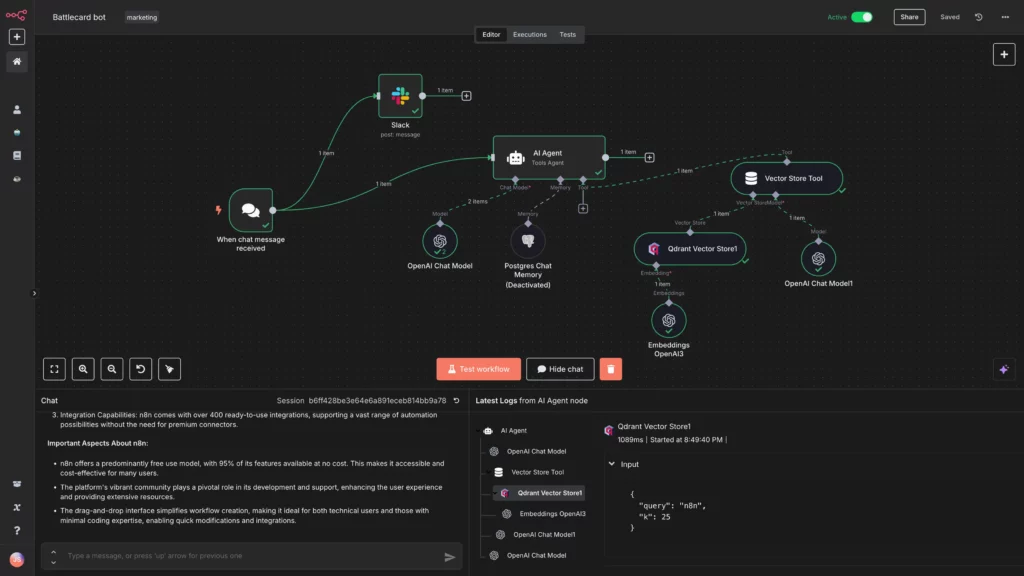
n8n is an open-source, developer-first workflow automation platform. It allows developers to build and deploy AI-powered agents and complex automations while fully controling their data and infrastructure.
n8n has no native IDE integration. Instead, it operates through a visual node-based editor in the browser, with a self-hosted or cloud-deployed backend. Additionally, n8n is built around high security focus, with features like fully on-premises deployment, SSO with SAML and LDAP, encrypted secret stores, and many more.
Key features:
- Visual, node-based workflow builder with support for custom JavaScript and Python code
- 1,200+ integrations spanning AI, CRM, databases, DevOps, communications, e-commerce, and more
- 70+ AI-specific nodes covering LLMs, embeddings, vector databases, speech, OCR, and image models, with LangChain integration for multi-step agent workflows
- Human-in-the-Loop (HITL) controls to inserting human approval to any point of an agentic workflow before executing critical actions
- MCP Client Node that connects any workflow step to MCP-compatible tool servers (e.g., browser automation or database)
Best use cases:
- DevOps engineers and technical teams building complex, multi-step AI agents
- Data-sensitive teams (healthcare, finance, legal) that require self-hosted automation with full data sovereignty
- Teams automating CI/CD pipelines, background coding tasks, Slack bots, and webhook-driven developer workflows
Drawbacks: n8n isn’t for non-technical users and teams without engineering support. Additionally, its drawbacks include:
- A steep learning curve compared to drag-and-drop tools like Zapier
- Unpredictably increased costs for high-frequency agentic tasks
Pricing:
- Free if you self-host the open-source Community Edition on your own server
- Cloud-hosted tiers start at $24/month (billed monthly)
13. Snyk
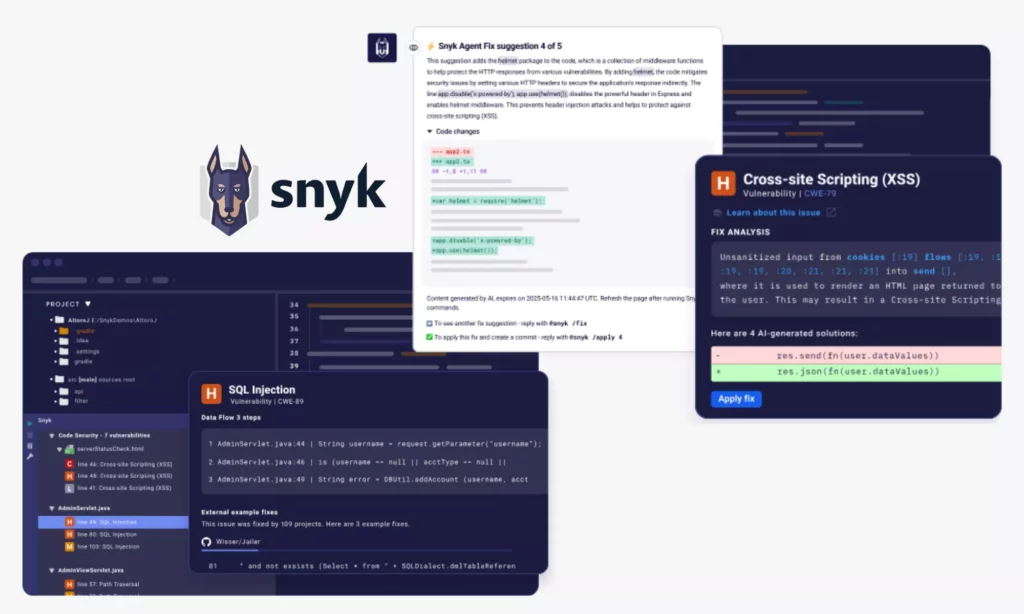
Snyk is a developer-first application security platform. Unlike other AI tools in this list, Synk doesn’t support code generation. Instead, it integrates directly into IDEs (e.g., VS Code or JetBrains IDEs) and major CI/CD pipelines to scan and fix vulnerabilities when developers write code.
Security is at the core of Snyk, with detailed reports and remediation suggestions backed by a large vulnerability database. Besides, Snyk never uses customer code to train its foundation models.
Key features:
- Snyk Code (SAST) for real-time static application security testing. This feature is powered by the DeepCode AI engine to scan security flaws when you type in IDEs.
- Snyk Open Source (SCA) that auto-generates fix pull requests (PRs) to upgrade vulnerable dependencies to secure versions across 20+ languages
- Snyk Container for scanning of Docker and Kubernetes images with base image recommendations and runtime monitoring
- DeepCode AI Autofix that creates accurate, developer-style code fixes for identified vulnerabilities by using a hybrid Symbolic AI + Generative AI model
- Snyk IaC for detecting misconfigurations in Terraform, CloudFormation, and Kubernetes files with custom security rules
Best use cases:
- Engineering teams adopting DevSecOps practices
- Security-conscious teams in regulated industries that require multi-vector scanning (code, dependencies, containers, IaC) under a single platform
- Teams generating large volumes of AI-assisted code that needs automated security validation to reduce manual work
Drawbacks: Snyk is not the right option when you use complex build systems, need to define custom security policies, or have small security engineering resources. Further, consider the following drawbacks when using Synk:
- Synk can produce false positives, adding noise to developer workflows
- Synk’s pricing model can be complex and unpredictable for growing teams, as the platform requires separate purchases for different security products (SAST or IaC)
Pricing:
- Free tier available
- Paid tiers start at $25/contributing developer/month
14. OpenClaw
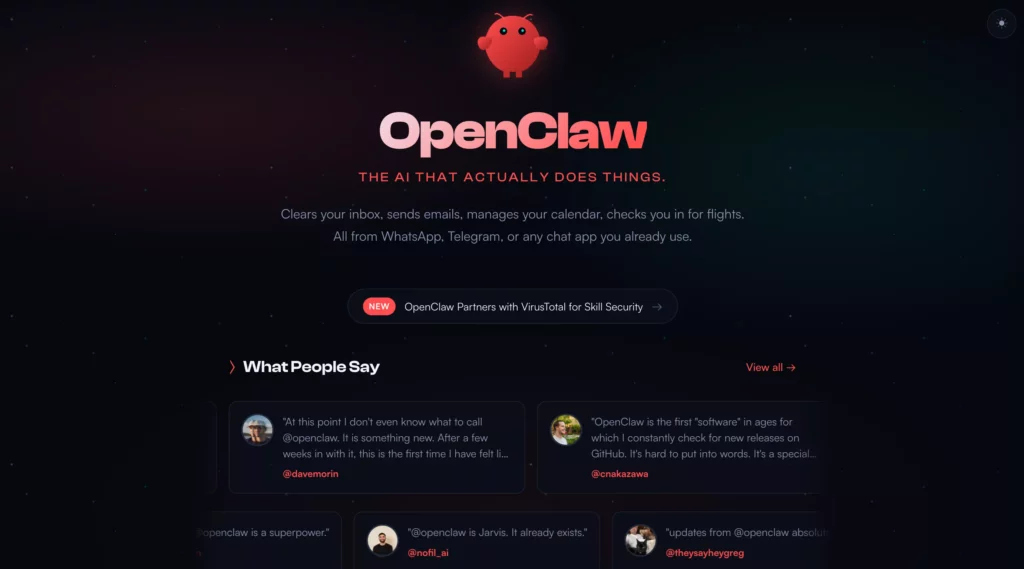
OpenClaw (formerly Clawdbot and Moltbot) is a free, open-source autonomous AI agent. This agent has no direct IDE integration. It allows you to use your own API key (OpenAI, Anthropic, etc.) and everything else to run the agent locally, hence giving more control over how AI interacts with your code. This way, it’s often appealing to those who prefer customizable setups.
Besides, OpenClaw connects to messaging platforms. It accordingly turns everyday chat apps into a programmable AI assistant that can actually perform real actions.
However, security depends heavily on how developers configure the tool, especially when using open-source or self-hosted configurations. As OpenClaw’s broad system access has been a documented concern, running it in an isolated environment is highly recommended.
Key features:
- Support for local model runtimes (Ollama, LM Studio) for fully offline, private operation without external API calls
- Multi-channel inbox supporting different messaging apps (e.g., WhatsApp, Telegram, or Slack)
- 100+ built-in extensions to connect OpenClaw with platforms (e.g., for web browsing, APIs, productivity, and automation)
- Persistent memory across sessions, thanks to locally stored context
- Multi-agent routing for different workspaces
- MCP integrations with external services like GitHub, Stripe, Figma, and databases
- Voice Wake and Talk Mode on macOS, iOS, and Android for hands-free interaction
Best use cases:
- Developers needing an autonomous AI agent that runs 24/7 for different tasks (e.g., scheduling jobs or automating DevOps tasks)
- Teams who want full data sovereignty with local model support
- Developers building multi-agent workflows where OpenClaw handles orchestration and messaging while specialized tools handle domain tasks
Drawbacks: OpenClaw is not recommended if you struggle to navigate the command line safely. Accordingly, its biggest limitation comes from real security risks that its broad system access and third-party integrations create (e.g., prompt injection or data exfiltration).
Pricing:
15. watsonx Code Assistant
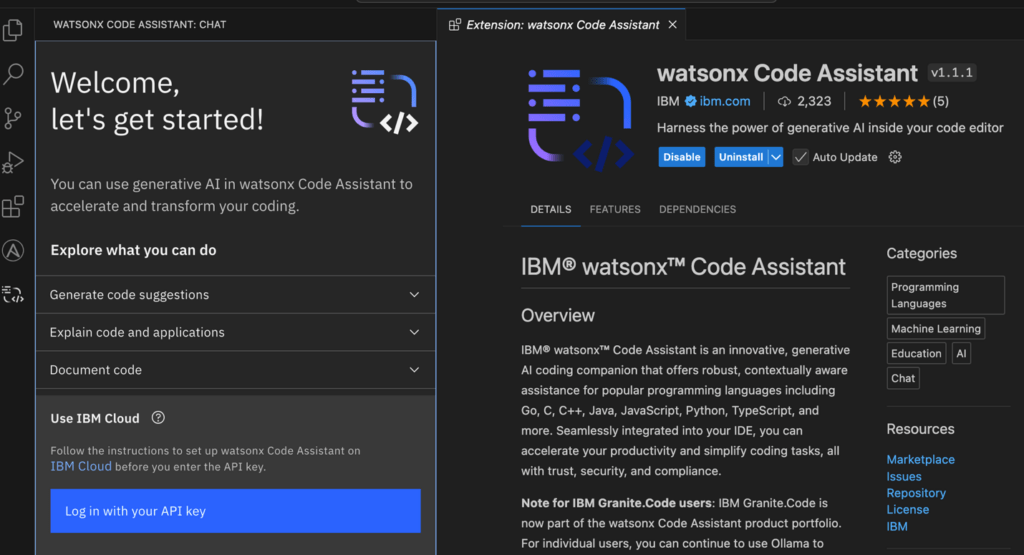
IBM watsonx Code Assistant is a generative AI coding companion for developers. It serves both common coding tasks and enterprise use cases (like application modernization and IT automation).
The tool integrates natively with VS Code and Eclipse-based IDEs, making it the right fit for those already working in these environments. Besides, it’s one of the best compliance-ready choices for developers, because it’s powered by IBM’s proprietary Granite models that come with IP indemnity protection, code similarity checks, and full traceability of generated code.
In 2026, IBM introduced IBM Bob, an agentic development layer built on top of watsonx Code Assistant. This agent coordinates planning, execution, and verification across the entire software development lifecycle.
Key features:
- Code completion, chat-based generation, inline documentation, and unit test creation across many languages
- Legacy modernization for Java, COBOL, RPG, and mainframe systems, with the ability to reverse-engineer undocumented code
- Agentic workflows via MCP integration for automated dependency analysis, impact assessment, and code generation with built-in validation
- Code similarity detection and generated-code traceability for regulatory compliance
- Flexible deployment: on-premises or SaaS
Best use cases:
- Teams modernizing mainframe or legacy Java applications at scale
- Organizations in regulated industries requiring audit trails and IP protection
- DevOps teams needing a coding assistant embedded directly into existing IDE and toolchain workflows
Drawbacks: watsonx Code Assistant is not the best fit for individual developers, small teams, or anyone needing a lightweight tool. Besides, it still comes with the following limitations:
- It requires more setups and customization than competing tools
- Its suggestions may be less accurate for highly domain-specific or complex logic
Pricing:
- No free plan
- Paid tiers start at $2 per 20 task prompts, with a 30-day trial available

With dozens of AI coding tools available, how can you choose the right one that fits your development workflows? The tips below will help you find the best fit:
Choose Based On Your Primary Use Case
First, you must identify what you actually need help with. Is that boilerplate code generation, debugging, security scanning, or agentic coding? Each AI tool has its own strengths and weaknesses. So, your choice should align with your main use case.
For example, if your daily work involves writing repetitive functions, an AI assistant with strong autocomplete can save hours. But if you’re maintaining a complex system, you need to choose AI agents that support multi-step, agentic workflows?
You should also think of outcomes you want to achieve with the AI coding tool. Do you want faster coding, fewer bugs, or cleaner documentation? Each goal points to a different category of tools.
Check Language Support And IDE Compatibility
Even the most powerful AI tool becomes the best choice if it doesn’t fit your stack. Before committing, check whether it supports the programming languages you actually use in real-world scenarios. Some tools claim broad support but perform noticeably better in languages like Python or JavaScript than in others.
Don’t forget to consider how compatible the AI tool is with your IDE. Tools that integrate smoothly with your development environment work more naturally, with inline suggestions and minimal setup. Otherwise, it’ll slow you down and take you more time for rework.
Our pro tip is install the tool, open a real project, and see how it behaves. If suggestions feel out of sync or lag behind your workflow, it’s probably not the right fit.
Compare Free Vs. Paid Plans
Most AI coding tools offer a free tier, but the experience can vary widely. Some provide enough functionality to be useful in daily work, while others limit usage so heavily that you hit restrictions within minutes. So, it’s worth testing how far the free plan actually goes.
Paid plans usually unlock faster responses, better models, and unlimited usage. For individual developers, a $10-$20 monthly plan might be reasonable if it consistently saves time. For teams, however, costs scale quickly, especially when multiple developers rely on the tool daily.
Instead of jumping straight into a subscription, use the free version in a real project first. If you find it delivers real value, that’s a clear signal for upgrading to paid plans.
Evaluate Security, Privacy, And Team Fit
Finally, consider how AI tools interact safely with sensitive logic, internal APIs, or proprietary systems. This involve checking how it handles your data (e.g., allows local code processing or avoids using data for model training) and whether it offers clear security policies and controls. This is especially important if you’re choosing an AI tool for enterprise teams.
Don’t forget to consider how a tool fits your team members. A tool that works well for one person might work inconsistently across a team if it generates different coding styles or patterns. Some tools address this with shared prompts, rules, or team-level configurations. But beyond these features, you should test the tool at a team level on a real project to see how it truly works.
Are There Free AI Tools For Developers?
Yes, many AI tools offer free plans, but they often come with limits. For example, tools like GitHub Copilot or Cursor provide free tiers with restricted usage (such as limited completions or chat requests). Some platforms, like n8n, even offer fully free self-hosted versions. In practice, free plans are useful for testing and small projects, but regular development work usually requires a paid upgrade.
What Skills Do Developers Need For AI Tools?
Developers need strong fundamentals in programming and a strong understanding of the AI’s inner workings. This way, they can review and validate AI-generated code more effectively. Further, clear prompt writing helps developers guide tools like Gemini or GitHub Copilot toward better outputs. On top of that, developers should understand debugging, system design, and basic security practices to ensure they don’t blindly trust incorrect suggestions.
What Are AI Safety Tools For Developers?
AI safety tools focus on identifying risks in code, dependencies, and workflows. Platforms like Snyk or Aikido Security scan for vulnerabilities in open-source libraries and suggest fixes directly in your development process. Meanwhile, developer tools like GitHub or Cursor have built-in security features to ensure code quality.
Can AI Code Assistants Replace Manual Code Review?
No, AI code assistants can support, but not replace, manual code review, because they don’t always create free-error fixes. Tools like GitHub Copilot can suggest fixes or highlight issues, but they may miss context, business logic, or edge cases. So, human reviewers still play an important role in ensuring code quality, security, and maintainability. In most teams, AI speeds up the review process, but final decisions still rely on experienced developers.
Conclusion
AI coding tools have quickly moved from optional add-ons to essential “co-workers” of developers. As we said throughout this article, each tool comes with its own strengths. Some accelerate code generation, while others focus on testing, security, or automation. So, choose AI tools that align with your daily work, tech stack, and long-term goals.
Still, selecting the right tools is only the beginning. Many teams struggle when it comes to integrating AI into real-world systems due to complex workflows, sensitive data, and scalability. So, if you’re looking to build or scale AI-driven products, Designveloper is worth considering.
Over the years, Designveloper has positioned as an AI-first software development and automation partner for software companies, non-software organizations, and operational teams. With hands-on experience in building AI-powered solutions (e.g., Lumin, Lodg, Song Nhi), we help businesses move beyond generic chatbot demos and turn ideas into practical, reliable applications that align with their real processes.
From custom AI development to workflow automation and system integration, we deliver solutions that actually fit how your business operates. Accordingly, we combine AI engineering with workflow design to create systems where AI reduces manual effort and improves efficiency.
Talk to our team, and our experts help you turn your idea in something valuable to your business!


