


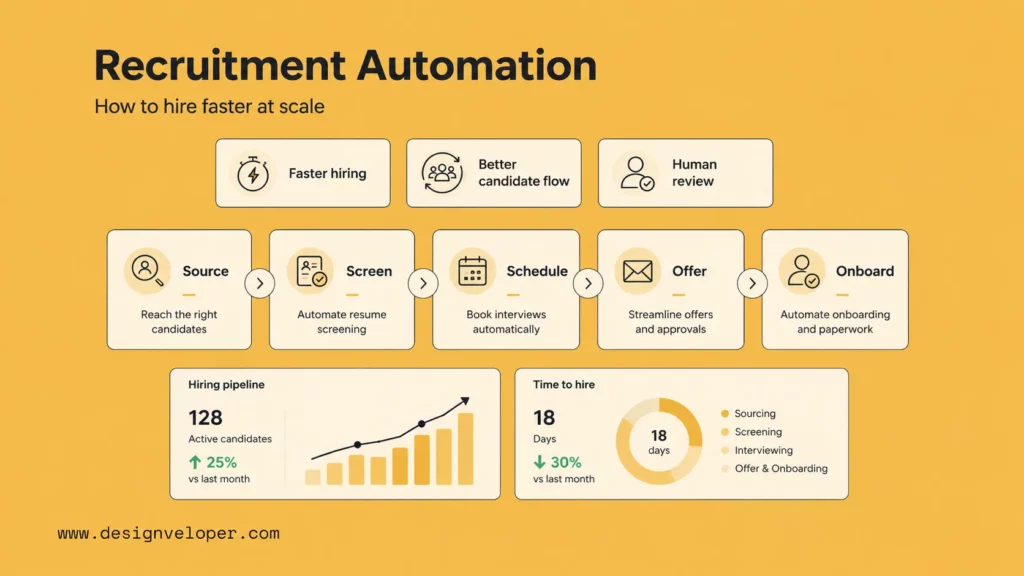
Recruitment automation helps hiring teams move faster without turning recruiting into a cold, mechanical process. It uses software, workflow rules, and AI-supported actions to reduce repetitive work across sourcing, screening, scheduling, communication, approvals, and reporting.
This matters because hiring speed now affects talent quality. Strong candidates often apply to several companies at once. If one team responds in hours and another responds days later, the faster team often wins the conversation first.
The shift is already visible. SHRM found that 51% of organizations used AI to support recruiting efforts, and 89% of HR professionals whose organization uses AI for recruiting said it saves time or increases efficiency. That does not mean every recruiting task should run on autopilot. It means teams need better systems for the work that slows recruiters down.
This guide explains what recruitment automation is, where it creates value, which tools teams usually compare, and how to implement it without hurting hiring quality or candidate trust.
What Is Recruitment Automation?
1. Recruitment Automation Explained in Practical Terms
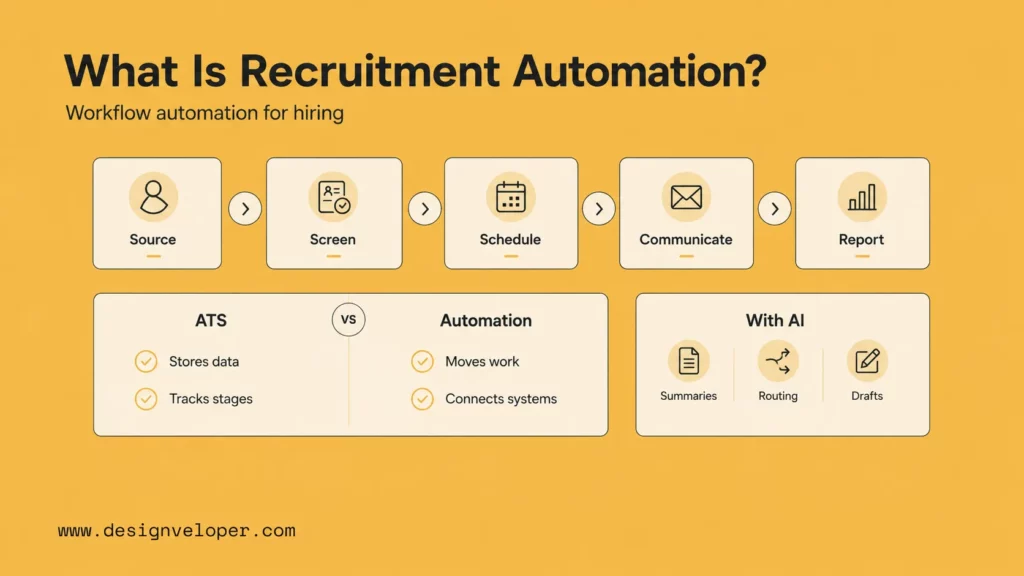
Recruitment automation is the use of software to move repeatable hiring tasks forward with less manual effort. It covers sourcing, screening, scheduling, candidate communication, internal handoffs, reporting, and status updates.
A simple example is interview scheduling. Without automation, a recruiter asks a candidate for availability, checks the interviewer’s calendar, waits for replies, confirms the time, sends reminders, and handles reschedules. With automation, the system can offer available slots, confirm the meeting, send reminders, and update the recruiting record.
The same logic applies across the hiring funnel. A new application can trigger a screening workflow. A candidate status change can trigger a follow-up email. A completed interview can trigger a feedback reminder. A final approval can trigger offer documentation or onboarding tasks.
In practical terms, recruitment process automation turns scattered actions into a clear workflow. It does not remove recruiters from hiring. It removes the admin work that stops recruiters from focusing on judgment, candidate relationships, and hiring manager alignment.
| Hiring Area | Manual Work | Automated Workflow | Human Role |
|---|---|---|---|
| Sourcing | Posting jobs one by one | Multi-channel distribution and candidate tagging | Define target profiles and review channels |
| Screening | Reading every resume from scratch | Rules-based routing and AI-assisted summaries | Validate fit and make shortlist decisions |
| Scheduling | Calendar back-and-forth | Self-scheduling, reminders, and reschedules | Handle exceptions and priority candidates |
| Communication | Manual status updates | Triggered email or text messages | Personalize important touchpoints |
| Reporting | Manual spreadsheet updates | Dashboard updates from workflow data | Interpret data and improve process quality |
Recruitment automation with AI goes one step further. It can summarize resumes, classify applicants, draft outreach messages, answer candidate questions, and recommend next actions. However, AI should support recruiter decisions. It should not quietly replace accountability.
2. How It Differs From a Traditional ATS
A traditional ATS mainly stores and tracks hiring data. It helps teams manage job openings, candidate profiles, pipeline stages, resumes, feedback, and offer records.
Recruitment automation moves work forward. It connects the tasks, triggers, messages, approvals, and systems that sit around the ATS. This distinction matters because many teams think they have automation because they have an ATS. In reality, they may still rely on recruiters to push every step forward by hand.
The ATS is the system of record. Recruitment automation is the workflow layer. One keeps the data organized. The other makes the next step happen.
| System | Main Purpose | What It Does Well | Where It Stops |
|---|---|---|---|
| ATS | Stores candidate and job data | Tracks profiles, stages, notes, and feedback | Often needs manual action between stages |
| Recruitment automation software | Runs repeatable workflows | Triggers messages, reminders, routing, and updates | Needs clear process rules and ownership |
| AI recruiting automation | Adds interpretation and support | Summarizes, classifies, drafts, and recommends | Needs human review, audit logs, and fairness checks |
For example, an ATS can show that a candidate is waiting for feedback. A recruitment workflow automation layer can remind the interviewer, escalate the delay, update the recruiter, and protect the candidate experience.
That is why the best recruiting stacks do not treat automation as a separate gadget. They use it as the operating layer that helps the ATS, calendar, email, assessment tools, and HR systems work together.
Where Recruitment Teams Lose Time Without Automation
1. Repetitive Tasks That Slow Recruiters Down
Recruiters lose time when they repeat the same small actions across too many candidates. These tasks look harmless in isolation. Together, they create a slow hiring process.
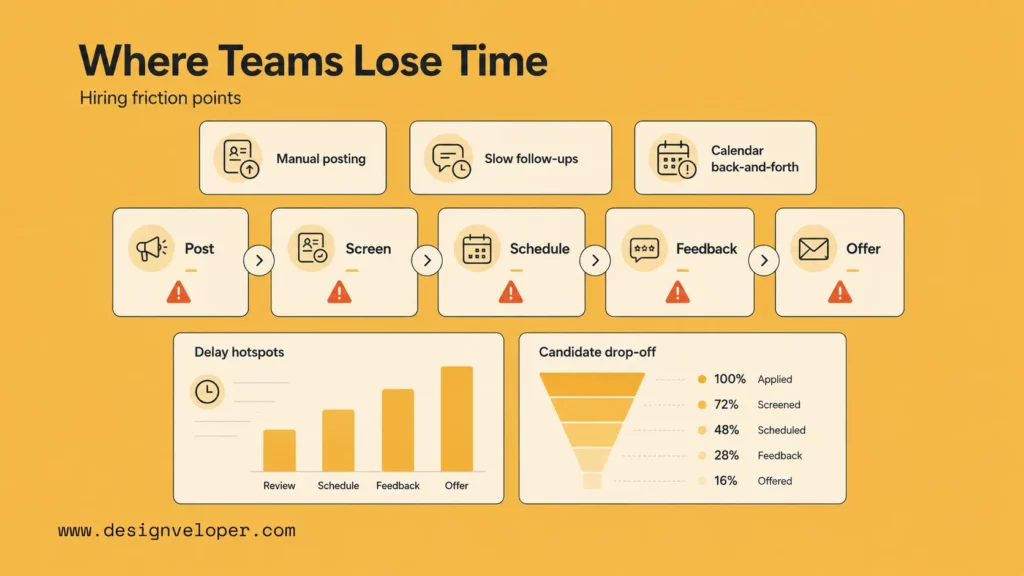
Common time drains include posting the same job across channels, checking resume basics, sending follow-ups, chasing interview feedback, coordinating calendars, updating statuses, and copying candidate data between tools.
These tasks are not always complex. That is the point. They are repetitive, predictable, and easy to delay when a recruiter has too many open roles. Recruitment automation works well here because the workflow already has a clear trigger and a clear next step.
| Task | Why It Slows Hiring | Automation Opportunity |
|---|---|---|
| Job posting | Recruiters repeat the same setup across channels | Post to selected boards from one workflow |
| Candidate follow-up | Applicants wait too long for updates | Trigger status messages by stage |
| Resume screening | High volume creates review backlogs | Route candidates by role, location, and must-have criteria |
| Interview scheduling | Calendar coordination creates delays | Use self-scheduling and automatic reminders |
| Hiring manager handoff | Feedback and approvals sit in inboxes | Send reminders and escalate overdue actions |
IBM notes that companies using automation for sourcing, interview scheduling, and screening report up to 30% faster time-to-hire metrics. That gain comes from fewer manual bottlenecks, not from rushing every decision.
2. Workflow Gaps That Create Delays and Candidate Drop-Off
Most hiring delays happen between stages. A candidate passes screening, but no one schedules the interview. The interview ends, but the panel does not send feedback. The manager approves the hire, but the offer waits for compensation review.
These gaps hurt speed because no one clearly owns the next action. They also hurt trust. Candidates notice when a process goes silent. They may not know why the delay happened, but they feel the lack of momentum.
Fragmented tools make the problem worse. A recruiter may use one tool for sourcing, another for scheduling, another for assessments, another for email, and another for HR handoff. If these tools do not share workflow context, the recruiter becomes the integration layer.
That model does not scale. It depends on memory, manual updates, and constant follow-through. As hiring volume grows, the process becomes harder to control.
Good recruitment workflow automation fixes this by assigning a next step to every stage. It also gives recruiters visibility into where candidates are stuck. That makes delays easier to find and easier to remove.
The Biggest Benefits of Recruitment Automation
1. Reduced Time-to-Hire and Better Recruiter Efficiency
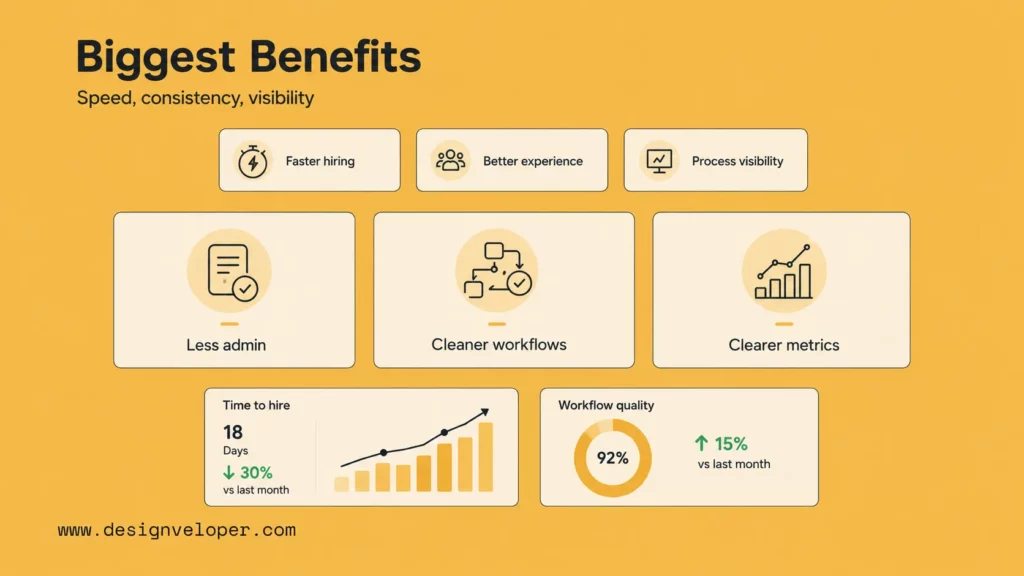
The clearest benefit of recruitment automation is speed. It removes admin bottlenecks that keep recruiters away from higher-value work.
However, speed alone is not the full goal. A team should not automate a weak process and call it progress. The better goal is controlled speed. That means faster handoffs, clearer ownership, and more time for human judgment.
Recruiters should spend less time checking calendars and more time talking to candidates. They should spend less time copying data and more time advising hiring managers. They should spend less time chasing feedback and more time improving the shortlist.
This is where recruitment automation software creates practical value. It does not replace the recruiter’s role. It protects the recruiter’s time.
| Benefit | What Changes Operationally | KPI to Track |
|---|---|---|
| Faster intake review | Applications move into the right queue sooner | Application-to-review time |
| Shorter scheduling cycles | Candidates can pick available slots faster | Schedule lag |
| Less recruiter admin | Messages, reminders, and updates run by trigger | Recruiter hours saved |
| Better hiring manager follow-through | Feedback reminders and escalations happen on time | Feedback SLA completion |
| Faster offers | Approval and document workflows start sooner | Decision-to-offer time |
LinkedIn adds an important quality signal. Its recruiting report says companies whose recruiters use AI-assisted messaging the most are +9% more likely to make a quality hire compared with those that use it least. The lesson is not that AI messages magically improve hiring. The lesson is that better recruiter leverage can support better outcomes when teams still measure quality.
2. More Consistent Hiring Workflows and Candidate Experience
Recruitment automation also improves consistency. It helps teams apply the same routing rules, status messages, reminders, and handoff steps across candidates.
That consistency matters because hiring quality depends on process quality. A candidate should not get a faster experience just because one recruiter has more time that day. A hiring manager should not forget feedback because the system has no reminder. A candidate should not sit in silence because no one noticed the stage change.
Better process visibility supports data-driven improvement. When each stage has clear workflow data, recruiting leaders can see where delays happen. They can compare roles, teams, channels, and interview stages. Then they can fix the specific constraint instead of blaming the whole funnel.
Standardized workflows reduce avoidable inconsistency. They make the process easier to coach, audit, and improve. They also help new recruiters follow the same operating model faster.
Candidate experience improves when automation feels accountable. Fast updates help. Clear scheduling helps. Simple instructions help. Still, automation can damage trust when candidates feel ignored or evaluated by a black box.
Greenhouse found that 70% of US candidates who experienced AI evaluation said AI was not clearly disclosed before their most recent AI interview, and 38% had already withdrawn from a hiring process because it included an AI interview. This is a warning for every hiring team. Automation should make the process clearer, not more confusing.
The Best Ways to Use Recruitment Automation
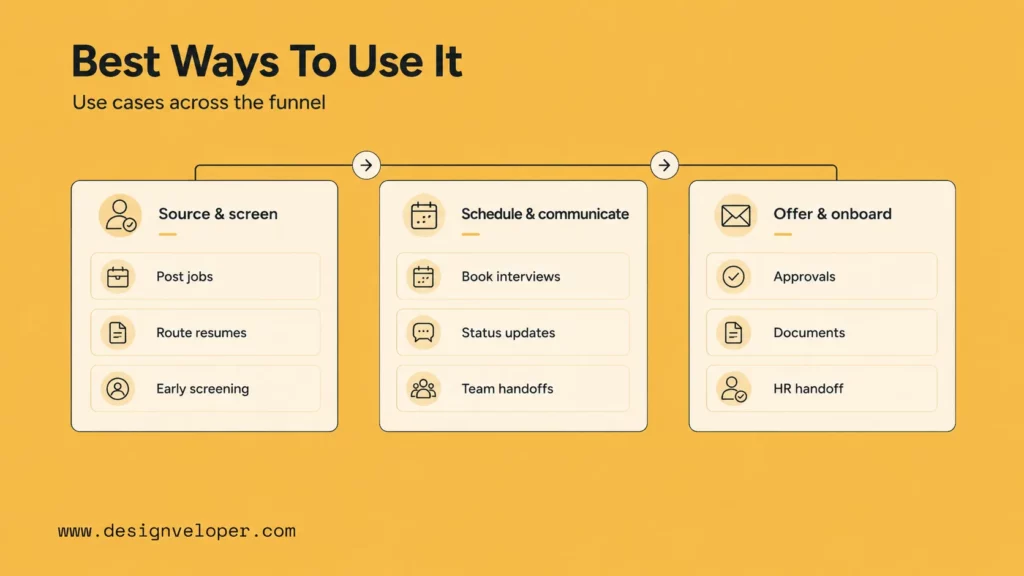
1. Job Posting, Candidate Sourcing, and Screening
The top of the funnel is a strong place to start with recruitment automation. It contains many repeatable steps, and those steps often affect the rest of the hiring process.
Job posting automation helps recruiters distribute roles across selected channels. It can also keep job descriptions, locations, and requirements more consistent. This reduces manual setup and lowers the chance of mismatched job information across boards.
Candidate sourcing workflows help teams manage outreach at scale. For example, recruiters can tag prospects by role, skill, location, or campaign. The system can then trigger follow-up sequences, reminders, or CRM updates.
Screening automation works best when teams define must-have criteria clearly. For example, a workflow can route candidates based on work authorization, location, years of relevant experience, language requirements, or required certifications. AI can also summarize resumes and highlight matching skills.
However, screening needs guardrails. Recruiters should review shortlists before rejection or progression. They should also check whether criteria match the real job. Bad screening rules can reject strong candidates quickly and consistently. That is worse than manual delay.
| Use Case | Trigger | Automation Step | Human Review |
|---|---|---|---|
| Multi-channel posting | New role opens | Publish job to approved channels | Recruiter checks role quality and channel fit |
| Talent pool nurture | Candidate tagged as future fit | Send role alerts or campaign messages | Recruiter approves outreach for priority profiles |
| Resume routing | Application received | Send candidate to the right recruiter or queue | Recruiter validates fit before action |
| Early screening | Candidate meets basic criteria | Request answers, assessments, or extra documents | Recruiter reviews results before rejection |
2. Interview Scheduling, Candidate Communication, and Handoffs
Mid-funnel automation often creates fast wins. Scheduling and communication are repetitive, time-sensitive, and easy to measure.
Interview scheduling automation can share available slots, handle time zones, send calendar invites, trigger reminders, and support reschedules. This removes the slow back-and-forth that often blocks qualified candidates from moving forward.
Candidate communication automation keeps people informed. It can send application confirmations, interview instructions, status updates, reminder messages, rejection notes, or next-step emails. These messages should still sound human. They should also give candidates enough context to understand what comes next.
Handoff automation helps recruiters and hiring managers work as one team. After an interview, the system can request scorecards, remind interviewers, escalate overdue feedback, and alert the recruiter when the panel is ready for review.
This is where recruitment workflow automation can protect candidate momentum. A strong candidate should not wait because an interviewer forgot a form. The system should make the next action visible and easy.
| Workflow | What Automation Handles | What Recruiters Still Own |
|---|---|---|
| Interview scheduling | Slot selection, calendar invites, reminders, reschedules | Exceptions, senior candidates, special requests |
| Candidate updates | Stage-based messages and reminders | Tone, personalization, sensitive feedback |
| Feedback collection | Scorecard requests and overdue prompts | Decision facilitation and quality control |
| Manager collaboration | Notifications, approvals, status visibility | Alignment on requirements and trade-offs |
3. Offer Management, Onboarding, and Workflow Orchestration
Late-stage recruitment automation protects the offer process. This stage often involves approvals, compensation review, legal documents, background checks, and onboarding handoffs. One delay can put the hire at risk.
Offer management automation can route approvals, collect final details, create document packets, send reminders, and track completion. It can also keep recruiters informed when an approval is stuck.
Onboarding handoff automation helps teams move from candidate to employee. Once a candidate accepts, the workflow can trigger HRIS setup, IT equipment requests, account creation, orientation tasks, and manager reminders.
This is where orchestration becomes important. Many companies have separate tools for ATS, HRIS, payroll, identity management, documents, and internal communication. Recruitment automation can connect these systems so recruiters do not have to move data manually.
A good orchestration workflow answers four questions:
- What event starts the workflow?
- Which system needs to update next?
- Who owns the exception path?
- Where does human approval still matter?
Teams that answer these questions clearly can scale hiring without losing control. Teams that skip them often create confusing automation that no one owns.
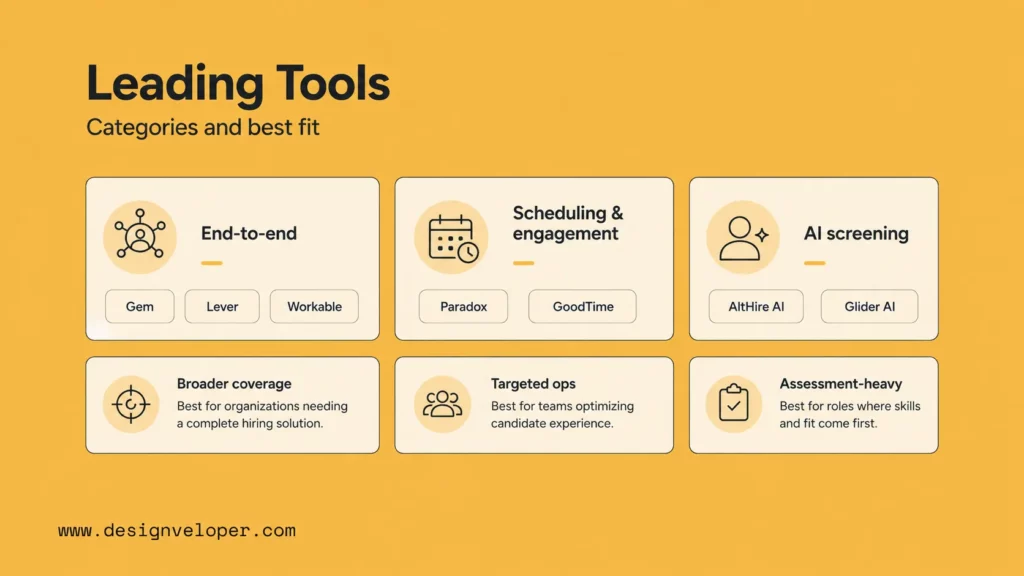
1. End-to-End Hiring Platforms
End-to-end platforms fit teams that want broader workflow coverage. They often combine ATS, CRM, sourcing, candidate management, scheduling, analytics, and collaboration features.
Gem positions itself as an AI-first all-in-one recruiting platform. It fits teams that want sourcing, outreach, scheduling, analytics, and pipeline visibility in one place.
Lever combines ATS and CRM capabilities. It works well for teams that want a central place to source candidates, manage applications, schedule interviews, collaborate with hiring managers, automate workflows, and measure performance.
Workable offers hiring and HR features across sourcing, applicant tracking, interviews, onboarding, and HR operations. It can fit teams that want a broader hiring platform rather than several disconnected tools.
| Platform | Best Fit | Strength | Watch Out For |
|---|---|---|---|
| Gem | Talent teams that need sourcing and pipeline visibility | CRM, outreach, scheduling, analytics | May require workflow discipline to avoid over-messaging |
| Lever | Teams that want ATS and CRM in one recruiting system | Pipeline management and collaboration | May need integrations for specialist workflows |
| Workable | Growing teams that want broad hiring and HR coverage | Sourcing, ATS, interviews, onboarding | Teams should confirm fit for complex enterprise workflows |
These tools can reduce fragmentation. Still, teams should not choose based only on feature count. They should choose based on the workflow they need to improve first.
2. Specialist Tools for Engagement and Scheduling
Specialist tools fit teams that already have an ATS but still struggle with a specific bottleneck. Scheduling and candidate engagement are common examples.
Paradox focuses on conversational hiring workflows, including screening, candidate Q&A, reminders, event registration, and instant scheduling. It is especially relevant for high-volume and frontline hiring environments.
GoodTime focuses on interview scheduling and hiring experience orchestration. It fits teams that deal with complex interviews, panel coordination, global calendars, and candidate engagement.
| Tool | Best Fit | Automation Strength | Watch Out For |
|---|---|---|---|
| Paradox | High-volume hiring and candidate engagement | Conversational screening, Q&A, scheduling, reminders | Teams need clear disclosure when AI handles candidate interactions |
| GoodTime | Interview-heavy teams with complex scheduling needs | Calendar coordination, panel scheduling, hiring event support | Works best when interview stages are already well defined |
Specialist tools can deliver value quickly because they target a narrow pain point. However, teams should check integration quality before they buy. A scheduling tool that does not sync well with the ATS can create another manual process.
3. AI Screening and Technical Evaluation Tools
AI screening and assessment tools fit teams that handle high application volume, technical roles, or skills-heavy hiring. They help recruiters collect signals before deeper interviews.
AltHire AI combines ATS functionality with AI interviews, resume parsing, analytics, and screening workflows. It fits teams that want AI-supported screening and interview flows in one platform.
Glider AI focuses on skills validation, interviews, assessments, identity verification, and role-specific workflows. It fits teams that need technical evaluation, high-volume screening, or assessment-heavy hiring.
| Tool | Best Fit | Automation Strength | Watch Out For |
|---|---|---|---|
| AltHire AI | Teams that want AI interviews and screening workflows | Resume parsing, interviews, analytics, pipeline support | Needs transparency, auditability, and human review |
| Glider AI | Technical and skills-based hiring | Assessments, interviews, identity checks, skill validation | Teams should avoid using assessments without job relevance checks |
For teams comparing top AI recruitment automation software, the key question is not “Which tool has the most AI?” The better question is “Which tool improves the exact workflow that slows hiring while keeping decisions reviewable?”
How to Implement Recruitment Automation Without Hurting Hiring Quality
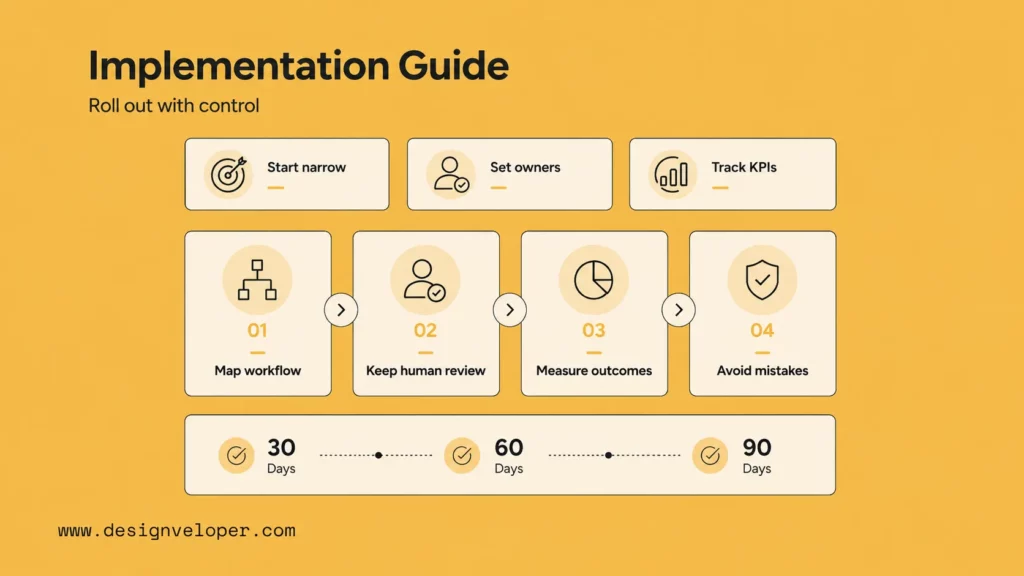
1. Map Your Recruiting Workflow Before Choosing Tools
Successful recruitment automation starts with workflow mapping. Teams should not begin with vendor demos. They should begin with the hiring process they already run.
Start by listing each stage. Then mark the trigger, owner, task, system, and expected next action. This makes bottlenecks visible.
For example, a team may find that screening is not the real issue. The larger delay may sit between interview completion and hiring manager feedback. Another team may find that candidates drop off because scheduling takes too long. A third team may find that offer approvals create the biggest risk.
Once the bottleneck is clear, the tool decision becomes easier. The team can choose a platform, specialist tool, or custom workflow based on evidence instead of demos.
| Workflow Question | Why It Matters |
|---|---|
| What task repeats every week? | Automation works best on frequent actions |
| What event starts the task? | Every workflow needs a trigger |
| Who owns the exception? | Automation fails when no one handles edge cases |
| Which systems must connect? | Poor integrations create new manual work |
| What metric should improve? | Teams need a clear success measure |
2. Keep Human Review Where It Matters Most
Automation should support hiring judgment, not replace it. Recruiters and hiring managers still need to own shortlisting, interviews, evaluation, offer decisions, and candidate-sensitive communication.
This is especially important when teams use recruitment automation with AI. AI can summarize, route, draft, and recommend. But people should review decisions that affect candidate outcomes.
Human review protects quality in several ways. It checks whether the tool understood the job. It catches unusual candidate backgrounds. It prevents rigid filters from excluding strong people. It also gives candidates a clearer path when they need help or context.
Recruiting leaders should define review points before launch. For example, the system can route resumes, but a recruiter approves rejections. The system can draft outreach, but the recruiter edits senior candidate messages. The system can remind interviewers, but the hiring manager owns the final evaluation.
The EEOC lists guidance on assessing adverse impact in software, algorithms, and artificial intelligence used in employment selection procedures under Title VII. This reinforces a practical rule: employers must treat automated hiring systems as accountable selection tools, not neutral black boxes.
3. Measure the Right Outcomes After Launch
Recruitment automation needs measurement from the start. Otherwise, teams may automate work without knowing whether hiring improved.
Track speed metrics first. These include time-to-hire, application-to-review time, scheduling lag, feedback completion time, candidate response speed, and decision-to-offer time.
Then track quality and experience. These include stage conversion, candidate drop-off, offer acceptance, source quality, hiring manager satisfaction, and candidate satisfaction.
Recruiter time matters too. If automation reduces admin hours, recruiters should use that time for better sourcing, stronger screening conversations, and closer hiring manager alignment.
| Outcome Type | Metric | What It Shows |
|---|---|---|
| Speed | Time-to-hire | Whether the full process moves faster |
| Responsiveness | Candidate response speed | Whether candidates hear from the team sooner |
| Funnel health | Drop-off rate | Where candidates leave the process |
| Recruiter capacity | Recruiter hours saved | How much admin work automation removed |
| Quality | Stage conversion and offer acceptance | Whether speed supports better hiring decisions |
A good rollout does not chase one metric. It balances speed, quality, and trust. Faster hiring means little if candidate quality drops or the experience feels worse.
4. Common Mistakes to Avoid
The biggest mistake is over-automation. Some teams try to automate every candidate touchpoint at once. This creates a process that feels fast to the company but impersonal to the candidate.
Another mistake is weak messaging. Automated emails should still sound clear, respectful, and specific. Candidates should know what happened, what comes next, and when they can expect another update.
Poor integrations create a third problem. If the ATS, calendar, assessment tool, and HRIS do not sync cleanly, recruiters may still copy data by hand. That defeats the purpose of automation.
Unclear ownership also causes failure. Every automated workflow needs an owner. Someone must monitor errors, adjust rules, review metrics, and handle exceptions.
| Mistake | Why It Hurts | Better Approach |
|---|---|---|
| Automating too much too soon | Creates candidate confusion and weak control | Start with one bottleneck |
| Using generic messages | Makes the process feel cold | Write clear, stage-specific communication |
| Ignoring integrations | Creates duplicate manual work | Test data flow before launch |
| Skipping human review | Raises quality and fairness risks | Define review points for key decisions |
| Not measuring impact | Makes success hard to prove | Track baseline and post-launch KPIs |
The safest implementation path is narrow and measurable. Pick one workflow. Define the trigger and owner. Launch with human review. Measure the result. Then expand.
FAQs About Recruitment Automation
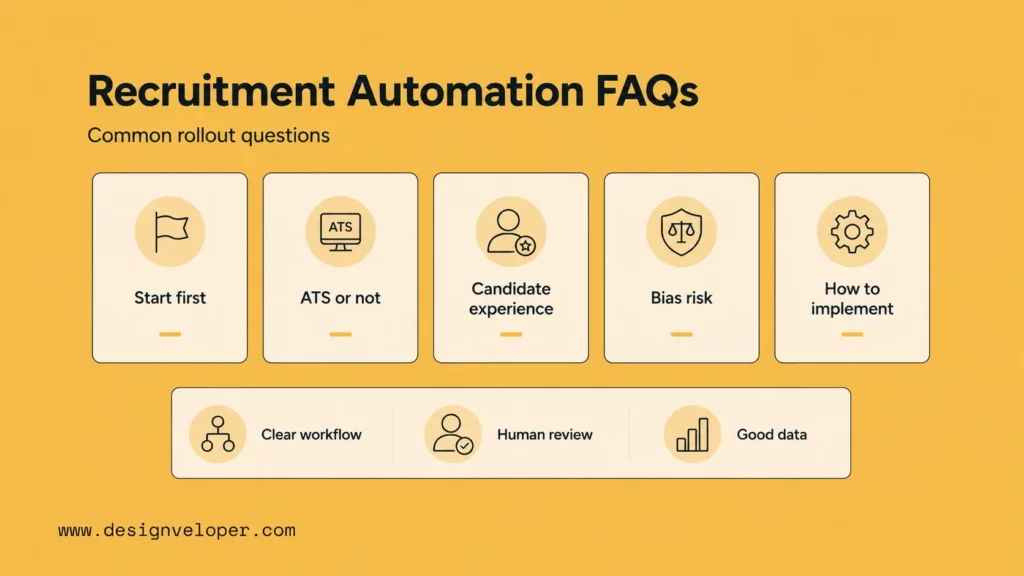
1. Which Recruitment Tasks Should Be Automated First?
Teams should automate repetitive, measurable tasks first. Good starting points include interview scheduling, candidate status updates, feedback reminders, resume routing, and offer approval routing.
These tasks create clear value because they happen often and follow predictable steps. They also reduce friction without removing human judgment from the most important hiring decisions.
A practical first workflow might look like this: when a candidate moves to interview stage, the system sends available time slots, confirms the meeting, sends reminders, and updates the ATS. The recruiter still handles exceptions and candidate-sensitive communication.
2. Is Recruitment Automation the Same as an ATS?
No. An ATS stores and tracks candidate data. Recruitment automation moves work forward across stages and systems.
The ATS helps recruiters see where candidates are. Automation helps candidates move to the next step. A team can have an ATS and still have weak automation if recruiters manually handle every follow-up, reminder, approval, and handoff.
The best setup usually combines both. The ATS holds the source of truth. Automation uses that data to trigger the right actions at the right time.
3. Can Recruitment Automation Improve Candidate Experience?
Yes, recruitment automation can improve candidate experience when it makes the process faster, clearer, and more consistent.
It helps candidates get confirmation messages, scheduling options, interview reminders, status updates, and next-step instructions faster. This reduces uncertainty and keeps the hiring process moving.
However, automation can hurt candidate experience when it hides decisions, sends robotic messages, or removes human access from sensitive moments. Teams should use automation for clarity, not distance.
4. Does Recruitment Automation Reduce Bias?
Recruitment automation can reduce some forms of inconsistency, but it does not automatically reduce bias. A structured workflow can help teams apply the same steps across candidates. That can improve process discipline.
Still, AI and rules-based systems can reflect biased data, poor job criteria, or weak evaluation design. They can also make biased decisions faster if no one reviews the workflow.
Teams should use clear criteria, human review, audit logs, vendor transparency, and regular outcome checks. They should also document why each automated screening rule matters for the role.
5. How Do You Implement Recruitment Automation Without Disrupting Hiring?
Start small. Choose one painful workflow, such as scheduling or feedback reminders. Map the current process. Define the trigger, action, owner, exception path, and KPI.
Next, launch the workflow with recruiter oversight. Do not remove human review at the beginning. Watch for broken integrations, confusing messages, and edge cases.
Then compare the results with the baseline. If the process improves, expand to the next workflow. This phased approach keeps hiring stable while the team learns how automation fits its real process.
Conclusion. Recruitment automation works best when it improves the hiring workflow, not just one isolated task. It helps teams move faster by reducing manual posting, screening, scheduling, messaging, reporting, approvals, and handoffs. Yet it only creates lasting value when recruiters keep control over judgment, fairness, and candidate trust.
For hiring teams, the right starting question is simple: where does the recruiting process slow down most often? Once that bottleneck is clear, the team can choose the right recruitment automation software, improve the workflow, and measure the result with confidence.
At Designveloper, we approach automation as a software and workflow problem. That means mapping the real process first, then building systems that connect tools, data, users, and review points. With experience across 100+ projects across 20+ industries, Designveloper helps teams turn manual operations into scalable digital workflows that still keep people in control.


