

The best ai for python coding in 2026 depends on the workflow, not only the model name. Cursor is strongest for complex multi-file Python codebases, GitHub Copilot is the safest everyday default for teams already inside GitHub, Claude Code is excellent for deep debugging and reasoning, Gemini 2.5 Pro fits data-heavy analysis, and privacy-focused teams should compare Tabnine, JetBrains AI, and Amazon Q Developer before choosing.
Python work is unusually broad. One developer may need help refactoring a FastAPI service, another may need pandas debugging in a notebook, and a platform team may need an assistant that respects enterprise security rules. A good AI Python code generator must understand the project context, the framework, the test suite, and the way code is reviewed before merge.
This guide compares ten tools by Python workflow, practical strengths, limitations, pricing direction, and team fit. It focuses on current official product and pricing pages where possible, because AI coding tools change quickly and old roundup claims become stale fast.
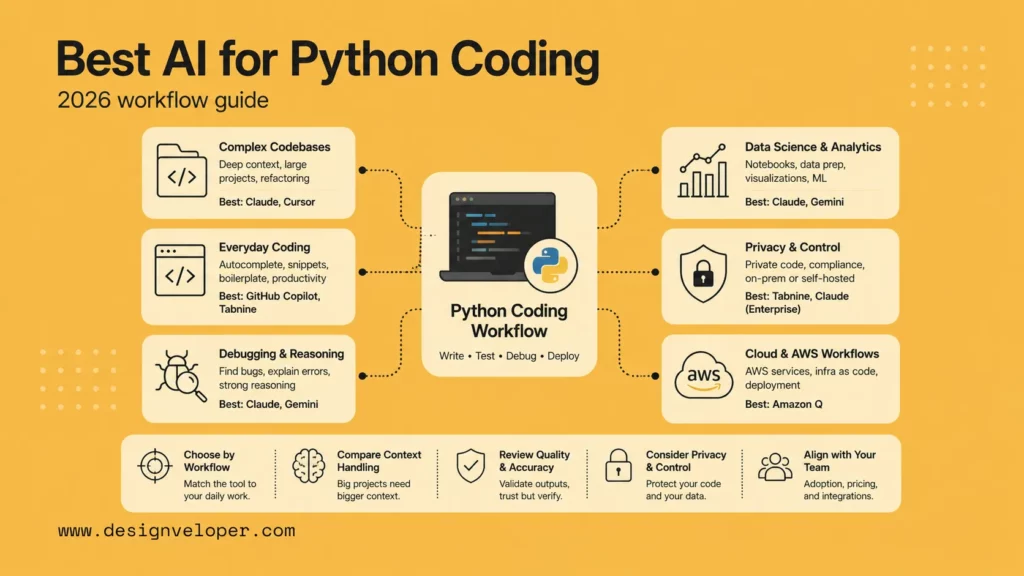
Best AI For Python Coding At A Glance
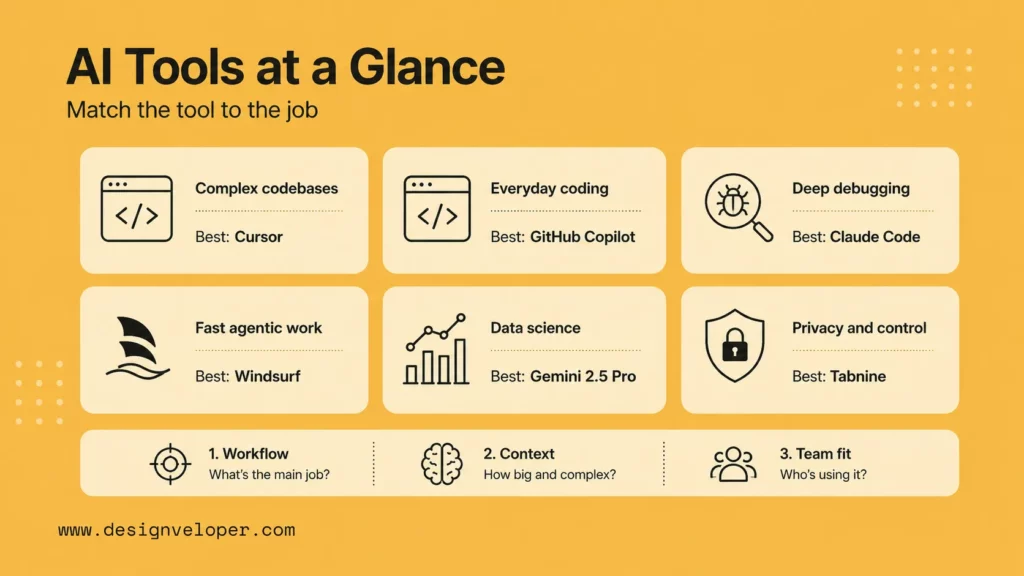
The fastest way to shortlist a Python coding assistant is to match the tool to the type of Python work. A solo developer building scripts has different needs from a team maintaining Django services, Jupyter notebooks, AWS Lambda functions, or privacy-sensitive internal platforms.
| Tool | Best For | Key Python Strength |
|---|---|---|
| Cursor pricing page | Complex Python codebases | Agentic editing across files, repo-aware changes, and fast IDE-style iteration. |
| GitHub Copilot plans | Everyday Python coding | Strong autocomplete, chat, pull request support, and GitHub-native workflow fit. |
| Claude Code documentation | Deep reasoning and debugging | Terminal-first codebase work, careful explanations, and multi-step investigation. |
| Windsurf pricing page | Fast agentic Python work | Agent-style coding inside an editor designed for iterative development. |
| Gemini 2.5 Pro model documentation | Data science and large context | Reasoning over large inputs, notebooks, data context, and multimodal project material. |
| Tabnine pricing page | Privacy-focused Python teams | Private code assistance, policy controls, and enterprise deployment options. |
| JetBrains Junie licensing documentation | PyCharm and JetBrains IDE workflows | IDE-aware coding help for developers already using PyCharm or IntelliJ-based tools. |
| Codeium pricing page | Free Python code assistance | Accessible autocomplete and chat for developers who need a low-cost starting point. |
| Amazon Q Developer pricing page | AWS Python stacks | AWS-aware guidance for Lambda, boto3, cloud services, and modernization tasks. |
| Fabi.ai pricing page | Python data analysis | AI-assisted SQL, Python analysis, dashboards, and exploratory data workflows. |
For most teams, the top two questions are simple: where does Python code already live, and how risky are AI-generated changes? If the code lives in GitHub and the work is normal feature development, GitHub Copilot is a low-friction default. If the work involves larger refactors, Cursor or Claude Code may provide more useful context and investigation depth.
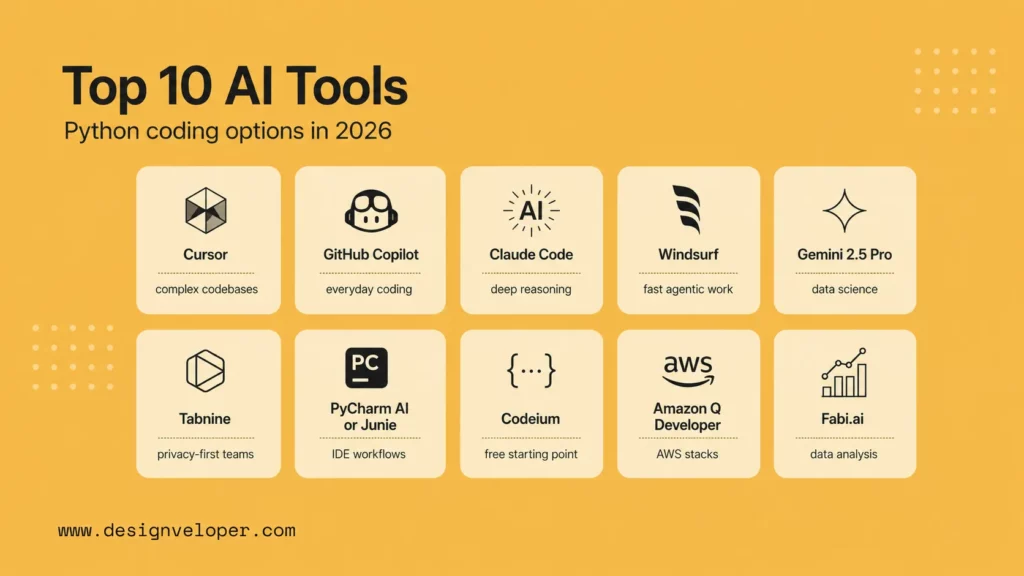
The strongest Python coding assistants now compete on context handling, editing workflow, model choice, privacy, and integration quality. The list below treats each tool as a workflow choice, not a universal winner.
1. Cursor – The Best AI For Complex Python Codebases
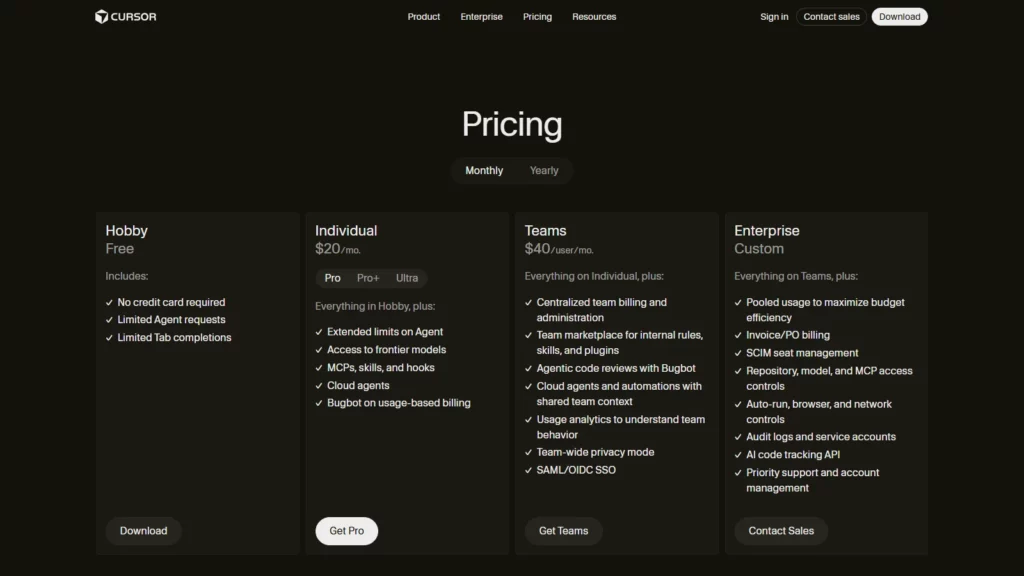
Cursor is the best fit when a Python developer wants an AI-native editor that can inspect multiple files, propose coordinated edits, and iterate quickly with the project in view. Cursor is especially useful for Django, FastAPI, data pipeline, and monorepo work where the assistant needs to understand imports, tests, routes, models, and neighboring modules.
- Best For: Multi-file Python refactors, backend features, test generation, and codebase-wide edits.
- Key Strengths: Repo-aware chat, inline editing, agentic workflows, and a familiar VS Code-style editing experience.
- Limitations: Teams still need code review, test coverage, and careful handling of private repositories. Heavy agentic usage can also make pricing and quota planning more important.
- Pricing: Check the current Cursor pricing page and Cursor rate limit documentation before rollout because plans and usage pools can change.
Cursor works best when the repository already has a clean structure and tests. If the Python project has circular imports, unclear ownership, or no regression suite, Cursor may generate plausible edits that still need careful engineering review.
2. GitHub Copilot – The Best AI For Everyday Python Coding
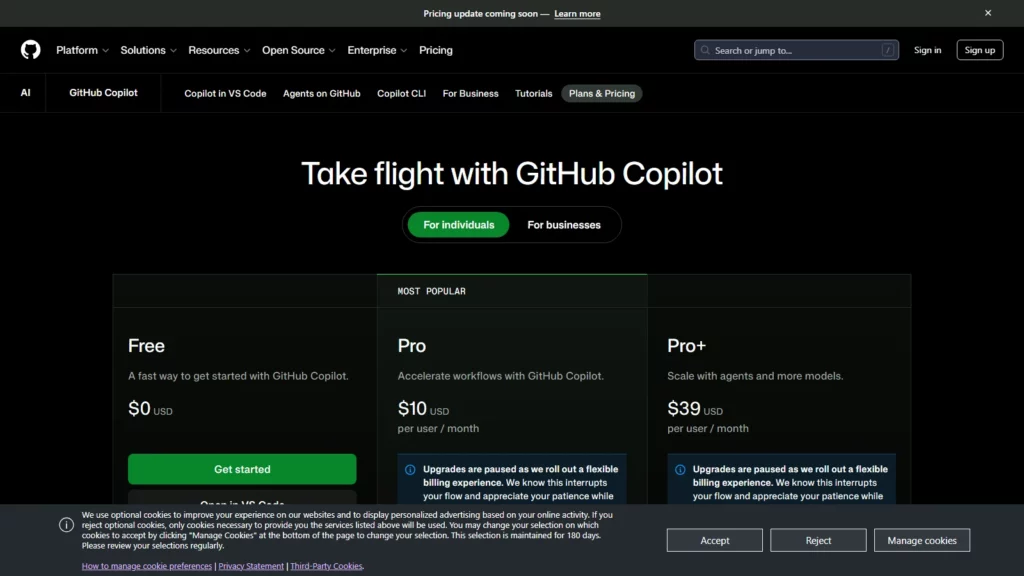
GitHub Copilot is the strongest everyday option for Python developers who already work in GitHub, VS Code, JetBrains IDEs, or pull request workflows. It is useful for completions, boilerplate, unit tests, quick explanations, docstrings, and small feature work.
- Best For: Daily Python development across scripts, APIs, tests, and GitHub-hosted repositories.
- Key Strengths: Broad IDE support, GitHub-native experience, mature team controls, and easy adoption for organizations already using GitHub.
- Limitations: Complex architecture changes still need human planning. Copilot can accelerate code writing, but it cannot replace design review, dependency review, or security review.
- Pricing: Use the official GitHub Copilot plans page to compare Free, Pro, Business, and Enterprise options.
Copilot is often the default choice when a team needs broad adoption rather than a specialized agent. Python teams should pair it with linting, type checks, tests, and branch protection so speed does not quietly reduce quality.
3. Claude Code – The Best AI For Python Reasoning And Deep Debugging
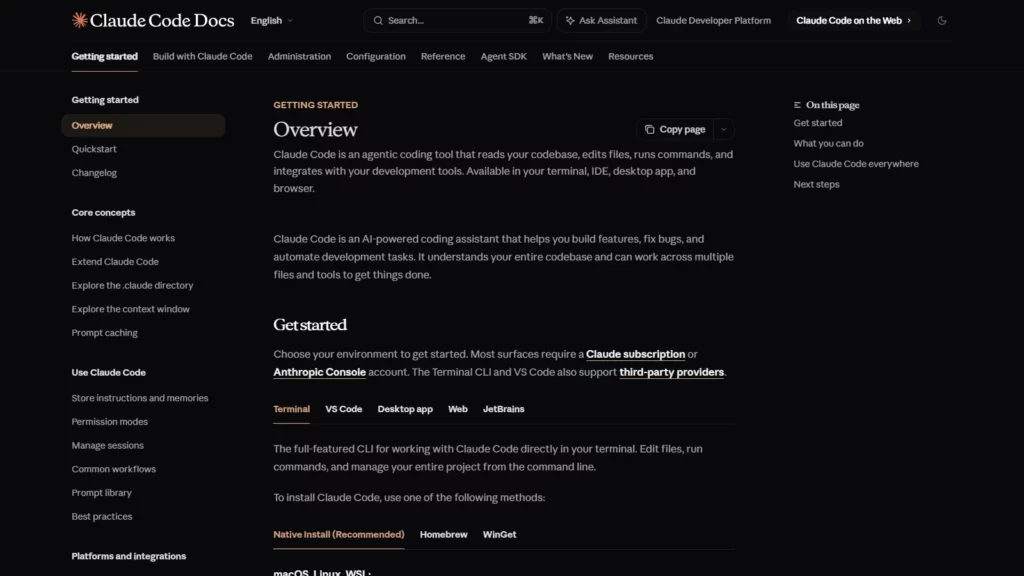
Claude Code is strong when the Python task requires investigation: reading several files, explaining a failing test, tracing a bug through layers, or proposing a careful refactor. Its terminal-first workflow helps when developers want the assistant close to commands, files, and tests rather than only inside autocomplete.
- Best For: Debugging, codebase exploration, refactors, test repair, and reasoning-heavy Python work.
- Key Strengths: Strong explanation quality, codebase navigation, command-line workflow, and useful support for multi-step tasks.
- Limitations: Teams must manage permissions, review command execution, and watch usage costs for long sessions.
- Pricing: Anthropic points developers to Claude plan pricing and usage management through Claude Code cost documentation.
Claude Code is a good companion for senior engineers reviewing difficult failures. The value is not only generated code. The value is the investigation trail that helps the engineer decide whether the suggested change is safe.
4. Windsurf – The Best AI For Fast Agentic Python Work
Windsurf is a good fit for developers who want an AI-first coding environment with agent-style assistance, fast iteration, and editor-native project changes. It can help with Python feature scaffolding, local refactors, and repetitive code changes when the developer wants the assistant to stay close to the editor.
- Best For: Fast Python implementation loops, feature scaffolding, and agent-assisted editing.
- Key Strengths: AI-native editor experience, workflow automation, and useful support for developers moving quickly across files.
- Limitations: Agentic speed can hide mistakes. Teams should require tests, diffs, and review before merging generated Python changes.
- Pricing: Review the current Windsurf pricing page before choosing team-wide usage.
Windsurf is most attractive when a developer wants more than autocomplete but less ceremony than a fully terminal-driven agent flow. It is a pragmatic choice for prototypes, internal tools, and small-to-medium Python services.
5. Gemini 2.5 Pro – The Best AI For Python Data Science Workflows
Gemini 2.5 Pro is useful for Python data science workflows because it can reason across large inputs, data descriptions, notebooks, and mixed project context. Google describes Gemini 2.5 Pro as a reasoning model that can work with large datasets and challenging inputs, including code repositories.
- Best For: Pandas debugging, notebook explanation, data analysis planning, and large-context reasoning.
- Key Strengths: Long-context reasoning, multimodal support, and strong fit with Google Cloud or Vertex AI workflows.
- Limitations: Developers still need to validate statistical assumptions, data leakage, and notebook outputs. A model can explain code confidently while missing a data-quality flaw.
- Pricing: Check Google Cloud and Gemini API pricing from the official model or platform pages before using Gemini 2.5 Pro in production.
Gemini 2.5 Pro is best treated as an analysis partner, not a final authority. For Python data work, ask it to propose checks, generate pandas code, explain errors, and identify assumptions, then validate outputs against the data.
6. Tabnine – The Best AI For Privacy-Focused Python Teams
Tabnine is a strong candidate for organizations that want AI coding help with more emphasis on privacy, codebase control, and enterprise deployment. Its official Tabnine pricing page positions the product around private, secure AI-powered development and codebase-grounded assistance.
- Best For: Regulated teams, private repositories, enterprise policies, and teams cautious about code exposure.
- Key Strengths: Privacy positioning, team controls, code completions, chat, and enterprise-oriented deployment options.
- Limitations: Developers choosing Tabnine for privacy should still inspect exact data-handling settings, deployment mode, and model configuration.
- Pricing: Review Tabnine’s current team and enterprise plans before standardizing across a Python organization.
Tabnine is a practical shortlist item when the buying conversation starts with security. Python teams in finance, healthcare, logistics, or internal platform engineering may value governance more than the flashiest agent demo.
7. PyCharm AI Assistant Or Junie – The Best AI For Python IDE Workflows
PyCharm AI Assistant and Junie are strongest for developers who already live inside JetBrains IDEs. PyCharm understands Python project structure, virtual environments, inspections, refactoring tools, test runners, and framework integrations. Adding JetBrains AI features keeps assistance inside that workflow.
- Best For: PyCharm users, Python backend teams, professional IDE workflows, and developers who prefer JetBrains refactoring tools.
- Key Strengths: IDE-aware assistance, inspections, refactoring support, and integration with JetBrains AI service features.
- Limitations: The JetBrains AI subscription and credit model can feel different from other tools. Teams should test expected usage before committing.
- Pricing: Use JetBrains Junie licensing documentation and the current JetBrains AI pages for plan details.
JetBrains AI is most compelling when a team already uses PyCharm Professional and values IDE-native refactoring. For Python teams, this can be better than switching editors only to access an AI feature.
8. Codeium – The Best Free AI For Python Coding
Codeium is worth considering when cost is the main constraint or when a developer wants to start with free AI coding help before buying a broader platform. It can support autocomplete and chat-style workflows for Python scripts, APIs, and learning projects.
- Best For: Students, solo developers, early experiments, and teams testing AI coding before procurement.
- Key Strengths: Low-friction entry, broad language support, and accessible AI assistance for common Python work.
- Limitations: Free tools may not cover the governance, audit, security, and advanced workflow needs of larger teams.
- Pricing: Check the current Codeium pricing page because plan names and company branding can change.
Codeium is a good starting point for learning. For production Python work, developers should still compare policy controls, repository context quality, support, and team management before relying on a free tier.
9. Amazon Q Developer – The Best AI For AWS Python Stacks
Amazon Q Developer is the best fit when Python code is tightly connected to AWS. It can help with AWS SDK usage, Lambda functions, infrastructure questions, cloud modernization, and service-specific development tasks. AWS publishes plan details on the Amazon Q Developer pricing page.
- Best For: Python teams using AWS Lambda, boto3, CDK, ECS, Step Functions, Glue, or cloud modernization workflows.
- Key Strengths: AWS context, service guidance, cloud integration, and enterprise account alignment.
- Limitations: It is strongest inside AWS-oriented work. A general Python web team outside AWS may prefer Copilot, Cursor, or JetBrains AI.
- Pricing: AWS lists Free and Pro tiers through official Amazon Q Developer pricing and documentation.
Amazon Q Developer is especially helpful when the hard part is not Python syntax but AWS architecture. Use it for service integration guidance, then validate IAM policies, deployment settings, and costs through normal cloud review.
10. Fabi.ai – The Best AI For Python Data Analysis
Fabi.ai is different from general coding assistants because it focuses on data analysis, SQL, Python, dashboards, and business questions. The official Fabi.ai product page describes an AI-native business intelligence platform for ad hoc analysis, dashboards, and data workflows.
- Best For: Analysts, data teams, operators, and Python users who need faster exploratory analysis.
- Key Strengths: Data workflows, SQL plus Python analysis, dashboard generation, and business-facing analysis support.
- Limitations: It is not a general-purpose Python IDE assistant. Backend developers should pair it with a coding assistant if they also need repository-wide engineering help.
- Pricing: The Fabi.ai pricing documentation lists plan and billing details for teams.
Fabi.ai fits the Python data-analysis lane. It is most useful when the workflow ends in analysis, a dashboard, or a decision, not when the goal is a production API refactor.
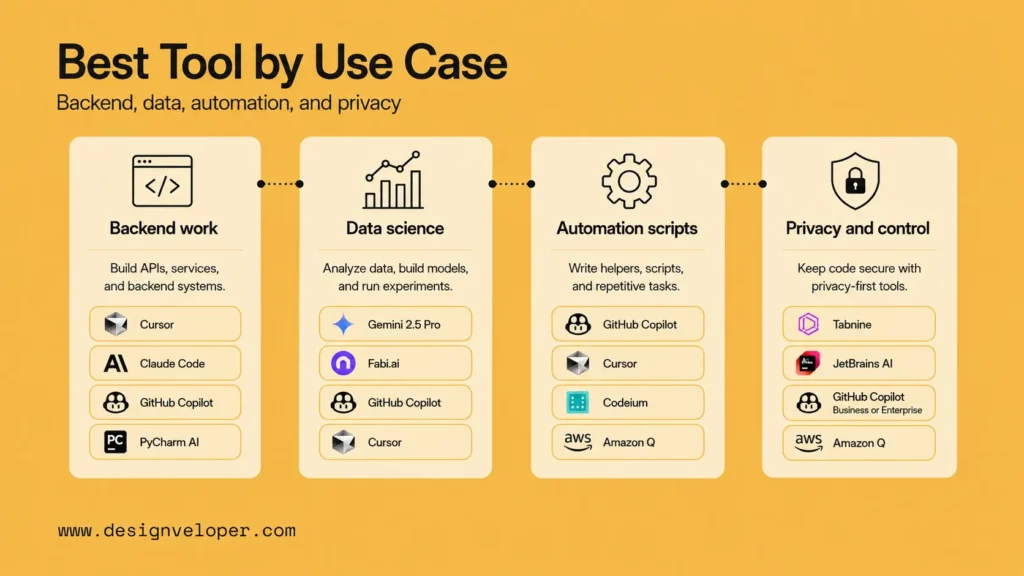
The best tool changes when the Python job changes. Use cases matter more than generic rankings because each tool has a different center of gravity.
For Django, FastAPI, And Multi-File Backend Work
Cursor, Claude Code, GitHub Copilot, and PyCharm AI are the strongest options for backend work. Cursor and Claude Code are useful when the assistant must reason across routes, models, schemas, services, tests, and deployment files. Copilot is useful for daily completion and test-writing. PyCharm AI works well when the team already depends on JetBrains inspections and refactors.
For Pandas, Jupyter, And Data Science Workflows
Gemini 2.5 Pro and Fabi.ai stand out for data-heavy workflows, while Copilot and Cursor can still help inside notebooks or Python files. For pandas work, prioritize tools that explain assumptions, generate validation checks, and help inspect edge cases instead of only writing code.
For Automation Scripts And Internal Tools
GitHub Copilot, Cursor, Codeium, and Amazon Q Developer are practical for automation scripts. If the scripts touch AWS services, Amazon Q Developer deserves a close look. If the scripts run internal operations, the team should add tests, logging, secrets handling, and review before letting generated code change real systems.
For Teams That Need More Privacy And Control
Tabnine, JetBrains AI, GitHub Copilot Business or Enterprise, and Amazon Q Developer are the first places to compare controls. Privacy-sensitive Python teams should review training policies, data retention, admin controls, audit logging, identity integration, and deployment options before choosing a model or editor.
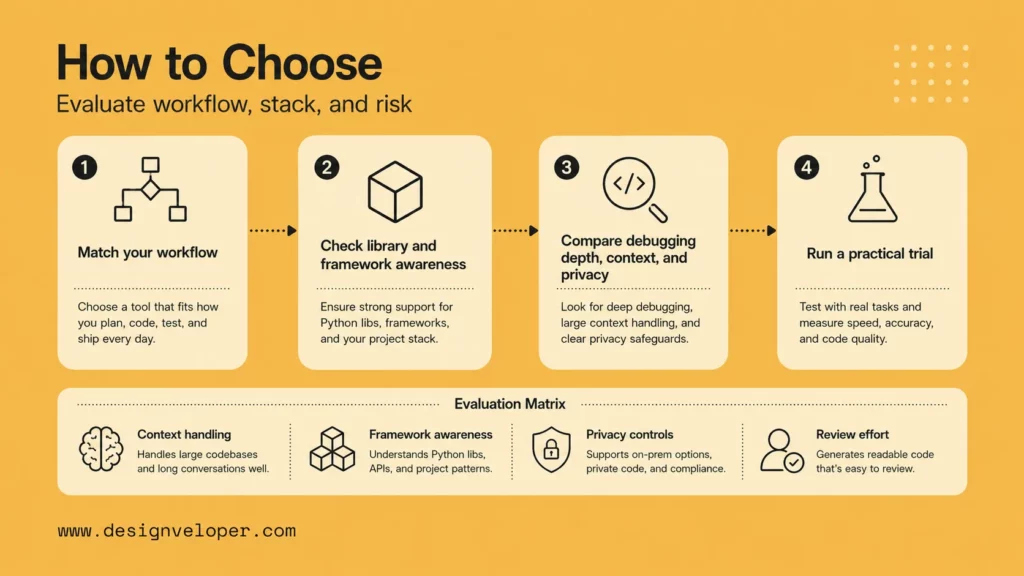
A good selection process starts with the Python workflow, the risk level, and the review model. The most powerful AI coding assistant is not useful if the team cannot review changes, control data, or measure whether the assistant improves delivery.
Match The Tool To Your Python Workflow
Choose a tool based on the work developers do every week. API teams need backend context and test generation. Data teams need notebook and pandas support. Cloud teams need AWS or Google Cloud context. Enterprise teams need admin controls and privacy review.
Look For Strong Library And Framework Awareness
Python projects depend heavily on frameworks and libraries. The assistant should understand FastAPI, Django, Flask, pandas, NumPy, PyTorch, TensorFlow, scikit-learn, SQLAlchemy, pytest, Ruff, mypy, and the deployment environment when those tools are part of the codebase.
Compare Debugging Depth, Context Handling, And Privacy
Run a practical trial before buying. Give each tool the same Python task: fix a failing test, explain a bug, add a small endpoint, write a pandas validation, or refactor a function with type hints. Score the result on correctness, reasoning, diff quality, test quality, privacy fit, and reviewer effort.
| Selection criterion | What to check | Why it matters |
|---|---|---|
| Context handling | Can the tool use several files, tests, and docs without losing the goal? | Python bugs often cross module boundaries. |
| Debugging depth | Can the tool explain why a test fails before changing code? | Reasoning reduces random edits. |
| Framework awareness | Does it understand FastAPI, Django, pandas, pytest, or AWS in your stack? | Generic Python suggestions can break framework conventions. |
| Privacy controls | Can admins control code sharing, model use, logs, and training behavior? | Enterprise teams need more than developer convenience. |
| Review effort | Does the generated diff make reviewers faster or slower? | The real metric is merged quality, not generated volume. |
Making The Right AI Choice For Your Python Workflow
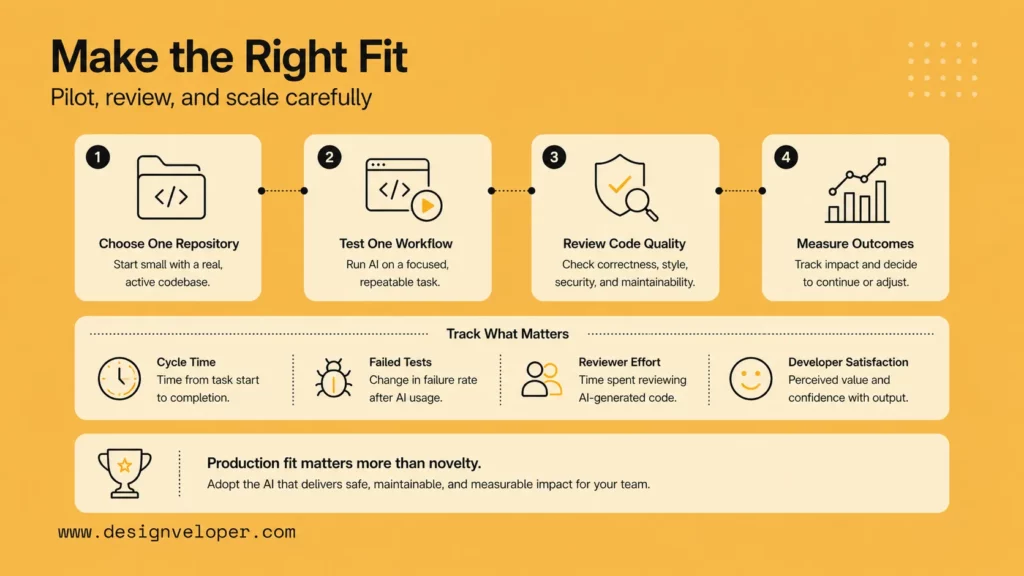
The right AI tool for Python coding is the one that fits the stack, review habits, debugging workflow, and team constraints over time. A fast assistant that creates hard-to-review diffs can slow a team down. A more controlled assistant that fits existing tests and code review may create more durable value.
At Designveloper, we look at AI coding tools through a production lens. The question is not only whether a tool can generate Python. The question is whether the Python code can be reviewed, tested, deployed, monitored, and maintained inside a real product workflow. That matters for AI integrations, internal automation, RAG systems, analytics dashboards, and web applications.
Teams choosing an AI Python code generator should define a small pilot. Pick one repository, one workflow, one evaluation set, and one reviewer group. Measure cycle time, review comments, failed tests, defect rate, and developer satisfaction. A successful pilot gives the team evidence before a tool becomes standard.
Designveloper’s AI development services and web application development services focus on that production layer: discovery, architecture, integration, testing, CI/CD, monitoring, and iteration. AI can accelerate Python work, but engineering discipline turns generated code into software people can trust.
FAQs About The Best AI For Python Coding
Which AI Coding Tool Is Best For Python Beginners?
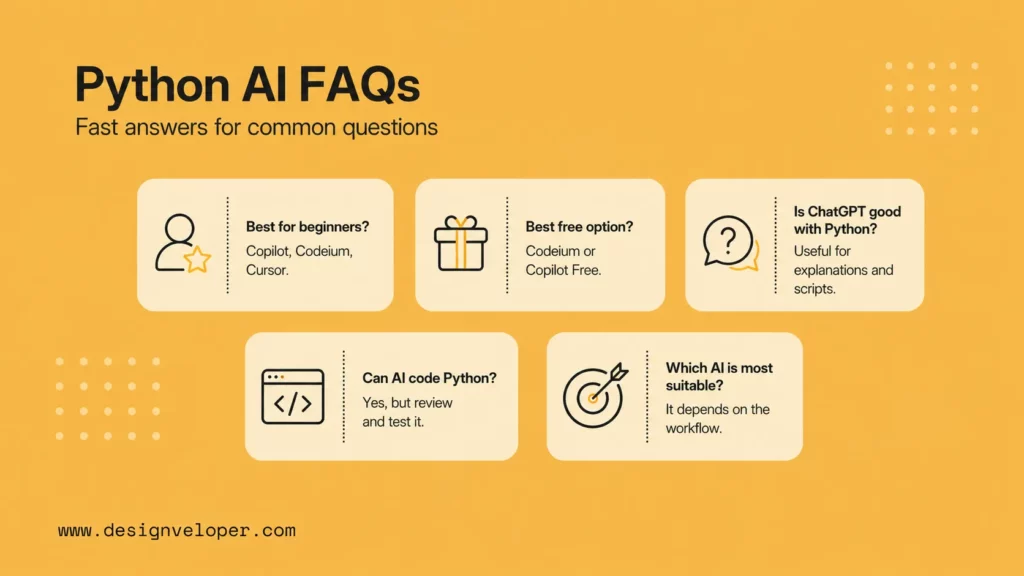
GitHub Copilot, Codeium, and Cursor are good starting points for Python beginners. Beginners should use AI to explain code, generate small examples, and write tests, but they should still run every snippet and learn the Python concepts behind it.
What Is The Best Free AI For Python Coding?
Codeium and GitHub Copilot Free are common free starting points, depending on availability and limits. Free tiers are useful for learning and light work, but teams should review privacy, support, and usage limits before using them for business-critical Python code.
Is ChatGPT Good With Python?
Yes, ChatGPT can be useful for Python explanations, scripts, debugging ideas, and code review prompts. For repository-aware development, many teams pair ChatGPT-style reasoning with tools such as Cursor, GitHub Copilot, Claude Code, or JetBrains AI that can work closer to the codebase.
Can You Use AI To Code Python?
Yes. Developers can use AI to write Python functions, tests, scripts, API endpoints, data transformations, documentation, and debugging plans. The safe workflow is to review generated code, run tests, check dependencies, and avoid giving AI tools uncontrolled access to secrets or production systems.
Which AI Is Most Suitable For Coding?
The most suitable AI for coding depends on the job. Cursor is strong for complex codebases, GitHub Copilot for everyday coding, Claude Code for reasoning-heavy debugging, Gemini 2.5 Pro for data-heavy work, Tabnine for privacy-focused teams, and Amazon Q Developer for AWS Python stacks.