


Agentic AI turns a user goal into real actions across tools, data, and systems. That shift changes how teams design AI products. It also raises new needs around planning, memory, safety, and control. This guide explains agentic ai architecture with clear components, a practical workflow, and proven design patterns.
Adoption pressure keeps rising. Many teams already test agents, not just chat. For example, 62% of survey respondents say their organizations are at least experimenting with AI agents, so agentic AI architecture choices now matter for real budgets and real risk.
Core Components of Agentic AI Architecture
Strong agent systems look complex, but they often rely on a small set of repeatable modules. Each module solves a different problem. Together, they let the agent think, plan, act, and learn from results.
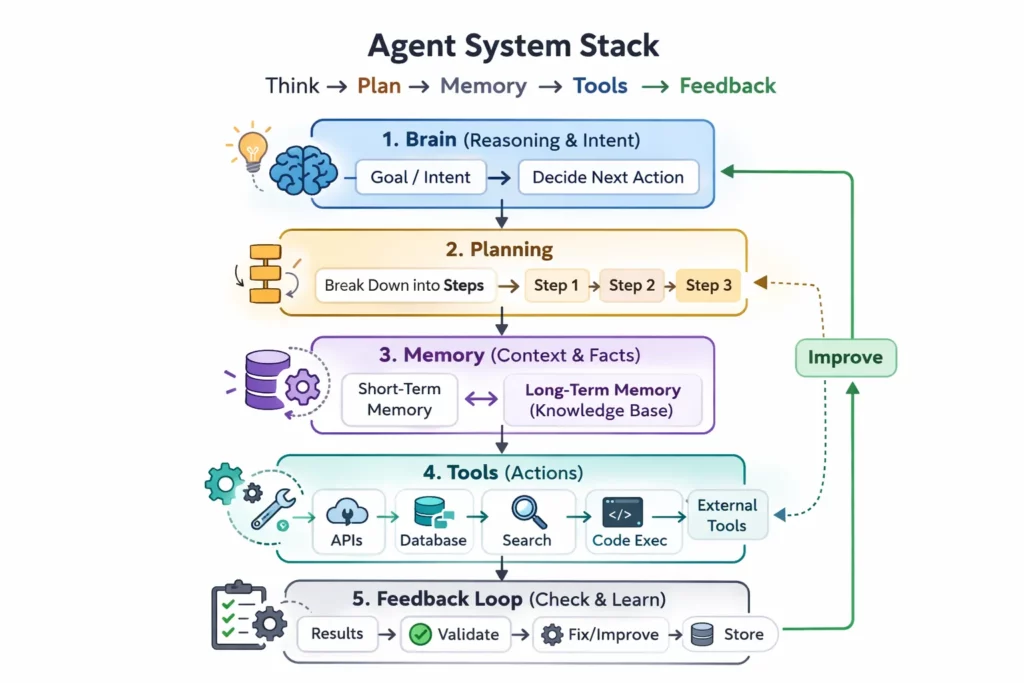
Start from the top. The brain generates intent and decides what to do next. Then planning converts that intent into steps. Next, memory provides context and facts. After that, the tool layer executes actions. Finally, the feedback loop checks results and triggers fixes.
1. The Brain / Core LLM
The brain decides what the agent should do. It converts a vague goal into a clear intent. It also keeps the agent consistent with policies and tone.
Intent Recognition and Entity Extraction
Intent recognition answers one question. What does the user want right now. Entity extraction answers another. Which objects matter, such as a customer name, an order id, or a project code.
Good agents treat this as a first class step. They label the goal and the key entities before they plan. That small move reduces tool mistakes later.
Model Choice and Role Separation
Teams often pick a strong reasoning model for the brain. They also separate roles when needed. One model can draft actions. Another model can review them.
For example, GPT 4o can handle multimodal inputs, while Claude 3.5 Sonnet can serve as a strong reasoning engine in many workflows. The key point stays the same. The brain must support structured decisions, not only fluent text.
2. Planning and Reasoning Engine
The planning module turns a goal into a roadmap. It also helps the agent recover when a step fails. Without planning, the agent guesses and hopes.
Task Decomposition and the Golden Goal
Planning starts from the Golden Goal. Then it breaks the work into smaller tasks. Each task should have a clear success condition. Each task should also map to a tool or a data source.
A sales ops agent gives a simple example. The Golden Goal can be “prepare a renewal proposal.” The plan can include pulling CRM fields, checking usage in analytics, and drafting a proposal email. Each step stays testable.
Self Reflection and Critic Loops
Planning does not end after the first plan. The agent should reflect after each key step. It should ask if the output matches the goal. If not, it should revise the plan and try again.
This critic loop reduces silent failure. It also supports safer actions. The agent can detect risky tool calls before it runs them.
3. Memory System
Memory lets an agent stay consistent across steps and across time. It also prevents repeated questions. Most systems split memory into short term and long term.
Short term Memory for Active Work
Short term memory holds the current context. It includes the latest user messages, tool outputs, and intermediate notes. It should also stay compact and prioritize facts that change the next decision.
Designers often add summarization to control context growth. They also store tool results as structured data. That makes later steps faster and clearer.
Long term Memory with Vector Search and RAG
Long term memory stores knowledge beyond the context window. It can store product docs, tickets, meeting notes, and past decisions. Retrieval then pulls only the relevant parts for the current task.
This layer grows fast in real deployments. Market signals confirm that. The vector database market already reached USD 2.58 billion, which reflects how many teams now invest in long term retrieval.
RAG improves quality when the agent must stay factual. It also helps with domain terms. A clean primer helps align teams on the concept, so many teams reference retrieval augmented generation as a baseline pattern.
4. Tool and Action Layer
The tool layer turns decisions into outcomes. It defines what the agent can do. It also defines what the agent must not do.
Action Sets and Guardrails
Tools can include APIs, SQL executors, web browsers, and code runtimes. However, every tool expands risk. Therefore, strong systems limit tools by default. They also use allowlists and parameter validation.
A finance agent can call a billing API. It can also run a read only query on the data warehouse. It should not have write access unless a human approves.
Function Calling as the Decision Interface
The brain needs a reliable way to trigger tools. Many teams use tool calling to force structure. The model emits a tool name and arguments, not a vague instruction.
OpenAI documents this approach in its function calling guide, which shows how schemas can reduce ambiguous tool use. The same idea applies across vendors. Structure makes actions safer.
5. Observation and Feedback Loop
Observation turns execution into learning. It ingests tool outputs, errors, and side effects. Then it feeds that data back into planning.
Structured Observations Beat Raw Logs
Raw logs help debugging. Yet agents need structured signals. For example, the system can label an API call as success, retryable failure, or fatal failure. It can also capture key fields from the response.
This structure supports fast retries. It also supports better reflection. The agent can explain what changed and why.
Safety Signals and Abuse Resistance
Agents face new attack surfaces because they act. Prompt injection aims to trick an agent into unsafe actions. Tool misuse can also leak data.
OWASP lists Prompt Injection as a key risk area for LLM apps. That framing helps teams treat safety as an architectural feature, not an afterthought.
Basic Agentic AI Workflow
Agentic systems follow a loop. The loop gives the agent a way to plan, act, observe, and refine. That loop also makes reliability measurable.
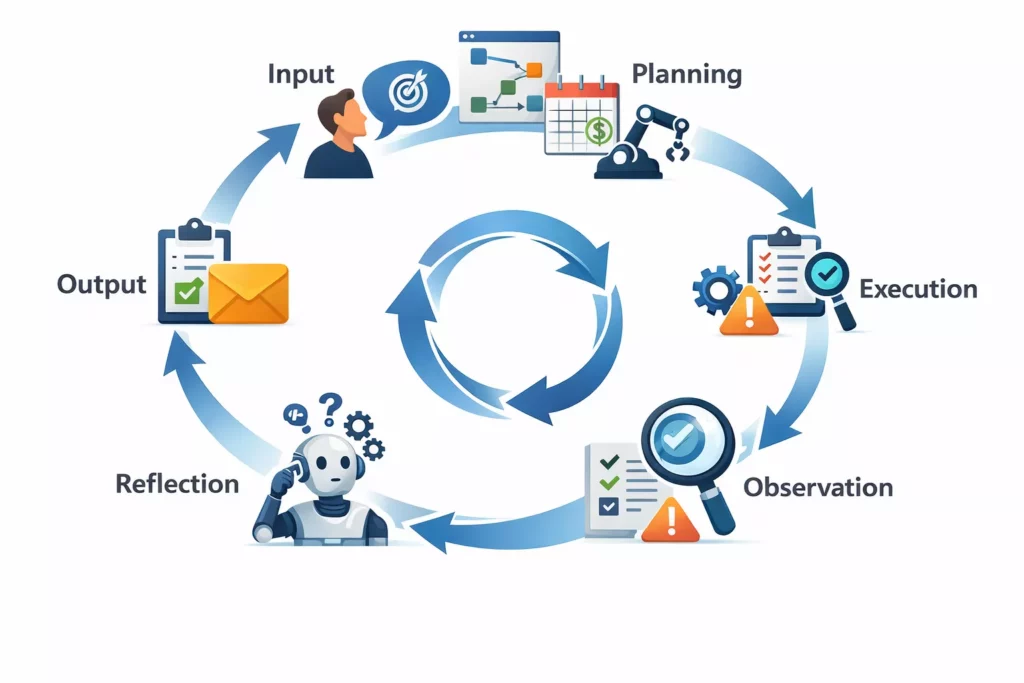
Input starts the loop. A user provides a high level goal. The agent should restate the goal in its own words. It should also capture constraints, such as deadlines or budget limits.
Planning comes next. The system generates a roadmap. Many teams model it as a DAG because tasks depend on other tasks. For example, the agent must fetch customer status before it drafts a renewal email.
Execution runs the plan. The agent calls tools and collects results. It should also log actions for audit. That log becomes vital when something goes wrong.
Observation ingests tool output. It checks if the tool returned a success, an error, or partial data. It also extracts useful fields. Then it stores them in short term memory.
Reflection closes the loop. The agent asks one direct question. Does this meet the goal. If not, it adjusts the plan and loops back. If yes, it moves to the terminal state.
Output delivers the final result or hands off to a human. Clear hand off matters. The agent should share what it did, what it assumed, and what it could not verify.
This loop explains why agents feel more capable than chat. They do more than talk. They also act, check, and correct.
Common Agentic AI Design Patterns
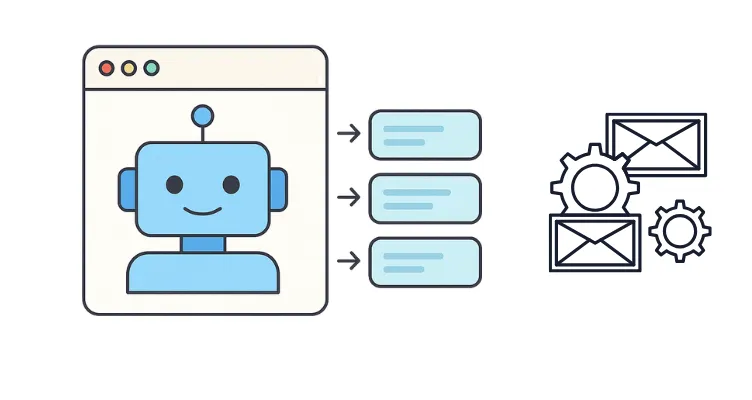
Design patterns help teams avoid random agentic AI architecture. They also give a shared language across engineering, product, and security. The best pattern depends on tool risk, task complexity, and speed needs.
1. Single-Agent Architecture
A single agent pattern uses one main brain. That agent plans, calls tools, and returns results. This pattern stays simple and cheap.
Where It Fits
Use it when tasks follow a stable flow. Use it when tool access stays limited. For example, an internal FAQ agent can retrieve docs and answer questions. It does not need a team of specialists.
Key Design Tips
Keep tool permissions narrow. Add an iteration limit for safety. Also store intermediate results in structured memory. That reduces repeated calls.
2. Multi-Agent Architecture
A multi agent pattern splits work across roles. Each agent gets a narrow job. One agent might plan. Another might research. A third might validate output.
Where It Fits
Use it when tasks span domains. For example, incident response mixes logs, tickets, and policy. A triage agent can gather signals. A remediation agent can propose fixes. A reviewer agent can check policy and safety.
Coordination Rules Matter
Multi agent systems fail without clear protocols. Define who can call tools. Define when agents can message each other. Also define a stopping rule. Otherwise, agents can debate forever.
3. Centralized vs Decentralized Agents
Centralized coordination uses one orchestrator. It assigns tasks and merges results. Decentralized coordination lets agents negotiate directly.
Centralized Strengths
Central control improves audit and safety. It also simplifies resource control. An orchestrator can rate limit tools and enforce budgets. This works well in regulated systems.
Decentralized Strengths
Decentralized agents can adapt faster. They can also handle dynamic tasks, such as exploring a new dataset. However, they need stronger guardrails. They also need clear trust boundaries.
4. Event-Driven vs Loop-Based Architecture
Loop based agents run a tight think act observe cycle. Event driven agents react to triggers from systems, such as a webhook, a queue, or a schedule.
Loop Based Use Cases
Loop based fits interactive work. For example, a user asks an agent to analyze a spreadsheet. The agent iterates until it answers or hits limits. The loop stays local to the session.
Event Driven Use Cases
Event driven fits operations. For example, a new support ticket arrives. The system triggers an agent to classify it, draft a reply, and route it. A human can approve the draft before send.
Many production systems combine both patterns. An event can start the job. A loop can solve the job. Then another event can publish results.
Popular Frameworks Supporting Agentic AI Architecture
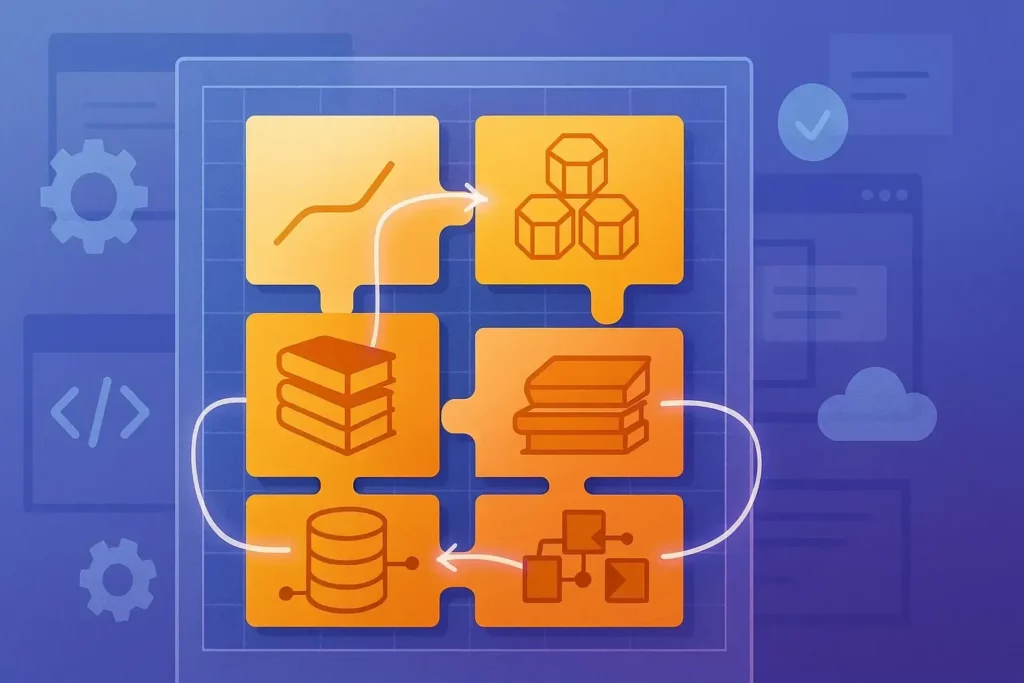
Frameworks speed up development because they package common patterns. They also provide primitives for tools, memory, and control flow. However, the framework does not replace agentic AI architecture thinking. It only makes it easier to implement.
1. LangChain and LangGraph
LangChain popularized tool using agents for many teams. It offers building blocks for prompts, tools, memory, and evaluation. It also documents common agent loops in its Agents section.
LangGraph focuses on orchestration and control flow. It supports complex graphs, durable execution, and human in the loop steps. LangChain explains the goal clearly on its LangGraph page, which highlights multiple control flow styles in one system.
Use these when you want fast iteration on patterns. Also use them when you need a graph shaped workflow. That matches many real agent systems.
2. AutoGen (Microsoft)
AutoGen targets multi agent applications. It supports structured conversations between agents. It also supports human participation when needed.
Microsoft maintains the project at AutoGen, which frames it as a framework for agentic AI. This fits teams that want role based collaboration and clear agent boundaries.
Use it when coordination matters. For example, let a planner agent assign work to a coder agent and a tester agent. Then let a reviewer agent approve the final patch.
3. CrewAI
CrewAI focuses on building a crew of agents with roles and tasks. It aims for a simple developer experience. It also offers examples that show end to end workflows.
The core project lives at CrewAI. Many teams use it for automation flows, such as content pipelines, research workflows, and report generation.
Use it when you want a practical multi agent setup with clear role definitions. Also use it when you want readable orchestration that non specialists can review.
Challenges and Solutions in Agentic AI Architecture
Agents unlock value, but they also amplify failure modes. Each extra step adds latency, ach extra tool adds cost, and each extra permission adds risk. Therefore, the best systems treat constraints as design inputs.
Latency and Cost
Multi step reasoning can feel slow. It can also burn tokens. The solution starts with model cascading. Run a smaller model for easy steps. Escalate to a stronger model only when needed. Then add caching for repeated queries and repeated tool results.
Benefits can still justify the effort. In one enterprise focused study, 75% of surveyed workers report that using AI at work has improved either the speed or quality of their output, which explains why teams keep investing despite cost pressure.
Infinite Loops
Agents can get stuck. They retry the same broken call. They also repeat the same flawed plan. This looks like progress, but it is not.
Set a maximum iteration count. Add global timeouts. Also detect repeating error patterns. When you see the same error twice, force a different strategy. You can also route the case to a human reviewer.
Security and Agentic Safety
Agentic systems can expose new risks. Prompt injection can override intent. Tool calls can access data the user should not see. Also, a compromised website can feed harmful instructions into browsing agents.
Sandbox execution environments reduce blast radius. Least privilege access reduces damage. Tool allowlists reduce surprise. Finally, log every action. Those logs help audits and incident response.
Teams also need threat modeling that matches agent behavior. A classic app security checklist will not cover everything. You must test how the agent behaves when inputs try to manipulate its plan.
Agentic AI succeeds when architecture stays intentional. Clear modules, safe tool boundaries, and tight feedback loops make the system reliable. When you design agentic ai architecture with those principles, you get agents that act with purpose, not guesswork.
Conclusion
Agentic systems only deliver value when architecture stays clear and controlled. That is why we focus on agentic ai architecture design that keeps reasoning, planning, memory, tools, and feedback working as one system. You get smarter outcomes, but you also get safer actions.
At Designveloper, we bring this into production with the discipline of a software team, not a demo team. We are founded in 2013, and with 50 – 249 employees, we can support both MVP builds and long term roadmaps. We also build across responsive, single page real time web applications, cross platform mobile apps, mobile games, and VOIP services, which helps when your agent must work across many channels.
Our work shows how we handle complex workflows and strict requirements. For media platforms, we helped deliver HANOI ON as a unified ecosystem across web, mobile, and TV. For healthcare, we built ODC to support bookings, prescriptions, and telemedicine flows with multiple parties involved. These projects reflect the same core need that agents face. A system must stay reliable even when inputs, tools, and users change.
If you want an agent that does more than chat, we can help you ship it. We translate goals into a tool plan, connect the right data through memory, and add guardrails like least privilege and sandboxed execution. Then we measure cost, latency, and loop behavior, so the agent stays stable. That is how we help teams move from experiments to trusted agent products.


