


If you’ve been curious about working with services like Claude Code, but balk at the idea of hitching your IDE to a black-box cloud service and shelling out for tokens, we’re steps closer to a solution. But we’re not quite there yet.
With each new generation of large language models, we’re seeing smaller and more efficient LLMs for many use cases—small enough that you can run them on your own hardware. Most recently, we’ve seen a slew of new models designed for tasks like code analysis and code generation. The recently released Qwen3.5 model set is one example.
What’s it like to use these models for local development? I sat down with a few of the more svelte Qwen3.5 models, LM Studio (a local hosting application for inference models), and Visual Studio Code to find out.
Setting up Qwen3.5 on my desktop
To try out Qwen3.5 for development, I used my desktop system, an AMD Ryzen 5 3600 6-core processor running at 3.6 Ghz, with 32GB of RAM and an RTX 5060 GPU with 8GB of VRAM. I’ve run inference work on this system before using both LM Studio and ComfyUI, so I knew it was no slouch. I also knew from previous experience that LM Studio can be configured to serve models locally.
For the models, I chose a few different iterations of the Qwen3.5 series. Qwen3.5 comes in many variations provided by community contributors, all in a range of sizes. I wasn’t about to try the 397-billion parameter version, for instance: there’s no way I could crowbar a 241GB model into my hardware. Instead, I went with these Qwen3.5 variants:
qwen3.5-9b@q5_1: A 9.5-billion parameter version, which weighs in at a mere 6.5GB, and uses 5-bit quantization.qwen3.5-9b-claude-4.6-opus-reasoning-distilled: A community variant of the 9.5-billion parameter model—this one “enhanced with reasoning data distilled from Qwen3.5-27B” and using 4-bit quantization.qwen3.5-4b: A third variant, with 4 billion parameters and 6-bit quantization.
In each case, I was curious about the tradeoffs between the model’s parameter size and its quantization. Would smaller versions of the same model have comparable performance?
Running the models on LM Studio did not automatically allow me to use them in an IDE. The blocker here was not LM Studio but VS Code, which doesn’t work out of the box with any LLM provider other than GitHub Copilot. Fortunately, a third-party add-on called Continue lets you hitch VS Code to any provider, local or remote, that uses common APIs—and it supports LM Studio out of the box.
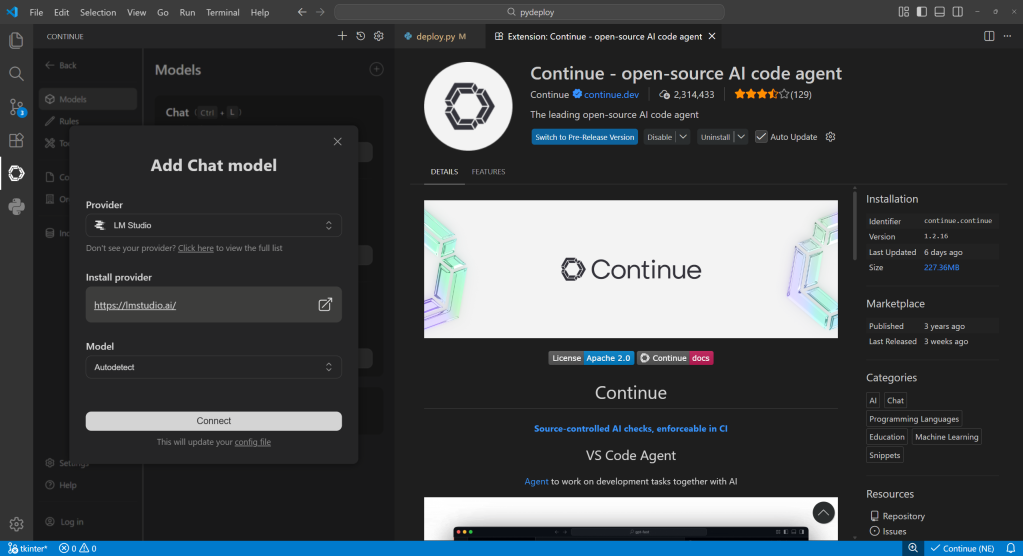
Continue is a VS Code extension that connects to a variety of LLM providers. It comes with built-in connectivity options for LM Studio.
Foundry
Setting up the test drive
My testbed project was something I’m currently developing, a utility for Python that allows a Python package to be redistributed on systems without the Python runtime. It’s not a big project— one file that’s under 500 lines of code—which made it a good candidate for testing a development model locally.
The Continue extension lets you use attached files or references to an open project to supply context for a prompt. I pointed to the project file and used the following prompt for each model:
The file currently open is a utility for Python that takes a Python package and makes it into a standalone redistributable artifact on Microsoft Windows by bundling a copy of the Python interpreter. Examine the code and make constructive suggestions for how it could be made more modular and easier to integrate into a CI/CD workflow.
When you load a model into memory, you can twiddle a mind-boggling array of knobs to control how predictions are served with it. The two knobs that have the biggest impact are context length and GPU offload:
- Context length is how many tokens the model can work with in a single prompt; the more tokens, the more involved the conversation.
- GPU offload is how many layers of the model are run on the GPU to speed it up; the more layers, the faster the inference.
Turning up either of these consumes memory—system and GPU memory, both—so there are hard ceilings to how high they can go. GPU offload has the biggest impact on performance, so I set that to the maximum for each model, then set the context length as high as I could for that model while still leaving some GPU memory.
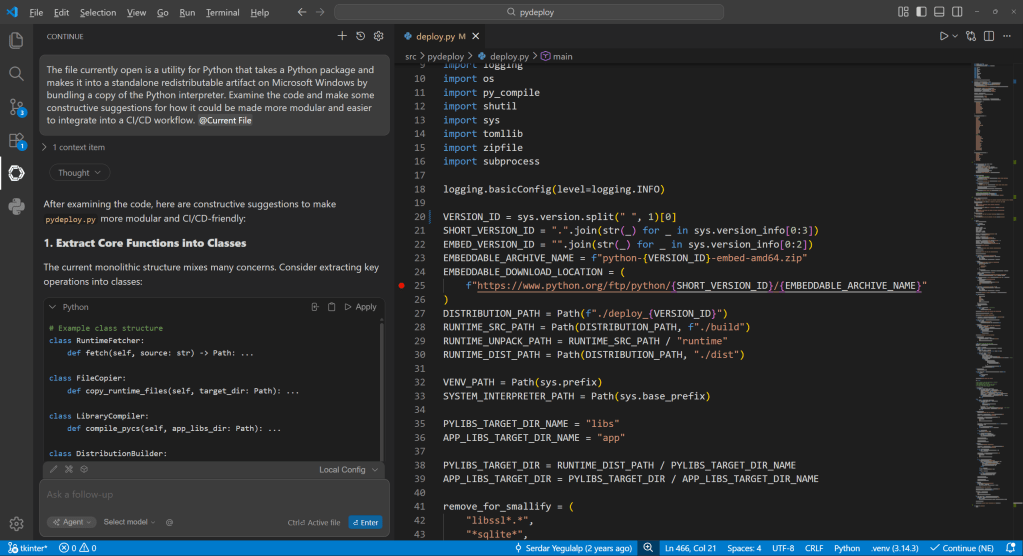
Serving predictions locally with LM Studio, by way of the Continue plugin for VS Code. The Continue interface doesn’t provide many of the low-level details about the conversation that you can see in LM Studio directly (e.g., token usage), but does allow embedding context from the current project or any file.
Foundry
Configuring the three models
qwen3.5-9b@q5_1 was the largest of the three models I tested, at 6.33GB. I set it to use 8,192 tokens and 28 layers, for 7.94GB total GPU memory use. This proved to be way too slow to use well, so I racked back the token count enough to use all 32 layers. Predictions came far more snappily after that.
qwen3.5-9b-claude-4.6-opus-reasoning-distilled weighed in at 4.97GB, which allowed for a far bigger token length (16,000 tokens) and all 32 layers. Out of the gate, it delivered much faster inference and tokenization of the input, meaning I didn’t have to wait long for the first reply or for the whole response.
qwen3.5-4b, the littlest brother, is only 3.15GB, meaning I could use an even larger token window if I chose to, but I kept it at 16,000 for now, and also used all 32 layers. Its time-to-first reply was also fast, although overall speed of inference was about the same as the previous model.
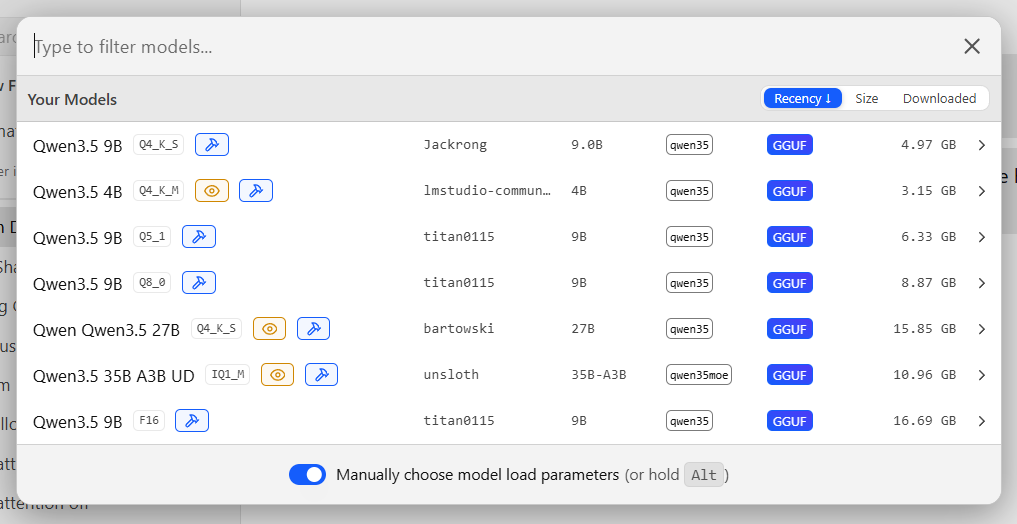
A variety of Qwen3.5 models with different sizes and quantizations. Some are far too big to run comfortably on commodity hardware; others can run on even a modest PC.
Foundry
The good, the bad, and the busted
With each model, my query produced a slew of constructive suggestions: “Refactor the main entry point to use step functions,” or “Add support for environment variables.” Most were accompanied by sample snippets—sometimes full segments of code, sometimes brief conceptual designs. As with any LLM’s output, the results varied a lot between runs—even on the same model with as many of the parameters configured as possible to produce similar output.
The biggest variations between the outputs were mainly in how much detail the model provided for its response, but even that varied less than I expected. Even the the smallest of the models still provided decent advice, although I found the midsized model (the “distilled” 9B model) struck a good balance between compactness and power. Still, having lots of token space didn’t guarantee results. Even with considerable context, some conversations stopped dead in the middle for no apparent reason.
Where things broke down across the board, though, is when I tried to let the models put their advice into direct action. Models can be provided with contextual tools, such as changing code with your permission, or looking things up on the web. Unfortunately, most anything relating to working with the code directly crashed out hard, or only worked after multiple attempts.
For instance, when I tried to let the “distilled” 9B model add recommended type hints to my project, it failed completely. On the first attempt, it crashed in the middle of the operation. On the second try, it got stuck in an internal loop, then backed out of it and decided to add only the most important type hints. This it was able to do, but it mangled several indents in the process, creating a cascading failure for the rest of the job. And on yet another attempt, the agent tried to just erase the entire project file.
Conclusions
The most disappointing part of this whole endeavor was the way the models failed at actually applying any of their recommended changes, or only did so after repeated attempts. I suspect the issue isn’t tool use in the abstract, but tool use that requires lots of context. Cloud-hosted models theoretically have access to enough memory to use their full context token window (262,144 for the models I evaluated). Still, from my experience, even the cloud models can choke and die on their inputs.
Right now, using a compact local model to get insight and feedback about a codebase works best when you have enough GPU memory for the entire model plus the needed context length for your work. It’s also best for obtaining high-level advice you plan to implement yourself, rather than advanced tool operations where the model attempts to autonomously change the code. But I’ve also had that that experience with the full-blown versions of these models.


