


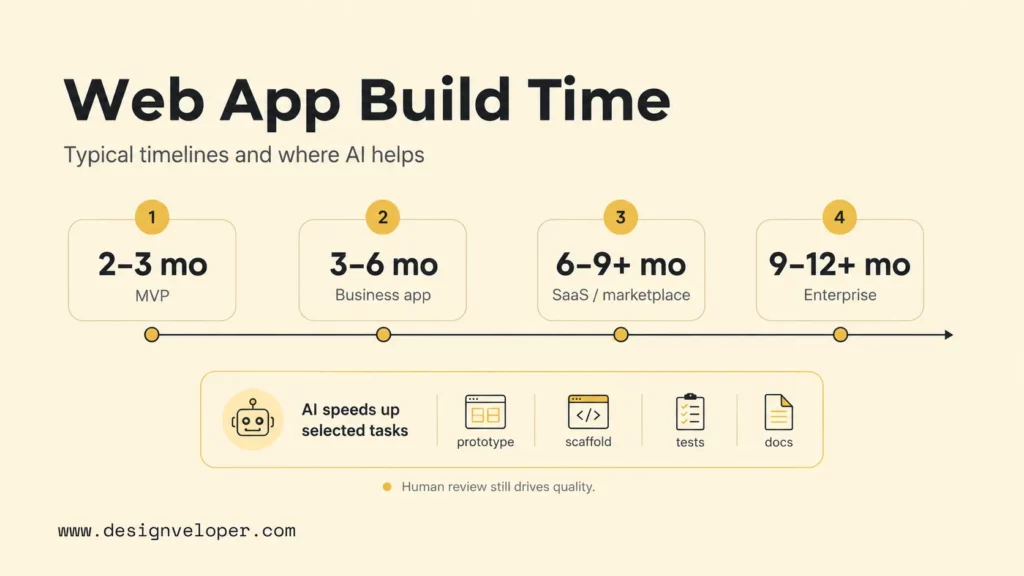
How long does it take to build a web app? Most web apps take 3 to 9 months, but the realistic range depends on complexity. A focused MVP or internal tool can take about 2 to 3 months. A standard business web app often takes 3 to 6 months. A SaaS platform, marketplace, or enterprise-grade product can take 6 to 12+ months because the team must handle architecture, roles, integrations, testing, security, deployment, and post-launch improvement.
AI tools can shorten parts of the web app development timeline by helping with prototypes, boilerplate code, UI scaffolding, test ideas, documentation, and debugging. AI does not remove the need for product decisions, architecture review, security checks, QA, user acceptance testing, or release planning. The fastest reliable teams use AI to reduce repetitive work while keeping human engineers in charge of scope, risk, and quality.
Quick decision guide: plan 2 to 3 months for a narrow MVP, 3 to 6 months for a standard business app, 6 to 9+ months for SaaS or marketplace work, and 9 to 12+ months for enterprise or regulated systems. Add extra time when the app needs complex permissions, payment flows, legacy integrations, compliance, custom dashboards, mobile-like interactions, or several stakeholder review rounds.
| Project scope | Typical timeline | What usually drives the range |
|---|---|---|
| Simple MVP or internal tool | 2 to 3 months | Small feature set, simple roles, limited integrations, basic design system |
| Standard business web app | 3 to 6 months | Custom UI, backend logic, admin workflows, third-party APIs, QA |
| SaaS platform or marketplace | 6 to 9+ months | Accounts, roles, billing, notifications, multi-sided workflows, analytics |
| Enterprise or regulated web app | 9 to 12+ months | Compliance, audit trails, security review, approvals, legacy systems, governance |
| AI-assisted delivery | Can reduce selected tasks | Helps with prototypes, scaffolding, tests, docs, and simple UI work, but needs review |
How Long Does It Take To Make A Web App?
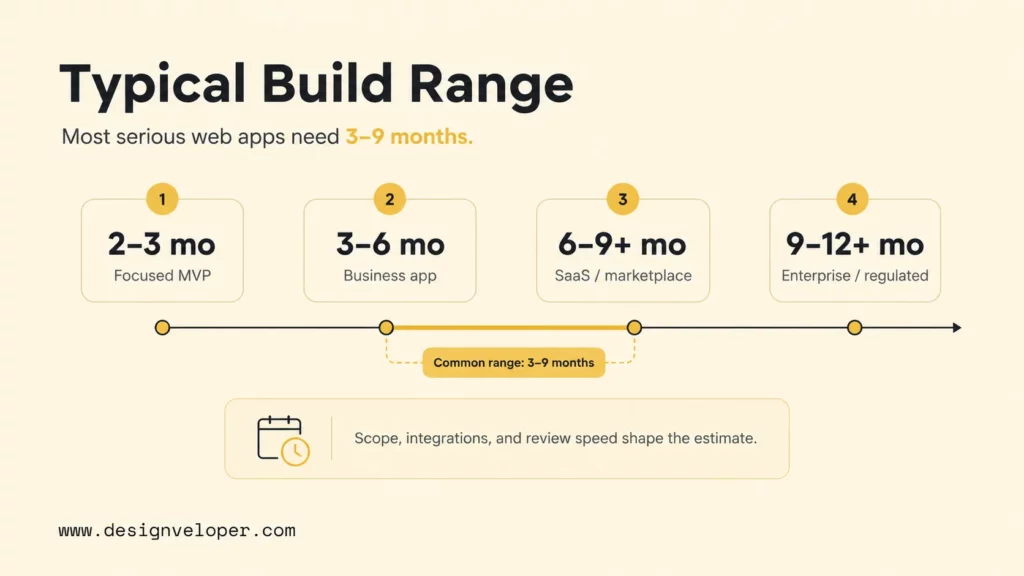
A web app usually takes 3 to 9 months to make when the project includes product planning, UI/UX design, frontend development, backend development, integrations, testing, deployment, and review cycles. The range is wide because a web app can be anything from a password-protected reporting dashboard to a SaaS platform with subscriptions, roles, notifications, data analytics, and customer support tooling.
- Most web apps take 3 to 9 months. This range fits many commercial projects with custom design, backend logic, and at least a few integrations.
- A basic MVP can take around 2 to 3 months. The MVP must have a narrow feature set, fast review cycles, and limited custom infrastructure.
- A standard business web app often takes 3 to 6 months. This range fits apps with dashboards, admin panels, forms, workflow logic, and third-party APIs.
- A complex SaaS or enterprise web app can take 6 to 12+ months. Billing, permissions, audit trails, security, compliance, and scaling needs add time.
- The final timeline depends on scope, features, integrations, team size, and review speed. Slow decisions can stretch an otherwise simple build.
External timeline estimates vary because vendors define app complexity differently. Itransition’s application development timeline guide separates timelines by complexity and project stage, while Startup Grind’s app development timeline article frames timing around product type, features, team, and launch scope. Those ranges are useful as benchmarks, but the real estimate must come from a feature backlog and delivery plan.
The timeline map below gives a practical planning frame before the phase-by-phase breakdown. It is intentionally conservative because production web apps need more than screens. They need working data flows, secure access, test coverage, deployment readiness, and enough feedback time to avoid expensive rework.
A useful estimate should also separate calendar time from engineering effort. Two developers may finish a feature faster than one developer, but no team can fully compress stakeholder reviews, user testing, compliance checks, app-store-like approvals, vendor access, data migration, or production rollout rehearsals. Those calendar dependencies are often where optimistic plans slip.
2-3 monthsSimple internal tool or MVP with narrow scope.
->
3-6 monthsStandard business app with custom UI, backend, and integrations.
->
6-9+ monthsSaaS platform or marketplace with accounts, billing, roles, and scale.
9-12+ monthsEnterprise or regulated app with compliance, security, and complex approvals.
->
AI impactFaster prototyping, scaffolding, tests, and documentation, but human review still controls architecture and release risk.
A web app timeline is not the time needed to write code; it is the time needed to turn a business workflow into a reliable product.
Web App Development Timeline By Phase
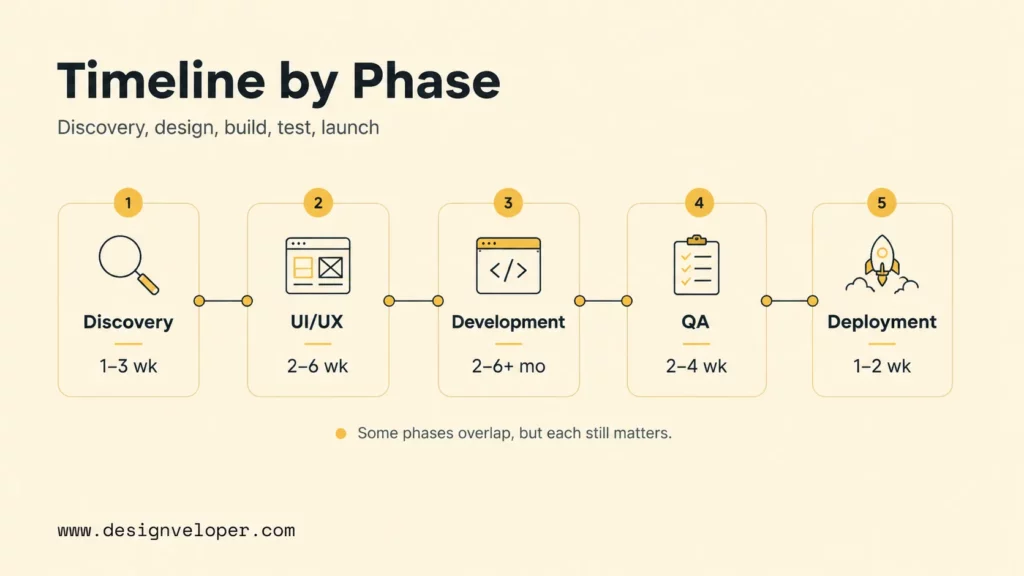
A realistic web app development timeline includes discovery, UI/UX design, development, testing, and deployment. Some phases overlap in Agile delivery, but every serious project still needs each function. Skipping discovery creates scope churn. Skipping design creates usability rework. Skipping QA creates launch risk.
Discovery And Planning: 1 To 3 Weeks
Discovery and planning usually take 1 to 3 weeks for a focused web app. The team defines users, core workflows, business goals, must-have features, technical constraints, integrations, data sources, success metrics, and release priorities. The output should be a scoped backlog, high-level architecture notes, and a delivery plan that separates MVP features from later improvements.
This phase can feel slow to founders who want to start coding immediately, but it often saves time. A clear MVP boundary prevents the team from adding reporting, permissions, billing, admin tools, and automation before the core workflow has been proven.
UI/UX Design: 2 To 6 Weeks
UI/UX design usually takes 2 to 6 weeks. A simple internal dashboard may need wireframes and a lightweight component pattern. A customer-facing product needs user flows, responsive screens, design states, error states, onboarding, accessibility checks, and stakeholder review. Design time increases when the app has several user roles or complex data views.
AI-assisted design and prototyping can speed up early exploration, but final product design still needs human judgment. The team must validate whether the interface fits the workflow, whether users understand the page hierarchy, and whether important states such as empty data, loading, errors, and permission blocks are clear.
Development: 2 To 6+ Months
Development usually takes 2 to 6+ months because this phase includes frontend, backend, database, APIs, authentication, permissions, admin functions, notifications, file handling, payments, and integrations. The exact range depends on whether the app is a small MVP, an operational web app, or a multi-tenant platform.
Modern frameworks, component libraries, cloud services, and AI coding assistants can reduce repetitive implementation work. The 2025 Stack Overflow Developer Survey reported broad adoption or planned adoption of AI tools among developers, and the 2025 DORA Report announcement studied nearly 5,000 technology professionals to understand AI-assisted software delivery. The practical takeaway is that AI can improve parts of development, but the team still has to manage system design, code review, tests, and release risk.
Testing And Quality Assurance: 2 To 4 Weeks
Testing and quality assurance usually take 2 to 4 weeks for a standard app, and longer for regulated or highly integrated systems. QA covers unit tests, integration tests, browser testing, mobile responsiveness, accessibility, performance, security checks, regression testing, and user acceptance testing.
AI can suggest test cases, generate test data, explain failures, and draft test scripts. AI cannot replace acceptance criteria, security review, or real user validation. The NIST Secure Software Development Framework is a useful reminder that secure software requires planned practices across preparation, protection, secure production, and vulnerability response, not only faster implementation.
Deployment: 1 To 2 Weeks
Deployment usually takes 1 to 2 weeks when the team already has a clear hosting plan, CI/CD pipeline, environment variables, database migration process, monitoring, backup strategy, and rollback plan. Deployment can take longer when the app needs enterprise approvals, cloud security review, custom domains, data migration, analytics setup, or production incident procedures.
The deployment phase should not be treated as a final button click. A serious launch includes staging review, production configuration, smoke tests, monitoring, error alerts, release notes, and a plan for fast fixes after real users start using the app.
Web App Timeline By Project Type
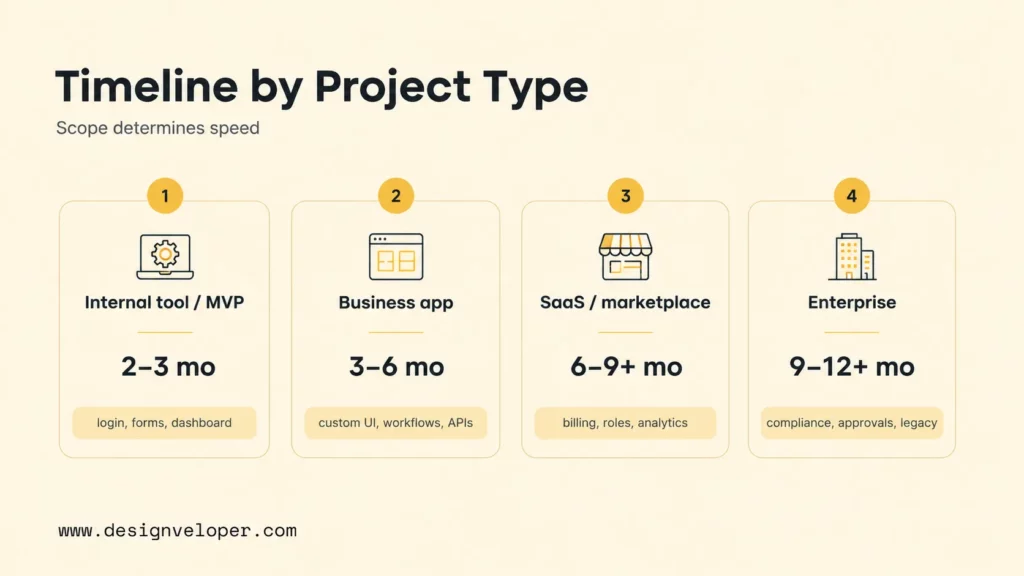
Project type is the fastest way to estimate the web app development timeline. A simple internal tool and a regulated enterprise application may both be called web apps, but they have very different levels of product risk, integration depth, and review burden.
| Project type | Typical timeline | Example scope |
|---|---|---|
| Simple internal tool or MVP | 2 to 3 months | Login, forms, dashboard, simple CRUD, limited admin |
| Standard business web app | 3 to 6 months | Custom UI, workflows, APIs, reports, integrations, user roles |
| SaaS platform or marketplace | 6 to 9+ months | Multi-tenant accounts, payments, onboarding, notifications, analytics |
| Enterprise or regulated web app | 9 to 12+ months | Compliance, audit logs, legacy systems, security review, approvals |
Simple Internal Tool Or MVP: 2 To 3 Months
A simple internal tool or MVP usually takes 2 to 3 months when the team keeps the first release narrow. Good examples include a lead tracker, approval dashboard, inventory lookup tool, lightweight booking portal, or proof-of-concept customer workflow. The MVP should prove one business process, not every possible future feature.
AI has the strongest visible impact in this range because scaffolding, boilerplate, form logic, basic tests, and documentation can move faster. The risk is overbuilding. If the AI-assisted team keeps adding optional features, the MVP can lose the speed advantage.
Standard Business Web App: 3 To 6 Months
A standard business web app usually takes 3 to 6 months. This type of project often includes custom UI, dashboards, workflow states, role-based access, backend APIs, email or notification flows, reports, file uploads, and integrations with systems such as CRM, accounting, payment, or customer support tools.
The main schedule risk is integration detail. A third-party API may look simple until the team handles authentication, rate limits, error states, sync timing, data mapping, and retries. Human review matters here because integrations affect data quality and customer experience.
SaaS Platform Or Marketplace: 6 To 9+ Months
A SaaS platform or marketplace usually takes 6 to 9+ months because the product has multiple user roles, onboarding flows, billing, subscriptions, notifications, admin tooling, analytics, customer support workflows, and scale concerns. Multi-tenant data separation and permission design also require careful architecture.
AI can help with prototype screens, repeated component patterns, test ideas, and documentation. AI does not remove the hard decisions around pricing, account structure, billing edge cases, marketplace trust, moderation, data ownership, and operational support.
Enterprise Or Regulated Web App: 9 To 12+ Months
An enterprise or regulated web app often takes 9 to 12+ months because the app must satisfy security, compliance, procurement, approval, reporting, audit, and integration requirements. Healthcare, finance, HR, legal, education, and government-adjacent workflows usually need more review than a normal customer portal.
The long timeline is not only technical. Enterprise delivery includes stakeholder alignment, data governance, access control, legal review, vendor approvals, incident planning, documentation, and change management. AI can support research, test generation, and documentation, but it cannot sign off on compliance or business risk.
What Affects The Web App Development Timeline
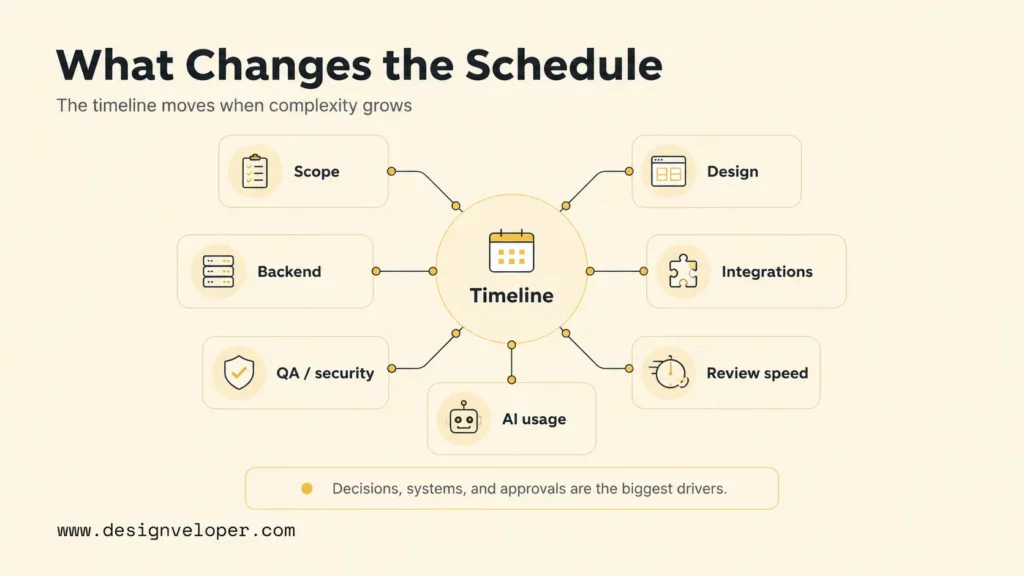
The web app development timeline is shaped by product scope, feature complexity, design expectations, backend logic, integrations, testing, security, compliance, AI usage, team size, and review speed. The strongest schedule driver is usually not the number of pages. The strongest schedule driver is how many decisions, systems, and user states the app must coordinate.
- Product scope and feature complexity. A focused workflow is faster than a broad product with dashboards, roles, analytics, billing, notifications, and admin controls.
- UI/UX requirements. Custom design systems, mobile responsiveness, accessibility, empty states, and complex data views add design and QA time.
- Backend logic and database structure. Complex permissions, workflows, calculations, file processing, and reporting need more engineering review.
- Third-party integrations and APIs. Payment providers, CRM systems, ERP tools, AI services, email platforms, and legacy systems add mapping and error-handling work.
- Testing, security, and compliance needs. More sensitive data means more time for threat modeling, secure coding, QA, documentation, and approval.
- AI-assisted development. AI tools can speed up prototyping, scaffolding, testing ideas, and documentation, but they also need guardrails, code review, and verification.
Review speed is the hidden factor. A strong development team can still lose weeks when stakeholders take too long to approve designs, clarify workflows, provide API credentials, review test builds, or decide whether a feature belongs in the MVP. Good delivery plans include review dates and decision owners.
Team experience also changes the estimate. A team that has already shipped similar dashboards, SaaS onboarding, payment flows, or cloud deployments can reuse patterns with more confidence. A team working in a new domain needs more discovery, validation, and risk review before the same feature count becomes reliable.
How To Shorten The Timeline Without Hurting Quality
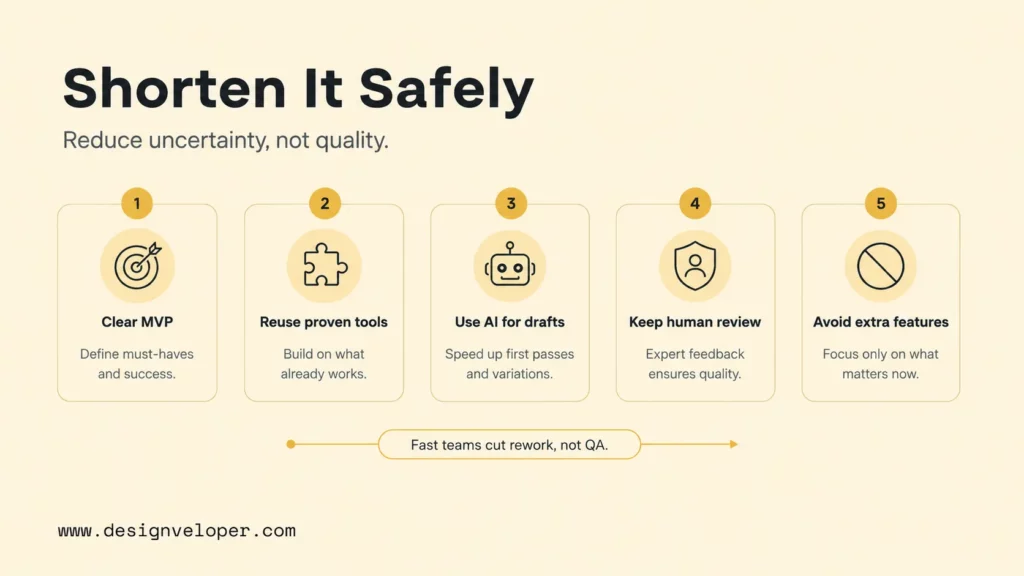
The safest way to shorten a web app timeline is to reduce uncertainty before reducing engineering time. A shorter schedule comes from a clear MVP, reusable components, known cloud services, realistic integrations, AI-assisted repetitive work, and fast human review. Cutting QA, security, or architecture review usually creates a slower recovery later.
- Start with a clear MVP scope. Define the smallest release that proves the core workflow and delay nice-to-have features.
- Reuse proven frameworks, components, and cloud services. Frameworks, design systems, managed databases, authentication services, and hosting platforms can reduce custom work.
- Use AI tools for prototyping, boilerplate code, test ideas, documentation, and simple UI scaffolding. Keep generated code small enough to review.
- Keep architecture, security, integrations, and QA under human review. AI can accelerate drafts, but humans must approve risk-bearing decisions.
- Avoid adding non-essential features before launch. Every extra role, filter, dashboard, notification, and integration increases testing and review.
A practical AI-assisted workflow starts with a product brief, asks the AI tool to identify unclear requirements, creates an implementation plan, builds one vertical slice, runs tests, and then expands. This prevents the team from accepting a large generated diff that looks fast but takes longer to review and repair.
AI can shorten the path to a first draft, but quality still depends on the path from draft to verified release.
How Designveloper Plans Web App Development Timelines
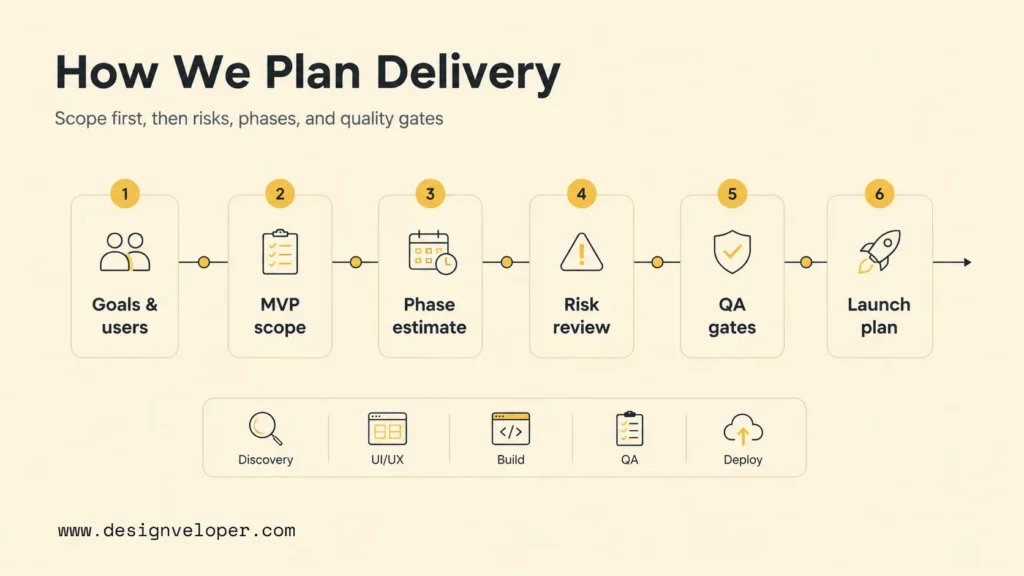
Designveloper plans web app development timelines by starting with scope, product goals, users, workflows, technical constraints, and launch priorities. A practical timeline includes discovery, UI/UX, frontend development, backend development, integrations, QA, deployment, and post-launch improvements. The goal is not to promise the shortest possible schedule; the goal is to create a delivery plan that the team can actually execute.
Designveloper’s software development services cover web applications, mobile apps, UI/UX design, custom software, support, and related engineering work. For teams that want to use AI during delivery, our AI development services help connect AI-assisted development, workflow automation, custom AI systems, testing, and production guardrails.
A realistic Designveloper-style plan usually starts by separating must-have MVP features from later improvements. Then the team estimates each phase, reviews technical risks, decides which integrations belong in the first release, and sets quality gates for QA and deployment. AI-assisted development can help with selected implementation tasks, but product fit, security, architecture, and launch readiness stay under engineering review.
Public Designveloper project examples show why timeline planning depends on product type. A document platform such as Lumin needs document collaboration and cloud workflow thinking, while an internal operations product such as HRM needs workflow, permissions, and employee-service design. Different workflows need different estimates, even when both are web-based products.
FAQs About Web App Development Timelines
Can You Build A Web App In One Month?
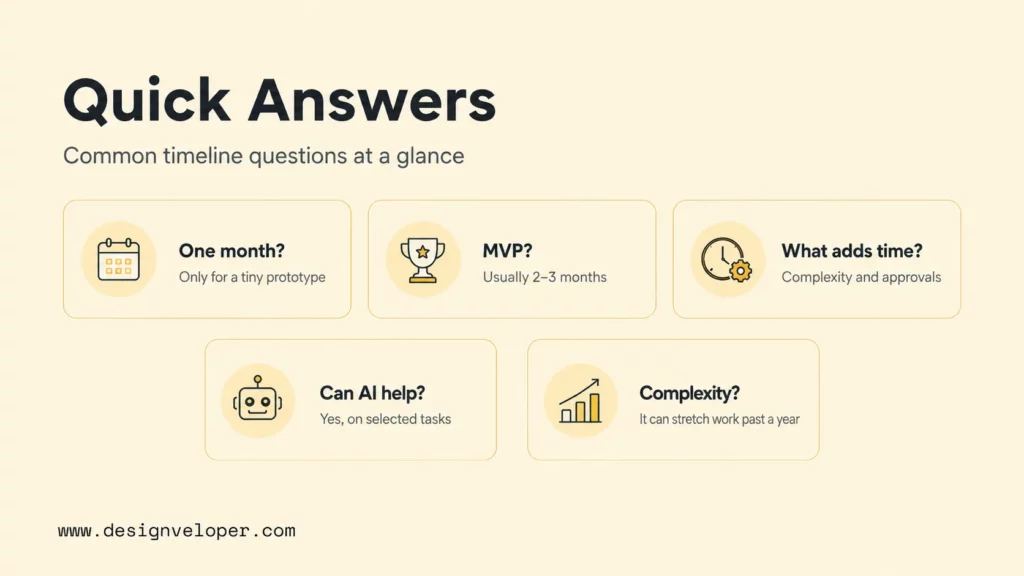
You can build a very small prototype or proof of concept in one month, especially with AI-assisted scaffolding and reusable components. A production-ready web app in one month is realistic only when the scope is tiny, the design is simple, the backend is minimal, integrations are limited, and stakeholders can review quickly. Most real business apps need more time for QA, security, deployment, and feedback.
How Long Does It Take To Build An MVP Web App?
An MVP web app usually takes 2 to 3 months when the product has a clear core workflow, limited user roles, simple design, and few integrations. The MVP should include only the features needed to prove user value and business feasibility. Extra dashboards, automation, advanced permissions, and analytics can move into later releases.
What Makes A Web App Take Longer To Build?
A web app takes longer to build when it has complex roles, custom UI, payment flows, data migration, legacy integrations, compliance requirements, real-time features, file processing, analytics, admin dashboards, or slow stakeholder review. Every additional system and approval step increases implementation and testing time.
Can AI Tools Speed Up Web App Development?
AI tools can speed up web app development by helping with prototypes, boilerplate code, repeated UI patterns, test ideas, documentation, debugging, and code explanation. AI tools do not remove product discovery, architecture, security, integration design, QA, or launch approval. The strongest gains come when AI is used inside a disciplined engineering workflow.
How Much Does Web App Complexity Affect The Timeline?
Web app complexity can change the timeline from a few months to more than a year. A simple internal app may take 2 to 3 months. A standard business app may take 3 to 6 months. A SaaS or marketplace product may take 6 to 9+ months. A regulated enterprise platform may take 9 to 12+ months because security, compliance, integrations, and approvals add more work.
The direct answer to how long does it take to build a web app is that most serious web apps need 3 to 9 months, with shorter timelines for focused MVPs and longer timelines for SaaS, marketplace, enterprise, or regulated products. A reliable estimate should always come from the actual scope, review process, integration plan, QA needs, and the team’s ability to use AI without weakening engineering quality.


