


AI-driven development is reshaping how software teams plan, build, and ship products. Today, 76% of developers are already using AI tools and report productivity gains at an individual level. Yet many businesses still face a harder question: where in the software development process does AI truly add value, and is it worth investing in at scale?
This article helps answer the questions by covering:
- What AI-driven development is
- Why AI-driven development matters
- How the AI-Driven Development Life Cycle (AI-DLC) works across all phases
- Which tools matter by phase
- When businesses should or should not adopt AI-driven development
- How to start effectively.
What Is AI-Driven Development?
| Definition AI-driven development is a software engineering approach that positions AI as a continuous collaborator across the entire development lifecycle – from requirements and coding to testing, deployment, and monitoring – rather than as a tool for isolated tasks. |
Many people often mix the term with “AI-assisted development.” But the two terms work differently.
In practice, many teams use AI tools for autocomplete or test generation, which is AI-assisted development. Yet AI-driven development goes further. Accordingly, AI is embedded throughout every phase, actively executing routine work while humans retain oversight of critical decisions.
The table below clarifies their key differences:
| Aspects | AI-Assisted Development | AI-Driven Development |
|---|---|---|
| Scope | Isolated tasks (e.g., autocomplete, one-off test generation) | Embedded across all lifecycle phases from planning to monitoring |
| AI Role | Tool invoked on demand | Continuous collaborator that plans, builds, validates, and monitors |
| Human Role | Primary executor; uses AI as assistant | Orchestrator and decision-maker; AI handles routine execution |
| Output | Incremental task-level gains | Compounding efficiency and quality gains across the full lifecycle |
| Context | Prompt-by-prompt; limited memory | Shared, persistent context built across phases |
Why Software Teams Need A More Transformative AI Approach
Most development teams are already using AI coding tools for different tasks like autocompleting code or running an automated test suite. But none of them is transformative.
Just giving developers AI tools doesn’t make a significant impact. If software teams want to unlock real value from AI tools, they need to restructure how they develop software and deeply integrate AI across the entire development process. When AI only sits at coding, gains are small, inconsistent, and difficult to measure.
Meanwhile, the pressure on software teams is increasing. Accordingly, they need to release faster, deal with more complex systems, and confront increasing expectations around security, performance, and scalability.
All of those problems require software teams to adopt a more transformative AI approach to change the underlying structure of how work gets done.
When AI is embedded across the lifecycle rather than bolted onto individual tasks, teams see compounding benefits. They include faster delivery, higher software quality, improved productivity, earlier bug detection, and better resource allocation. According to McKinsey, top-performing organizations are improving software quality 31-45% by deploying AI across ideation, coding, testing, and operations instead of focusing on one phase.
But when devising a transformative AI strategy, teams don’t just need to download tools. Instead, they must rethink their processes, architecture, and how they coordinate tasks between humans and AI systems.
What Is The AI-Driven Development Life Cycle (AI-DLC)?
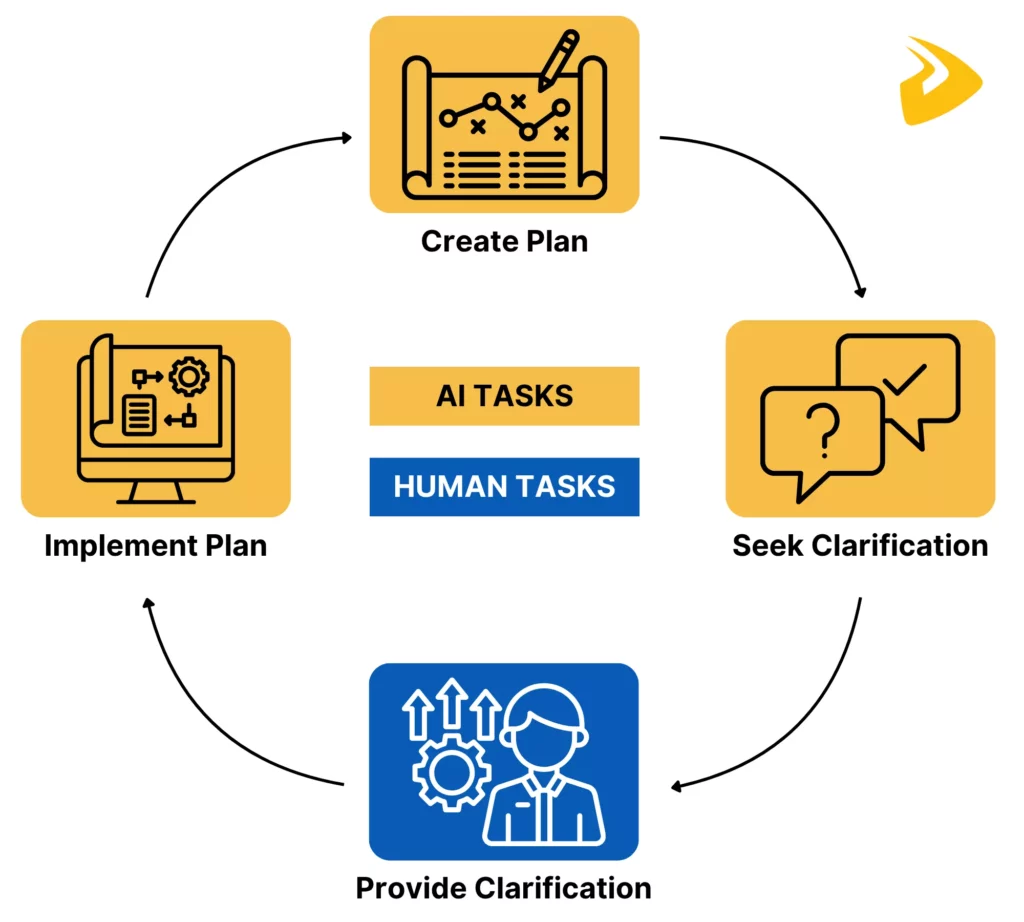
AWS formally defines the AI-Driven Development Life Cycle (AI-DLC) as a software engineering methodology that combines AI-initiated execution with structured human governance across the entire development process. In an AI-driven development framework, AI is not a single-task tool, but a continuous collaborator that plans, builds, validates, and monitors alongside human teams.
Below are the roles of both AI and humans in this AI-DLC:
- AI-Powered Execution: AI takes the lead on generating work plans, drafting specifications, producing code, and flagging risks. At every decision point, it surfaces options and waits for human inputs (e.g., business requirements and contextual information).
- Human Teams: While AI handles the bulk of routine execution, developers shift from individual, heads-down work to active participation in real-time problem solving and critical decisions.
How AI-Driven Development Life Cycle (AI-DLC) Works?
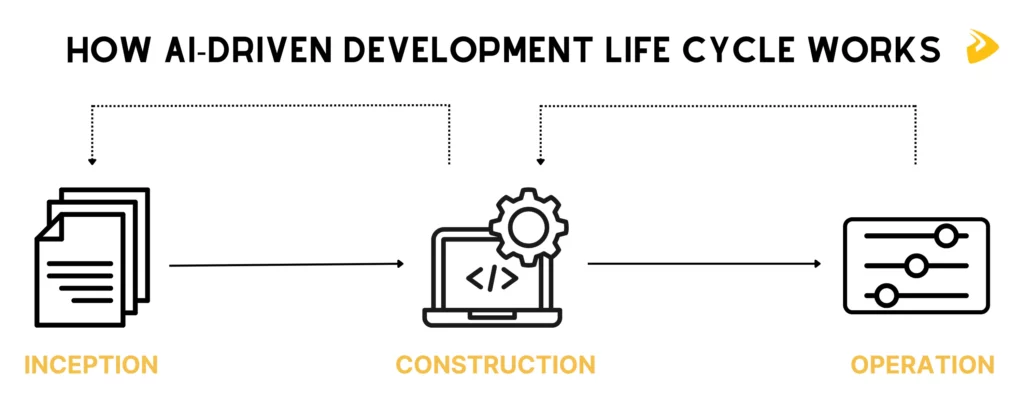
AI-driven development life cycle (AI-DLC) works as a continuous, context-driven loop where AI and humans collaborate from idea to production.
A typical AI-driven development framework has three connected phases as follows:
Phase 1: Inception
AI turns business intent into structured requirements, user stories, and units of work. It scans inputs, asks clarifying questions, and proposes interpretations that the whole team reviews together.
Human involvement is critical here. Product managers, developers, and stakeholders confirm priorities, correct AI assumptions, and shape direction based on real business context. Teams collaborate in real time, reducing costly misunderstandings before any code is written.
Phase 2: Construction
This phase brings validated requirements to life. AI proposes architecture, generates domain models, writes code, and even creates test cases using the context it has already learned.
Meanwhile, developers actively guide technical decisions and refine architecture. They also ensure the system meets performance, security, and scalability needs.
In short, AI handles repetitive execution, while humans focus on trade-offs, edge cases, design thinking, and any areas where judgment still matters most.
Phase 3: Operations
In Operations, AI uses accumulated knowledge to manage deployments and infrastructure through Infrastructure as Code. It builds pipelines, monitors systems, and optimizes performance.
Meanwhile, engineers oversee the process, step in during critical moments, and use insights to plan the next iteration. The result is a continuous cycle: AI accelerates execution, while humans drive direction, creativity, and control.
No single tool makes development AI-driven. The table below summarizes key tools by phase, their best fit, and when to choose them:
| Phase | Tool | Best For | When to Choose |
|---|---|---|---|
| Inception | Notion AI | Project docs, requirement summaries, knowledge organization | Teams needing flexible, AI-native documentation with multi-step agent support |
| Jira AI | Sprint planning, backlog management, ticket drafting at scale | Agile teams managing complex development with deep developer ecosystem needs | |
| Confluence AI | End-to-end requirement traceability linked to Jira issues | Teams requiring tight doc-to-ticket integration and AI-assisted writing | |
| Construction(for Coding) | GitHub Copilot | General-purpose code generation across any language or cloud | Teams wanting broad language support with multi-file agent mode |
| Cursor | Complex multi-file refactoring with parallel AI agents | Teams needing AI-native IDE with up to 8 parallel agents on a single prompt | |
| Amazon Q Developer | AWS-native development with built-in security and IaC scanning | Teams building on AWS who need inline security scanning with one-click fixes | |
| Construction (for Testing / QA) | Mabl | Self-healing test automation with ML-driven script maintenance | Teams wanting natural language test validation with low manual maintenance |
| Testim | UI testing that adapts to interface changes over time | Teams with frequent UI changes needing self-healing test scripts | |
| Operations(for Deployments & DevOps) | GitHub Actions | Event-driven CI/CD pipelines with Copilot integration | Teams already in the GitHub ecosystem wanting end-to-end delivery automation |
| GitLab | All-in-one DevSecOps: source control, CI/CD, security scanning | Teams wanting a single platform without external CI/CD tool installation | |
| Harness | ML-powered release risk prediction and automatic rollback | Teams needing intelligent release management and failure detection pre-production | |
| Operations(for Monitoring) | Datadog | AI SRE agents for incident correlation and autonomous fix suggestions | Teams needing full-stack observability with AI-assisted investigation |
| Sentry | Error grouping, root cause surfacing, code-level fix suggestions | Teams wanting to cut triage time on production errors with AI-powered insights |
So, how can you choose the right tools?
When selecting AI-driven development tools, apply these four criteria before committing to any platform:
- Phase coverage: Prioritize tools that integrate across multiple phases rather than isolated point solutions. Cross-phase tools preserve context and reduce handoff friction.
- Integration depth: A tool that connects natively with your existing infrastructure, version control, and CI/CD pipeline compounds in value. Meanwhile, isolated tools add overhead.
- Governance readiness: Choose tools that support output review, audit trails, and defined approval paths, especially for AI-generated code entering production.
- Team maturity: Start with tools that have low prompt complexity (e.g., GitHub Copilot) before moving to agentic tools that require structured specifications (e.g., Cursor agent mode).
Designveloper’s production stack spans GitHub Copilot and Cursor for construction, GitHub Actions and Bitbucket Pipelines for CI/CD, and Datadog for monitoring. Our tools are selected for cross-phase AI integration rather than individual feature lists.
Benefits Of AI-Driven Development
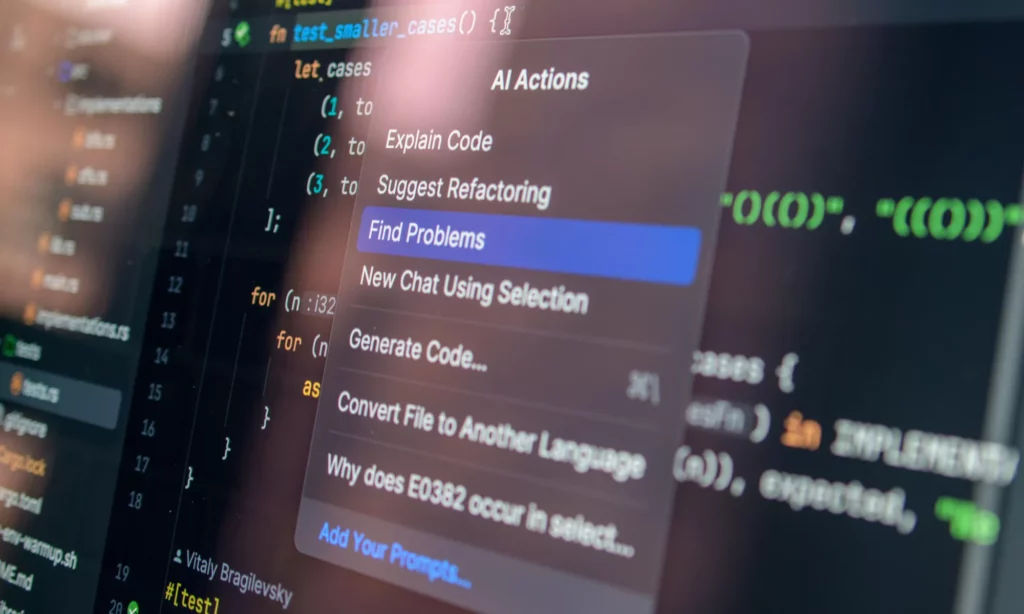
When AI is integrated across the entire development lifecycle rather than into individual tasks, software teams see compounding benefits.
AI-driven development helps software teams spend less time on low-value, repetitive work. Leaving such work to AI tools, developers focus more on architecture decisions, product thinking, and higher-complexity problem-solving. This way, they can accelerate delivery without being under pressure to handle heavy workloads.
- Improved Quality & Maintenance
AI doesn’t just accelerate output, but also raises the baseline quality of what teams deliver.
Accordingly, based on project requirements and contextual information, AI can generate automated tests suitable for the codebase and support code review to detect anomalies. Further, it continuously monitors system health and sends data (e.g., about performance or issues) back to software teams. All of these improve code quality and software maintenance.
AI tools act as a real-time tutor for existing developers upskilling by explaining complex concepts, unfamiliar code, and specific syntax.
Besides, while AI handles repetitive tasks, developers can spend more time on higher-level architectural logic and complex problem-solving. This way, they can grow new skills instead of burying themselves in heavy workloads.
Meanwhile, AI also benefits onboarding by reducing time to onboard new developers and helping them get familiar with the work faster.
Can AI-Driven Development Really Work Today?
| Short answer Yes, AI-driven development works today, but only when it is integrated across the full development lifecycle rather than used as isolated tools. Teams that align AI with workflows, data, and review processes see consistent gains, while ad hoc adoption often leads to limited or uneven results. |
AI-driven development is already delivering measurable impact, but the results are uneven. Some teams report faster delivery and higher productivity, while others struggle with quality, consistency, or integration issues. The difference usually comes down to how AI is applied.
Where It Delivers Real Value
AI-driven development performs most reliably when the work is structured, repeatable, and well-defined. Tasks like boilerplate code generation, test automation, and documentation involve clear inputs and predictable outputs. Meanwhile, AI tools are trained deeply to implement these tasks well. That’s why AI works best on them.
The gains scale significantly when AI is embedded across multiple lifecycle phases rather than limited to individual tasks. Instead of treating AI as a point solution, high-performing teams integrate it into coding, testing, review, and deployment workflows. This reduces context switching, improves consistency, and minimizes delays between handoffs.
In practice, the most successful implementations share three elements:
- Clear workflows with defined inputs and outputs
- Consistent patterns that AI can learn and replicate
- Human review checkpoints to validate critical decisions
Where Teams Still Struggle
Despite growing adoption, many teams face challenges when scaling AI-driven development beyond isolated use cases. While developers may individually benefit from AI coding assistants, organizations often struggle to translate those gains into system-wide improvements.
Those failing to adopt AI-driven development often share common issues:
- Unchanged workflows: The most common failure mode is not a bad AI tool. But it lies in an unchanged process. If AI is layered on top of broken planning, review, and deployment steps, it still produces small and inconsistent returns.
- Missing context: AI cannot fully interpret ambiguous requirements, undocumented systems, or unclear acceptance criteria. When it tries, it produces plausible-sounding output that creates downstream problems.
- Over-reliance: When developers accept AI output without adequate review, errors accumulate faster and become severe technical debt.
- Immature governance: Only one in five companies has a mature model for governing autonomous AI agents, according to Deloitte’s 2026 State of AI in the Enterprise report. This leaves most teams without clear guardrails for reviewing, validating, or auditing AI-generated work.
What Makes Adoption Succeed Or Fail
Some software teams get real value from AI-driven development, while others don’t. The difference doesn’t lie in tools, but strategy and mindset. Below are situations where AI adoption succeeds and fails:
| When AI Adoption Succeeds | When AI Adoption Fails |
|---|---|
| AI is embedded across the full lifecycle, from planning and coding to testing, deployment, and monitoring. | Teams use AI tools for existing broken workflows without redesigning the underlying process. |
| Teams invest in structured specifications before prompting AI agents. This gives AI the context it needs. | Teams hand vague, underspecified prompts to AI agents, hence producing output that needs extensive rework. |
| Human oversight stays central. Accordingly, developers review and take ownership of AI-generated work. | There is no governance framework for reviewing or validating AI-generated code. This leads to inconsistent and unstandardized reviews, making quality and security checks fail. |
| Leadership sets clear direction and ties AI adoption to measurable delivery outcomes. | Teams focus on choosing tools instead of defining a workflow strategy with clear accountability. |
How To Start Adopting AI-Driven Development
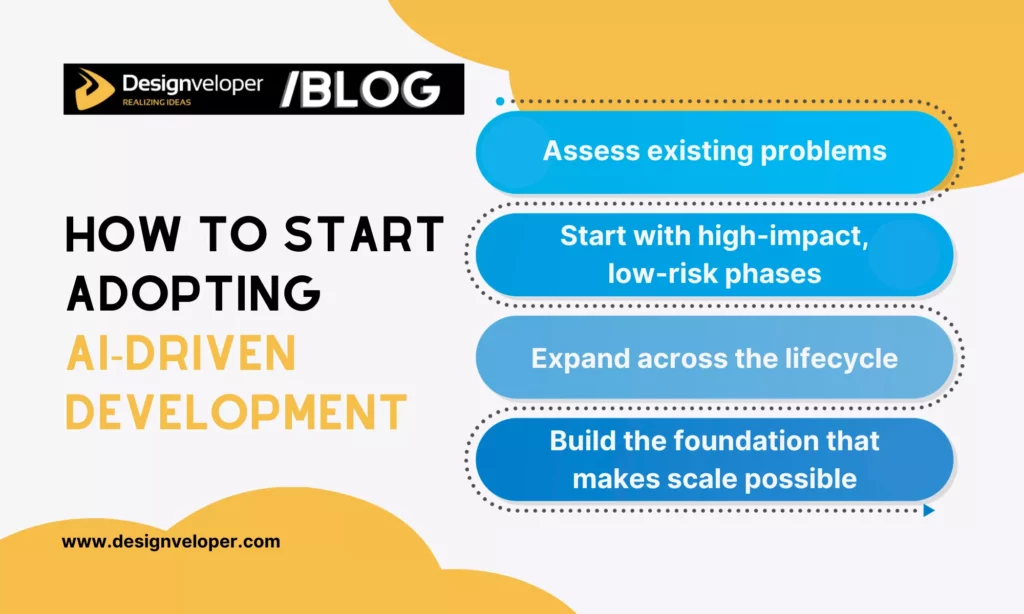
Below are a few steps to adopt AI-driven development effectively:
Step 1: Assess existing problems
Before selecting tools, evaluate your current SDLC (Software Development Life Cycle) to identify the key bottlenecks where AI could have the most impact. Further, assess your codebase health. For example, legacy codebases with sparse documentation and tangled architecture require more careful planning for AI adoption. Also, evaluate team AI literacy and tool usage honestly, as both will shape how fast adoption can move.
Step 2: Start with high-impact, low-risk phases (usually Construction)
The coding and testing phase has the most mature tooling and the clearest ROI. So, a practical starting point is selecting two to three developers to pilot AI coding assistants for 30 days, evaluate the impact, then expand gradually based on results. Additionally, introduce automated test generation alongside coding assistants. Also set clear acceptance criteria before prompting AI to ensure reliable outputs.
Step 3: Expand across the lifecycle once the first phase shows results
Move AI into Inception for requirements analysis, planning, and documentation. Then extend into Operations for CI/CD optimization, anomaly detection, and monitoring. Besides, establish feedback loops between phases to carry context forward consistently.
Step 4: Build the foundation that makes scale possible
This foundation covers:
- Governance: Define who reviews AI-generated output, who owns it, and what the escalation path is when something fails.
- Role repositioning: Shift human teams from manual execution toward orchestration, validation, and oversight.
- Tool selection: Prioritize tools that span multiple lifecycle phases over disconnected point solutions.
- Metrics: Define delivery velocity, code quality, and incident rates as baseline measurements before expanding AI adoption.
A Practical Example with ChatGPT: How Developers Use AI in Daily Work

According to Google’s 2025 DORA report, 60% of developers now use AI to write new code. The value is highest when tasks are well-scoped and inputs include sufficient context. The following example shows how a developer uses AI throughout a single feature build.
Five-Step Workflow: Building a User Registration API Endpoint
Here’s a practical example of how a developer uses ChatGPT to build a new API endpoint with input validation and error handling.
Step 1: Requirements clarification
Before writing any code, the developer prompts ChatGPT to break down the feature: “I need a REST API endpoint for user registration. What input fields should be validated, what edge cases should I handle, and what HTTP status codes apply?”
ChatGPT then returns a structured breakdown (e.g., required fields, validation rules, error scenarios) to surface edge cases the developer may not have listed explicitly.
Step 2: Code generation
The developer prompts ChatGPT to generate a first-pass implementation in their framework. For example, “Write a FastAPI endpoint for user registration with email and password validation and proper error handling.” Then, ChatGPT delivers the code.
Step 3: Code review
The developer asks ChatGPT to review its own output: “Review this code for security vulnerabilities, anti-patterns, and missing edge cases.” After that, ChatGPT flags a missing rate-limiting consideration and a weak password validation pattern.
Step 4: Documentation
The developer asks ChatGPT to generate inline comments and API documentation from the finalized code.
Step 5: Human review
The developer now validates the output against what ChatGPT cannot know. This involves business rules specific to the product, team naming conventions, how this endpoint interacts with existing services, and whether the error messages align with frontend expectations.
Where AI Helps Most In Daily Development Work
- Code generation and autocomplete: AI scaffolds boilerplate, completes repetitive patterns, and generates implementations from natural language descriptions.
- Code explanation and refactoring: AI explains unfamiliar codebases quickly, simplifies complex or duplicated functions, and identifies areas of technical debt.
- Bug detection and debugging: AI tools surface likely causes from error messages, trace logic errors, and suggest targeted fixes.
- Test case generation: AI can generate unit tests, suggest edge cases, and accelerate coverage on routine paths.
- Documentation: Instead of manual documentation, developers use AI to generate inline comments, README files, API references, and changelogs directly from existing code.
- Requirements and planning support: AI also supports turning rough feature ideas into structured user stories. Besides, it helps developers identify acceptance criteria and draft specs before writing any code.
Where Human Judgment Still Matters
Whether powerful, AI doesn’t always deliver correct and consistent outputs. That’s why developers need to stay actively in the loop to keep development workflows running as intended. Below are some strategic, higher-level tasks that require human involvement:
- Architectural decisions: AI can suggest patterns and generate design options. But it can’t fully understand your business context, regulatory constraints, team capabilities, and even tradeoffs for long-term maintainability. So, humans still play an important role in architectural decisions.
- Business logic validation: AI can verify that code runs, but it can’t verify that code does the right thing for your product. So, developers need to get involved to validate whether the code meets specific requirements.
- Security-critical code: AI-generated outputs can contain security flaws (e.g., outdated libraries or insecure patterns). If developers don’t check it closely, these security-critical outputs can have a significant impact on the entire software.
- Ambiguous or novel problems: AI performs reliably on known patterns. But human reasoning is still needed for edge or completely new cases (e.g., unusual business constraints).
- Code ownership and accountability: AI may generate code, but developers must take ownership of its quality.
- Ethical and compliance decisions: Data handling, privacy requirements, regulatory alignment, and fairness considerations require human responsibility.
FAQs About AI-Driven Development
What Is AI SDLC?
AI SDLC (AI-Driven Software Development Lifecycle) integrates AI tools and autonomous agents into every phase of software development, from planning and coding to testing, deployment, and maintenance.
Unlike traditional SDLC, AI SDLC treats intelligent agents as teammates rather than assistive tools. Agents automate repetitive tasks, generate code from natural language prompts, surface bugs earlier, and accelerate iteration. Humans focus on context, review, and high-level decisions.
What Are The 7 Pillars Of AI-Driven Development?
There are no universal standards for the 7 pillars of AI-driven development. But based on its core nature, the approach may revolve around the following foundational principles that define how humans and AI collaborate to build software.
- Markdown Discipline (a shared communication syntax between humans and models)
- Development Environment via WSL (unifying Linux and Windows for seamless AI development)
- AI CLI Interfaces (using LLM-powered tools like GitHub CLI to execute tasks through natural language)
- MCP, short for Model Context Protocol (connecting tools and enabling agentic AI collaboration)
- Pytest for Enterprise Reliability (ensuring AI-generated features behave predictably through testing)
- Strategy-Driven Development (grounding AI in business goals through spec-driven design before writing code)
- Deployment & CI/CD (scaling AI projects using Docker, Kubernetes, and GitHub Actions)
What Is Spec-Driven Development (SDD)?
Spec-Driven Development (SDD) is a methodology where teams focus on creating detailed specifications before writing any code. These specs are often written in natural language, pseudocode, or structured formats. They act as a contract between human intent and AI execution to guide code generation tools to produce accurate, predictable outputs.
What is IDAD?
IDAD stands for Intent-Driven AI Development. It’s a development approach that turns the developer’s intent or raw idea into a structured, buildable plan to guide software development. More particularly, in IDAD, developers describe what they want to achieve at a high level, and AI tools translate that intent into functional code, tests, documentation, or architecture decisions.
What Are Intent-Driven AI Development (IDAD) Skills In The Age Of AI?
IDAD skills often combine technical knowledge and soft skills that developers need to work effectively with AI in a modern development environment. Some of them include:
- Prompt Engineering: Create clear, context-rich instructions for AI tools.
- Context Engineering: Provide relevant information (context) for AI to understand a developer’s intent clearly.
- Spec Writing: Translate ideas into precise, AI-readable requirements.
- Critical Evaluation: Review and validate AI-generated outputs for correctness.
- System Thinking: Understand how components interact at an architectural level.
- Iterative Collaboration: Refine AI outputs through structured feedback.
- Ethical Judgment: Identify bias, security risks, and quality issues in generated code.
Conclusion
AI-driven development is not about choosing better tools. But it is about redesigning how software teams operate across every phase of the lifecycle. The teams that see real results are those that embed AI into the whole process, invest in governance and structured context, and keep human judgment at the center of decisions that AI cannot fully understand.
The approach is still maturing. But the evidence is clear: multi-phase AI adoption compounds in ways that single-task tool use cannot. The challenge is not whether AI-driven development works, yet it is whether teams are willing to redesign workflows, not just download software.
| How Designveloper Can Help
Integrating AI throughout the development lifecycle is complex, especially when balancing new AI adoption and existing engineering workflows without disrupting delivery speed or release quality. That’s why your team may need a reliable, experienced companion on this journey. Designveloper is a Vietnam-based AI-first software development and automation partner. Unlike agencies that stop at prototypes, we combine AI engineering, workflow design, and software delivery to reduce manual work and help product teams scale faster. Our delivered projects span AI agents, document automation workflows, web and mobile platforms, and voice-enabled products. For teams looking to move from AI experimentation to production-ready systems, Designveloper has the right expertise and hands-on experience to get you covered. For software and product teams struggling to embed AI into real processes, Designveloper offers production-ready AI integration and supports product engineering without reducing release speed and quality. Explore our AI capabilities! |


