


Using AI in software development means applying AI tools across planning, coding, testing, documentation, deployment, maintenance, and team collaboration while keeping humans accountable for architecture, product intent, security, and release decisions. AI can generate code, explain legacy systems, draft tests, review pull requests, and support DevOps work, but strong teams treat AI as a team member with rules, not as an unchecked replacement for engineering judgment.
The shift is already visible. The DORA 2025 State of AI-assisted Software Development report describes AI as an amplifier that magnifies an organization’s existing strengths and weaknesses. The Stack Overflow 2025 Developer Survey shows broad AI tool usage while also reporting accuracy, security, and privacy concerns among developers. Together, those findings point to the same practical lesson: software development with AI works best when teams improve workflow, review, testing, and governance at the same time.
This guide explains what AI means in software development, where it fits in the software development lifecycle, how teams can use it responsibly, which tool categories matter, who uses AI on a product team, and what risks leaders need to manage before scaling AI-assisted delivery.
What Is AI In Software Development?
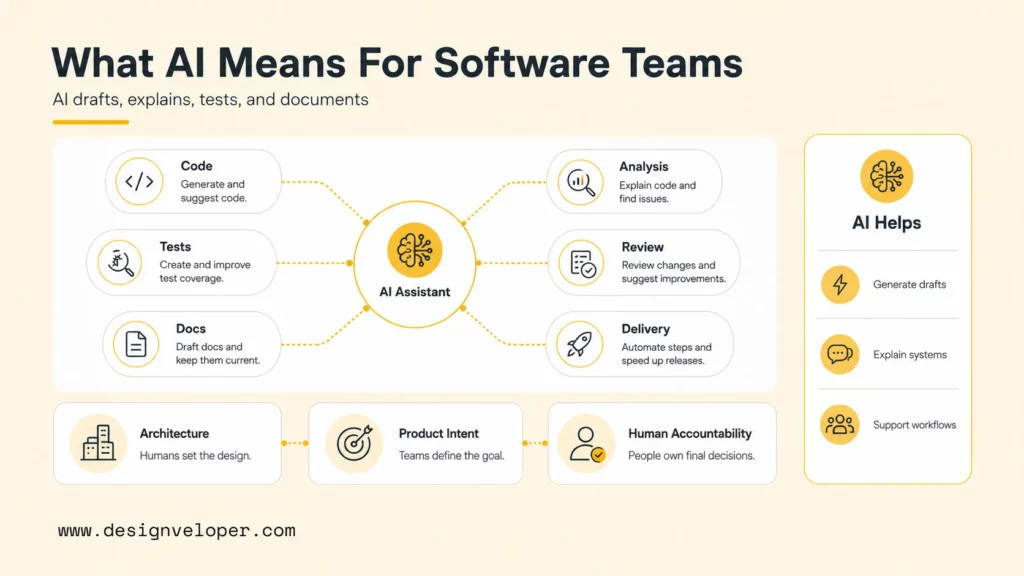
AI in software development is the use of machine learning, large language models, generative AI, and automation to support the work of building, testing, deploying, and maintaining software. With AI, developers can more efficiently write code, understand code, analyze requirements, generate test cases, detect bugs, summarize pull requests, create documentation, and operate delivery pipelines.
AI is not a single feature inside one coding tool. AI now appears inside IDEs, terminals, project-management workflows, cloud platforms, testing systems, code-review tools, observability products, and documentation systems. GitHub describes AI in software development as a way to support tasks across the development process, not only a way to autocomplete code.
The most important distinction is between assistance and accountability. AI can suggest a solution, but a software team remains responsible for whether that solution matches the requirement, follows the architecture, protects data, passes tests, and behaves well in production. That is why AI adoption should be designed as an engineering workflow change rather than a tool rollout.
In practical terms, AI gives teams a faster draft layer. A developer can ask for a first version of a function, a tester can ask for edge cases, a product manager can ask for acceptance criteria, and a project manager can summarize delivery risks. The value appears when those drafts move through human review, automated checks, and team standards before becoming product code.
How AI Fits Into The Software Development Lifecycle
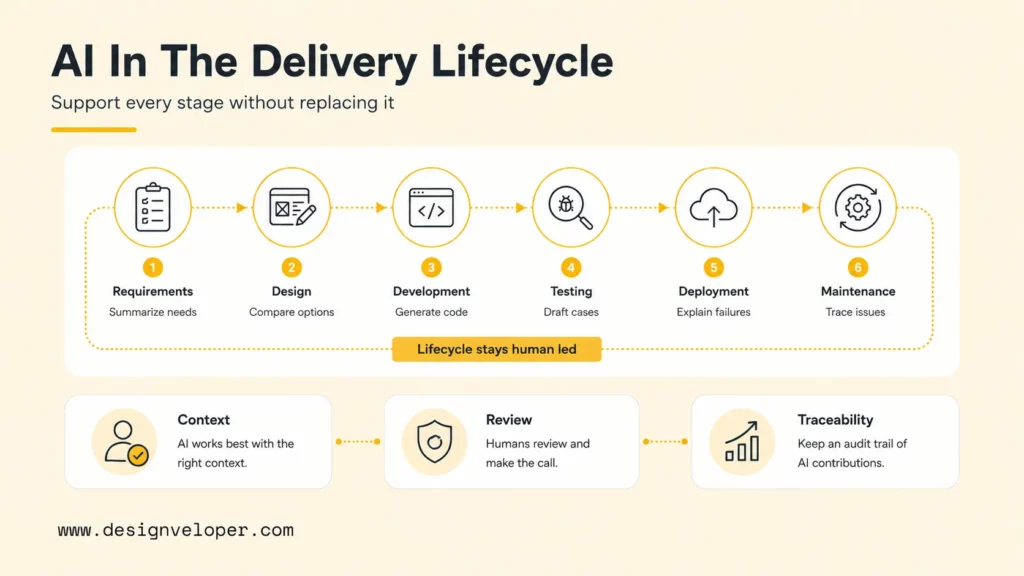
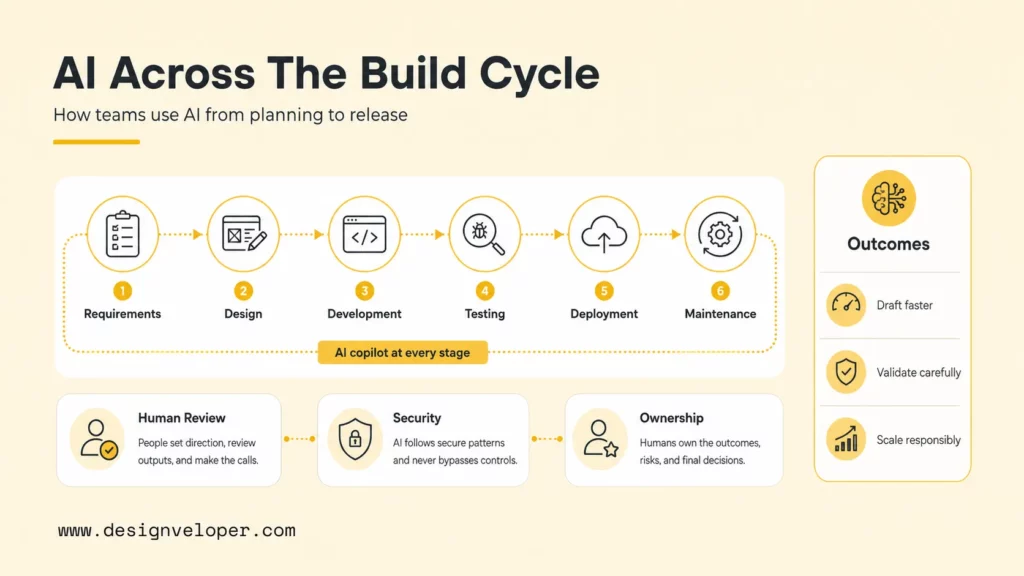
AI fits into the software development lifecycle by improving the speed and quality of specific activities, not by replacing the lifecycle itself. Teams still need discovery, planning, design, implementation, testing, deployment, maintenance, and support. AI changes how each stage is prepared, reviewed, and connected.
Requirement Gathering And Analysis
AI can help teams turn meeting notes, support tickets, user interviews, and backlog items into structured requirements. A product team can ask an LLM to summarize recurring pain points, identify conflicting assumptions, draft user stories, or list acceptance criteria for a feature.
The human role is to validate context and priorities. AI may summarize what was said, but product owners and engineers still need to decide what matters, what is feasible, and what should be deferred. A good AI-assisted requirement workflow includes a clear source document, a human-reviewed output, and a trace from requirement to test case.
Design And Planning
AI can support design and planning by comparing architecture options, generating sequence diagrams in text, listing integration dependencies, or identifying potential failure modes. AI can also help convert requirements into a delivery plan with tasks, risks, and test checkpoints.
Architecture remains a human responsibility because architecture depends on business constraints, team capability, security posture, maintainability, and long-term product direction. AI can propose options, but technical leads need to judge tradeoffs such as latency, cost, data boundaries, deployment complexity, and migration risk.
Development
Development is where most teams first experience AI. Tools such as GitHub Copilot, Cursor Agent, and Claude Code can generate snippets, explain code, edit files, and help developers navigate unfamiliar codebases.
Development with AI should stay narrow and reviewable. A good prompt names the file, the behavior, the constraints, and the tests required. Broad prompts that ask an agent to “improve the module” often create large diffs that are harder to trust. The better pattern is one small change, one clear acceptance standard, and one reviewed diff.
Testing
AI can draft unit tests, propose integration tests, identify edge cases, and explain why a test may be flaky. AI can also help QA teams convert acceptance criteria into test scenarios or summarize failures from logs and screenshots.
AI-generated tests still need review. A generated test can confirm the generated implementation instead of the intended behavior. Teams should inspect whether the test fails for the right reason, covers meaningful edge cases, and fits the project’s testing pyramid. AI is useful for test ideation, but test quality remains an engineering discipline.
Deployment
AI can support deployment by explaining CI/CD failures, summarizing release notes, checking infrastructure changes, and generating runbook drafts. DevOps teams can use AI to speed up routine analysis when a pipeline fails or when a configuration change needs review.
Deployment is also a high-risk stage. AI should not receive broad production permissions without strict controls. Teams should keep deployment approvals, secret handling, rollback plans, and change windows under human ownership. Agentic tools that can run commands need permission boundaries and audit logs.
Maintenance And Support
AI can help maintenance teams understand legacy code, summarize incidents, classify support issues, explain logs, and propose fixes. AI is especially useful when a team needs to onboard into an unfamiliar module or trace a bug across several services.
Maintenance work benefits from retrieval and context. An assistant with access to approved documentation, recent commits, test output, and incident notes can provide better support than a generic chatbot. However, teams should prevent sensitive logs, credentials, and customer data from entering unsafe AI contexts.
Documentation
AI can draft API documentation, changelog entries, migration notes, onboarding guides, and internal knowledge-base pages. Documentation is a strong AI use case because engineers often know what changed but need help turning scattered notes into readable explanations.
Documentation still needs source verification. AI can invent behavior if the prompt lacks exact code, test output, or product facts. A strong workflow links documentation drafts to the pull request, relevant files, API schema, and verified release notes before publishing.
How To Use AI In Software Development
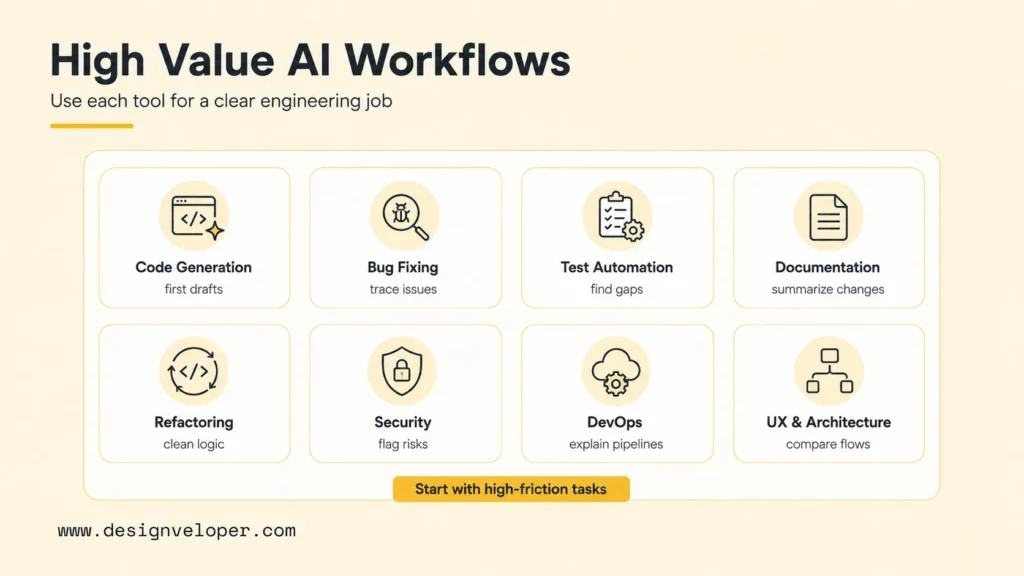
Teams should use AI in software development by matching each tool to a specific engineering job, defining human review rules, and measuring whether the workflow improves delivery without increasing risk. The most useful AI adoption starts with high-friction tasks rather than vague productivity promises.
Code Generation
AI code generation helps developers create first drafts of functions, classes, tests, scripts, and configuration. The best use cases are scoped and easy to verify: a parser with examples, a validation rule with test cases, a migration helper, or a small UI state component.
A useful code-generation prompt includes context, boundaries, and acceptance criteria. For example: “Add a TypeScript validator for this request body. Keep the public API unchanged. Add tests for missing fields, invalid email, and duplicate IDs.” This prompt gives the assistant a narrow target and gives the reviewer a checklist.
Bug Detection And Fixing
AI can help detect and fix bugs by summarizing stack traces, comparing expected and actual behavior, proposing hypotheses, and generating small patches. AI is strongest when the team provides logs, failing tests, recent diffs, and reproduction steps.
The team should verify every bug fix with a failing test or a reproducible scenario. A patch that appears plausible can hide a regression. Human reviewers should ask whether the fix addresses the root cause, whether adjacent paths need tests, and whether the same bug pattern exists elsewhere.
Testing Automation
AI can automate parts of test creation by generating test ideas, mocking data, creating fixtures, and suggesting edge cases. AI can also translate user stories into test scenarios for QA review.
The safest test automation workflow asks AI for coverage gaps rather than final truth. A developer can provide a function and current tests, then ask for missing cases. The team can choose which cases matter and implement them with project conventions. AI supports coverage thinking, while humans keep test strategy coherent.
Documentation
AI documentation support can reduce the cost of keeping docs current. A developer can ask an assistant to summarize a pull request, explain a new API endpoint, or draft a migration note from code changes.
The best documentation prompts include the actual diff, the public API contract, and the intended audience. A backend migration note needs different detail from an onboarding guide. Human review should remove unsupported claims, update examples, and verify commands before documentation reaches customers or internal users.
Refactoring And Optimization
AI can support refactoring by identifying duplication, proposing smaller functions, simplifying conditional logic, or suggesting performance improvements. Agentic coding tools can also apply coordinated edits across several files when the change is well constrained.
Refactoring with AI needs a clear safety net. Teams should require tests before broad refactors, inspect the diff carefully, and reject changes that alter behavior without proof. Performance optimization should be measured with benchmarks, profiling data, or production telemetry rather than AI opinion alone.
Security Enhancement
AI can assist security work by explaining risky patterns, checking dependency issues, drafting threat-model questions, and reviewing code for common mistakes. GitHub’s Copilot code review documentation shows how AI can provide feedback in pull requests, which can complement human review when teams understand its limits.
Security teams should treat AI feedback as one signal. The OWASP Top 10 for LLM Applications 2025 highlights risks such as prompt injection, sensitive information disclosure, supply chain weaknesses, excessive agency, and misinformation. Those risks apply both to AI-powered products and to AI tools connected to engineering systems.
DevOps And CI/CD Support
AI can help DevOps teams understand failed builds, summarize deployment logs, draft release notes, and suggest runbook steps. AI is useful when a team needs a first explanation of a noisy pipeline failure or when incident notes need to be cleaned into a postmortem draft.
CI/CD support should remain controlled. AI should not bypass branch protection, approvals, secrets management, or rollback discipline. Teams should let AI explain and draft, while humans approve production-impacting actions and verify commands before execution.
UX And Architecture Support
AI can support UX and architecture by helping teams explore flows, compare tradeoffs, and draft lightweight artifacts. A product team can ask AI to list edge cases in an onboarding flow. An architect can ask AI to compare queue-based and synchronous integration patterns for a specific constraint.
AI does not understand a company’s business model or users unless the team provides that context. UX and architecture prompts should include user goals, constraints, non-functional requirements, data sensitivity, and known limits. The output should become a discussion artifact, not an automatic decision.
The Main Types Of AI Tools In Software Development
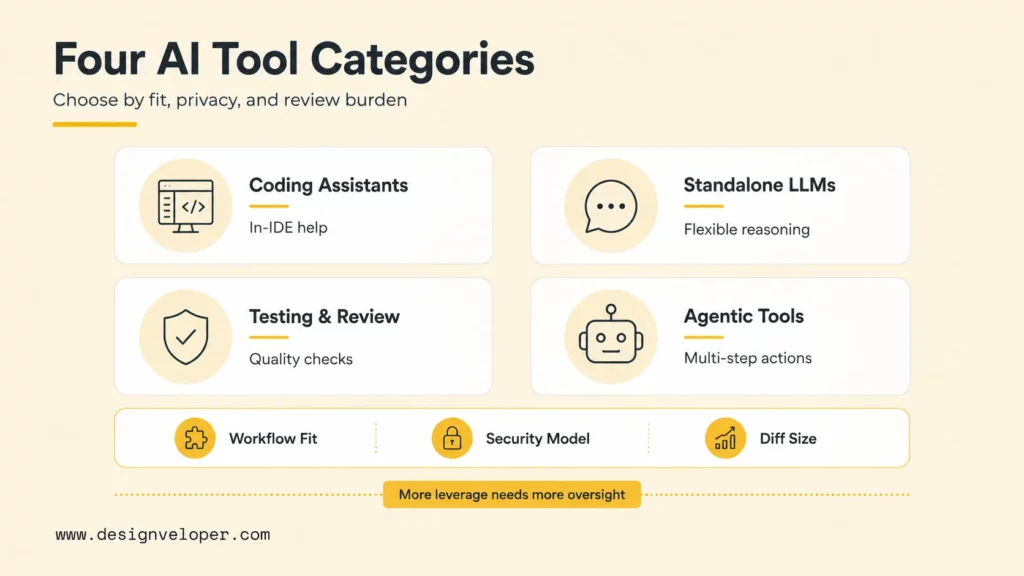
The main AI tools in software development fall into four practical categories: intelligent coding assistants, standalone LLMs, automated testing and review tools, and agentic coding tools. Teams should choose tools by workflow fit, security model, and review burden.
Intelligent Coding Assistants
Intelligent coding assistants work inside IDEs and repositories. GitHub Copilot, Cursor, Sourcegraph Cody, JetBrains AI Assistant, and similar tools can autocomplete code, explain files, generate snippets, and support pull-request workflows. These tools are useful because they sit close to where developers already work.
The adoption question is not only “which assistant writes the most code?” The better question is which assistant fits the team’s languages, repositories, privacy requirements, review rules, and IDE habits. A tool that generates fast code but creates hard-to-review diffs can slow a team down.
Standalone LLMs
Standalone LLMs such as ChatGPT, Claude, Gemini, and other web or API-based assistants are useful for explanation, brainstorming, documentation, and problem decomposition. They are flexible, but they often need carefully pasted context or approved retrieval sources to avoid generic answers.
Standalone LLMs should be used carefully with proprietary code or customer data. Teams should define what developers can paste, what must be redacted, and which enterprise settings are required. The NIST AI Risk Management Framework gives teams a vocabulary for managing validity, reliability, privacy, security, and accountability risks.
Automated Testing And Review Tools
Automated testing and review tools use AI to create tests, inspect pull requests, detect risky changes, and explain failures. These tools can reduce repetitive review work, but they should complement established quality gates such as unit tests, integration tests, static analysis, security scanning, and peer review.
A strong review workflow defines what AI can comment on and what humans must own. AI can flag suspicious code, missing tests, or confusing behavior. Humans still need to judge product fit, system design, release risk, and user impact.
Agentic Coding Tools
Agentic coding tools can plan tasks, inspect repositories, edit multiple files, run commands, and return a larger change. Cursor’s Agent mode documentation describes modes for complex work, and Anthropic describes Claude Code as an agentic coding system that can work with a codebase from the terminal.
Agentic tools increase leverage and risk at the same time. Teams should use small tasks, isolated branches, restricted permissions, test commands, and mandatory human review. An agent that can edit files and run commands should never have more access than the team is ready to audit.
Who Uses AI In Software Development
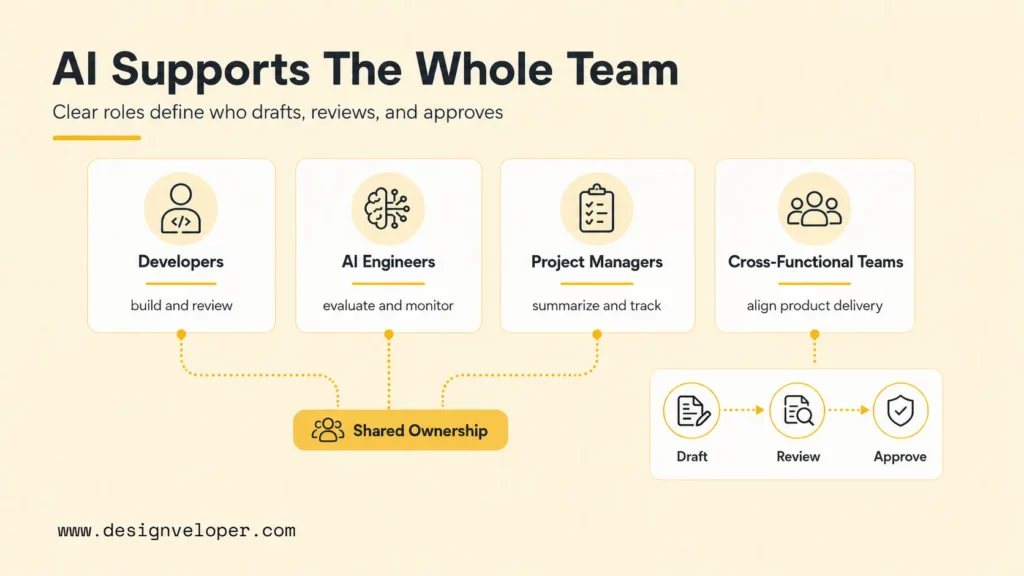
AI in software development is not only for developers. AI now supports developers, AI engineers, project managers, QA specialists, designers, product managers, DevOps engineers, and business stakeholders. The best AI team roles are clear about who drafts, who reviews, who approves, and who owns outcomes.
Software Developers
Software developers use AI for coding, explanation, refactoring, tests, debugging, documentation, and code review preparation. AI can help developers move faster through repetitive implementation details, especially when the developer already knows the target behavior.
Developers still need to read the code. The Stack Overflow 2025 survey reports that many developers use or plan to use AI while also expressing concern about accuracy and security. That pattern makes review literacy more important. Developers need to know how to inspect AI-generated code, not only how to prompt it.
AI Engineers
AI engineers use AI tools to build model-powered features, evaluate prompts, design retrieval pipelines, create benchmarks, and monitor model behavior. They also help product teams decide whether a problem needs an LLM, a traditional machine learning model, a rules engine, or no AI at all.
AI engineers are especially important when software includes AI features for customers. They can define evaluation datasets, safety checks, hallucination controls, feedback loops, and observability. AI in product code needs more rigor than AI used for private drafting.
Project Managers
Project managers use AI to summarize meetings, identify blockers, draft release notes, organize backlog items, and compare delivery risks. AI can make project communication faster, especially when teams produce many updates across Slack, Jira, GitHub, and documentation systems.
Project managers should treat AI summaries as drafts. A missed dependency, misunderstood deadline, or incorrect stakeholder commitment can create real delivery risk. Human review is essential before AI-generated project updates become official commitments.
Cross-Functional Product And Engineering Teams
Cross-functional teams use AI to align product, engineering, design, QA, security, and operations. AI can translate technical details for nontechnical stakeholders, turn user feedback into themes, and help teams compare implementation options.
The phrase “AI as a team member” works only when the team defines the AI role clearly. AI can be a drafting partner, test-case generator, documentation assistant, or code-review helper. AI should not become the hidden decision maker for roadmap priority, security approval, architecture direction, or production release.
Benefits Of AI In Software Development
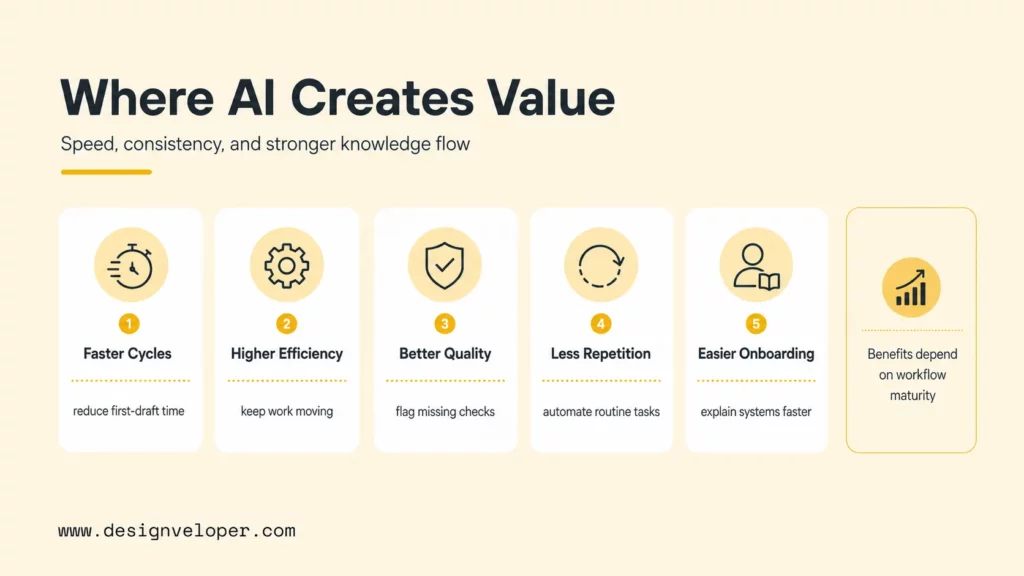
AI in software development can improve speed, efficiency, consistency, onboarding, and knowledge sharing when teams pair the tools with strong engineering practices. The benefits are real, but they depend on workflow maturity.
- Faster development cycles: AI can reduce time spent on boilerplate, first drafts, test ideas, and documentation cleanup.
- Higher coding efficiency: Developers can ask for examples, explanations, and small implementation drafts without leaving their workflow.
- Better code quality and consistency: AI can suggest missing tests, flag confusing code, and help apply local conventions when the context is clear.
- Lower manual effort on repetitive tasks: Teams can automate recurring review, release-note, test-fixture, and documentation chores.
- More support for onboarding and knowledge sharing: New team members can ask AI to explain modules, summarize history, and point to relevant files when approved context is available.
The DORA 2025 report is a useful caution for leaders because AI amplifies existing systems. A team with clear architecture, good tests, and healthy review habits can gain speed. A team with weak ownership, brittle CI, and unclear requirements may simply generate more code that is harder to control.
The Main Risks Teams Need To Manage
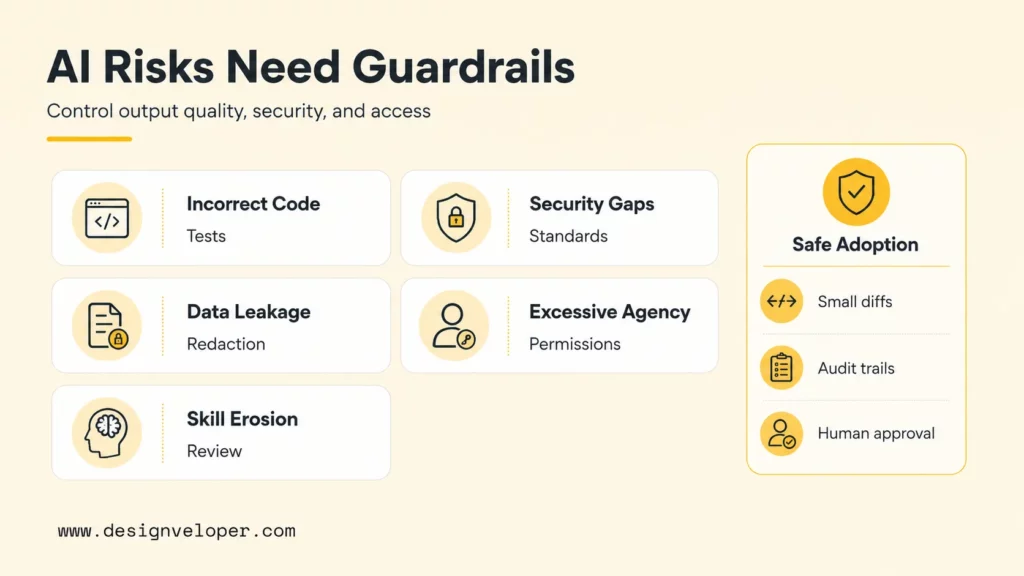
The main risks of AI in software development are inaccurate output, hidden security issues, sensitive data exposure, intellectual-property uncertainty, overbroad agent permissions, and reduced team learning. These risks do not mean teams should avoid AI. These risks mean teams need operating rules before adoption scales.
A practical AI risk register for software teams should include:
| Risk | How It Shows Up | Control |
|---|---|---|
| Incorrect code | Generated code compiles but fails edge cases. | Require tests, review, and small diffs. |
| Security weakness | AI suggests unsafe auth, validation, or dependency patterns. | Use secure coding standards, SAST, AppSec review, and OWASP guidance. |
| Data leakage | Developers paste secrets, customer data, or proprietary code into unapproved tools. | Define approved tools, redaction rules, and enterprise privacy settings. |
| Excessive agency | An agent edits many files, runs commands, or changes configuration beyond scope. | Use sandboxed branches, permissions, logs, and human approval. |
| Review overload | Large AI-generated diffs take longer to review than human-written small changes. | Limit task size and require acceptance criteria before generation. |
| Skill erosion | Developers accept output without understanding the code. | Make explanation, pair review, and learning part of the workflow. |
Security teams should also map AI development workflows to recognized guidance. NIST’s AI RMF helps teams reason about trustworthy AI systems, while OWASP’s LLM Top 10 gives specific language for LLM risks such as prompt injection, sensitive information disclosure, supply chain issues, and excessive agency.
Best Practices For Using AI In Software Development
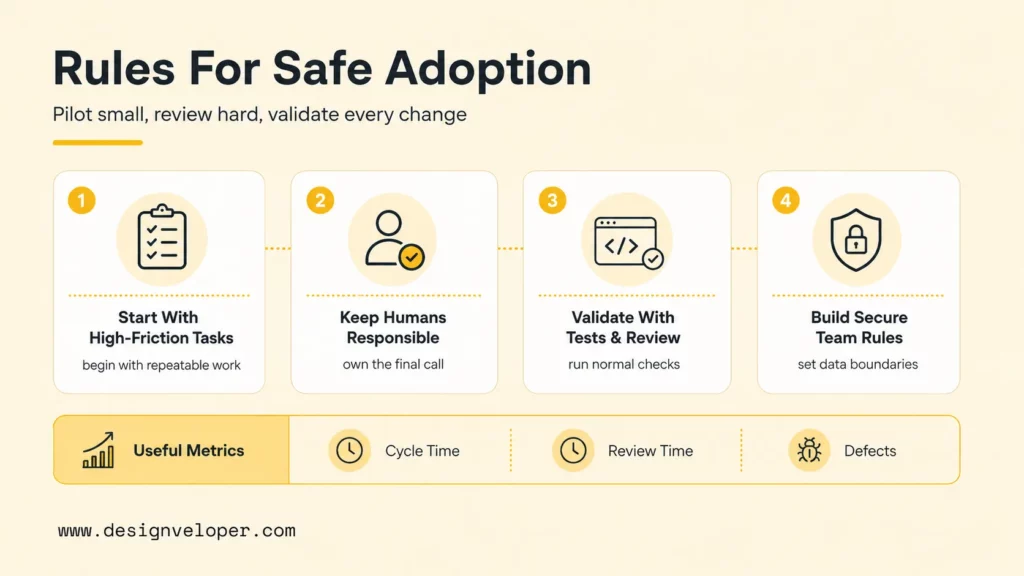
The best practices for using AI in software development are simple to state and serious to enforce: start with high-friction tasks, keep humans responsible, validate output, and build team rules for secure use. AI adoption should feel like better engineering, not faster improvisation.
Start With High-Friction Tasks
Teams should begin with work that is frequent, annoying, and easy to review. Good starter tasks include unit-test drafts, documentation cleanup, log summarization, small bug reproduction, code explanation, pull-request summaries, and internal runbook drafts.
A starter task should have measurable value. Track cycle time, review time, escaped defects, test coverage, onboarding time, or documentation freshness. If AI saves time but increases rework, the workflow needs adjustment before the tool expands.
Keep Humans Responsible For Final Decisions
Humans should stay responsible for product behavior, architecture, security, release approval, and customer impact. AI can be a drafting partner, but a named person or team must own the final decision.
This rule becomes more important with agentic coding. An agent can produce a large diff quickly, but speed does not prove correctness. A human reviewer should understand why each meaningful change exists, which tests prove it, and how the change can be rolled back.
Validate AI Output With Tests And Review
Every AI-generated change should pass normal engineering checks. Unit tests, integration tests, type checks, linting, security scans, code review, and staging verification remain necessary. AI should not become a shortcut around the quality system.
Teams can make validation easier by asking AI to produce test cases alongside code. The reviewer should still inspect whether those tests cover the real requirement. A useful review question is: “Would this test fail if the product behavior were wrong?”
Build Team Rules For Secure And Practical Use
Teams need written rules for secure and practical AI use. Rules should cover approved tools, data-sharing boundaries, codebase access, prompt retention, agent permissions, review expectations, and escalation paths for sensitive work.
A concise team policy can answer five questions: Which AI tools are allowed? What data can developers share? What tasks can AI perform independently? And what tasks require human approval? What logs or artifacts must be kept for audit and learning? Clear answers prevent AI from becoming shadow infrastructure.
How AI Is Reshaping The Role Of Software Teams
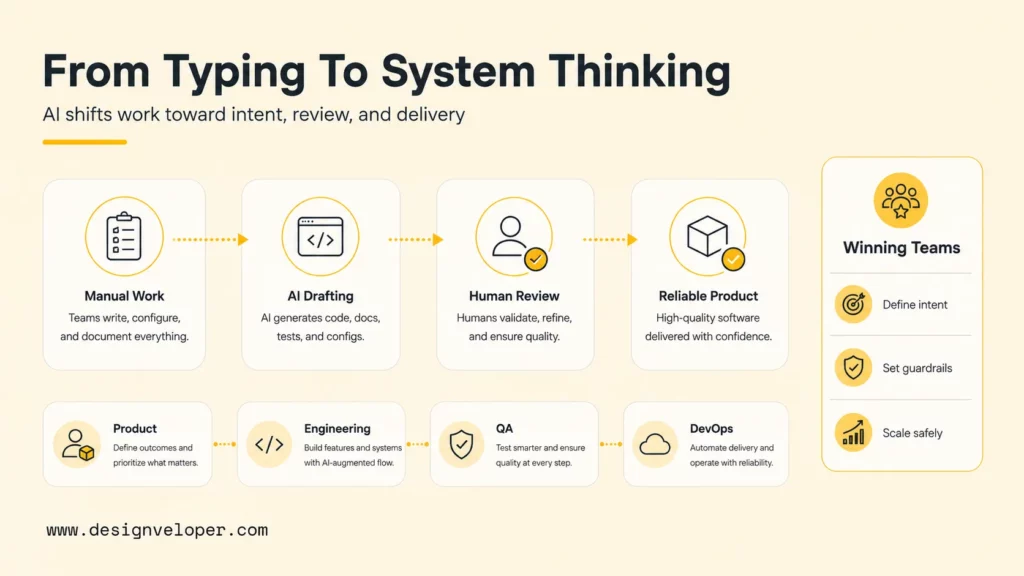
AI is reshaping software teams by moving more effort from typing code to defining intent, reviewing output, designing systems, and managing workflow risk. The strongest teams will not be the teams that generate the most code. The strongest teams will be the teams that convert AI speed into reliable product outcomes.
Designveloper approaches this shift as an engineering and delivery problem. As an AI-first software and automation partner, we help teams connect AI capability to real workflows through discovery, architecture review, AI/RAG/agent integration, CI/CD, testing, monitoring, and post-launch iteration. Designveloper’s public AI development services show that AI software delivery needs product engineering, not only model access.
AI also changes collaboration. Product managers can create clearer first drafts, developers can explore unfamiliar code faster, QA specialists can generate more scenarios, and project managers can reduce update overhead. Those gains only compound when teams share rules for prompts, tests, documentation, security, and ownership.
A practical team model treats AI as a junior teammate with unusual speed. AI can draft, search, summarize, and propose. Senior humans still set direction, approve architecture, protect customer data, mentor teammates, and decide what reaches production. That model preserves human accountability while giving teams a real productivity advantage.
For organizations asking how to use AI in software development, the next step is not to buy every tool. The next step is to choose one high-friction workflow, define success metrics, create review rules, pilot with a small team, and scale only after the workflow proves faster, safer, and easier to maintain.


