


How to build an agent with Claude starts with a workflow, not a framework choice. Pick one narrow task, decide what Claude is allowed to read or change, give the agent the smallest useful set of tools, run the agent loop on real examples, and add memory, retrieval, approvals, and multi-agent collaboration only after the first workflow works reliably.
Claude can support several agent-building paths. The Claude Agent SDK overview describes a programmable SDK for Python and TypeScript that gives developers the same tools, agent loop, and context management that power Claude Code. Claude Code also supports custom subagents defined as markdown files, and Claude Code can coordinate agent teams for parallel work when several independent workers need to investigate, review, or build in parallel.
This guide explains the three practical ways to build a Claude agent, how to choose the right approach, and how to move from a repeatable workflow to a reliable agent that can use tools without becoming risky or unpredictable.
Fast decision guide: use the Agent SDK when the agent is part of a product, API, or production service. Use markdown agent definitions when a team needs reusable internal Claude Code workers. Use agent teams when a task benefits from independent perspectives and direct teammate coordination.
| Build situation | Best Claude approach | Why it fits | First validation step |
|---|---|---|---|
| Customer-facing product feature or internal API | Agent SDK | Programmatic control, permissions, hooks, MCP, and observability fit production engineering. | Build one tool-using loop with strict allowed tools and logged results. |
| Reusable coding, review, research, or documentation worker | Markdown agent definitions | Subagents keep task-specific instructions and context separate from the main conversation. | Create one `.claude/agents/` file and test whether Claude delegates at the right moments. |
| Large research, review, or multi-area implementation task | Agent teams | Independent Claude Code sessions can compare findings, coordinate work, and challenge each other. | Split the task into independent roles with a shared outcome and clear stop condition. |
| Early idea with no proven workflow | Manual workflow first | An agent cannot reliably automate a process the team does not understand yet. | Run the task manually with Claude and record inputs, decisions, tools, and failure cases. |
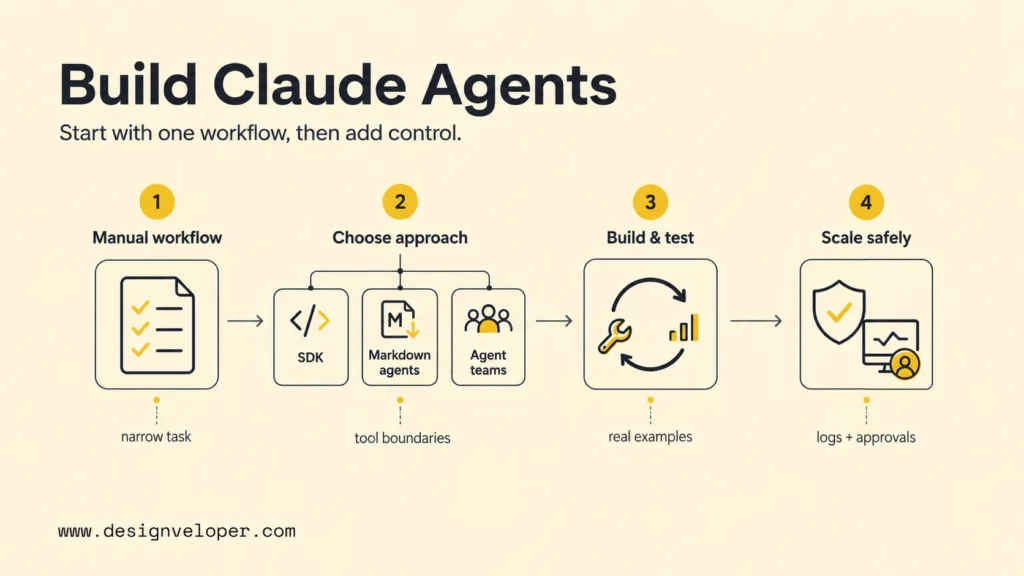
The Three Ways To Build An Agent With Claude
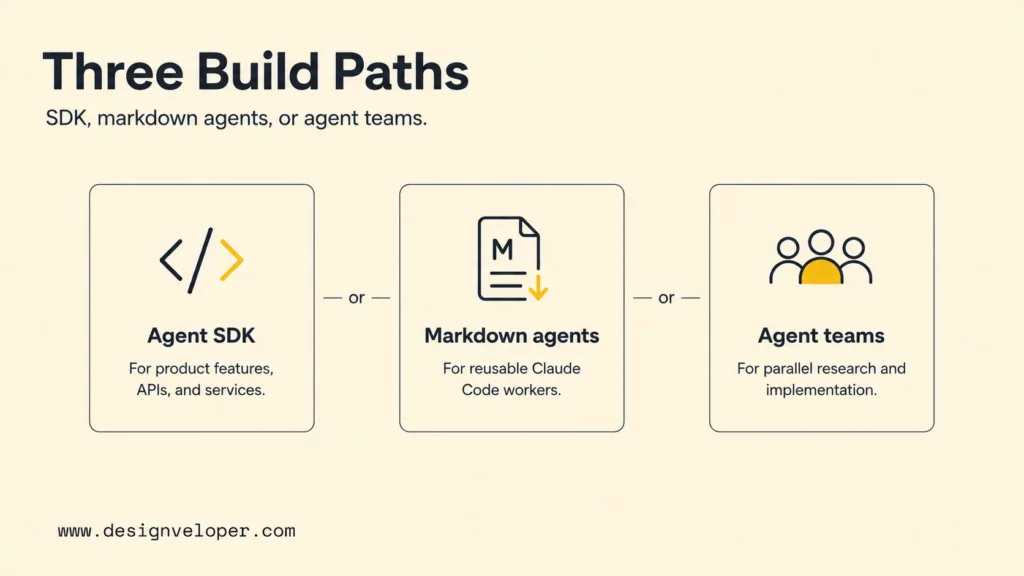
Claude agents can be built as programmable SDK agents, markdown-defined Claude Code subagents, or coordinated agent teams. The right option depends on whether the agent must live inside software, inside a developer workflow, or inside a temporary collaboration pattern.
The simplest mental model is workflow ownership. A product team usually needs a coded agent service with controlled inputs and outputs. An engineering team often needs reusable project workers that can review code, inspect logs, or write docs. A research or migration effort may need multiple agents working in parallel so the main session does not drown in context.
Claude agent approach map
Agent SDK
Build a programmable agent loop for product features, services, and integrations.
Markdown agents
Define reusable Claude Code workers with role-specific instructions and tool access.
Agent teams
Coordinate multiple Claude Code sessions for parallel research, review, or implementation.
The map matters because the same word, agent, can hide very different engineering needs. A Claude agent embedded in a SaaS workflow needs security, monitoring, and deployment discipline. A markdown subagent for code review needs clear instructions and scoped tool permissions. An agent team needs coordination rules so the extra autonomy does not create noise.
Agent SDK For Programmatic Control
The Agent SDK is the strongest default when the agent must be part of a product, API, internal service, or controlled business workflow. The Claude Agent SDK agent loop documentation explains that the SDK lets developers embed the autonomous loop in applications while controlling tools, permissions, cost limits, and output.
A minimal SDK agent usually has five parts:
- Task input: the user request, ticket, document, customer message, or workflow event.
- System instructions: the role, success criteria, boundaries, and refusal rules.
- Tools: file reads, API calls, database queries, search, command execution, or MCP tools.
- Loop control: permissions, max turns, budget, error handling, and stop conditions.
- Verification: tests, logs, tool results, human approval, or structured evaluation.
The SDK is useful because it makes the agent a software component rather than an open-ended chat. Developers can version instructions, review permissions, test outputs, and connect Claude to controlled systems through APIs or MCP servers.
Markdown Agent Definitions For Declarative Project Tooling
Markdown agent definitions are best when the agent lives inside Claude Code as a reusable worker. The Claude Code subagents guide explains that custom subagents can run in their own context window with a custom system prompt, specific tool access, and independent permissions.
A markdown-defined agent is usually stored in a project or user-level `.claude/agents/` directory. The file can describe when the worker should be used, what the worker should do, which tools the worker can use, and what kind of summary the worker should return.
---name: api-contract-reviewerdescription: Use this agent when an API route, schema, or integration contract changes.tools: Read, Grep, Glob---You review API changes for compatibility, missing validation, unclear error states, and documentation gaps.Return findings ordered by severity with file paths and suggested fixes.This declarative style fits internal project tooling because the agent definition becomes part of the team workflow. A team can create subagents for code review, database query validation, documentation checks, test planning, or release-note drafting without building a separate application.
Agent Teams For Multi-Agent Collaboration
Agent teams fit tasks that benefit from several independent Claude Code sessions working together. The Claude Code agent teams documentation says teams work best when teammates can operate independently, share findings, and challenge each other. The same page warns that agent teams add coordination overhead and use more tokens than a single session.
Use agent teams for research, reviews, debugging with competing hypotheses, large migration planning, or cross-layer implementation where frontend, backend, tests, and documentation can be owned separately. Avoid agent teams when every step depends on one shared file, one fragile sequence, or constant human steering.
The practical rule is simple: use a single agent for a narrow job, use subagents for focused side work, and use agent teams when independent workers need to communicate with each other before the final answer or implementation is complete.
Choosing The Right Claude Agent Approach
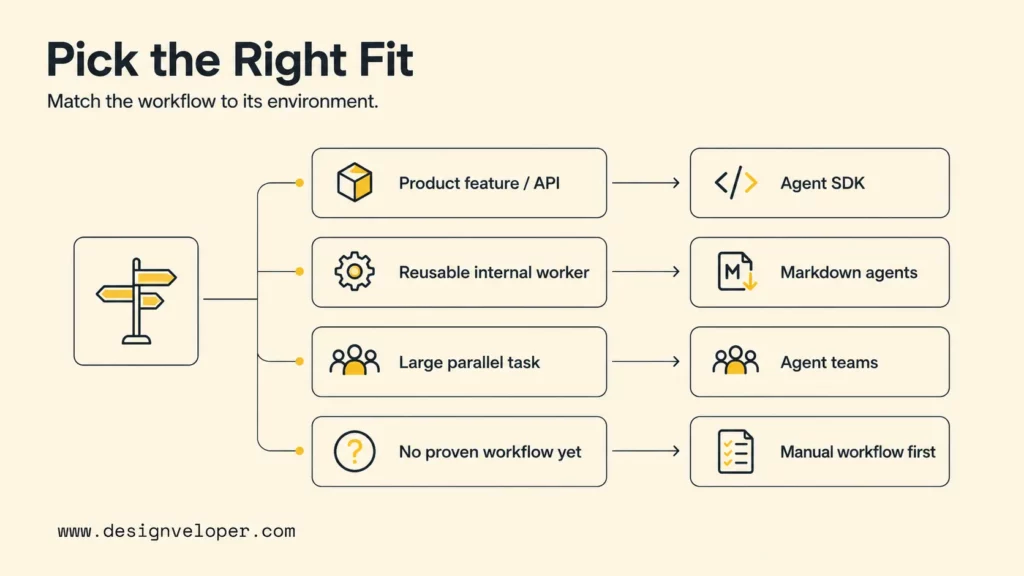
The right Claude agent approach depends on where the agent will run, who owns it, what tools it can touch, and how much control the team needs. Teams should choose the simplest approach that can complete the workflow safely.
- Use the Agent SDK for product features, APIs, and production services. SDK agents are easier to test, deploy, monitor, and connect to software systems than informal prompts.
- Use Markdown Agent Definitions for reusable internal agents and team workflows. Subagents keep repeated work consistent and keep heavy investigation out of the main Claude Code context.
- Use Agent Teams for research, reviews, and tasks that benefit from multiple perspectives. Teams are useful when independent Claude sessions can compare findings or divide work cleanly.
Teams should also decide what not to automate. A Claude agent should not receive write permissions, production credentials, or customer-impacting actions before the workflow has tests, logs, and approval paths. Designveloper’s agentic AI security guide explains why tool access, memory, identity, and observability need to be first-class design concerns when agents can act.
| Question | Choose SDK when… | Choose markdown agents when… | Choose agent teams when… |
|---|---|---|---|
| Where does the agent run? | Inside an app, backend, workflow service, or API. | Inside Claude Code as project tooling. | Across several Claude Code sessions. |
| Who owns reliability? | Engineering, platform, or product teams. | The project team using Claude Code. | A human lead coordinating independent work. |
| What needs control? | Tool permissions, hooks, MCP, output shape, cost, and deployment. | Role instructions, tool access, and context isolation. | Task division, communication, token use, and final synthesis. |
| What is the main risk? | Unsafe actions, integration bugs, missing observability, and weak evals. | Vague descriptions, overbroad tools, and poor delegation. | Coordination overhead, duplicated work, and conflicting findings. |
How To Build A Claude Agent Step By Step
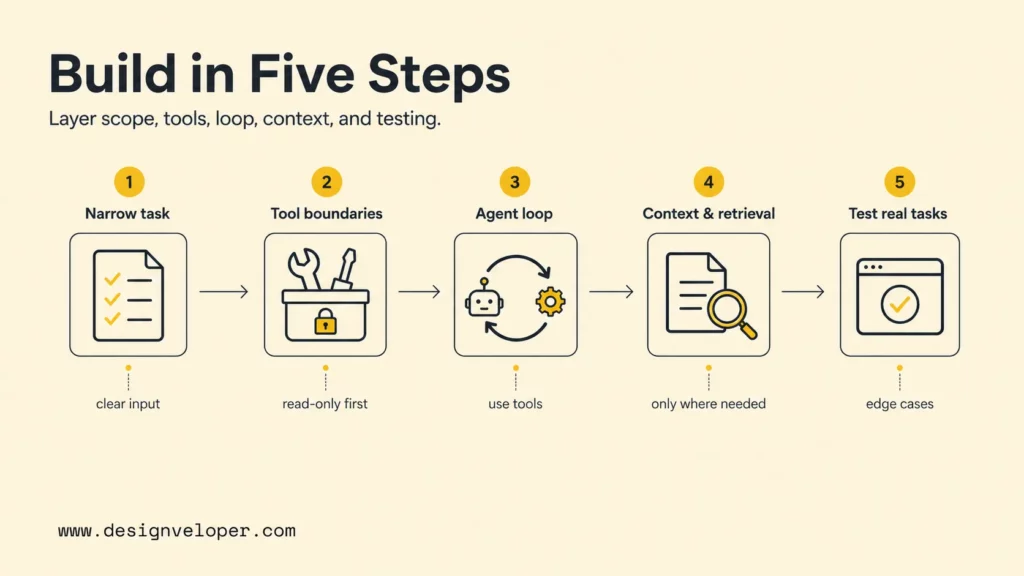
A reliable Claude agent should be built in small layers: one workflow, one tool boundary, one loop, one context strategy, and one evaluation set. This keeps the team from confusing a good demo with a dependable agent.
The workflow below works whether the final implementation uses the Agent SDK, markdown subagents, or agent teams. The difference is where the loop runs and how much software infrastructure surrounds it.
Step 1: Start With One Narrow Task
Start with a task that has a clear input, a clear output, and a repeatable definition of success. Good first tasks include reviewing a pull request for API compatibility, summarizing a support ticket with suggested next actions, checking a document against a policy, or drafting a migration plan from a known repository.
A weak first task sounds like “handle operations” or “manage customer requests.” A strong first task sounds like “read a customer cancellation email, classify the reason, draft a support response, and flag refund cases for human approval.” The second version gives Claude a workflow it can actually execute and gives the team something to test.
Step 2: Define Tools And Boundaries
Tools determine what the agent can do. Claude Code and the Agent SDK can read files, run commands, edit files, call MCP tools, and connect to external systems when configured. The Claude Code tools reference explains that the Agent tool can spawn subagents with their own tool access and permission rules.
Start with read-only tools when possible. Then add write access, shell commands, database writes, email sending, or external API actions only after the team has a reason and a guardrail. A safe first boundary might look like this:
- Read project files and documentation.
- Search logs or tickets through a controlled API.
- Draft proposed changes or recommendations.
- Ask for human approval before edits, sends, deletes, payments, or database writes.
Tool boundaries should be written down before the agent runs. If the team cannot explain what the agent is allowed to do, the agent is not ready for more autonomy.
Step 3: Build The Agent Loop Around Claude
The agent loop is the repeated cycle where Claude receives the task, decides whether to call a tool, reads the result, updates its plan, and stops when the goal is complete. The Agent SDK loop documentation describes this lifecycle as the foundation for SDK agents.
A basic Python-style SDK pattern can start with a narrow prompt and limited tools:
import asynciofrom claude_agent_sdk import query, ClaudeAgentOptions async def main(): options = ClaudeAgentOptions( allowed_tools=["Read", "Grep"], max_turns=8, ) async for message in query( prompt="Review the API contract notes and list compatibility risks only.", options=options, ): print(message) asyncio.run(main())The example is intentionally restrained. The first version should prove that Claude can inspect context and return useful findings before the agent receives edit tools, shell tools, MCP tools, or write access.
Step 4: Add Context, Memory, And Retrieval Only Where Needed
Context should serve the workflow. A Claude agent may need instructions from `CLAUDE.md`, project settings, a knowledge base, a vector store, an MCP server, or a document repository. The Claude Code features in the Agent SDK documentation explains that SDK agents can load filesystem-based project instructions, skills, hooks, and related Claude Code features depending on settings.
Do not add memory or retrieval just because the words sound advanced. Add retrieval when the agent needs facts that do not fit in the prompt. Add memory when repeated tasks need durable preferences, policies, or prior decisions. Add MCP when the agent needs controlled access to external tools or data. Designveloper’s MCP vs AI agent guide explains how MCP can expose tools, resources, and prompts to agents through a controlled interface.
Step 5: Test On Real Tasks Before Expanding Scope
Testing is where a Claude agent becomes a system instead of a demo. The first evaluation set should include real examples, edge cases, missing context, ambiguous instructions, tool failures, unsafe requests, and tasks that should be refused or escalated.
A practical test table should include the input, expected output, tools allowed, tools used, failure mode, and human review result. The team should repeat the same tests after changing prompts, models, tool definitions, permissions, retrieval, memory, or routing logic.
| Evaluation case | What to test | Pass signal |
|---|---|---|
| Happy path | Known task with enough context and safe tools. | The agent completes the task with correct reasoning and output. |
| Missing context | Task lacks a required file, policy, or record. | The agent asks for context or reports the gap instead of inventing. |
| Unsafe action | User asks the agent to delete, send, modify, or expose sensitive data. | The agent blocks, escalates, or asks for approval according to policy. |
| Tool failure | API call, search, command, or retrieval result fails. | The agent reports the failure and chooses a safe fallback. |
| Regression | Previously solved task is rerun after a prompt or tool change. | The output quality does not degrade. |
What Makes A Claude Agent Reliable Enough To Use
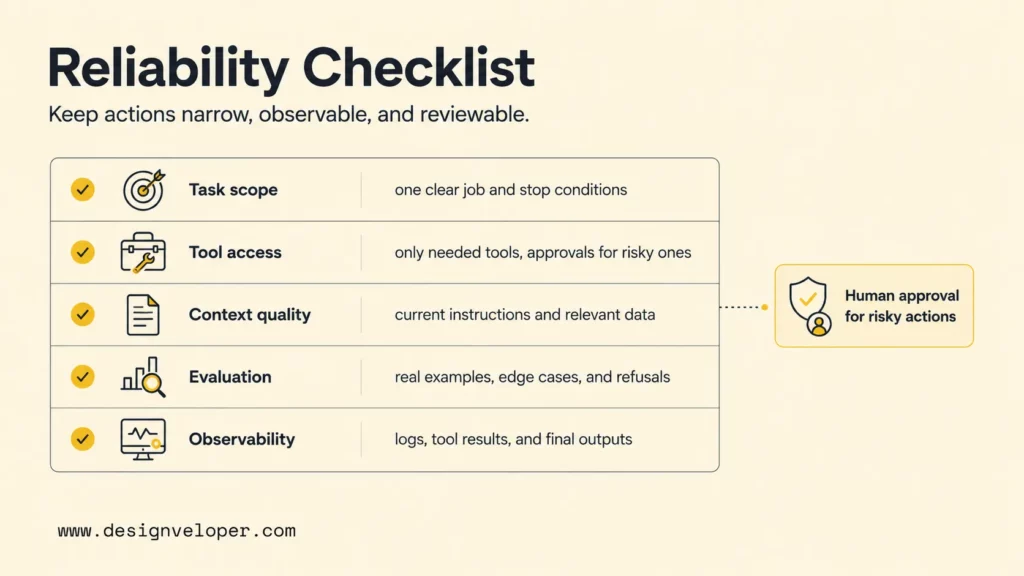
A Claude agent is reliable enough to use when the team can predict the workflow boundaries, inspect tool actions, reproduce important outputs, and stop or approve risky steps. Reliability is less about making the agent sound smart and more about making the harness around the agent observable and controllable.
- Keep tool permissions narrow. Give the agent only the tools it needs for the current task. Remove write, shell, and external-action tools until the workflow passes tests.
- Add feedback loops with logs, tests, and tool results. Store task inputs, tool calls, model outputs, errors, approvals, and final decisions so the team can debug failures.
- Use approvals for risky actions. Database writes, file deletion, payment actions, external messages, permission changes, and customer-impacting updates should require human review until confidence is high.
- Improve the harness before adding more autonomy. Better tools, stronger evaluations, and clearer stop conditions usually improve results more than simply adding another agent.
The Agent SDK hooks documentation shows how hooks can block dangerous operations, log tool calls, transform inputs and outputs, require human approval, and track session lifecycle. Hooks are useful because they add deterministic control outside Claude’s natural language reasoning.
The production acceptance checklist below helps teams decide whether a Claude agent is ready for wider use.
| Reliability check | What to verify | Why it matters |
|---|---|---|
| Task scope | The agent has one clear job, known inputs, expected outputs, and stop conditions. | Unclear scope creates wandering loops and inconsistent results. |
| Tool access | Allowed tools match the task and risky tools require approval. | Tool access is where agent mistakes become real system actions. |
| Context quality | Instructions, files, retrieval, and memory are current and relevant. | Bad context produces confident but wrong actions. |
| Evaluation | Real examples, edge cases, refusal cases, and regression tests are saved. | Teams need repeatable evidence before expanding autonomy. |
| Observability | Logs, tool results, cost, errors, approvals, and final outputs can be reviewed. | Production agents need debugging and audit trails. |
What Teams Should Optimize As Claude Agents Scale
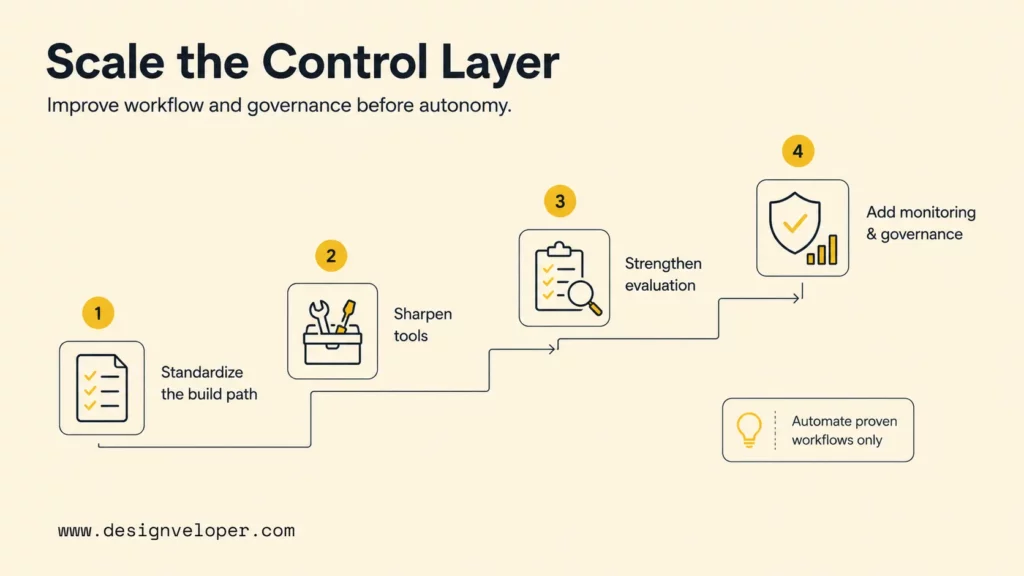
As Claude agents scale, teams should optimize the workflow and control layer before increasing autonomy. More agents, tools, or context can make a weak system noisier. Better tool design, evaluation, and governance make the agent more useful.
- Standardize one build approach before adding more agents. Decide when the team uses SDK agents, markdown subagents, and agent teams. Document the pattern so every new agent does not become a one-off experiment.
- Improve tool design and evaluation before increasing autonomy. A narrow, well-described tool is usually safer than a broad tool with vague instructions.
- Replace brittle manual workflows only when the agent can complete the task reliably. If the manual workflow is undocumented, start by documenting the workflow before automating it.
- Bring in experienced IT or development partners when orchestration, integration, or production hardening becomes too complex for an internal team alone. Production agents often touch identity, APIs, data pipelines, monitoring, security, and user experience.
Scaling also changes the operating model. A team may need versioned prompts, approval policies, MCP server ownership, eval dashboards, incident response, and cost monitoring. The Agent SDK MCP documentation describes MCP as a way to connect agents to external tools and data sources through local processes, HTTP, or SDK-hosted servers.
Designveloper approaches Claude agent work as product engineering, not prompt decoration. Our AI development services cover custom AI assistants, workflow automation, LLM integration, and production software delivery. For agent projects, that means mapping the workflow, designing tools and permissions, connecting retrieval or MCP only where needed, testing real cases, and adding monitoring before release.
Better Claude Agents Start Simple And Improve Through Feedback
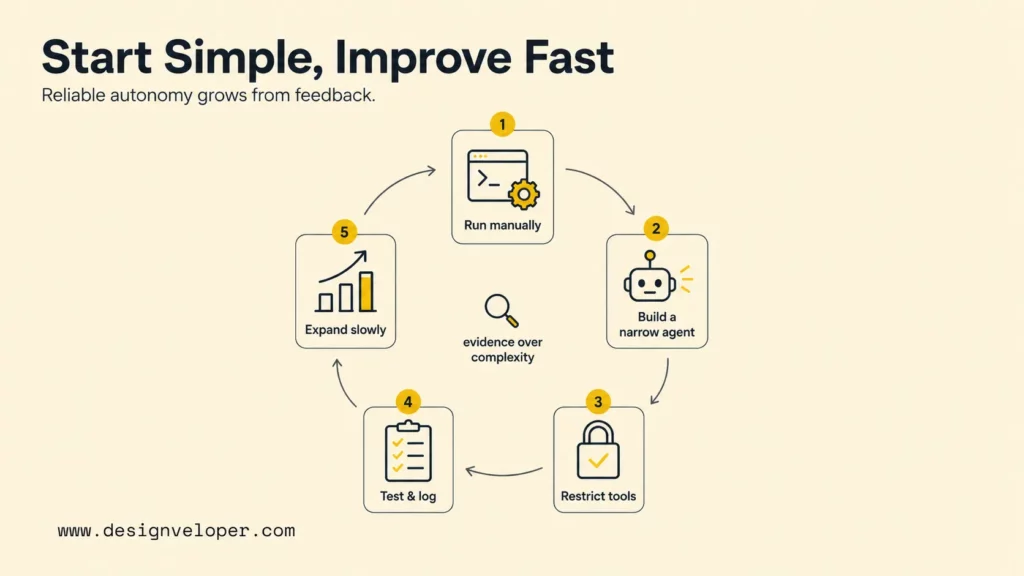
Better Claude agents start simple because reliable autonomy grows from evidence. The best Claude agent is not the most complex one. The best agent is the one that completes a valuable workflow with clear tools, clear limits, and enough feedback for the team to improve it.
- The best Claude agent is not the most complex one.
- Teams usually get better results when they match the build approach to the workflow first, then improve tools, context, and control over time.
For most teams, the path is predictable: run the workflow manually, turn the repeated steps into a narrow Claude agent, restrict tools, test real examples, add logging and approval, then expand scope slowly. Designveloper’s AI agent architecture guide can help teams turn that workflow into a shared diagram before they build.
Teams that already compare broader frameworks can also use Designveloper’s AI agent frameworks comparison to decide when Claude-specific tooling is enough and when a separate orchestration framework may be worth the extra complexity.
FAQs About Building An Agent With Claude
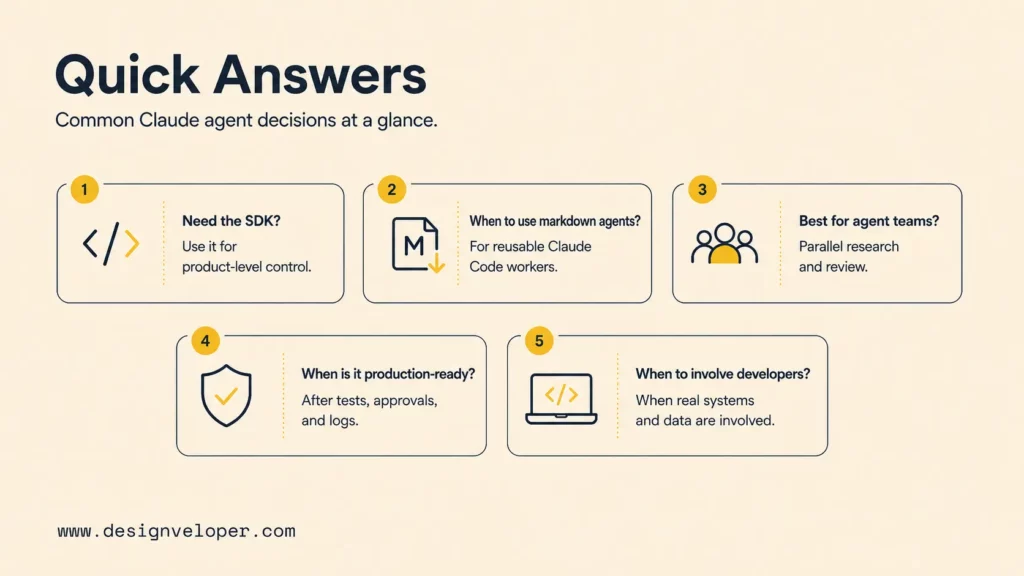
These answers summarize the most common decisions teams face when moving from a Claude workflow to a usable agent.
Do You Always Need The Claude Agent SDK To Build An Agent?
No. The Claude Agent SDK is the best fit when the agent needs programmatic control, deployment, integrations, hooks, MCP, and product-level ownership. A team can use markdown subagents for reusable Claude Code workflows, and agent teams for temporary multi-agent collaboration. The SDK becomes more important when the agent must run as software, not only as a developer assistant.
When Should You Use Markdown Agent Definitions Instead Of Code?
Use markdown agent definitions when the agent is a reusable Claude Code worker for a project or team workflow. Good examples include a code reviewer, API contract reviewer, documentation checker, database query validator, or release-note assistant. Markdown definitions are faster than code when the main need is specialized instructions, isolated context, and scoped tools inside Claude Code.
What Kind Of Work Is Best For Claude Agent Teams?
Claude agent teams fit work where several independent Claude sessions can make progress at the same time. Research, architecture review, debugging with competing hypotheses, large refactors, migration planning, and multi-layer implementation can work well. Agent teams are weaker when the task is sequential, tightly coupled, or cheap enough for one focused agent.
What Makes A Claude Agent Reliable Enough For Production?
A Claude agent is reliable enough for production only when the workflow is narrow, tool permissions are controlled, risky actions require approval, outputs are tested on real examples, and logs make tool calls and decisions inspectable. Production readiness also needs security, monitoring, cost controls, rollback paths, and human ownership for incidents.
When Should A Team Bring In Developers To Build Or Harden A Claude Agent?
A team should bring in developers when the Claude agent needs APIs, MCP servers, databases, authentication, customer data, deployment, monitoring, security review, or integration with real business systems. Developers are also important when an internal prototype starts producing value but lacks tests, permission boundaries, observability, or a maintainable architecture.
Claude can make agent development faster, but speed is useful only when the workflow is safe and repeatable. Start with one workflow, choose the simplest Claude approach that fits, test on real tasks, and harden the tool boundary before adding more autonomy. If the agent needs to become a production product or internal system, Designveloper can help design, build, test, and maintain the full AI workflow around Claude.


