


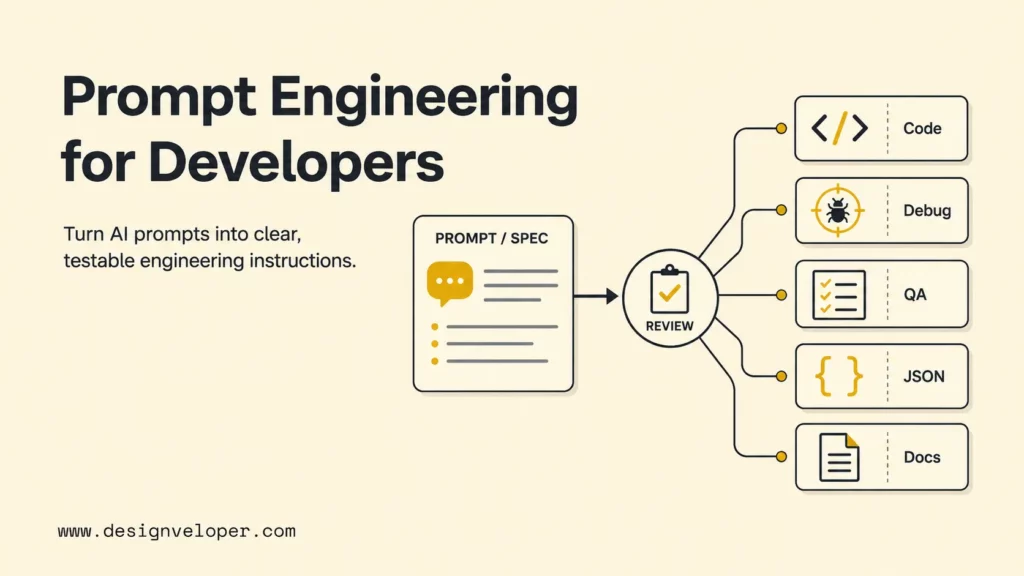
Prompt engineering for developers is the practice of turning a software task into clear, testable instructions that an AI model can use to produce code, debugging analysis, QA plans, documentation, structured data, or architecture feedback. The best prompts work like small engineering specs: they include the task, codebase context, constraints, examples, output format, and verification criteria. The goal is not clever wording. The goal is repeatable output that a developer can review, run, and improve.
The need for disciplined prompting has grown because AI tools are now common in development workflows, while trust remains limited. The Stack Overflow Developer Survey 2025 AI section reported that 46% of respondents distrusted the accuracy of AI tool output, compared with 33% who trusted it. That trust gap explains why prompt engineering for developers should always end with tests, review, or acceptance criteria rather than a blind copy-paste step.
This guide explains practical patterns for coding, refactoring, debugging, QA, structured outputs, and agentic workflows. It also shows where prompting stops being enough and where teams need better context engineering, tool design, evaluation, and human review.
What Prompt Engineering Means For Developers
Prompt engineering means giving an AI model enough instruction and context to produce useful, reviewable work. For developers, a prompt is not only a question. A developer prompt is a compact technical brief that explains the software goal, the relevant system behavior, the limits of the change, and the evidence needed to accept the output.
OpenAI defines prompt engineering as writing effective instructions so a model consistently generates content that meets requirements in the OpenAI prompt engineering guide. That definition becomes more concrete in engineering work. A prompt for a coding assistant may include file paths, stack details, API contracts, failing logs, test names, migration limits, and the preferred response shape.
A weak prompt says: “Fix this bug.” A stronger prompt says: “Investigate why the checkout total doubles tax for Canadian orders. Use the failing test in checkout-tax.spec.ts, keep the public API unchanged, explain the root cause, update the smallest safe code path, and list the command I should run to verify the fix.” The second prompt gives the model a bounded job and gives the reviewer a checklist.
What Good Developer Prompts Need
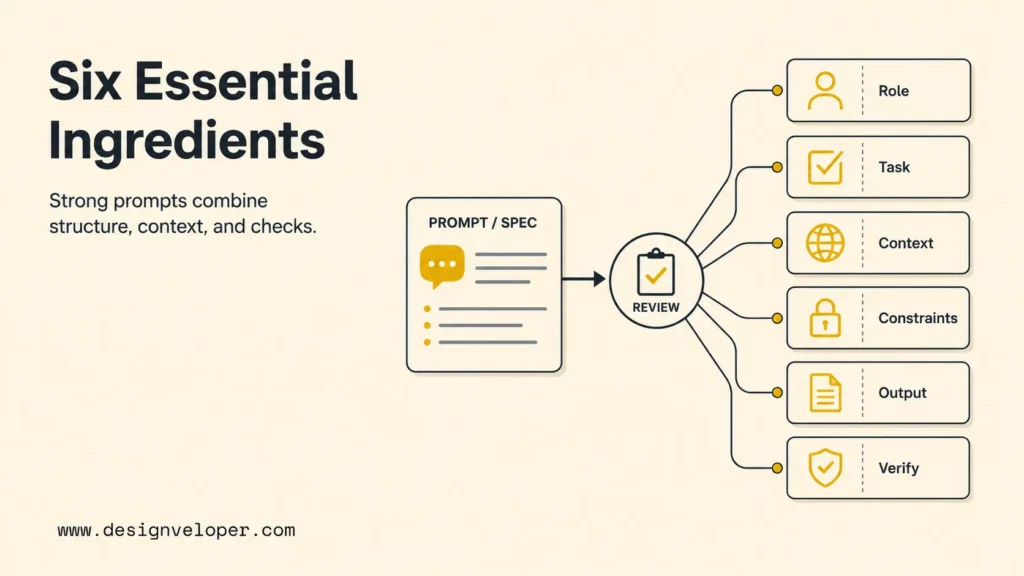
Good developer prompts need six ingredients: a clear role, a specific task, relevant context, explicit constraints, a usable output format, and verification criteria. Missing any one of those pieces forces the model to guess. Guessing is where many AI-assisted coding mistakes begin.
The following table turns the idea into a practical prompt checklist that teams can reuse for coding, QA, debugging, and documentation work.
| Prompt ingredient | Developer example | Why it matters |
|---|---|---|
| Role | “Act as a senior TypeScript reviewer.” | Sets the lens for tradeoffs and review depth. |
| Task | “Refactor this validation function without changing the public API.” | Prevents broad rewrites and off-topic suggestions. |
| Context | “Use these files, logs, and current test failures.” | Reduces invented assumptions. |
| Constraints | “No new dependencies; preserve O(n) behavior; keep Node 20 support.” | Protects architecture and delivery rules. |
| Output format | “Return a patch summary, changed files, and test command.” | Makes the answer easy to review. |
| Verification | “Explain how to prove the fix works and what risks remain.” | Turns AI output into an engineering artifact. |
Clear Role, Task, And Expected Outcome
A clear role, task, and expected outcome tell the model what kind of work to perform and what success looks like. Role prompting is useful when the model needs a specific lens, such as security reviewer, QA engineer, API designer, or documentation editor. The role should not be decorative. The role should change the criteria used to judge the answer.
For example, “Act as a backend reviewer” is weaker than “Act as a backend reviewer focused on concurrency, data consistency, and backward compatibility.” The second version names the review criteria. A coding task should also say whether the model should diagnose, propose, patch, compare, or test. The expected outcome should be concrete: a patch, a risk list, a test matrix, a JSON object, or a short architecture note.
Relevant Codebase Context And Input Data
Relevant codebase context helps the model stay grounded in the actual system. A good prompt includes only the context needed for the task: the function being changed, adjacent types, the failing test, the request payload, the database schema, or the error log. Too little context creates guesses. Too much unrelated context makes the model miss the important signal.
A useful rule is to include the smallest complete reproduction package. For a bug, that package usually means the observed behavior, expected behavior, reproduction steps, relevant logs, changed files, and test command. For a feature, that package usually means the user story, API contract, data model, UI state, acceptance criteria, and non-goals.
Constraints, Acceptance Criteria, And Edge Cases
Constraints and acceptance criteria turn a prompt into a reviewable request. Developers should name performance limits, dependency rules, compatibility requirements, security concerns, and edge cases before asking for code. A model can produce plausible code without noticing that a team cannot add a package, change a schema, or break an old API client.
Acceptance criteria should be testable. Instead of “make it robust,” say “handle empty arrays, duplicate IDs, invalid dates, and network timeouts; include tests for each case.” This habit also aligns with risk-management thinking in the NIST AI Risk Management Framework, which encourages teams to manage AI-related risks through governance, measurement, and controls rather than optimism.
Output Format The Team Can Actually Use
The output format should match the next step in the workflow. A developer asking for implementation help may need a patch plan, changed files, code blocks, test cases, and rollback notes. A developer building an integration may need strict JSON. OpenAI’s Structured Outputs documentation explains how schema-constrained outputs help applications receive predictable JSON instead of loosely formatted text.
For human review, a simple format often works best: summary, assumptions, proposed changes, code, tests, risks, and next command. For automation, use a schema with required fields and explicit enums. A prompt that says “return valid JSON” is less reliable than a prompt paired with a schema and validation step.
The Core Prompting Patterns Developers Actually Use
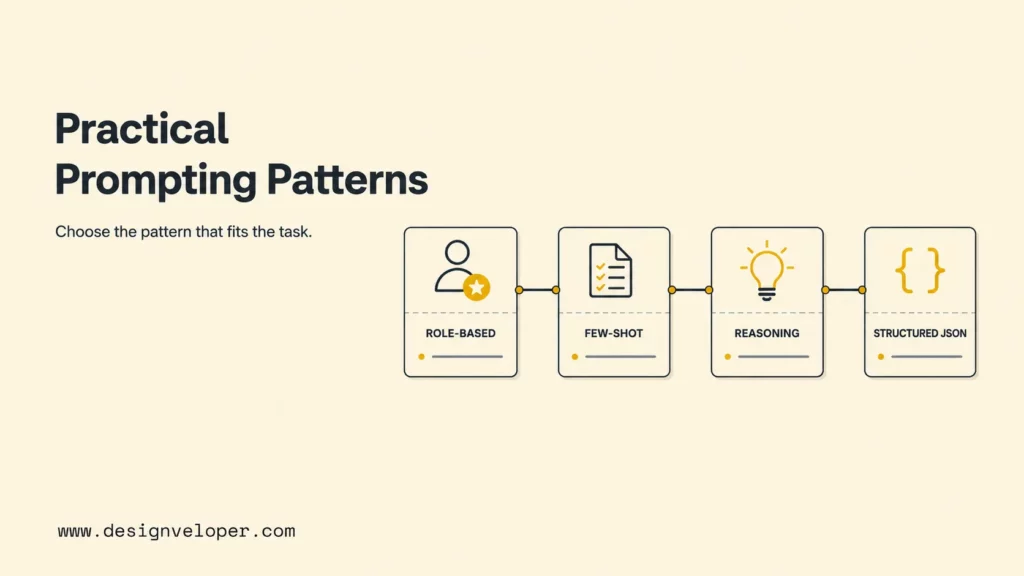
Developers rely on a small set of prompting patterns because most engineering tasks repeat: explain this code, generate a function, refactor a module, debug a failure, design tests, or return structured data. The patterns below are practical because they map directly to those tasks.
The most useful patterns are role-based prompting, few-shot examples, stepwise reasoning requests, and structured output. Each pattern has a place. The mistake is treating one pattern as a universal solution.
Role-Based Prompting
Role-based prompting asks the model to apply a specific professional lens. A security role should look for injection, secrets, access control, unsafe dependencies, and data leakage. A QA role should look for boundary values, reproduction steps, flaky tests, regression risks, and missing assertions. A maintainer role should look for API compatibility, readability, and long-term support.
A practical role prompt is specific: “Review this Express middleware as a security-focused Node.js reviewer. Focus on authentication bypass, unsafe redirects, sensitive logging, and missing tests. Return only high-confidence findings with file references.” That prompt is narrower and more useful than “review this code.”
Few-Shot Prompting With Examples
Few-shot prompting gives the model examples of the desired input and output. Developers use this pattern when format, naming style, error language, or transformation rules matter. Examples are especially helpful for commit messages, release notes, API docs, test-case tables, and code generation that must match a local convention.
A good few-shot prompt should include two or three representative examples, not a long archive. Show one normal case, one edge case, and one rejected case when possible. For instance, a team can show the model how to convert bug reports into test cases by providing a sample bug title, reproduction steps, expected behavior, generated test name, and assertion list.
Chain-Of-Thought For Complex Reasoning
For complex reasoning, developers should ask for concise reasoning artifacts rather than hidden internal reasoning. A safer prompt asks the model to produce a brief diagnosis, decision criteria, assumptions, and verification plan. The point is to expose enough reasoning for review without asking for an unnecessarily long private scratchpad.
For example, a debugging prompt can say: “List the top three likely root causes, the evidence for each, the one you would test first, and the command or log line that would confirm it.” That format gives developers a useful troubleshooting path and keeps the answer anchored to evidence.
Structured Output And JSON Schemas
Structured output is essential when model responses feed another system. A code assistant can use JSON for test-case generation, migration planning, issue triage, or API mapping. The schema should define required fields, allowed values, and nested objects. Schema design reduces downstream parsing errors and makes failures easier to catch.
A simple triage schema might include severity, component, suspected_cause, reproduction_steps, test_ideas, and confidence. The application should still validate the output. Structured prompting improves reliability, but application-level validation remains the final guardrail.
Why Prompt Engineering Matters In Software Development
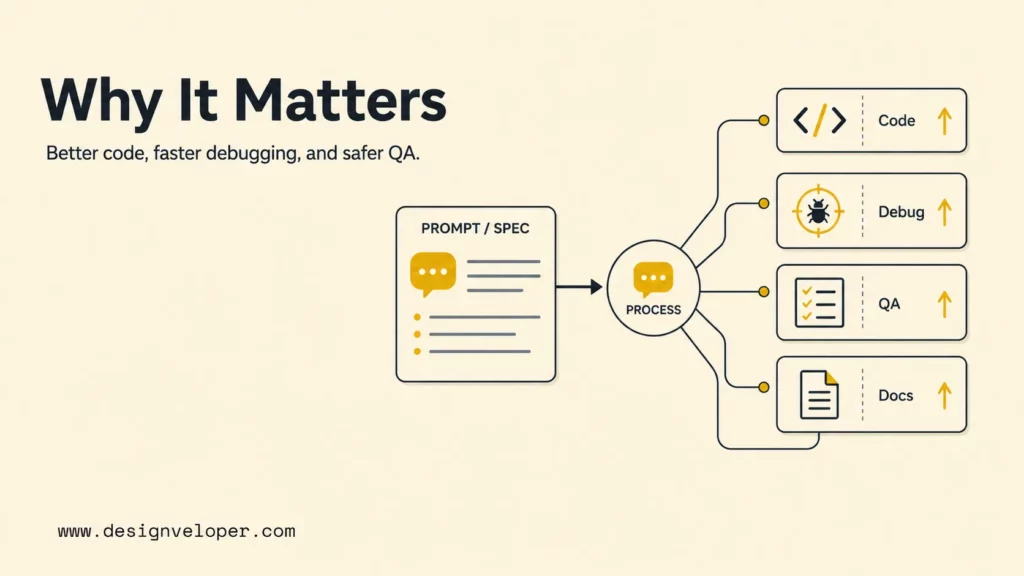
Prompt engineering matters in software development because the cost of a bad answer can be a broken build, a security flaw, a confusing API, or wasted review time. Better prompts reduce ambiguity before the model starts and make the output easier to evaluate after the model responds.
AI-assisted development works best when prompts are tied to engineering workflow. The prompt should help developers move from vague work to a concrete artifact: code, tests, docs, diagnosis, or a decision. The model can speed up drafting and analysis, but the team remains responsible for correctness.
Better Code Generation
Code generation improves when prompts include the target language, framework, version, API contract, examples, and constraints. A prompt for a React component should mention state shape, accessibility expectations, styling system, empty states, loading states, error states, and test coverage. A prompt for a backend endpoint should mention authorization, validation, idempotency, logging, and error handling.
The best code-generation prompts also ask for a small implementation first. A bounded request such as “implement only the parser and its tests” is easier to review than “build the whole feature.” Small prompts reduce blast radius and fit normal pull-request practice.
Faster Debugging And Refactoring
Debugging prompts help most when they include observed behavior, expected behavior, recent changes, logs, failing tests, and environment details. Ask the model to separate evidence from hypothesis. That separation prevents confident explanations that are not supported by the facts.
Refactoring prompts should protect behavior. A strong refactoring prompt says what must remain stable: public exports, database shape, response format, performance characteristics, and tests. The model should explain the refactor in terms of risk reduction, readability, duplication removal, or future change cost.
More Reliable QA And Test Design
Prompt engineering for QA is valuable because test design often benefits from a second systematic pass. A QA prompt can ask for boundary values, negative cases, state transitions, permissions, concurrency issues, accessibility checks, and regression scenarios. The result should become a test plan or candidate test list, not an automatic sign-off.
For example, a prompt for a checkout flow can ask for cases by payment method, currency, tax region, discount type, inventory state, user role, and network failure. The model can draft a matrix quickly, while the QA engineer decides which tests are critical for release.
Stronger Documentation And Technical Analysis
Documentation prompts improve when developers provide audience, source files, architecture boundaries, and examples. A model can turn code into onboarding notes, API examples, changelog entries, and troubleshooting guides. The prompt should specify whether the reader is a junior developer, customer engineer, QA tester, product manager, or system administrator.
Technical analysis prompts should ask for assumptions and uncertainties. A useful architecture response explains tradeoffs, integration risks, data ownership, rollback paths, and monitoring needs. That makes the answer more useful than a generic list of pros and cons.
Prompt Engineering For Coding Workflows
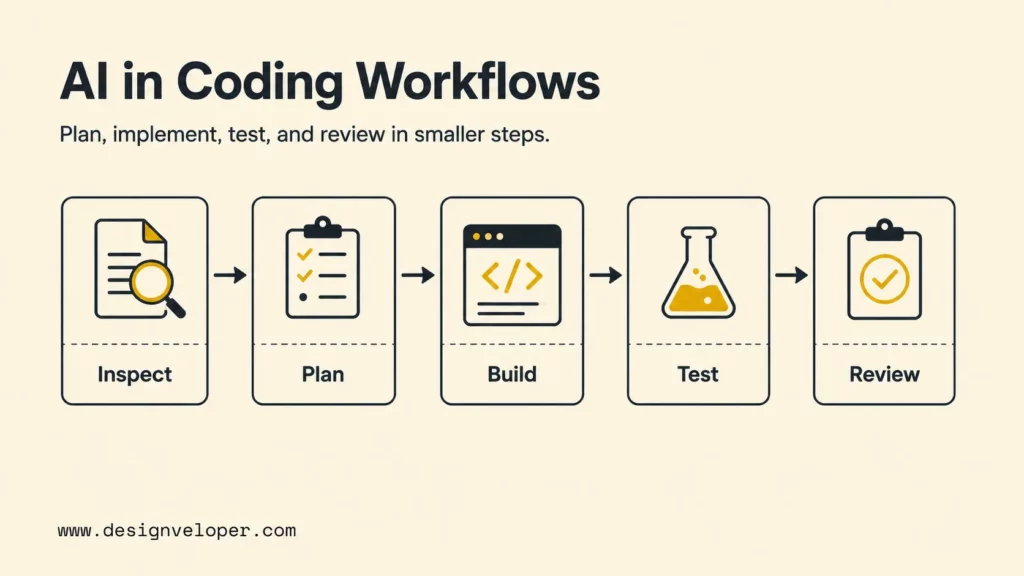
Prompt engineering for coding workflows should mirror the way code changes move through a real team: scope the task, inspect context, propose the smallest safe change, implement, test, and review. The prompt should make each step explicit enough that the output can become part of a pull request.
The following workflow gives developers a practical starting point for AI-assisted coding without losing engineering control.
- State the task and non-goals.
- Provide relevant files, logs, or API contracts.
- Name constraints such as dependencies, performance, and compatibility.
- Ask for a brief plan before code when the change is risky.
- Request tests and verification commands.
- Review the output before applying or merging.
Generating New Code
New-code prompts should start with the user need and the integration point. Include inputs, outputs, error behavior, dependency rules, and examples. For UI code, include design-system constraints and accessibility states. For backend code, include validation, authorization, logging, and observability expectations.
A practical prompt might say: “Create a TypeScript utility that normalizes webhook events from Provider A and Provider B into this internal event shape. Include invalid payload handling, no new dependencies, unit tests for missing fields and duplicate events, and a short explanation of assumptions.” This prompt gives the model a bounded deliverable.
Refactoring Existing Code
Refactoring prompts should prioritize behavior preservation. Ask the model to identify duplication, isolate a smaller abstraction, and keep public behavior unchanged. Include the test command and any performance limits. If the code is risky, ask for a plan first and implementation second.
A good refactor prompt can include this guardrail: “Do not change response fields, database queries, or exported function names. If a change seems necessary, stop and explain why.” That instruction prevents the model from silently expanding scope.
Debugging And Root Cause Analysis
Debugging prompts should make the model work from evidence. Provide the error, stack trace, reproduction path, expected result, recent commits, and environment. Ask for likely causes ranked by evidence, then ask for the smallest experiment that can confirm or reject the leading cause.
A useful debugging output format is a table with columns for symptom, likely cause, evidence, test to run, and fix candidate. That format helps the developer avoid jumping from a log line to a patch without confirming the root cause.
Code Review And Architecture Feedback
Code review prompts should be strict about confidence and scope. Ask for findings, not commentary. Require file references, risk level, reproduction steps, and a concrete fix. This mirrors how senior engineers review code and prevents a long list of low-value style opinions.
Architecture feedback prompts should include current constraints, expected scale, data ownership, latency targets, deployment model, security boundaries, and operational support. Ask for tradeoffs and failure modes. A good architecture prompt makes the model discuss decisions instead of merely naming technologies.
Prompt Engineering For QA Workflows
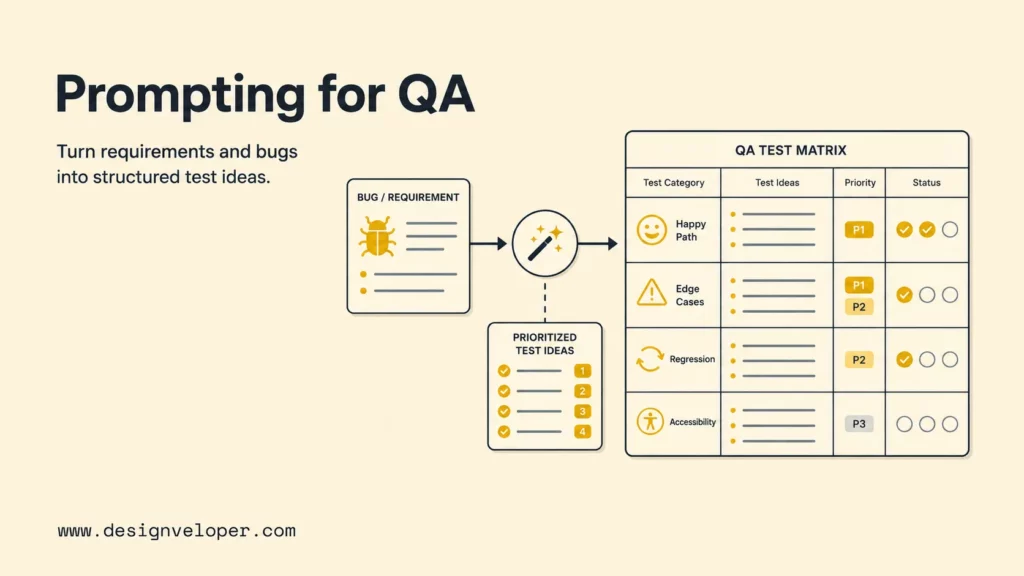
Prompt engineering for QA workflows helps teams turn requirements, bug reports, and code changes into testable scenarios. The prompt should ask for coverage by behavior, risk, data shape, role, and environment. The output should be a test plan that a QA engineer can prioritize.
A useful QA prompt can say: “Given this feature brief and API contract, create a test matrix with happy paths, edge cases, negative cases, permissions, accessibility checks, and regression risks. Mark each case as smoke, regression, or exploratory.” That prompt produces an actionable QA artifact.
Test Case Generation
Test-case prompts should include the feature goal, acceptance criteria, known constraints, and important user roles. The model should return test cases with preconditions, steps, expected results, and priority. For API testing, include request examples, response schema, authentication rules, and error codes.
Developers can make the output more useful by asking for both human-readable cases and automation candidates. A test-case table can include the test name, scenario, data setup, expected result, automation level, and reason the case matters.
Edge Cases And Failure Modes
Edge-case prompts should ask for boundary values and failure modes that humans often miss under deadline pressure. Useful categories include empty input, huge input, duplicate records, invalid types, stale state, time zones, retries, permissions, network failures, partial writes, and concurrent updates.
For AI-assisted features, edge cases should also include prompt injection, unsafe tool calls, missing context, irrelevant retrieval results, hallucinated citations, and unsupported user requests. Treat those risks as product and QA concerns, not only model concerns.
Regression Testing Support
Regression prompts help developers understand what existing behavior could break. Provide the code diff, affected modules, dependency graph, and release scope. Ask the model to identify high-risk paths, existing tests to run, missing tests, and monitoring signals after deployment.
A practical regression output can group checks by unit tests, integration tests, manual QA, observability, and rollback. That format helps the release owner decide what is necessary before shipping.
Bug Reproduction And Triage
Bug triage prompts should convert messy reports into structured reproduction steps. Include the user’s report, logs, screenshots, browser or device details, account role, and timestamp. Ask the model to separate confirmed facts from assumptions and to propose the minimum reproduction path.
The output should help a developer decide whether the bug is reproducible, intermittent, environment-specific, or blocked by missing evidence. A good triage prompt saves time because it turns vague reports into the first useful debugging artifact.
Prompt Engineering Vs Context Engineering And Agentic Workflows
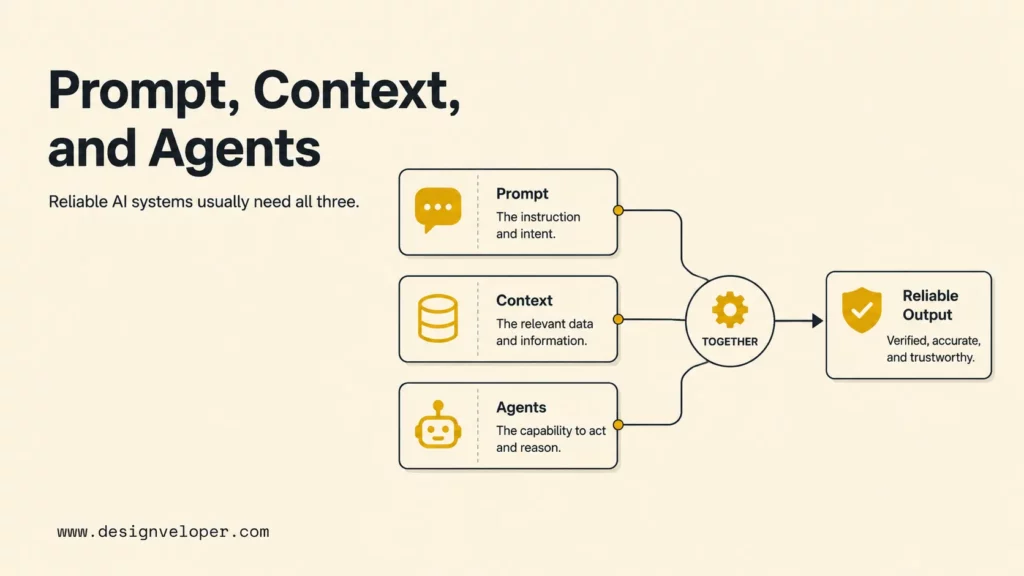
Prompt engineering shapes the immediate instruction, but reliable LLM systems also need context engineering and agentic workflow design. Prompting decides what to ask. Context engineering decides what the model can see. Agentic workflows decide what the system can do with tools, memory, retrieval, approvals, and state.
This distinction matters for developers because many failures blamed on “bad prompts” are actually context or system-design failures. A model cannot reliably fix a bug if it cannot see the relevant files. A model should not execute a deployment command if the workflow lacks permissions, approvals, and rollback rules.
Prompt Engineering Shapes The Immediate Instruction
Prompt engineering is the right lever when the task is bounded and the necessary information is already available. A better instruction can improve summaries, code review, test-case generation, debugging hypotheses, and structured outputs. Prompt changes are fast and cheap, which makes them ideal for iteration.
However, prompt engineering cannot compensate for missing source code, outdated docs, bad retrieval, or undefined acceptance criteria. When the model repeatedly asks for information or invents details, the team probably has a context problem.
Context Engineering Shapes The Information Environment
Context engineering decides which files, docs, database schemas, logs, tickets, examples, and constraints reach the model. For developers, strong context engineering may include repository indexing, retrieval filters, dependency-aware file selection, code ownership rules, and concise project instructions.
A practical context package for a coding assistant might include the relevant files, local conventions, test commands, package versions, recent error logs, and a short summary of the task. The prompt tells the model what to do with that package. The package itself determines whether the model has enough evidence.
Agentic Workflows Add Multi-Step Execution And Tool Use
Agentic workflows add planning, tool calls, file edits, command execution, memory, and approval points. OpenAI’s Agents guide describes agentic systems as workflows where models can use tools and instructions to complete tasks. For developers, that means prompts must include permissions and checkpoints, not only desired output.
A coding agent prompt should define what the agent may inspect, what it may edit, what commands it may run, when it should ask for approval, and how it should report verification. Without those guardrails, an agent can make broad changes that are hard to review.
Why Strong LLM Systems Usually Need All Three
Strong LLM systems usually need prompt engineering, context engineering, and agentic workflow design together. Prompting sets intent. Context grounds the model. Tools and workflow controls turn the response into action. Evaluation closes the loop by showing whether the result was correct.
For example, an AI code-review workflow might use a prompt that defines review criteria, context engineering that selects the diff and surrounding files, tools that read tests and issue metadata, and an evaluation rule that rejects findings without file references. The system is stronger because each layer has a clear job.
Common Prompt Engineering Mistakes Developers Make
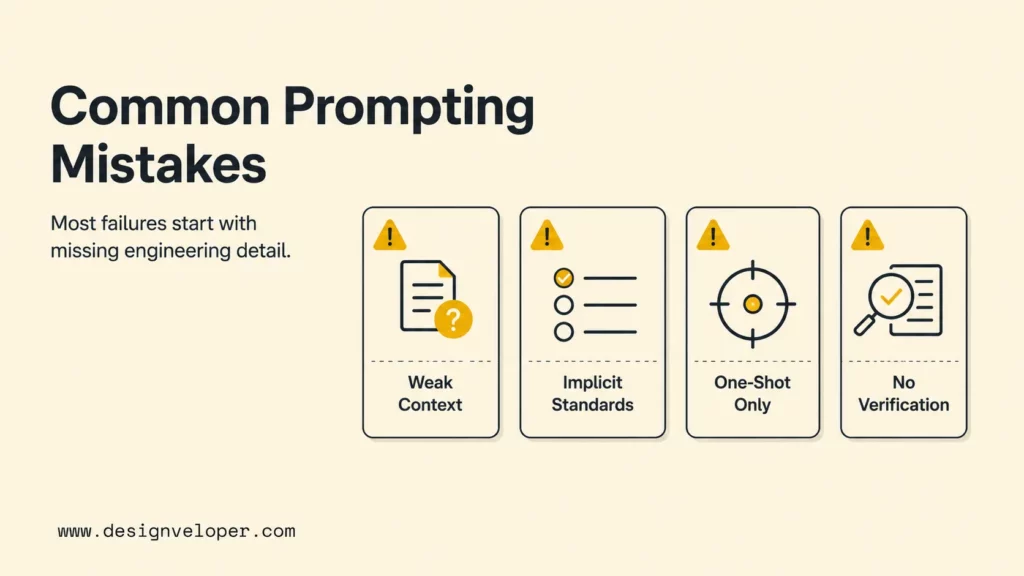
The most common developer prompting mistakes come from treating an AI model like a mind reader. A model does not know the team’s architecture rules, release risks, or test expectations unless the prompt or context provides them. The fix is usually more structure, not more adjectives.
The mistakes below are common because they feel fast in the moment. They become expensive when a developer has to debug invented assumptions or review a large answer that does not fit the codebase.
Asking For Code Without Enough Context
Asking for code without enough context creates generic output. The model may choose the wrong framework version, ignore local patterns, add unnecessary dependencies, or miss an important edge case. Developers should include the smallest complete context package before asking for implementation.
If the model’s answer starts with many assumptions, pause and improve the prompt. Add the missing files, constraints, examples, or test expectations. A better prompt is usually faster than repairing a wrong implementation.
Leaving Quality Standards Implicit
Leaving quality standards implicit makes the model optimize for plausibility instead of team standards. If a team expects accessibility, typed errors, secure defaults, deterministic tests, or no new dependencies, the prompt should say so. Quality standards should be visible before generation starts.
Good prompts also state what not to do. “Do not change the public API,” “do not add a package,” and “do not remove existing tests” are simple instructions that prevent many bad suggestions.
Treating One-Shot Prompts As Enough For Complex Tasks
Complex tasks usually need iteration. A one-shot prompt can draft a plan, but architecture changes, migrations, and multi-file refactors benefit from checkpoints. Ask the model to inspect, plan, wait for review, then implement in small steps.
A useful pattern is “plan first, patch second.” The first response should identify risks, files, and tests. The second response should implement the approved plan. This keeps human judgment in the loop.
Skipping Verification, Testing, And Human Review
Skipping verification is the highest-risk mistake. AI-generated code should be treated like code from a new contributor: useful, but not automatically trusted. Developers should run tests, inspect diffs, check edge cases, and review security-sensitive paths.
The trust gap in the Stack Overflow 2025 AI survey data reinforces this point. Prompt engineering helps create better drafts, but verification is what makes AI-assisted development safe enough for production.
How Teams Build Better Prompting Habits
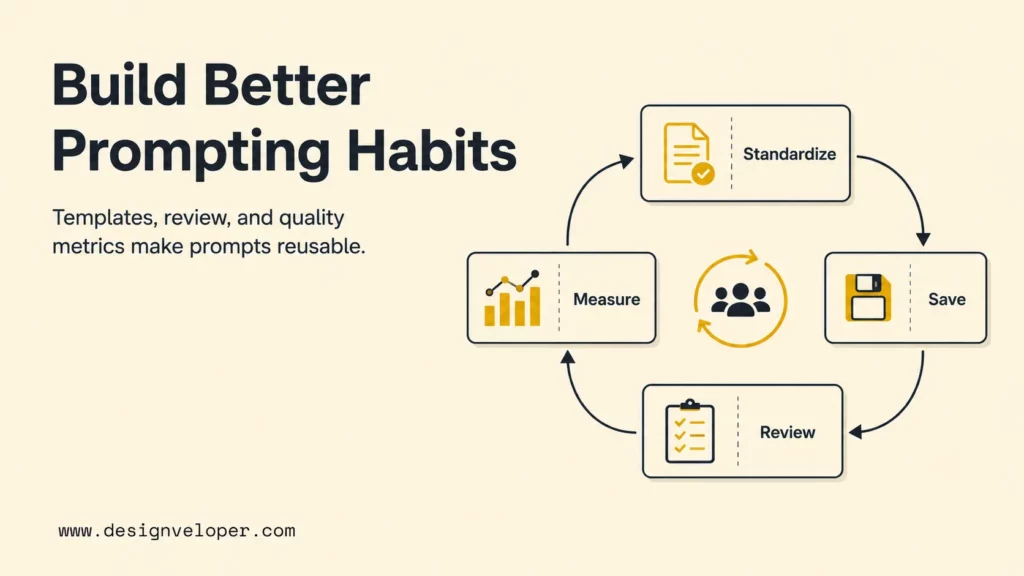
Teams build better prompting habits by turning good individual prompts into shared workflow assets. The goal is not to police every sentence. The goal is to make repeated work easier, safer, and more measurable.
A team can start small: save useful prompts, attach them to common workflows, and review whether the outputs reduce or increase engineering effort. Prompt quality should be judged by code quality, test coverage, review time, and defect reduction, not by how impressive the response sounds.
Standardize Prompts For Repeatable Tasks
Standardized prompts help teams handle recurring tasks such as code review, test generation, incident summaries, changelogs, and API documentation. A prompt template should include placeholders for context, constraints, output format, and verification.
For example, a code-review template can require changed files, review scope, severity definitions, finding format, and a rule to ignore style-only comments unless they hide a real defect. This keeps reviews focused and easier to compare.
Save Prompt Templates By Use Case
Prompt templates should be organized by use case, not by model. Useful categories include bug triage, refactoring, unit tests, integration tests, security review, documentation, architecture decisions, and release notes. Each template should show when to use it and what context it needs.
Teams should also retire templates that produce noisy results. Prompt libraries are only valuable when developers trust them enough to reuse them.
Pair Prompts With Testing And Review
Every high-value prompt should include a review or test step. For code, ask for test commands and affected behavior. As for QA, ask for priority and coverage rationale. For structured output, validate the JSON. And for architecture advice, ask for assumptions and risks.
Pairing prompts with verification changes the team culture. The model becomes a drafting and analysis partner, while the engineering process remains responsible for correctness.
Measure Output Quality, Not Just Speed
Teams should measure whether AI-assisted workflows improve quality, not only whether they feel faster. Useful measures include defects caught in review, test coverage added, time to reproduce bugs, review rework, escaped defects, and developer satisfaction.
A prompt that saves five minutes but creates an hour of review cleanup is not a good prompt. A prompt that makes a test plan more complete, a bug report reproducible, or a refactor safer is worth keeping.
From Better Prompts To More Reliable Code And QA
Better prompts create better starting points for code and QA, but reliable software still requires engineering ownership. Developers should treat AI output as draft material that must pass the same standards as human-written work: tests, review, security checks, deployment discipline, and maintenance planning.
At Designveloper, we connect AI-assisted development to delivery practice through AI development services, web development services, and the delivery process. Prompting is useful when it supports a complete software workflow: discovery, specification, implementation, testing, deployment, monitoring, and iteration.
For product teams, the practical path is to start with repeatable prompts for narrow tasks, add context packages for codebase-specific work, and introduce agentic workflows only when permissions, tools, and review gates are clear. That progression keeps AI useful without letting automation outrun engineering judgment.
FAQs About Prompt Engineering For Developers
The questions below summarize the practical decisions developers face when adopting prompt engineering in real coding and QA workflows.
How Do Developers Write Better Prompts For Code Generation?
Developers write better prompts for code generation by stating the task, including relevant code or API contracts, naming constraints, giving examples, and asking for tests. The prompt should explain what must stay unchanged and what command proves the result works.
What Should A Good Coding Prompt Include?
A good coding prompt should include the goal, relevant files, framework or language version, input and output examples, edge cases, constraints, expected response format, and verification steps. The exact focus keyword, prompt engineering for developers, is useful here because the discipline is about making AI output inspectable and testable.
How Can Prompt Engineering Improve QA And Testing Work?
Prompt engineering can improve QA and testing by turning feature briefs, bug reports, and code diffs into structured test cases. A QA prompt can ask for happy paths, negative cases, boundary values, regression risks, and automation candidates, then let a QA engineer prioritize the final plan.
Is Prompt Engineering Still Important When Using Coding Agents?
Prompt engineering is still important when using coding agents because agents need clear goals, permissions, context, constraints, and stop conditions. Agentic workflows add tools and execution, but a vague task can still produce broad, risky, or hard-to-review changes.
Prompt engineering for developers works best when it turns unclear work into reviewable engineering output. Write prompts like small technical specs, provide real context, request usable formats, and verify every result. That habit helps teams use AI for faster coding and QA without replacing the judgment that reliable software still requires.


