


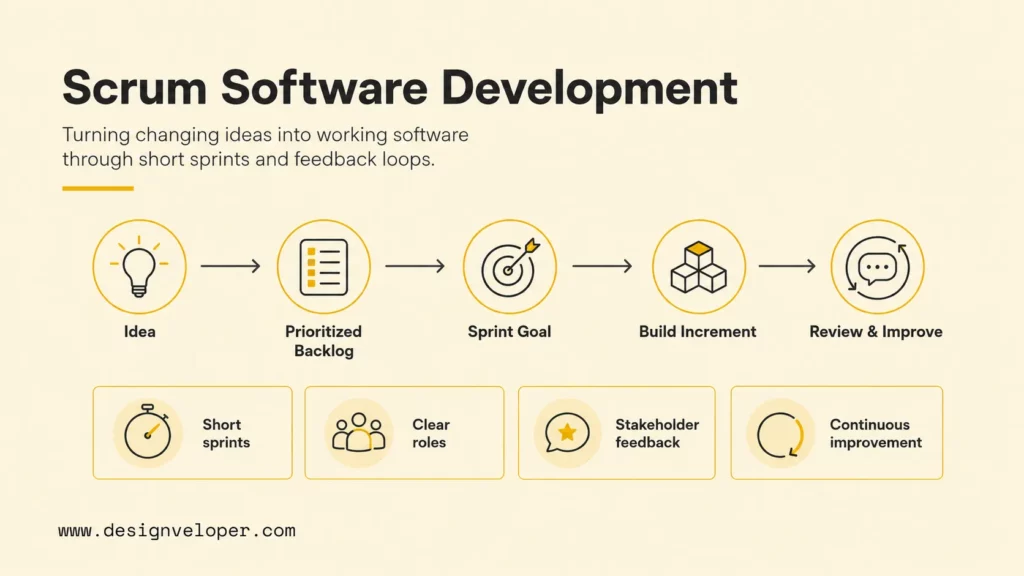
Scrum software development is an Agile way to turn changing product ideas into usable software through short sprints, clear team accountabilities, frequent feedback, and continuous improvement. Instead of trying to predict every requirement at the start, Scrum gives software teams a repeatable rhythm for choosing the most valuable work, building a tested increment, reviewing real progress with stakeholders, and improving the next sprint.
Scrum is not a programming language, a tool, or a full project plan. The official Scrum Guide defines Scrum as a lightweight framework for complex work, built around accountabilities, events, artifacts, and the rules that connect them. For software teams, that framework is useful because product requirements often shift after users, customers, or internal stakeholders see the product in action.
This guide explains what Scrum means in software development, why teams use it, how ideas move through a backlog and sprint, where Scrum helps most, and where Scrum breaks down when teams treat the framework as meeting theater instead of a delivery system.
Fast decision guide: use Scrum when product direction is valuable but uncertain, stakeholder feedback changes priorities, and the team can deliver a usable increment every sprint. Consider Kanban or a hybrid Agile model when work arrives continuously, support interruptions dominate capacity, or the team cannot define sprint-sized outcomes yet.
| Team situation | Best default | Why it fits | First operating habit |
|---|---|---|---|
| New product feature with unclear user behavior | Scrum | Sprints create short learning cycles and inspectable increments. | Write an outcome-based sprint goal and review working software with stakeholders. |
| Continuous support, incidents, or small incoming requests | Kanban or hybrid Agile | Flow-based work handles unpredictable arrival better than fixed sprint scope. | Limit work in progress and measure cycle time. |
| Large platform modernization with dependencies | Scrum with technical planning | Sprint goals can reduce risk when architecture, testing, and integration work stay visible. | Keep technical debt and dependency work in the product backlog. |
| Early team adopting Agile for the first time | Lightweight Scrum | The framework gives a simple cadence without requiring a complex scaling model. | Start with sprint planning, review, retrospective, and a clear Definition of Done. |
| Organization already using mixed delivery models | Hybrid Agile with Scrum practices | Teams can preserve Scrum feedback loops while adapting governance and reporting. | Connect sprint outcomes to product and business measures, not only ticket velocity. |
What Is Scrum In Software Development
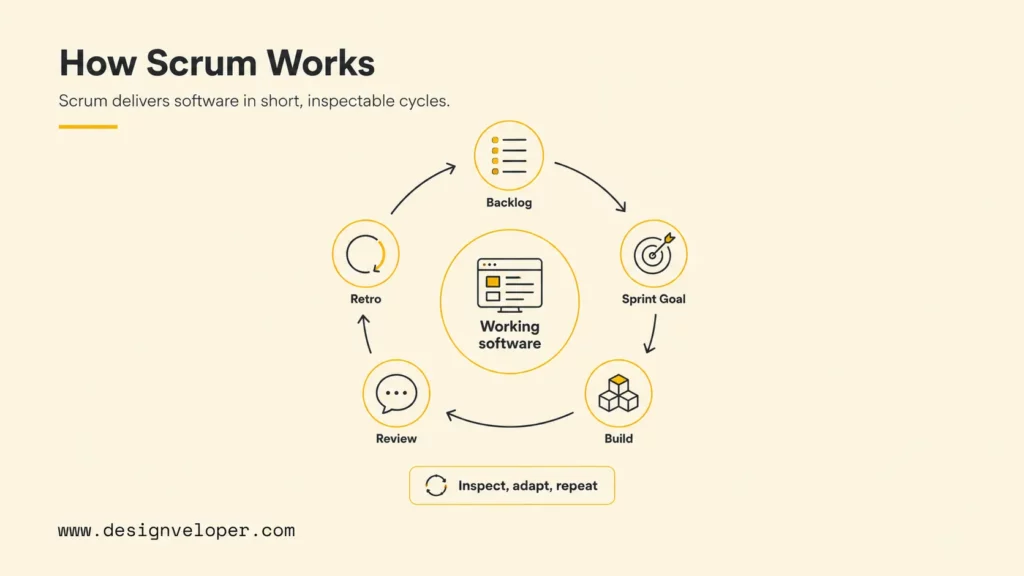
Scrum in software development is a framework for building software in short, inspectable cycles called sprints. A Scrum team selects valuable work from a product backlog, agrees on a sprint goal, builds and tests a usable increment, gathers feedback, and adapts the backlog before the next sprint.
Scrum sits inside the broader Agile family. Agile describes values and principles for adaptive delivery, while Scrum gives teams a specific operating model. Designveloper’s guide to Agile vs Scrum differences explains this relationship in detail: Agile is the mindset, and Scrum is one structured way to apply that mindset in real projects.
The simplest way to understand Scrum is to follow the flow of work. A product idea becomes a backlog item. A backlog item becomes part of a sprint goal when the team believes it is valuable, clear enough, and small enough to finish. Developers then design, code, test, review, and integrate the work into an increment that stakeholders can inspect.
Scrum software development cycle
1. Product backlog
Ideas, defects, risks, and improvements are ordered by value.
2. Sprint goal
The team chooses a focused outcome for the sprint.
3. Build increment
Developers design, code, test, review, and integrate usable work.
4. Sprint review
Stakeholders inspect working software and update priorities.
5. Retrospective
The team improves one delivery habit before the next sprint.
The cycle shows why Scrum is practical for uncertain software work: every sprint converts a selected slice of backlog into evidence that the team can inspect, learn from, and improve.
Scrum works because the framework accepts uncertainty instead of pretending uncertainty can be eliminated. Software products change when users behave differently than expected, integrations expose hidden constraints, budgets shift, or market priorities move. Scrum keeps those changes visible and manageable through short feedback loops.
The framework is intentionally lightweight. The 2020 Scrum Guide revisions even reduced prescriptive language and emphasized the Product Goal, Sprint Goal, and Definition of Done as commitments that help teams stay focused. That matters because Scrum should clarify delivery, not bury engineers under ceremony.
The Problem Scrum Tries To Solve
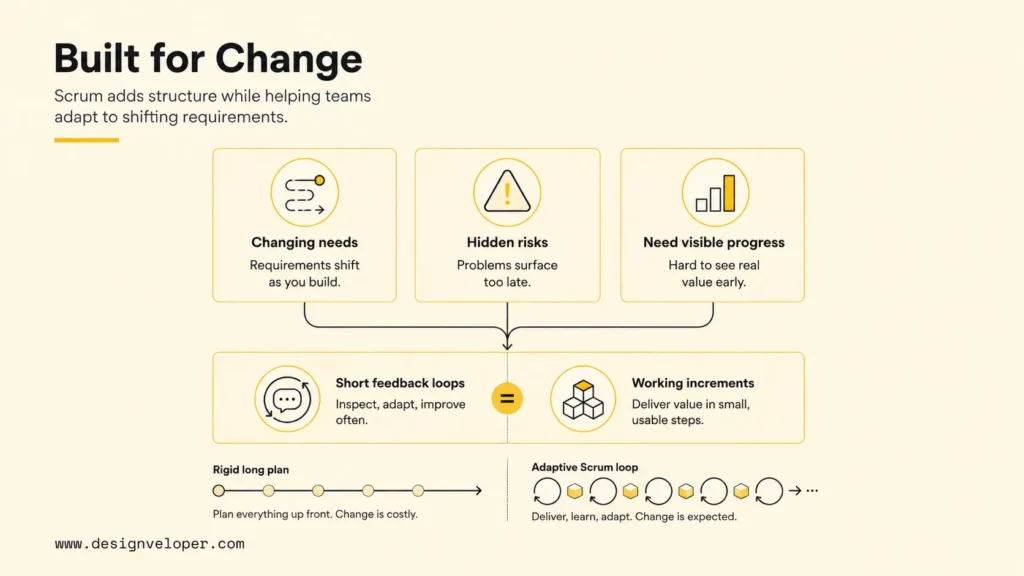
Scrum tries to solve the core software delivery problem: teams need enough structure to build the right thing, but enough flexibility to change direction when evidence proves the plan is incomplete. Traditional long plans can look orderly while hiding delivery risk for months.
Several common problems make Scrum useful for software teams:
- Requirements change before teams finish building. Users discover needs late, competitors release new features, and business teams refine priorities after seeing prototypes.
- Long plans hide delivery risks. Architecture gaps, integration issues, usability problems, and quality defects often appear only when teams build real software.
- Stakeholders need visible progress. A roadmap slide cannot prove that an app works, but a reviewed increment can show what is done, missing, or risky.
- Developers need focus without losing adaptability. A sprint goal protects engineering time while still allowing the backlog to change between sprints.
Recent Agile practice reflects the same need for flexibility. Digital.ai’s 18th State of Agile Report announcement says 74% of surveyed organizations use hybrid, blended, or homegrown Agile models, while 41% increased Agile spending over the previous two years. The signal is practical: teams still want adaptive delivery, but they are adapting Scrum and Agile practices to real organizational constraints.
The current Agile adoption data reinforces why Scrum teams should stay outcome-focused instead of ceremony-focused. Digital.ai’s 18th State of Agile Report highlights flexible delivery models and continued Agile investment, which means teams are adapting the framework to real delivery constraints.
Agile delivery signals from Digital.ai’s 18th State of Agile Report
The chart matters for software teams because Scrum adoption is no longer just about following a textbook. A useful Scrum implementation connects sprint goals, feedback loops, and engineering quality to business outcomes.
Scrum is strongest when the problem is complex rather than merely complicated. A complicated task can often be planned in detail because the path is known. A complex product needs learning because the team cannot fully know the right user experience, technical constraints, or business priorities before development begins.
That is why a Scrum team should measure progress by working software and validated learning, not by the number of tickets moved across a board. A sprint that ships a small but usable feature can reveal more truth than a month of planning documents.
How Scrum Turns Ideas Into Working Software
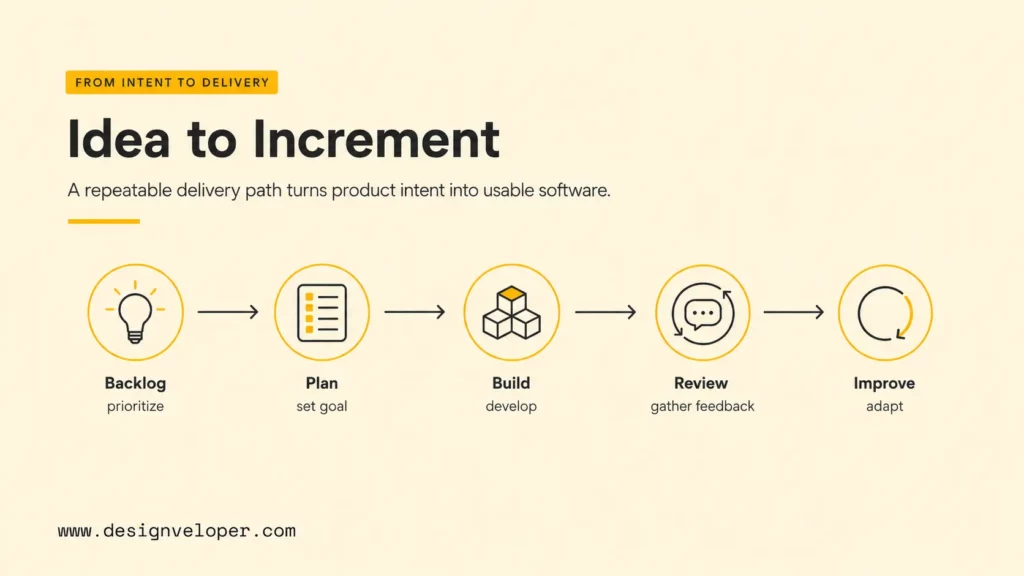
Scrum turns ideas into working software by moving from product intent to backlog priority, sprint goal, development work, stakeholder feedback, and process improvement. The sequence is simple, but each step needs discipline to avoid turning Scrum into a set of recurring meetings.
Product Ideas Become A Prioritized Backlog
A product backlog is the ordered list of product work that might create value. The Product Owner keeps the backlog visible, refined, and aligned with the Product Goal. For software projects, backlog items can include user stories, technical improvements, defects, research spikes, UX work, security fixes, and operational tasks.
A useful backlog is not a storage bin for every idea. A healthy backlog makes priority clear enough for the team to understand what should happen next and why. Designveloper’s article on Agile development best practices gives a practical view of backlog planning, sprint execution, testing, and continuous delivery habits that support this discipline.
Good backlog items usually have four traits:
- Value: the item supports a user, business, technical, or risk-reduction outcome.
- Clarity: the team understands the expected behavior, constraints, and acceptance criteria.
- Size: the item is small enough to complete inside a sprint without hiding large unknowns.
- Readiness: dependencies, design assumptions, and data needs are understood well enough to start.
Backlog refinement is where many Scrum teams either gain or lose speed. If backlog items stay vague until sprint planning, the team wastes planning time negotiating scope. If refinement turns into heavy specification, the team loses the adaptive advantage that Scrum is meant to protect.
Sprint Planning Turns Priority Into A Sprint Goal
Sprint Planning converts backlog priority into a concrete sprint goal and a realistic plan. The team decides why the sprint matters, what work can support that goal, and how the selected work will be approached.
The Atlassian sprint planning guide recommends starting with the product backlog, reviewing existing work, and considering team capacity. Capacity matters because Scrum fails when sprint planning behaves like wishful scheduling. A team with production support duties, code review load, planned leave, or unclear dependencies cannot commit to the same amount of work every sprint.
A strong sprint goal is outcome-based rather than ticket-based. “Improve checkout reliability for mobile users” is stronger than “finish tickets 101, 102, and 103” because the outcome gives the team room to make implementation decisions while protecting the purpose of the sprint.
| Planning question | What the team should decide | Why it matters |
|---|---|---|
| Why is this sprint valuable | A concise sprint goal tied to user or business value. | The team needs focus when scope pressure appears. |
| What can fit | A realistic selection of backlog items based on capacity and risk. | Overloaded sprints create unfinished work and poor forecasting. |
| How will work be done | Technical approach, test needs, dependencies, and review ownership. | Developers need implementation clarity before the sprint starts. |
Developers Build And Test A Usable Increment
The development team builds, tests, integrates, and documents the selected work during the sprint. The aim is not to stay busy; the aim is to create a usable increment that meets the Definition of Done.
The Definition of Done is one of Scrum’s most important quality controls. The Scrum Guide defines the Definition of Done as a formal description of the state of the increment when it meets required quality measures. For software teams, that definition often includes code review, automated tests, security checks, accessibility review, documentation updates, deployment readiness, and monitoring notes.
Without a serious Definition of Done, Scrum can hide quality problems behind sprint velocity. A ticket may look complete on a board while the code is untested, undocumented, hard to deploy, or risky to maintain. A better Scrum team treats “done” as production-minded, even when the increment is released later.
Engineering practices matter here. Pair programming, code review, CI/CD, feature flags, automated regression tests, and observability are not Scrum events, but they make Scrum outcomes more reliable. Scrum provides the delivery rhythm; engineering discipline protects the product.
Sprint Review Brings Feedback Back Into The Backlog
Sprint Review is where stakeholders inspect the increment and discuss what should happen next. The review should focus on working software, user value, changed assumptions, and backlog adaptation.
The Atlassian sprint review guide distinguishes Sprint Review from Retrospective: the review centers on the product increment and stakeholder feedback, while the retrospective centers on how the team works. That distinction helps teams avoid turning reviews into internal status meetings.
A useful Sprint Review might answer questions such as:
- Does the completed feature solve the user problem as expected
- Which assumptions changed after stakeholders saw the increment
- Which unfinished risks should move higher in the backlog
- Should the next sprint continue the same product direction or adjust
For software products, Sprint Review is especially valuable when product managers, designers, engineers, QA specialists, support teams, and business stakeholders discuss the same working increment. Shared inspection reduces the gap between what was requested, what was built, and what users actually need.
Retrospective Improves The Next Sprint
Sprint Retrospective helps the team improve its own delivery system. The team inspects collaboration, process, tools, quality, blockers, and sprint outcomes, then chooses concrete improvements for the next sprint.
The Atlassian Scrum ceremonies guide describes retrospectives as meetings where Agile teams review what worked, what did not, and what process or tool changes should happen next. The practical value comes from follow-through. A retrospective with no action item is only a conversation.
One improvement per sprint is often enough. A team might decide to refine acceptance criteria earlier, reduce work in progress, add a deployment checklist, clarify code ownership, or reserve time for production support. Small process changes compound when they are visible, owned, and reviewed in the next retrospective.
The Scrum Roles, Events, And Artifacts
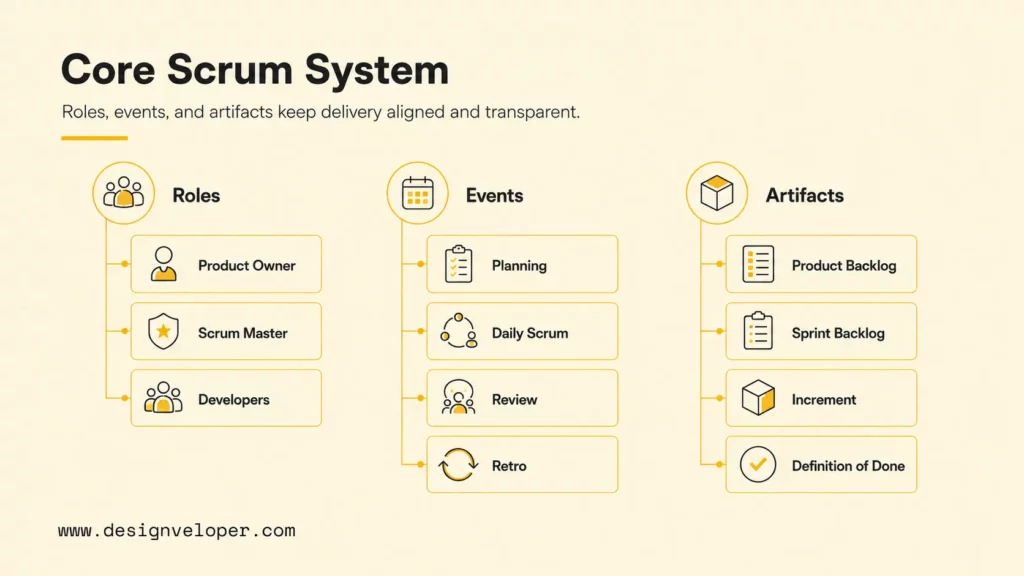
Scrum works through a small set of accountabilities, events, and artifacts. The framework is easier to apply when each part has a clear job instead of becoming a vague meeting label.
| Scrum element | What it includes | Software team purpose |
|---|---|---|
| Roles | Product Owner, Scrum Master, Developers | Clarify product value, process health, and delivery ownership. |
| Events | Sprint Planning, Daily Scrum, Sprint Review, Sprint Retrospective | Create a regular rhythm for planning, coordination, feedback, and improvement. |
| Artifacts | Product Backlog, Sprint Backlog, Increment, Definition of Done | Make work, commitments, quality, and progress visible. |
Scrum framework map
Accountabilities
Product Owner, Scrum Master, and Developers keep value, process, and delivery ownership clear.
Events
Planning, Daily Scrum, Review, and Retrospective create inspect-and-adapt cadence.
Artifacts
Product Backlog, Sprint Backlog, and Increment make work and progress visible.
Commitments
Product Goal, Sprint Goal, and Definition of Done define focus and quality.
The framework map keeps the terminology grounded. Roles, events, artifacts, and commitments are useful only when they improve product decisions, engineering focus, and release quality.
The Product Owner maximizes product value by ordering the backlog and clarifying product goals. The Scrum Master helps the team understand and apply Scrum effectively, removes process barriers, and protects the framework from misuse. Developers are the people who create the product increment, including coding, testing, design, analysis, documentation, or other required skills.
The events create cadence. Sprint Planning defines the sprint goal and selected work. Daily Scrum helps developers inspect progress toward that goal and adjust their plan. Sprint Review brings product feedback into the backlog. Sprint Retrospective improves the team’s delivery process.
The artifacts keep work transparent. A Product Backlog shows future product work. A Sprint Backlog shows current sprint work and the plan to deliver it. An Increment shows the usable product result. The Definition of Done sets the quality bar that every increment must meet.
Teams often struggle when they rename these elements without preserving their purpose. A “daily status meeting” is not a Daily Scrum if developers are reporting upward instead of coordinating with each other. A “demo” is not a Sprint Review if stakeholders cannot influence the backlog afterward.
Where Scrum Helps Software Teams Most
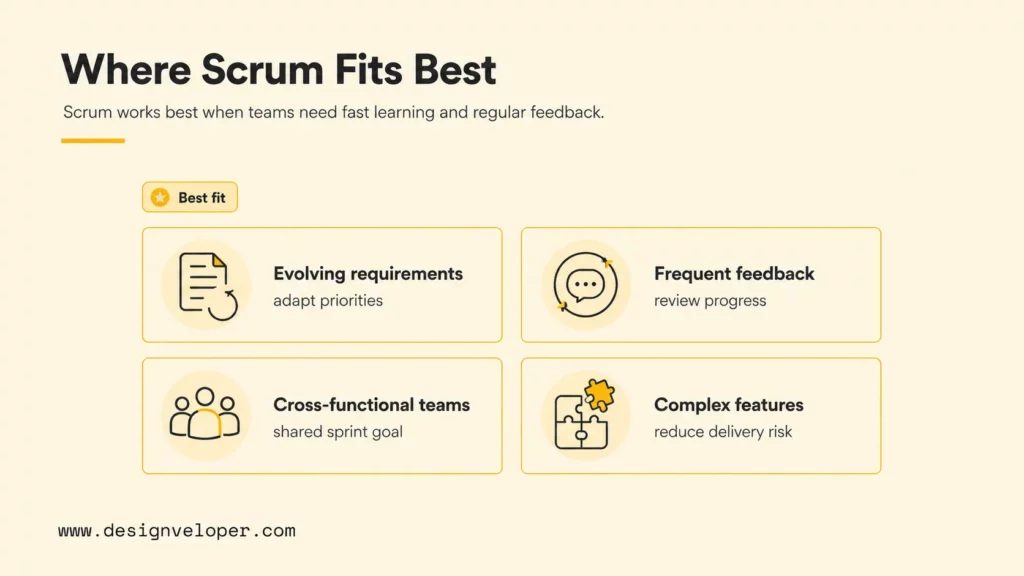
Scrum helps software teams most when the product direction is important but uncertain, and when stakeholders need regular evidence of progress. It is especially useful for product development, SaaS features, internal platforms, customer-facing apps, and complex workflow automation projects.
Scrum fits evolving requirements because the backlog can change between sprints. The sprint goal gives developers focus for a short period, while the product backlog stays flexible enough to absorb new evidence. That balance is useful for startups validating product-market fit and enterprises modernizing internal systems.
Scrum also helps when frequent stakeholder feedback is essential. A design prototype may reveal usability issues, but working software reveals integration, performance, data, and workflow problems. The Sprint Review gives stakeholders a regular chance to inspect those realities before the team commits months of effort in the wrong direction.
Cross-functional teams benefit from Scrum because product, design, engineering, QA, and operations can align around one sprint goal. Designveloper’s guide to Agile software development explains how Agile methods help teams deliver value sooner while improving direction as the product takes shape.
Scrum is also useful when complex features need delivery visibility. Features such as payment flows, booking systems, document workflows, dashboards, AI-assisted functions, and multi-role approval systems often involve unclear requirements and integration risk. A Scrum team can reduce that risk by slicing the feature into inspectable increments.
At Designveloper, Scrum and Agile habits are most valuable when they connect delivery rhythm to engineering practice. Our public Designveloper delivery process emphasizes discovery, specification, design, development, testing, deployment, support, and iteration. Scrum supports that flow when the team uses each sprint to reduce product uncertainty and deliver working value, not just to complete isolated tasks.
Where Scrum Breaks Down
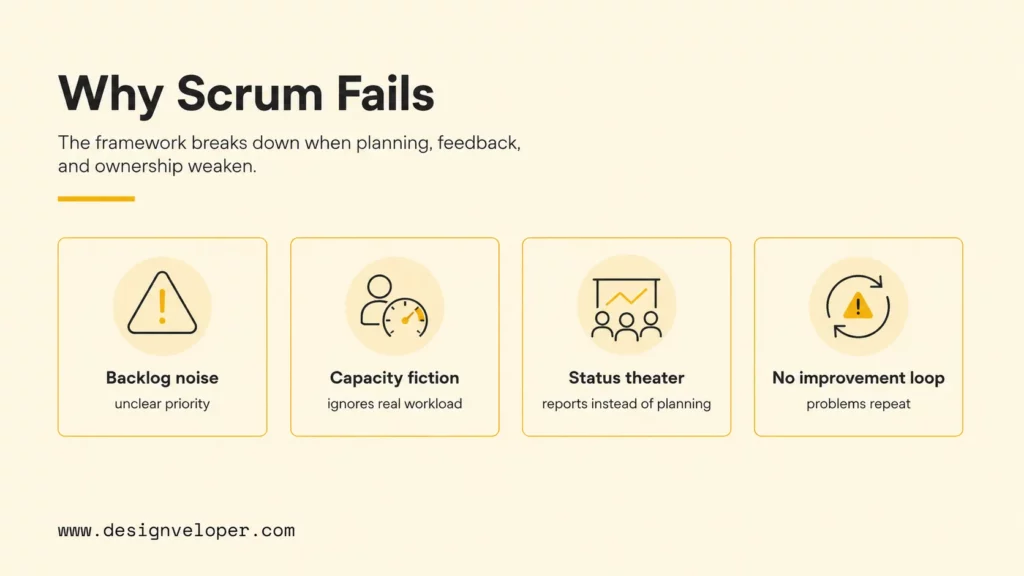
Scrum breaks down when teams keep the ceremonies but lose the purpose. The framework cannot fix unclear strategy, overloaded teams, weak engineering practices, or stakeholders who ignore feedback until deadlines are already at risk.
The first common failure is backlog bloat. A product backlog becomes unmanageable when every idea, bug, stakeholder request, technical debt item, and someday feature stays in the same undifferentiated list. The Product Owner then spends more time managing inventory than clarifying value.
The second failure is sprint planning that ignores real capacity. Teams often plan as if every developer has uninterrupted coding time. Real software teams handle code review, incidents, meetings, support questions, onboarding, research, and unexpected defects. Ignoring that load produces unfinished sprint work and erodes trust in planning.
The third failure is a Daily Scrum that becomes status reporting. Developers should use Daily Scrum to inspect progress toward the sprint goal and coordinate the next day of work. If each person only reports yesterday’s tasks to a manager, the event loses its team-level planning value.
The fourth failure is a retrospective that produces notes but no change. A team can identify the same blocker every sprint without improving anything if no one owns the action item. Retrospectives need a small number of visible experiments, not a long list of complaints.
Where Scrum breaks down
Backlog noise
Too many undifferentiated requests hide real priority.
Capacity fiction
Planning ignores reviews, incidents, support, and defects.
Status theater
Daily Scrum becomes reporting instead of team planning.
No improvement loop
Retrospectives create notes but no owned experiment.
The risk stack gives teams a quick diagnostic. When Scrum feels heavy, the issue is often not the framework itself but a broken feedback loop, unclear ownership, or unrealistic planning assumptions.
Scrum can also struggle when work is highly interrupt-driven or support-heavy. In that environment, Kanban or a hybrid model may fit better. Designveloper’s article on types of Agile methodology compares Scrum, Kanban, Extreme Programming, and other approaches that teams can adapt to their work pattern.
How To Apply Scrum Without Overcomplicating It
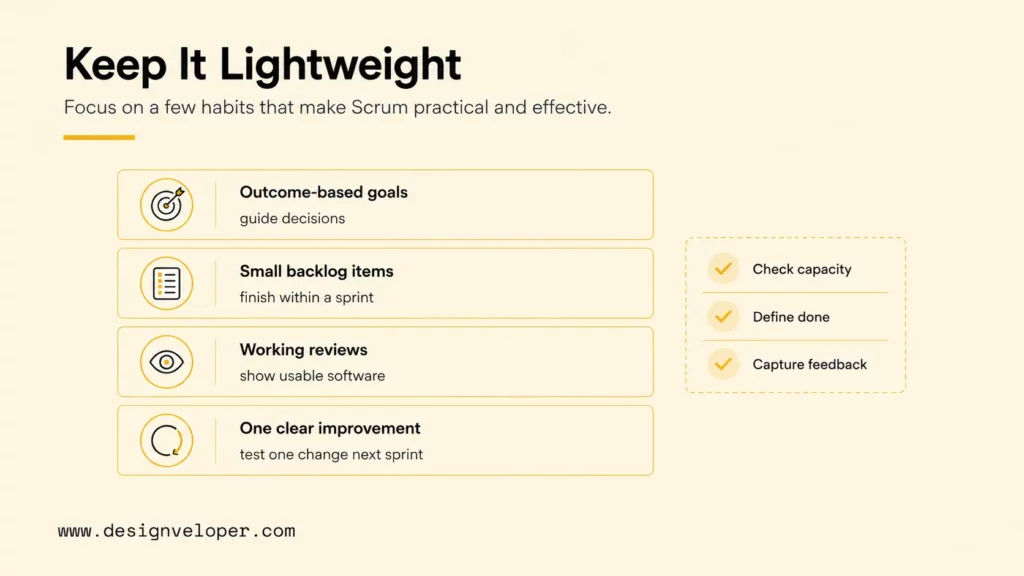
The best way to apply Scrum without overcomplicating it is to protect the few practices that create real value: outcome-based sprint goals, small backlog items, working software reviews, and one concrete improvement after each retrospective.
Start with sprint goals. A sprint goal should describe the outcome the team wants to create, not only the tickets the team hopes to close. A good goal helps developers make tradeoffs when they find a dependency, scope issue, or technical risk during the sprint.
Next, make backlog items small enough to finish. Large items hide uncertainty and create late surprises. Smaller backlog items make review, testing, and delivery more predictable. The goal is not to split work into meaningless fragments; the goal is to create slices that can be designed, built, tested, and inspected.
Review working software instead of progress reports. Stakeholders should see usable increments, not only screenshots, ticket counts, or slide updates. A working increment exposes quality, integration, UX, and workflow details that reporting tools can miss.
Finally, turn one retrospective insight into a concrete change. The team might revise the Definition of Done, add acceptance criteria earlier, reduce work in progress, improve branch strategy, clarify review ownership, or schedule earlier stakeholder validation. The change should be small enough to try in the next sprint and clear enough to evaluate later.
Before adding more ceremonies, a software team can use the readiness scorecard below to decide whether Scrum is being applied as a delivery system or only as a meeting schedule.
| Scrum readiness check | Healthy signal | Warning signal | Next improvement |
|---|---|---|---|
| Sprint goal | The goal describes a product or user outcome. | The sprint is only a list of disconnected tickets. | Rewrite the goal around one clear user, business, or risk-reduction outcome. |
| Backlog quality | Top items have acceptance criteria, dependencies, and value context. | Planning starts with vague requests and unresolved questions. | Refine the next sprint candidates before planning. |
| Definition of Done | Done includes review, tests, integration, and release readiness. | Done means code is written but not proven. | Add quality gates that match the product risk. |
| Sprint Review | Stakeholders inspect working software and change priorities when evidence changes. | The review is a slide update or internal status meeting. | Demo usable increments and capture backlog changes immediately. |
| Retrospective | One improvement is owned and checked in the next sprint. | The same problems repeat without ownership. | Limit the action list and assign one visible experiment. |
A simple Scrum health checklist can keep the framework practical:
- The sprint goal explains the value of the sprint in one or two sentences.
- Each selected backlog item has acceptance criteria and an owner for clarification.
- The team checks capacity before committing to sprint work.
- The Definition of Done includes review, testing, integration, and release-readiness expectations.
- Sprint Review changes the backlog when feedback changes priorities.
- Retrospective action items are visible in the next sprint.
Scrum should make delivery easier to inspect, not harder to understand. Teams that keep the framework lightweight can use Scrum as a practical operating system for software delivery: focus, build, inspect, learn, and improve.
FAQs About Scrum Software Development
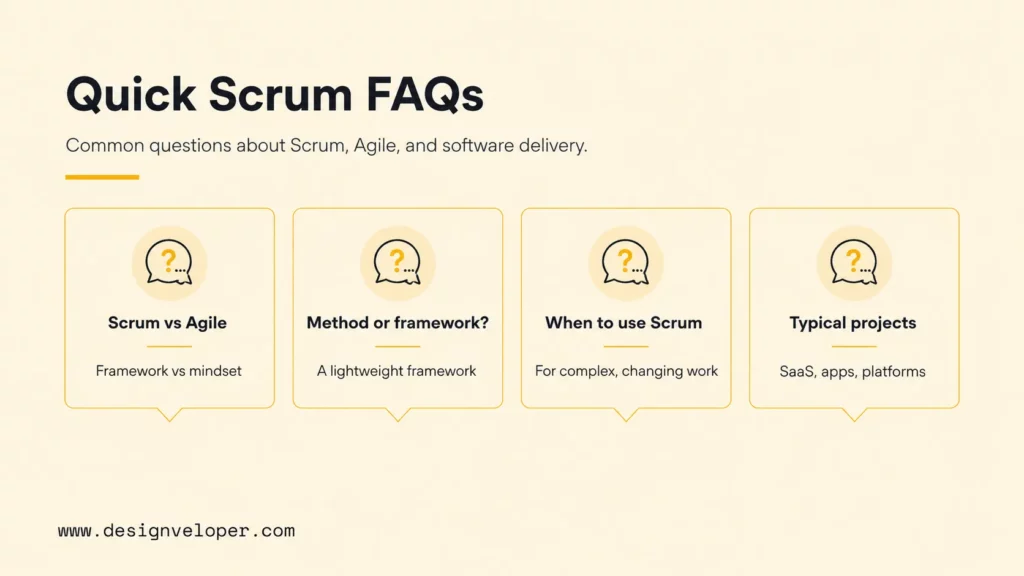
These quick answers cover the most common questions teams ask when comparing Scrum with Agile, project management, and software development methods.
What Does Scrum Mean In Software Development
Scrum means a software team works in short sprints to deliver usable increments, inspect progress, collect feedback, and adapt the backlog. The framework gives teams clear accountabilities, events, artifacts, and commitments so they can manage complex product work without pretending every requirement is fixed from the start.
What Is Scrum Vs Agile
Agile is a broader set of values and principles for adaptive work, while Scrum is a specific framework used to apply Agile in practice. Agile explains the mindset of iterative, collaborative delivery. Scrum defines roles, events, artifacts, and sprint-based cadence. Designveloper’s Agile methodology examples show how Scrum compares with Kanban and other Agile approaches.
Is Scrum A Software Development Methodology
Scrum is often called a software development methodology in everyday language, but the official Scrum Guide calls it a lightweight framework. The distinction matters because Scrum does not prescribe every engineering practice. Teams still need product discovery, UX design, architecture, testing, CI/CD, security review, and deployment discipline to ship reliable software.
What Are Scrum Examples In Software Projects
Scrum examples in software projects include a team building a checkout feature over several sprints, a SaaS team improving onboarding based on user feedback, a mobile team releasing a usable booking flow, or an internal platform team reducing manual approval work. In each case, the team uses a backlog, sprint goal, increment, review, and retrospective to learn while building.
When Should A Team Use Scrum
A team should use Scrum when product goals are clear enough to prioritize but uncertain enough to require learning. Scrum is a strong fit for cross-functional software teams, evolving requirements, frequent stakeholder feedback, and complex features that benefit from visible progress. A team may choose Kanban or a hybrid Agile model when work is continuous, support-heavy, or difficult to plan into sprint-sized increments.
Scrum software development works best when teams treat Scrum as a delivery discipline, not a ceremony checklist. The framework helps software teams turn change into working software by keeping priorities visible, increments inspectable, feedback frequent, and improvement continuous. For teams that need help shaping a practical Agile delivery model, Designveloper can support discovery, product planning, architecture, development, testing, deployment, and ongoing iteration through a production-minded software delivery process.


