


This guide on the complex “what is a chatbot” question uses definitions and implementation guidance from IBM, AWS, Microsoft, and Oracle, with AI-risk guidance from NIST AI RMF and OWASP LLM security guidance where the article discusses business safeguards.
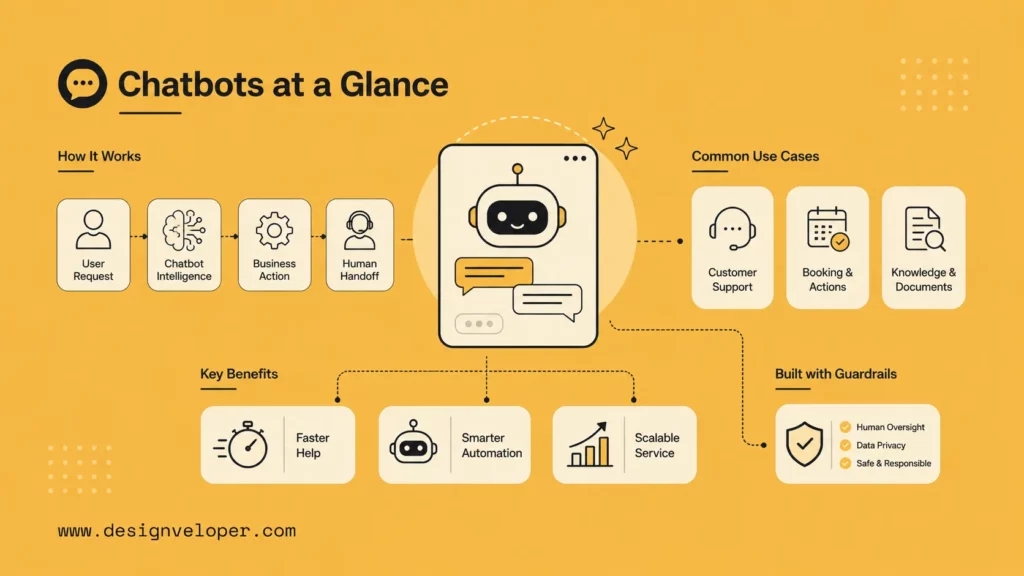
What Is A Chatbot?
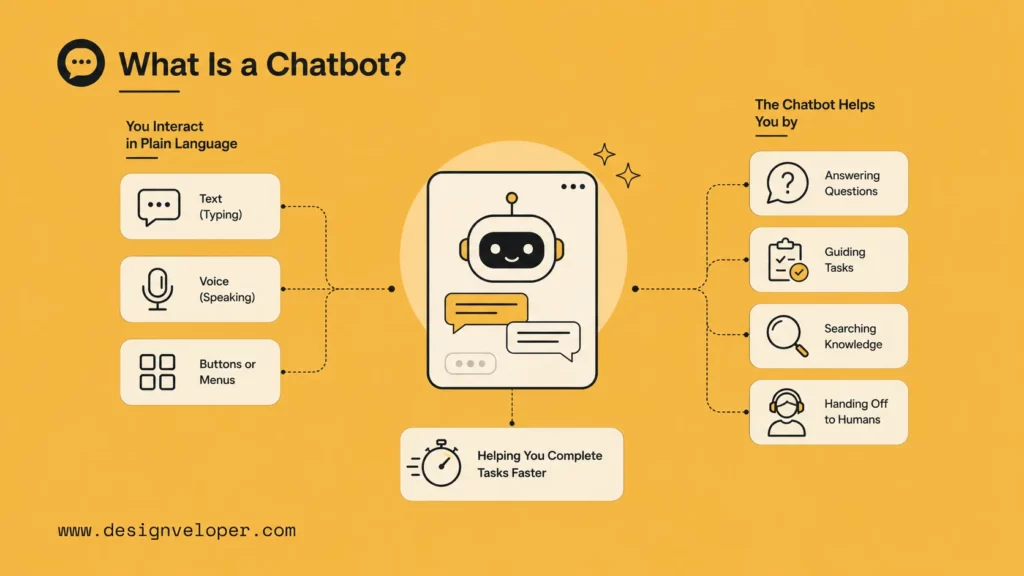
A chatbot is a software program that lets people interact with a digital system through conversation. The conversation may happen through text, voice, buttons, menus, or a mix of all of them. Some chatbots follow fixed rules. Others use artificial intelligence, natural language processing, and connected data sources to understand requests and produce more flexible answers.
The simplest way to understand a chatbot is to see it as a conversational interface. Instead of asking users to search through menus, forms, help centers, or dashboards, a chatbot lets them ask for what they need in plain language. It can answer a question, guide a user through a task, collect information, search a document, create a request, or hand the conversation to a human when the situation requires judgment.
Major technology companies define chatbots in similar ways. IBM describes them as programs that simulate conversation, while AWS explains that chatbots help organizations scale and personalize communication. Microsoft highlights the role of AI and NLP in helping people interact with apps and web services, and Oracle points out that chatbots can range from simple answer systems to sophisticated digital assistants.
For businesses, the important point is not whether the chatbot feels impressive. The important point is whether it helps users complete real tasks faster and with less friction. A good chatbot is useful, clear, connected to the right data, and honest about what it can and cannot do.
How Do AI Chatbots Work?
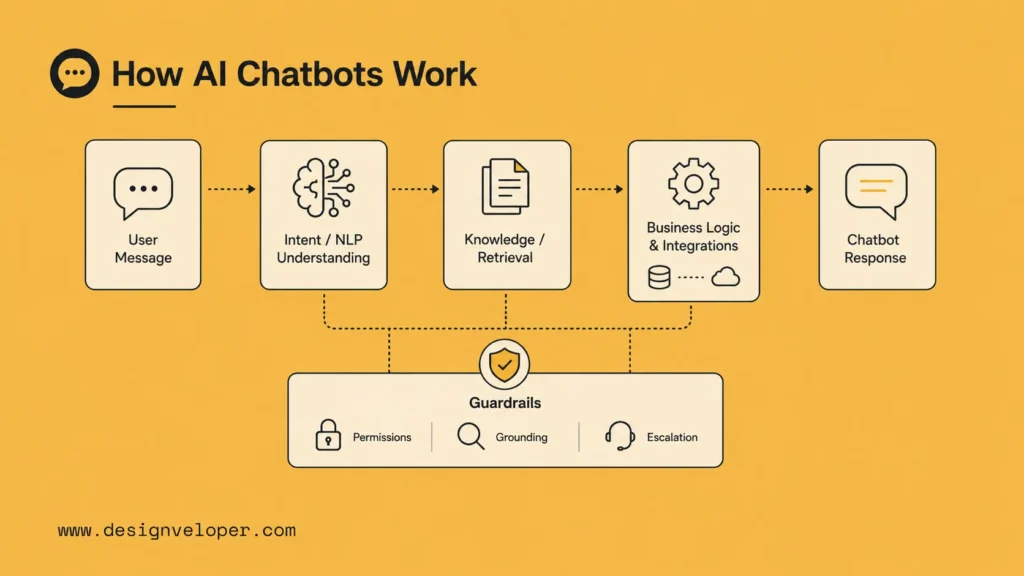
An AI chatbot works by receiving a user message, identifying the user’s intent, finding or generating the right response, and returning that response through the same channel. The channel may be a website, mobile app, internal portal, messaging app, customer support inbox, or voice interface.
Behind the interface, several layers may be involved. Dialogflow documentation and Rasa documentation show two common approaches to building conversational systems. Natural language processing helps the system interpret the user’s words. Natural language understanding helps it identify intent, entities, tone, and context. A knowledge source gives the chatbot approved information. Business logic decides what action is allowed. Integrations connect the chatbot to systems such as CRMs, booking platforms, payment tools, document repositories, or help desk software.
Modern AI chatbots may also use large language models to generate more natural responses. This makes them more flexible than older scripted bots, but it also increases the need for guardrails. A business chatbot should not freely invent answers. NIST AI RMF and OWASP LLM guidance are useful references when teams define testing, monitoring, permission, and escalation controls. It should retrieve from trusted sources, cite or ground important information where possible, respect permissions, and escalate uncertain cases.
Rule-Based Chatbots
Rule-based chatbots follow predefined paths. They are often built around menus, decision trees, keywords, or scripted answers. They work well when the task is narrow and predictable, such as checking store hours, choosing a support category, or guiding a user through a standard intake form.
Their weakness is flexibility. If a user asks an unexpected question, uses unusual wording, or combines several needs in one message, the bot may fail. Rule-based chatbots are still useful, but they should be used where reliability matters more than open-ended conversation.
AI Chatbots That Understand Intent And Context
AI chatbots can interpret a wider range of user messages. They can identify that “I can’t get into my account,” “login is broken,” and “password reset failed” may all point to a similar support intent. With the right design, they can also keep track of context during a conversation, ask clarifying questions, and search relevant knowledge before replying.
This is where chatbots become more useful for complex products. They can help users understand policies, compare options, summarize information, and move between questions without forcing the conversation back to a rigid menu.
Human Handoff And Workflow Integration
A chatbot should not trap users. When a request involves emotion, risk, account-specific judgment, legal interpretation, or an unresolved technical issue, the system should hand off to a human with the conversation history intact. This makes the human agent more effective because the user does not have to repeat everything.
Workflow integration is equally important. A chatbot that only answers questions can be helpful. A chatbot that can create a ticket, book an appointment, extract text from a document, redact sensitive information, or generate an agreement draft can become part of the way a team actually works.
Main Types Of Chatbots
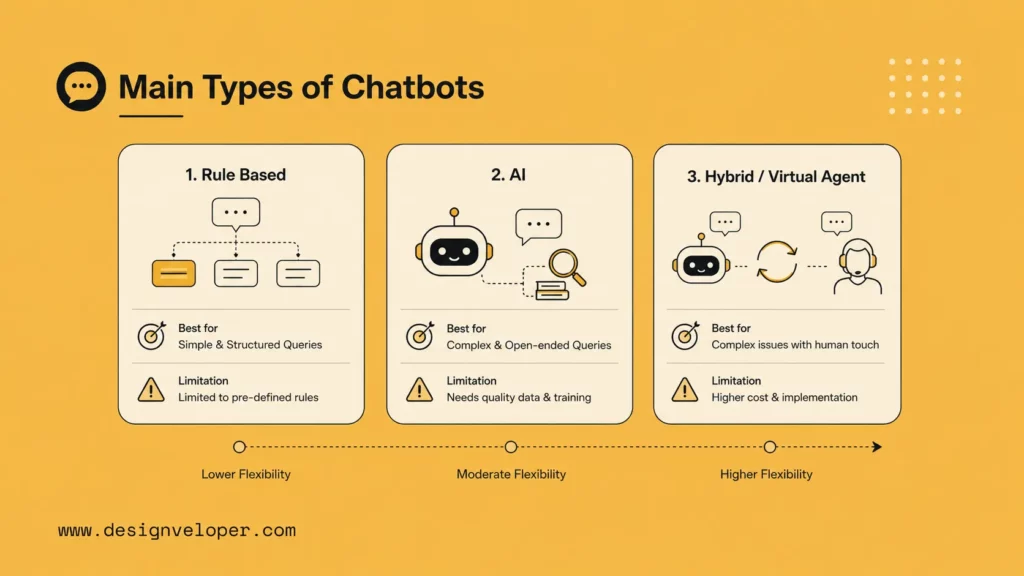
There are many labels in the chatbot market, including virtual assistant, AI assistant, conversational agent, and digital assistant. In practice, most business chatbots fall into three broad groups: rule-based chatbots, AI chatbots, and hybrid systems that combine automation with human support and connected workflows.
| Type | Best For | Main Limitation |
|---|---|---|
| Rule-based chatbot | Simple repetitive questions, guided menus, fixed processes | Limited flexibility outside predefined paths |
| AI chatbot | Knowledge search, natural questions, contextual support | Needs quality data, testing, and safeguards |
| Hybrid chatbot or virtual agent | Customer service, internal tools, document workflows, multi-step actions | Requires thoughtful integration and governance |
Rule-Based Chatbots
Rule-based chatbots are the easiest to control. They use clear paths, approved answers, and predictable outcomes. This makes them a good choice for organizations that need a simple support assistant or a fast way to route users to the right department.
They are also easier to audit because every answer can be reviewed in advance. However, teams should avoid using them for tasks that require interpretation, personalization, or nuanced troubleshooting.
AI Chatbots
AI chatbots are designed for more natural interaction. They can process open-ended questions, match user intent, and produce responses that feel less mechanical. They are useful when users may ask the same question in many different ways or when the answer depends on context.
For example, an AI chatbot can help a customer understand which plan fits their needs, help an employee find a policy, or help a user summarize a long document. The quality of the result depends heavily on the quality of the data, the prompt and retrieval design, the permission model, and the testing process.
Hybrid Chatbots And Virtual Agents
Hybrid chatbots combine structured rules, AI understanding, system integrations, and human handoff. This is often the most practical model for businesses. The bot can use rules for compliance-sensitive flows, AI for flexible questions, APIs for actions, and humans for exceptions.
Virtual agents go further by completing tasks across systems. They may update a record, start an approval process, prepare a document, or trigger a follow-up. This makes them especially valuable in customer support, operations, HR, finance, healthcare, education, and document-heavy services.
Where Chatbots Create Real Value
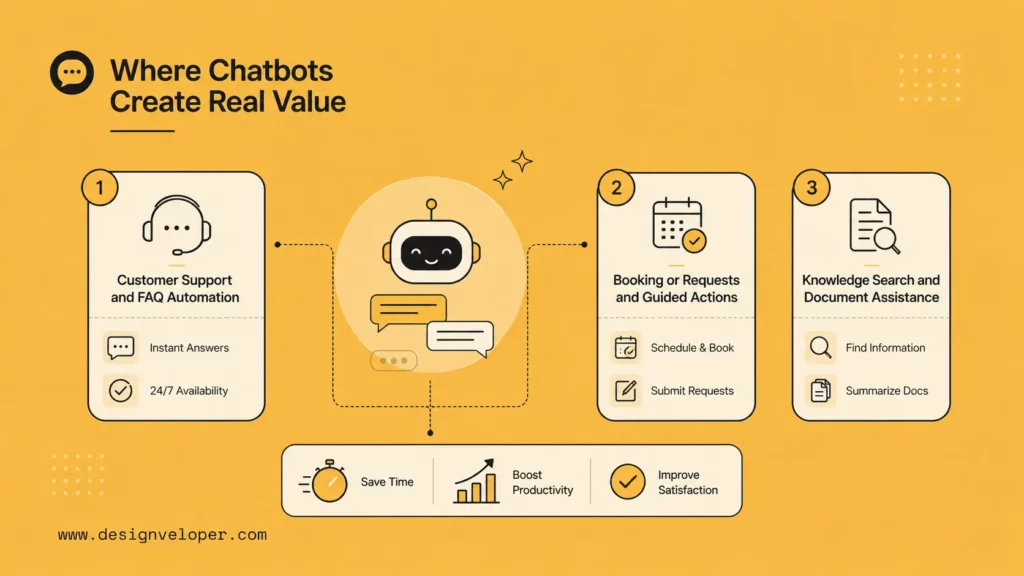
Use-case evidence: For customer support, Salesforce’s State of Service report is a more specific source than a generic chatbot explainer because it discusses how service teams expect AI chatbot use to expand. For CX sentiment, Zendesk’s 2026 analysis gives direct customer percentages on simple issues and faster replies.
Chatbots create value when they reduce the distance between a user’s question and a useful outcome. The value is not limited to customer support. Chatbots can help with sales, onboarding, training, booking, document work, knowledge retrieval, internal operations, and personalized product experiences.
Customer Support And FAQ Automation
Zendesk AI resources and Salesforce Agentforce show how customer-service platforms now position AI assistants around support workflows. Customer support is the most familiar chatbot use case. A chatbot can answer common questions, classify issues, suggest help articles, collect screenshots or order numbers, and route the user to the right team. This reduces repetitive work for support agents and gives users faster first responses.
The best support bots are not just FAQ search boxes. They understand the customer’s problem, ask for missing details, explain next steps, and know when the issue is too complex for automation. They also preserve the conversation history when a human agent takes over.
Booking, Requests, And Guided Actions
Many chatbot experiences are about action rather than information. A user may want to book a demo, schedule an appointment, request a quote, report an issue, change an order, or submit an internal request. A chatbot can guide that process step by step and reduce form fatigue.
For product teams, this is a major opportunity. A conversational action can feel lighter than a long form, especially on mobile. It can also personalize the journey by asking only the questions that matter for the user’s case.
Knowledge Search And Document Assistance
Knowledge and document assistance is one of the strongest use cases for AI chatbots. Instead of making users search through PDFs, policies, contracts, product manuals, or internal wikis, a chatbot can retrieve relevant passages, summarize the answer, and suggest the next action.
Designveloper has applied these kinds of capabilities in AI assistant and digital document product experiences, including OCR extraction, document chat, summarization, redaction, conversational actions, and agreement generation. These features show how a chatbot can move beyond simple Q&A and support real operational work.
Why People Use Chatbots
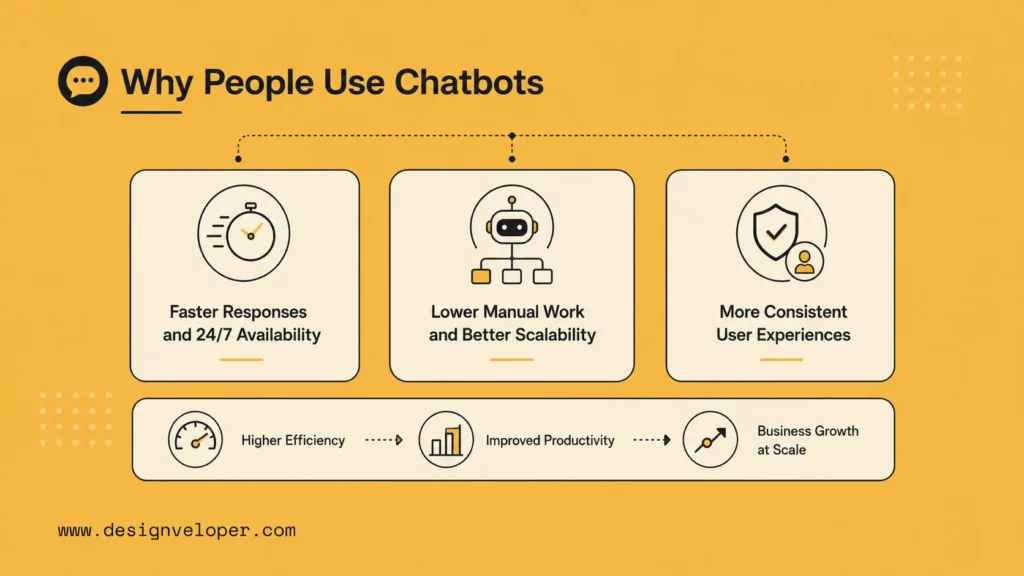
People use chatbots because they want fast, convenient help without changing tools or waiting for a person to become available. Businesses use them because they can reduce repetitive work, support more users at once, and make digital experiences easier to navigate.
Faster Responses And 24/7 Availability
Intercom Fin and similar support tools show why always-on response is attractive for service teams. A chatbot can respond immediately at any time of day. This matters for global customers, small teams, and services where users may need help outside office hours. Even when the chatbot cannot solve the whole problem, it can acknowledge the request, collect details, and set expectations.
Always-on support does not mean every answer should be automated. It means the first step of help can be available whenever the user needs it.
Lower Manual Work And Better Scalability
Many teams spend a large amount of time answering the same questions, collecting the same details, or routing the same requests. Chatbots can handle these repetitive interactions consistently. This allows human teams to focus on higher-value work, such as complex support cases, relationship building, quality review, or strategic improvements.
Scalability is also important during demand spikes. A chatbot can handle many conversations at once, while a human-only team has fixed capacity.
More Consistent User Experiences
When a chatbot is well maintained, it gives users a consistent experience. It uses approved explanations, follows the same intake steps, and applies the same routing logic. This is useful for regulated industries, distributed teams, and fast-growing companies that need repeatable service quality.
Consistency also helps teams improve. Conversation logs can reveal confusing product areas, missing documentation, recurring customer pain points, and opportunities to automate more workflows.
What Chatbots Still Struggle With
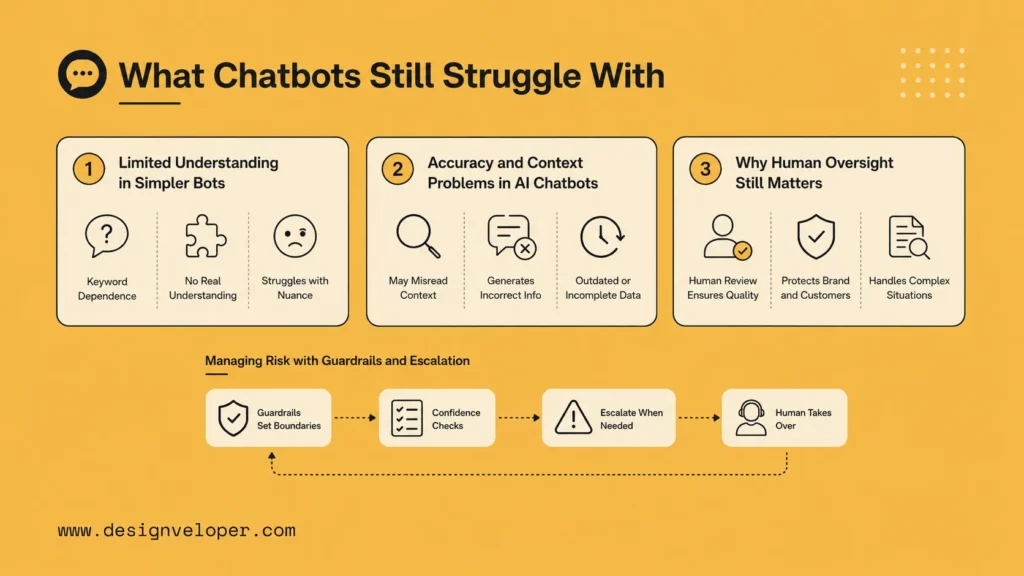
Risk evidence: Recent customer-service news shows why oversight matters. ITPro reported on May 18, 2026 that 74% of companies in a Sinch-commissioned survey had shut down or rolled back an AI customer communications agent because of governance failures. IBM’s 2025 AI breach findings also show why access controls and auditability matter for chatbots connected to private data.
Chatbots are useful, but they are not magic. A weak chatbot can frustrate users, provide shallow answers, expose private data, or make a business look careless. The risk increases when teams deploy AI chatbots without clear boundaries, quality control, or human escalation.
Limited Understanding In Simpler Bots
Simple bots struggle when users do not follow the expected path. They may miss synonyms, slang, typos, mixed questions, or emotional cues. This can make the experience feel worse than a normal form because users expect conversation but receive rigid responses.
Teams can reduce this problem by designing clear menus, using plain language, offering search fallback, and giving users a visible route to human help.
Accuracy And Context Problems In AI Chatbots
AI chatbots can misunderstand context or generate answers that sound confident but are incomplete or wrong. This is especially risky in areas such as healthcare, finance, legal support, technical troubleshooting, and account-specific decisions.
To manage this, businesses should ground AI chatbots in approved knowledge, test them with real user scenarios, monitor failure cases, and avoid letting the bot make unsupported claims. For sensitive use cases, the chatbot should explain limits clearly and escalate when confidence is low.
Why Human Oversight Still Matters
Human oversight is not a backup plan. It is part of responsible chatbot design. People should review analytics, update knowledge sources, test new flows, and examine conversations where users abandon the bot or ask for a human.
Oversight is also essential for brand tone. A chatbot may be technically correct but still sound cold, confusing, or inappropriate. Human review keeps the experience aligned with the organization’s values and customer expectations.
How To Get Started With Chatbots
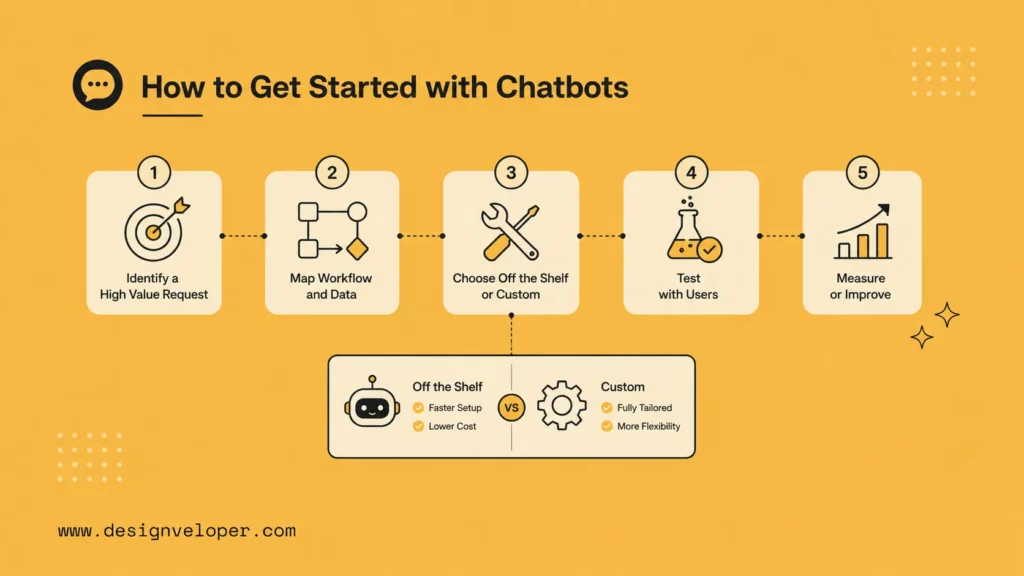
Implementation guardrail: Before choosing a chatbot, teams should map the exact task, the data it can access, the escalation path, and the audit trail. The NIST AI Risk Management Framework is useful here because it frames AI risk management around governance, mapping, measuring, and management rather than only model selection.
The best chatbot projects start with a specific business problem, not with a technology trend. Before choosing a platform or model, teams should identify the users, the repeated requests, the systems involved, and the outcome the chatbot must support.
Start With Repetitive, High-Value Requests
Look for requests that happen often, follow a recognizable pattern, and consume team time. Good starting points include order status, appointment booking, onboarding questions, policy search, password guidance, document lookup, and lead qualification.
Then define success in practical terms. The goal may be to reduce first-response time, increase self-service completion, improve routing accuracy, shorten onboarding, or help users find information without contacting support.
Choose Between Off-The-Shelf Tools And Custom Solutions
Off-the-shelf chatbot tools are useful when the workflow is common and the team needs speed. They often include templates, integrations, analytics, and basic AI features. A custom chatbot is better when the product experience is unique, the data model is complex, the workflow crosses several systems, or the business needs strong control over security and user experience.
The right choice depends on the use case. A simple FAQ bot may not need custom development. A document assistant that extracts OCR text, summarizes confidential files, redacts sensitive data, and generates agreement drafts likely needs a more tailored architecture.
How Designveloper Approaches Chatbot-Driven Product Experiences
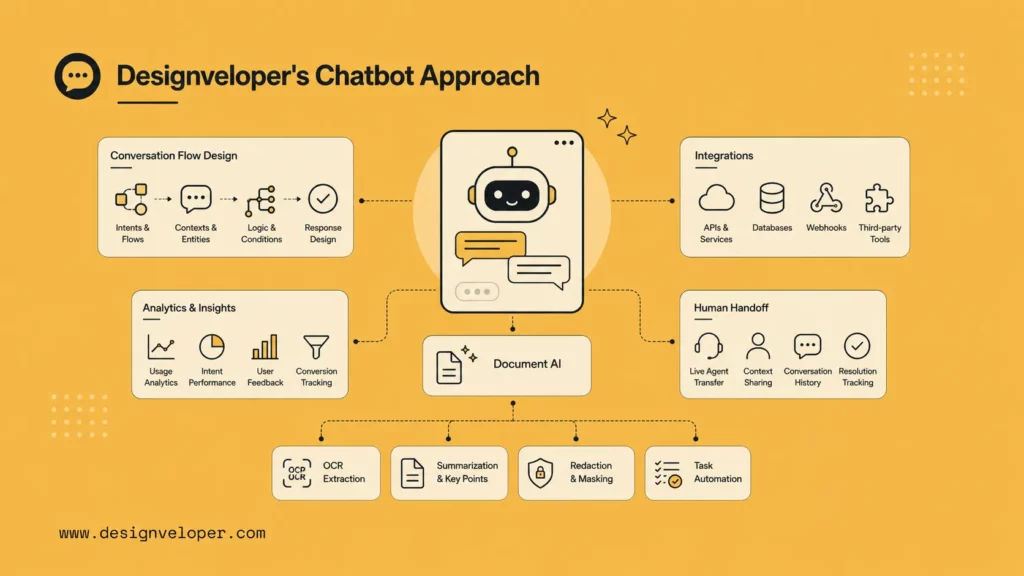
At Designveloper, we approach chatbot development as product experience design, not just automation. The chatbot must fit the user journey, the business process, the data environment, and the long-term maintenance plan. That means defining the conversation flow, integration points, fallback paths, analytics, and human handoff before the system goes live.
For companies exploring AI assistants, our team focuses on practical capabilities such as document chatbot features, conversational workflows, personalized assistant behavior, summarization, OCR extraction, redaction, and task automation. The goal is to build chatbot experiences that help users complete meaningful work, not just receive polished answers.
FAQs About Chatbots
What Is The Main Purpose Of A Chatbot?
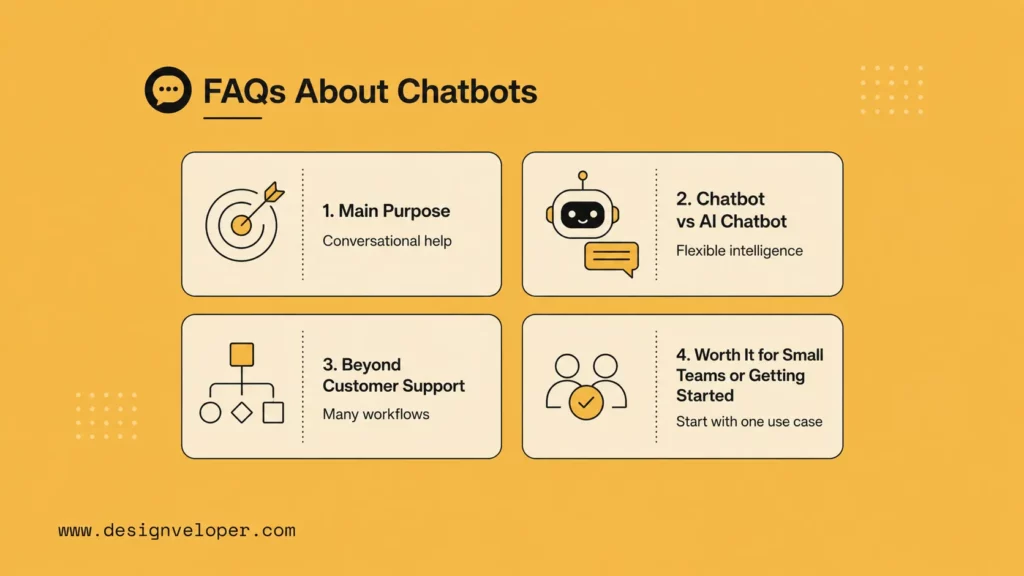
The main purpose of a chatbot is to help users interact with a digital service through conversation. It can answer questions, collect information, guide users through tasks, search knowledge, automate workflows, or connect users with human support.
What Is The Difference Between A Chatbot And An AI Chatbot?
A chatbot is any software that simulates conversation. An AI chatbot uses technologies such as NLP, machine learning, retrieval systems, or large language models to understand more flexible user input and produce more contextual responses.
Can Chatbots Do More Than Customer Support?
Yes. Chatbots can support sales, HR, finance, onboarding, document search, booking, internal knowledge management, lead qualification, and product navigation. The most valuable chatbots often combine answers with actions.
Are Chatbots Worth It For Small Teams?
Chatbots can be worth it for small teams when they reduce repeated work or improve response speed. A small team should begin with a focused use case, measure results, and expand only when the first workflow proves useful.
How Should A Team Get Started With Chatbots?
Start by choosing one repeated, high-value request. Map the current process, define the desired outcome, decide what data the chatbot can access, and set a clear human handoff rule. From there, build a small version, test it with real users, and improve it based on conversation data.
In short, a chatbot is most valuable when it is designed around real user needs. Whether it is simple, AI-powered, or deeply integrated into business workflows, the best chatbot is the one that helps people get useful work done with less effort.


